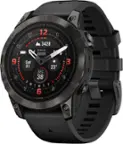
Garmin - Forerunner 245 Music GPS Smartwatch 42mm Fiber-Reinforced Polymer - Black
- Key Specs
- Screen Size: 30.4 millimeters (Size of the screen, measured diagonally from corner to corner.)
- Operating System Compatibility: Android, Apple iOS, iPhone
- App Compatible: true (The product can be connected to a program or software application on a mobile device, which then receives collected data from the product.)
- Global Positioning: GLONASS, GPS, Galileo (A system of satellites which enables a mobile receiver to determine its precise location based on signals received from satellites such as the US Global Positioning System (GPS), the Russian Global Navigation Satellite System (GLONASS), the European Global Navigation Satellite System (Galileo), or the Japanese Quasi-Zenith Satellite System (QZSS).)
- Metrics Measured: Activity vs. inactivity, Distance traveled, Resting heart rate, Duration of sleep stages
- Protective Qualities: Water resistant
- Maximum Depth of Water Resistance: 164 feet (Measurement of the maximum depth of water in which the product is able to resist some degree of water penetration.)
- Band Material: Silicone
- General
- Product Name: Forerunner 245 Music GPS Smartwatch 42mm Fiber-Reinforced Polymer
- Brand: Garmin
- Product Type: Smartwatch
- Form Factor: Wristwatch (The size, arrangement, and physical configuration of the product.)
- Model Family: Garmin Forerunner 245 Music
- Model Number: 010-02120-20
- Year of Release: 2019
- Color: Black
- Design
- Case Size: 42mm (The diameter or longest measurement of the case.)
- Band Type: Adjustable Silicone Band
- Band Color: Black
- Display
- Display Screen: true
- Screen Size: 30.4 millimeters (Size of the screen, measured diagonally from corner to corner.)
- Display Type: Digital
- Color Display: true
- Clock Display: true
- Backlit Display: true (Integrated lights allow for visibility of the display in low-light conditions.)
- Compatibility
- Operating System Compatibility: Android, Apple iOS, iPhone
- App Compatible: true (The product can be connected to a program or software application on a mobile device, which then receives collected data from the product.)
- Voice Assistant Built-in: Not Applicable (A digital assistant built into the device that uses voice commands to answer questions and control smart devices.)
- Connectivity
- Data Plan Required: false
- Wireless Connectivity: Bluetooth (The manner in which a device sends data to another device over a short distance without the use of wires or cables.)
- Features
- GPS Enabled: true
- Global Positioning: GLONASS, GPS, Galileo (A system of satellites which enables a mobile receiver to determine its precise location based on signals received from satellites such as the US Global Positioning System (GPS), the Russian Global Navigation Satellite System (GLONASS), the European Global Navigation Satellite System (Galileo), or the Japanese Quasi-Zenith Satellite System (QZSS).)
- Mobile Notifications: true
- Activity
- Metrics Measured: Activity vs. inactivity, Distance traveled, Resting heart rate, Duration of sleep stages
- Multi-Sport Tracking: true
- Sensors: Accelerometer, Compass, Optical heart rate (PPG) sensor (Detects stimuli such as heat, light, sound, motion, or pressure and responds accordingly by operating a control or initiating a function of the device.)
- Performance
- Protective Qualities: Water resistant
- Maximum Depth of Water Resistance: 164 feet (Measurement of the maximum depth of water in which the product is able to resist some degree of water penetration.)
- Dimensions
- Product Width: 1.7 inches (The out of box width of the item. Width is measured as the horizontal distance from one side of the item to the other as it would be primarily used or placed.)
- Product Length: 1.7 inches (The out of box length of the item. Length is measured as the longest dimension of the item.)
- Minimum Wrist Size: 127 millimeters
- Maximum Wrist Size: 203.96 millimeters
- Band Size: Adjustable
- Power
- Rechargeable: true
- Battery Strength Indicator: true
- Charging Interface(s): Other (The connection for transmitting power to charge the device.)
- Replaceable Battery: true
- Battery Size: Battery pack (The battery size required for operation.)
- Material
- Band Material: Silicone
- Other
- UPC: 753759217181
Track advanced fitness metrics for on-the-fly training adjustments with this black Garmin Forerunner 245 Music GPS running smartwatch. The long-lasting battery life lets you tackle marathons and other extensive training sessions before needing to recharge. This Garmin Forerunner 245 Music GPS running smartwatch features an easy-to-read large digital display, while the built-in memory stores music, so you can leave your phone at home.
- Advanced physiological features: Evaluate your training status to indicate if you're undertraining or overdoing it and offers additional performance monitoring features, such as VO2 max, recovery time, aerobic and anaerobic training effects, training load and more.
- Advanced workouts: Whether you are training for a 5K or a marathon, create your own workout, or download one of Garmin training plans.
- Sunlight-visible, transflective memory-in-pixel (MIP) display: Delivers crisp, clear visual readouts.
- Music: Synchronize your Forerunner 245 Music with music-streaming services (premium subscription may be required), such as Spotify®, Deezer and more, to easily store and play your favorite songs right from your watch or easily download up to 500 songs to your watch.
- Garmin Coach: Get custom training plans that adapt to help you meet your 5K, 10K or half-marathon goal.
- Safety and tracking: Includes incident detection during select activities and assistance, both of which send your real-time location to emergency contacts.¹
- Multiple sport activity modes: Run, treadmill, indoor track, bike, indoor bike, pool swim, row indoor, elliptical, stair-stepper and more.
- GPS, GLONASS, and Galileo satellite signals: You'll know how far, how fast, and how hard you've run on your longest trail runs or on your way through the city.
- Advanced wellness features: Include activity tracking, all-day stress, sleep tracking, Pulse Ox and more.²
- Body Battery: To help you optimize your body's energy, Body Battery energy monitoring uses collected data to gauge your energy reserves at any moment, so you can plan your day to optimize times for activity and rest.
- Race predictor: As a part of your training plan, it can even help you predict your race time.
- Garmin Connect app for Android, Apple iOS, or Windows Mobile device: Garmin Connect is an online community where people can connect and compete by joining challenges, encourage each other's successes, and share triumphs via social media.
- Connect IQ Store: Check out the Connect IQ Store where you can add personality to Forerunner 245 Music by downloading apps, widgets, watch faces and more. It's easy - and even better - it's free.
- Connected features: Include Bluetooth sensor support, Wi-Fi connectivity, smart notifications, controlling and playing music, ANT+ connectivity, LiveTrack and more.
Whats Included
- Garmin Forerunner 245 Music GPS Heart Rate Monitor Running Smartwatch
- Power/data cable
- Documentation
Product Manuals
Q: Does this pair effectively with Apple Airbuds? Can I run without a phone? Just this watch + Airbuds?
A: Yes, this watch is designed to load music to it and you can listen to music without a phone needed. Unfortunately there is the possibility of Audio issues with Apple Airpods (see below) Bluetooth® Headphone Compatibility for Garmin Watches That Feature Music: https://support.garmin.com/en-US/?faq=FnVJLBvvw51RfH3OE2YUO6&productID=646690&tab=topics&topicTag=region_music I Am Having Audio Cut out Issues When Using My Apple Airpods with My Garmin Music Watch: https://support.garmin.com/en-US/?faq=mQISHHl4722vvdvE9ewcX8&productID=646690&searchQuery=Apple%20Airpods&tab=topics
A: Music can not be downloaded from the phone to the device. It will need to be connected to a computer to download music. Debbie with Garmin
Q: Can you you use Apple Music with this? And will it work with beats pro?
A: Apple Music is not supported on Garmin music watches, but songs that have been purchased from the iTunes Store are supported on Garmin music watches. You can sync your watch with your Apple iTunes library using Garmin Express on your computer. Your Garmin watch has been designed to work with most Bluetooth-compliant headphones. Not all headphone features will work with Garmin watches such as volume control, pause, or skip, for example. Audio performance and Bluetooth range will vary across brands and models. You may also want to go to support.garmin.com where you'll find many helpful FAQ's and video's on the functions of the device. As well, you may reach out to product support from that link if you still need assistance. Debbie with Garmin
Q: Does this watch have the ability to play music from apps such as Spotify without the phone present?
A: Yes, you can download music from Spotify to your device. You will need a compatible set up Bluetooth headphones paired with the watch. Debbie with Garmin
A: Garmin watches that feature a running activity profile will display a rounded pace, which is calculated by rounding the current pace value to the nearest 5 seconds. For seconds 1 and 2, the watch will round down and 3 and 4 will round up. For example, a current pace of 7:32 will display a pace of 7:30 and a pace of 7:33 will show a 7:35 pace. This is done in order to present a value to the runner that is not constantly changing every second of the activity. The lap pace value will show when the watch displays the lap banner, when Auto Lap is enabled. The actual non-rounded pace for a completed activity will display as the average pace on the watch after the activity is stopped. Detailed pace information for the duration of the activity will show once the activity is uploaded to your Garmin Connect account. Debbie with Garmin
Q: Can I download itunes to this watch?
A: Can I Use Apple Music on My Garmin Music Watch? Apple Music is a subscription-based service similar to services provided by Spotify or Amazon Music. Apple Music is not supported on Garmin music devices, but songs that have been purchased from the iTunes Store are supported on Gamin music devices. You can sync your watch with your Apple iTunes library using Garmin Express on your computer. For more details on the difference between downloading songs from Apple Music and purchasing music from the iTunes Store, what types of music files are supported on our devices, and how to install music using Garmin Express, refer to the following FAQs: Apple Support: Add and download music from Apple Music or buy music from the iTunes Store What Audio File Types Do Garmin Music Watches Support? Installing Music from a Computer on a Garmin Music Watch Using Garmin Express Debbie with Garmin
Q: Can I listen to my podcasts on soundcloud?
A: The file would have to be downloaded and then transferred manually to the device. I'm not sure how this would workout. Debbie with Garmin
Q: To receive text messages on the watch during a run, does your cell phone need to be in range?
A: Yes, your cellphone needs to be in range of the phone for the signal to be reached. Debbie with Garmin