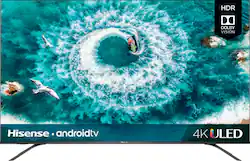
Hisense - 55" Class H8F Series LED 4K UHD Smart Android TV
Model: 55H8F
SKU: 6338837
This item is no longer available in new condition. See similar items below
Customers express satisfaction with the 55" Class H8F Series LED 4K UHD Smart Android TV's picture quality, price, and Android TV features. They appreciate the vibrant colors, HDR and Dolby Vision support, and the ease of use. However, some customers have concerns about the remote control, dark corners, viewing angle, slow performance, and responsiveness.
I am a self professed TV image quality addict and this Hisense ULED 55H8F model provides $1,000 performance at about 1/3 the price. I compared, in my home, two other name brands, and this Hisense is the one we are keeping. I take the time to properly set up my TVs and wanted a bit larger 55 inch 4K HDR screen than the 50" 4K we have since 2015. I looked at 4K HDR for the past 2 years and finally prices came down on mid tier 4K TVs with HDR and all it's features. On to the review. Like many, I look at many pro reviews such at those on Rtings. So I was pleased with the specs and performance I saw. Upon unboxing the Hisense 55H8F ULED 4K TV, it was quick work to install the legs at the outer position of the conveniently provided location. The inner position is a plus if you have a narrow TV stand and the legs can be less than 30" apart if desired. First - - when the TV is first powered up . . make sure you select "Home Mode" rather than Store Mode in the box that prompts you Then it was on to initial set up. Advice - - be patient and take your time to allow the TV to install the latest firmware and streaming updates. So, after placing my Hisense. I powered it up and skipped some of the Google permissions, etc. . . . and went right to entering our WiFi information to connect to the internet. Do this . . FIRST. . . before making any settings, or entering any NetFlix, Amazon, or other information. It took about 8 minutes for the first update. I waited a few minutes and a notification box popped up on the screen showing another update was pending. I downloaded it also for another 8 minutes. The TV screen will go black, then back up and the TV will cycle off then to the Start Up screen a few times. I then waited a few minutes more to make sure there were no other updates. I then went to the Menu after connecting my antenna to the TV and Blu-ray player to HDMI-1 on the back of the TV. Next I selected "Channels" from the TV input which is available by pressing the "OK" button in the center of the remote. There is also a separate "Input" button on the top right of the remote control. I then entered the Menu to scan for local channels. It took about 3 or 4 minutes and came up with 45 channels. I viewed a few in the Standard and Energy Preferred Picture Modes and found those and all others to have WAY too high factory values for natural and close to correct colors along with Brightness and Contrast. I selected the Energy Saving picture mode first for settings since it already had more tame initial settings than the Standard or Vivid modes. I then connected to the Blu-ray player with a Spears & Munsil Test disc to make initial settings. HINT - - " Remember to select "APPLY PICTURE SETTINGS " TO " ALL SOURCES" in the main (bottom of items) Picture menu for this first run through using a test DVD or Blu-ray. It will save you time making the Picture Mode settings and establish a ball park starting point for all other Picture Modes and Input Sources. To start with, I recommend starting with a Backlight setting of Local Dimming OFF. Then set the Backlight in the 30 to 36 range. This TV actually has excellent Black Levels with the Local Dimming set to Off. . . I know .. I know. . . but even Rtings mentions this is best to start without the other effects of light bloom around bright objects. For initial settings this is what I went with. Only Backlight, Contrast , Color and Sharpness should be adjusted in the main menu. Changing the Brightness setting over or under the standard 50 setting is not advised. Initial Settings: Backlight 30 to 36 (Local Dimming Off) Contrast 48 Brightness 50 ( do not change) Color 33 to 38 (depending on back light setting or Pict Mode) Tint O (See Flesh Tone Adj in Color Tuner Calibration Menu) Sharpness 6 to 10 ( I liked 9 but prefer a crisp image) ADVANCED SETTINGS: Overscan Off Color Temperature Mid-Low ( I found Low too warm/yellow) Motion Enhancement : Custom - - - Judder 3 Blur 3 ( or less ) Motion Clearness OFF Noise Reduction Low ( or Off) Helps with 480p films ) Dig Noise Reduction Low ( or Off) Active Contrast OFF Color Space Native Calibration Settings: Color Tuner - Set Flesh Tone only - Initial setting was too red. Hue 3 Saturation -1 Brightness 0 White Balance - - 2 Point Only R Offset -2 G Offset 2 B Offset 1 R Gain -1 G Gain 2 B Gain 2 Gamma 1 RGB Only OFF The above setting are all initial and your TV may need slightly different values. With these settings, you can then adjust only Backlight, Contrast and Color to your liking by selecting different Picture Modes and apply these same basic settings in Standard, Sport, Vivid. . . etc. Use of the different Picture Modes is good for differences in viewing at Day or Night or Sports or just having a more vibrant picture by using the Vivid mode with higher Backlight and Color settings.
Posted by FamilyGuy4Real
Definitely recommend spending the extra 100 for h8 4k Uled HDR & HDR+. The Android setup on the h8 is ok compared to the Roku but otherwise it's 10x better picture!!! Has Bluetooth 3.0usb and 2.0 4 HDMI much more than the R7 series I purchased 1st. The picture is amazing
Posted by Jimreynoldssr
HiSense’s beginnings as a super-budget TV manufacturer have no doubt affected its brand image throughout the years. The company once known for barebones, cheap-as-can-be sets now competes in far higher end spaces, and puts out a wide variety of midrange TV sets year after year. The 2019 HiSense H8F line brings their in-house “ULED” display technology to market, using a special screen filter to enhance the image’s color and contrast closer to competing “quantum dot” TVs while still using common, inexpensive LCD panels to generate the image. Quite the far cry from an entry-level package! Gimmick or not, the ULED technology must be working, as the image quality on this TV is superb. It’s not the only thing that matters, but it’s the one thing that will make or break a budget TV set, and competing manufacturers would be wise to keep HiSense on their radar as this just may be the $500 55” TV to beat. - Unboxing and Setup Although the HiSense TV has a small frame and thin bezel, transport and unpacking should still be handled by two people. It’s workable by one large, determined person, but care should be taken at all times. The TV was well protected, with the box and packaging absorbing some aggressive handling by the shipping carrier. Assembly was as simple as attaching the legs to the base of the TV with the included screws. There are two positions for the legs to accommodate both narrow and wide surfaces, and VESA mounts are available for wall and specialty mounting. The Android TV’s initial setup sequence is very straightforward, and can be accelerated by pairing an Android smartphone that can synchronize account information, local network settings, and app preferences and data from the same Google account. After initial setup is complete, the TV will check for and install the latest Android TV operating system update. This was a fast process but unfortunately caused its WiFi to lose connection, which required a system reset and hard power off (disconnecting from the wall outlet) to fix. Once synchronized all my favorite streaming apps that have Android TV equivalents available were added to the TV, including NetFlix, YouTube, Hulu, and more. - Connectivity & Control All four HDMI ports on the TV are HDMI 2.0 compatible, meaning all will accept a 4K non-HDR signal at 60Hz or 4K HDR at 30Hz. A composite connection works well enough for legacy devices (though I rue the lack of component support), and an inbuilt TV tuner with coaxial input allows for over-the-air TV broadcasts without the need to use a separate breakout box. The USB 2.0 port can be used to power an antenna amplifier or connect a USB device for the Android TV OS to access as storage or input. Outputs for audio include an optical output that supports Dolby Digital (bitstream) and Dolby DTS, along with a headphone jack. It was easy to set the TV up to be the single receiving device for my home theater and use the receiver purely for audio, which was a welcome option as my receiver did not support any 4K or HDR features. I was concerned I would have to buy an expensive new receiver instead of a $10 optical cable. For internet and wireless connectivity, an ethernet jack (I believe Gigabit) complements WiFi both 2.4GHz and 5GHz, and bluetooth 4.0 is supported for pairing wireless headphones or the included remote control. Once paired, the remote control no longer needs to point at the TV to control it, and the bluetooth range is plenty. I was also able to pair a bluetooth keyboard and game controller, which were perfect for some of the more niche Android TV apps I installed like a web browser and a game console emulator. Indeed, this level of connectivity can let the TV stand alone as its own HTPC if desired! The only downfall to all this connectivity is that there are no physical buttons on the TV, leaving the remote as the only way to power on the television. This is a very odd decision and somewhat concerning in the event the remote becomes lost or broken, as it would leave a user without a way to turn on the TV unless HDMI device control was previously enabled. - Picture & Sound Quality I didn’t expect much from a midrange set that undercuts the competition on cost, but I was still impressed by how great the image looks even after removing all post-processing and smoothing features by activating “Game” mode for both HDR and non-HDR sources (this also removes virtually all input lag). Color detail is excellent and well-balanced, with minimal color banding that’s hardly noticeable anywhere but in test images. Ghosting and motion blur due to response times are likewise small issues which can likely be further reduced with some settings adjustment. A full submenu for calibration options is available as well for professional tuning, though the presets are likely fine for nearly all users at this price point. With support for both HDR10 and Dolby Vision, the HiSense TV’s already good color reproduction serves as a great basis to add lighting intensity to the scene. The ULED technology uses true RGB pixels, arranged BGR, instead of the inferior, lower-resolution RGBW arrangement, and the results (using Game Mode to remove any artificial effects and post-processing) are incredible. I’m shocked by how clear and vivid the final HDR image is, capturing much more detail in the dark and bright areas of any image, with light sources appearing more as if they’re true light than a TV carrying a $499 MSRP has any right to. See the attached HDR image comparison, both captured on camera using the same settings (ISO 800, -1.5 EV) in a dark room. Details in the trees are much clearer with HDR, and the shadows and reflections on the car are less overblown with more richness in the car’s color. The difference is much stronger in person, of course, so see this set on display at your local Best Buy if you can. Even though the TV only has a peak brightness of 700 nits, even in a well-lit room high-brightness HDR effects were still brighter than the ambient light, and the local dimming zones helped drive some further contrast between light and dark areas of the same image. However, with only a few dozen local dimming zones, they are at times apparent and detract from the experience in exceptionally dark scenes. Built-in TV speakers are never great quality, and the HiSense is no exception. However, in a pinch the included speakers do get decently loud and seem to highlight speech over all other sounds, making it workable. Still, a distinct lack of bass and tinny treble mean an external receiver and speakers, headphones, or sound bar are highly recommended. - Android TV Having what’s nearly a complete but TV-optimized Android tablet experience built into a TV is a fantastic addition. Thousands of apps and games can be installed from the Google Play store and run without issue, and those willing to tinker with sideloaded Android apps from other sources can have a full HTPC experience directly on their TV. A quad-core MediaTek processor and 1.5GB RAM won’t win any awards for speed, but provide enough power to decode 1080p video (I did not have any 4K videos on my local network to test) and play less-demanding Android games. For those content with Play Store apps alone, nearly every major streaming service is available for viewing, and the Android TV optimizations will show video history and recommendations on Android TV’s home screen/launcher without the need to load the individual apps. The only glaring omission from the Google Play store right now is Prime Video, due to a protracted streaming dispute between Google and Amazon, but as of this writing (April 28, 2019) the companies have resolved the issue and an app is forthcoming. The only downside to the Google Play apps is that they do not appear to support HDR. I wasn’t able to get the Netflix app to display HDR no matter what combination of settings I tried, suggesting HDR content will require a separate HDR-capable device to show. - Software Issues Besides the aforementioned WiFi connection issue after updating the Android TV OS, I experienced a few software issues that marred an otherwise fantastic budget TV experience. On more than one occasion I lost audio output via the optical cable after changing device settings or inputs, which was fixed by opening the audio settings menu on the TV and re-selecting the appropriate output. A little software lag and stutter was evident when switching between applications, with the TV waiting to finish whatever it was processing in one instance before it accepted any further input from the remote a solid 15 seconds later. Further, not all applications downloaded from the Google Play store worked properly on the TV when they did on other (also MediaTek-processor based) Android devices, with slowdown and small graphical glitches being the most common issue I saw in games and emulators. Obviously these are at the very fringes of the typical user’s use for a television and didn’t sour my opinion as I have plenty of other devices hooked up to the TV to fulfill those wants. - Bottom Line Though a few quirks and design choices will take some time to adjust to, the Hisense H8F is still a terrific bargain made better, not worse, by the implementation of Android TV into the viewing experience. The video quality alone punches a class above its price point, acting as a quality option for entry-level HDR with results that will be sure to please newcomers and value shoppers alike. The brand has come a long way from the basic TV sets it sold at massive discounts a decade ago, and should not be overlooked simply because of that brand image. The H8F deserves consideration regardless of whether it’s a TV for a main room, den, bedroom, or patio, as it delivers on its promises with an affordable set that’s inexpensive, not cheap. Highly recommended!
Posted by Turbolence
The vast majority of our reviews come from verified purchases. Reviews from customers may include My Best Buy members, employees, and Tech Insider Network members (as tagged). Select reviewers may receive discounted products, promotional considerations or entries into drawings for honest, helpful reviews.