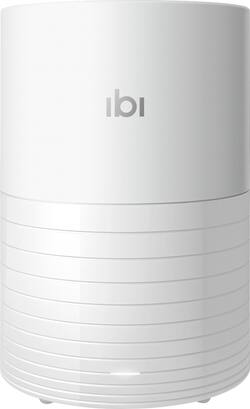
ibi - The Smart Photo Manager with Wi-Fi - White
Model: WDBNHE0010BWT-HESN
SKU: 6382798
This item is no longer available in new condition. See similar items below
Customers commend The Smart Photo Manager with Wi-Fi for its ease of use, ample storage, and convenient Wi-Fi connectivity. Users also appreciate its reasonable price, simple setup, and sharing capabilities. However, some customers have noted compatibility issues and concerns about the noise level of the device.
I was so surprised how it was so easy to set up and use. To set it up, I just plugged it into a power outlet, installed its app (on my iphone Xs), then its setup wizard just walked me through to the completion. It probably took me 15-20 minutes for this part. To use it, it just silently uploaded pictures/videos off my phone to the device. Even better, I hooked up my other HDD to its usb port and I could even (again silently) copy and back up files from my other HDD over this ibi drive...how wonderful this is...I'm going to buy another one....
Posted by yogocoola
Works as promised—so far I have not had any problems—sent music and photos to it—
Posted by Mopman
Great for storing photos in a central location on your network. The mobile app and desktop app make it convenient to access the photos quickly. The mobile app allows you to backup your mobile device photos automatically while at home making them available to your desktop via the desktop app. ibi's desktop app maps a drive on your desktop as a network drive. Setup - 5/5 The ibi team has simplified the setup process. It's as simple as downloading the app from your mobile device's respective app store, launch it, create an account, answer a few questions in their setup wizard, and your done. Device/Warranty Registration - 5/5 From within the app you are able to launch the registration. If you have a Sandisk account simply sign in, otherwise, create an account. Enter the seriel number and choose an option from each of the dropdown lists, tap the registration button, and your done. Use - 5/5 On your mobile device, launch the app to access your photos. On a Windows desktop, you can access your photos from the ibi mapped drive. It's drag and drop on a desktop to move photos back and forth. Noise Level - 4/5 There is a fan inside the ibi to keep the hard drive cool. If the fan runs a full rpm and you are close to it (within 2-3ft), you can hear the fan. I wasn't able to hear the fan when I was more than 3ft away. Your hearing may be better than mine or you may have a different level of background noise, so audible distance may vary a little. I didn't find the fan to be a problem as I will not have the ibi sitting right next to me. If you plan to place this on a desk right next to you, the fan is something to consider. Construction Quality - 4/5 The ibi's case is made of light plastic. It's lighter than what you would typically see in an external HD case. This shouldn't be a problem though as this is something that people will setup, then move to it's long term location (desk, shelf, etc.). Since it's so light, it can easily sit on a shelf or something similar that wouldn't normally take a lot of weight. Just make sure you have at least a little airflow and that you can connect the ibi's power cable to a power outlet. Overall - 5/5 So far I have nothing to complain about it. ibi has made the setup and use of it incredibly simple. Accessing photos from my iPhone and Windows 10 system is about as straight forward as you can get.
Posted by James
The vast majority of our reviews come from verified purchases. Reviews from customers may include My Best Buy members, employees, and Tech Insider Network members (as tagged). Select reviewers may receive discounted products, promotional considerations or entries into drawings for honest, helpful reviews.