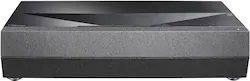
Optoma - CinemaX D2 4K UHD Laser Ultra-Short Throw Projector with High Dynamic Range - Black
Model: CINEMAX-D2-B
SKU: 6525311
This item is no longer available in new condition. See similar items below
The vast majority of our reviews come from verified purchases. Reviews from customers may include My Best Buy members, employees, and Tech Insider Network members (as tagged). Select reviewers may receive discounted products, promotional considerations or entries into drawings for honest, helpful reviews.
UST projectors in general but very sensitive to distance/location from wall/screen. If not mounting, the issue is getting moved/bumped. Just by inserting HDMI I was moving and having to realign. You also have to "level it" to get alignment to work well. The front feet adjusted but not the rear. For whatever reason (likely the media center) it was off in height in the back causing a skewing in the top right of the screen. PDF/document did make it pretty clear. Projector Distance from wall (see photo attached). There is a table reference guide in PDF, but requires 12.28in to project a 110" image and is NOT FROM laser/lens but from BACK OF UNIT. Was told by Magnolia rep it was distance from lens on UST and not correct. They even provide some cardboard templates you are to attach to back feet and bend based on screen/image desired. I did not use it and just used tape measure. If not mounting, it also presents a new challenge to keep it exactly that distance and not get moved cleaning or bumped. Will need to find a way to keep it in place. Inserting or removing a cable such as HDMI will cause alignment to be off! Documentation (online/printed) - likely by no surprise TERRIBLE and not accurate. The basic one sheet glossy indicated I was to scan QR code, download the SmartFIT app, and make sure both projector and phone are both on the same WiFi. The D2 projector is not SMART and has no Wifi! Even the D2 Smart is just an external Android TV/Fire stick. Would appear the instructions are the same used for their P2 assuming it had WiFi. I had to abort and do a manual "Advanced" fixed screen/wall configuration setup. Screen/image adjustment - I used the "3x3" mode and moved the alignment to be exactly within the borders of my screen using remote arrows to move the 9 points of reference. Works great if the projector is in the exact required location (no left/right skewing, etc.) 4k/quality and color (see photo attached) - does not disappoint! Very clear and precise imaging. Colors appear vibrant and accurate. 3K Lumens - in a theatre (indirect ambient light) but plenty of light on screen. I can have lights on in the theatre without any washout of the image. I plan to in fact take it down from 100% to 80/90% brightness. Noise - this projector is near silent! No audible decibels when running for hours. Very impressed compared to the noise of my older LCD projector. Remote - not high quality and frankly sucks. Must point directly to the projector IR sensor and within about 10ft for it to work well. I am using a smart universal remote so don't care. Audio - the integrated 2-20w speakers deliver as one would expect... very narrow range/sound and no bass. Sounds like a cheap soundbar or even the back of TV. I am not using it so don't really care.
Posted by DBMax
I've been using this for a couple of months. I didn't want to jump the gun and talk about a product I have only just started to use. I will say that this ultra short throw doesn't disappoint. It really is an awesome UST! My only gripe about it is it doesn't have any smart functionality. It is just the projector. That wasn't an issue with me since I already had an ultra Roku device. But be warned you will need something to plug into this to get smart functionality. As far as the image quality. It has a really great image straight from the box. Really nice black levels. Contrast is great and it gets plenty bright. I did settle on one of the default image settings. The last thing I will say is if you plan to watch it during the day, it's not a bad idea to have blackout blinds or something comparable. Although it does get bright, it will be slightly washed out. Now I didn't get the ALR screen, mine is just a regular white one, so take my observation with a grain of salt. I settled on a hundred inch screen for reference. The fan is pretty much a non issue as soon as there is any sound. Speaking of sound, it does have a decent amount of volume that it can produce. Probably better than most TV's. However if you are really pushing the size, you will want a surround setup. Not a lot to complain about. The price is also great considering the bang for the buck you get for a super responsive great image quality unit. Highly recommend!
Posted by smartspendingfamily
Great picture and takes up a very small foot print
Posted by HectorA
Customers often highlight the CinemaX D2 4K UHD Laser Ultra-Short Throw Projector's excellent image quality. Reviewers consistently praise the crisp, clear, and precise images produced, even without additional calibration. The projector's color accuracy and overall picture quality receive significant acclaim. No significant drawbacks were reported by customers.