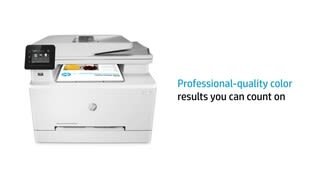
A:AnswerYes, you have to feed the cardstock one at a time thru the front feed slot. You set the paper type either through the panel, or through your computer software. When you do that, the printer will prompt you to feed the cardstock.
A:AnswerCopied from HP's website
Supported Media
Letter(8.5 x 11); Legal(8.5 x 14); Executive(7.2 x 10.5); Oficio 8.5x13(8.5 x 13); 4 x 6(4 x 6); 5 x 8(5 x 8); A4(8.3 x 11.7); A5(5.8 x 8.3); A6(4.1 x 5.8); B5(JIS)(7.2 x 10.1); B6(JIS)(5 x 7.2); 10x15cm (3.9 x 5.9); Oficio 216x340 mm(8.5 x 13.4); 16K 195x270mm(7.6 x 10.6); 16K 184x260mm(7.2 x 10.2); 16K 197x273mm(7.8 x 10.7); Postcard (JIS)(3.9 x 5.8); Double Postcard(JIS)(5.8 x 7.9); Envelope #10(4.1 x 9.5); Envelope Monarch(3.9 x 7.5); Envelope B5(6.9 x 9.8); Envelope C5(6.4 x 9); Envelope DL(4.3 x 8.7); A5-R(8.3 x 5.8)
Heavier weight papers may need use of manual feed as individual sheets.
A:AnswerI have this printer and is, compatible with my Lenovo laptop, iPad, Dell computer. I think it should work with the HP Laptop since this is a HP product.
I love this printer with all its features.
A:AnswerWithout knowning more than "won't turn on" it's impossible to even give you a place to start troubleshooting in a Q&A forum like this. Your best option is to contact the HP support team so they can troubleshoot it with you in realtime.