Customer Ratings & Reviews



- Model:
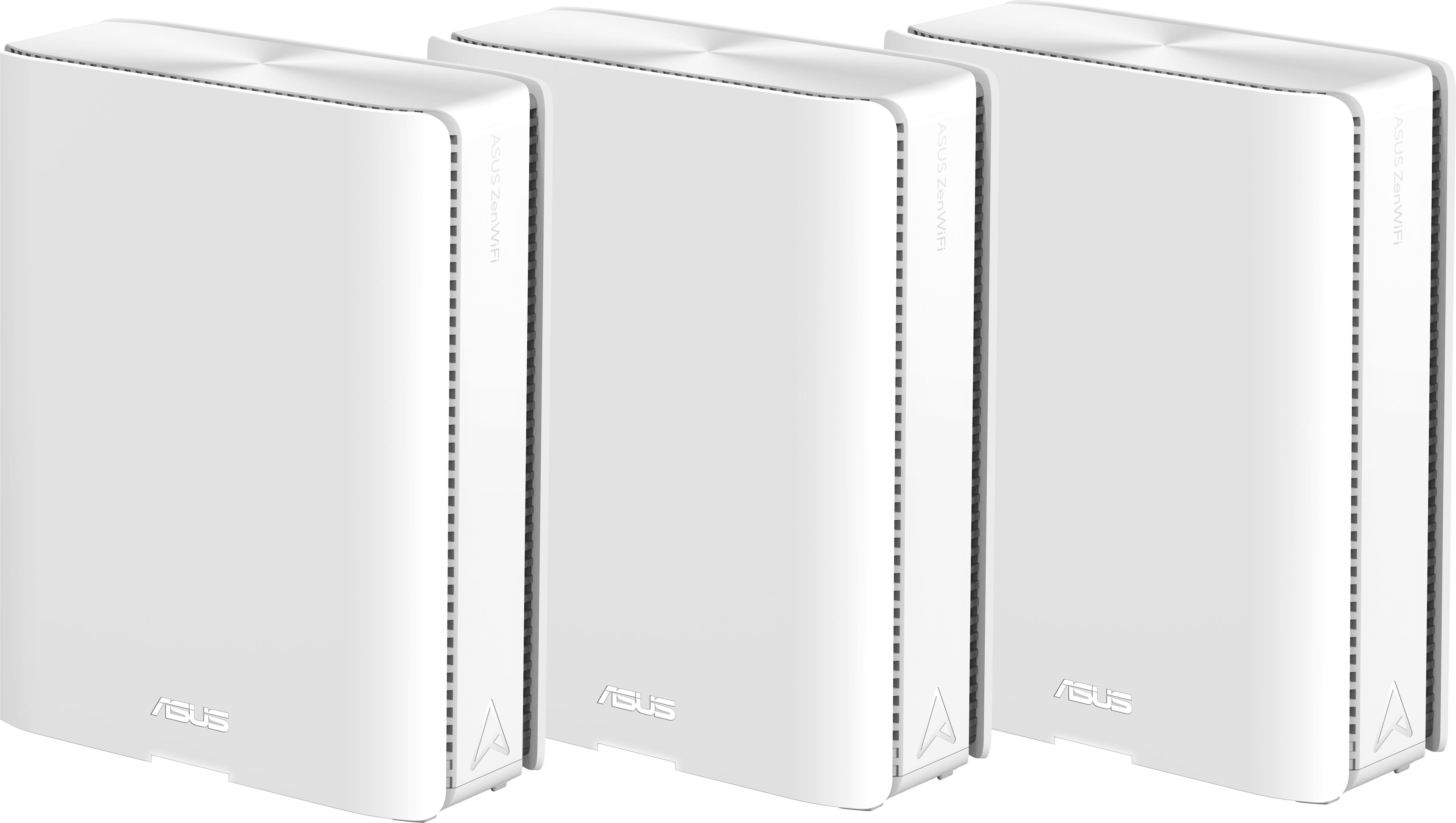
- ZenWiFi BE30000
- SKU:
- 6578392
Rating by feature
- Setup
Rating 3.6 out of 5 stars
- Range
Rating 4.3 out of 5 stars
- Signal Strength
Rating 4.3 out of 5 stars
Customers are saying
Customers recognize the ZenWiFi BE30000 Quad-Band Mesh Wi-Fi 7 System for its fast wireless speeds, amazing coverage, and strong signal strength. Many appreciate its performance and future-proofing capabilities, along with its extensive app features and inclusion of multiple VPN clients and servers. However, some customers have experienced connectivity issues with the nodes, and have found the initial setup to be difficult. A few also noted concerns about the high price.
This summary was generated by AI based on customer reviews.
- Pros mentioned:Range, Speed

Near "Future Proof" Mesh System
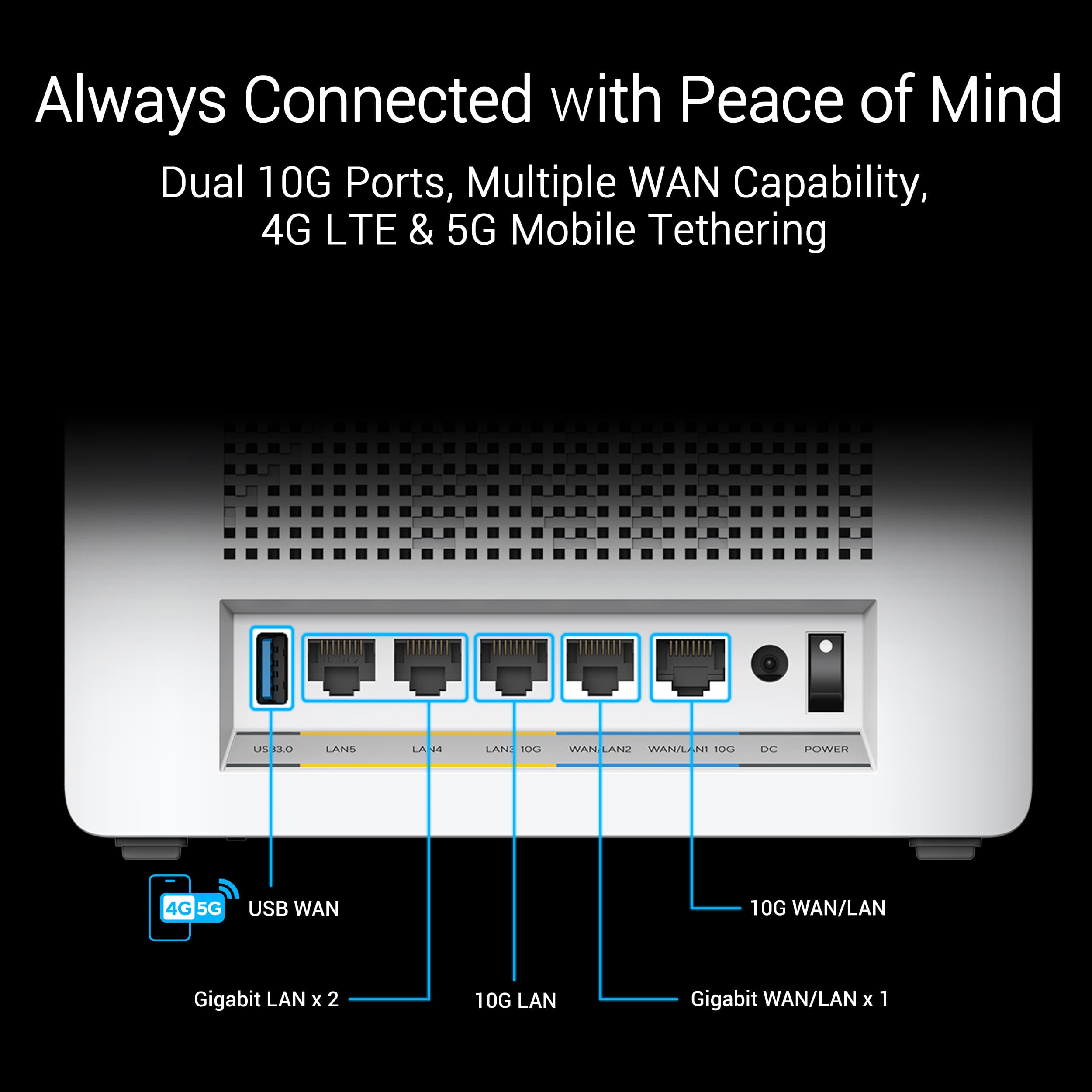
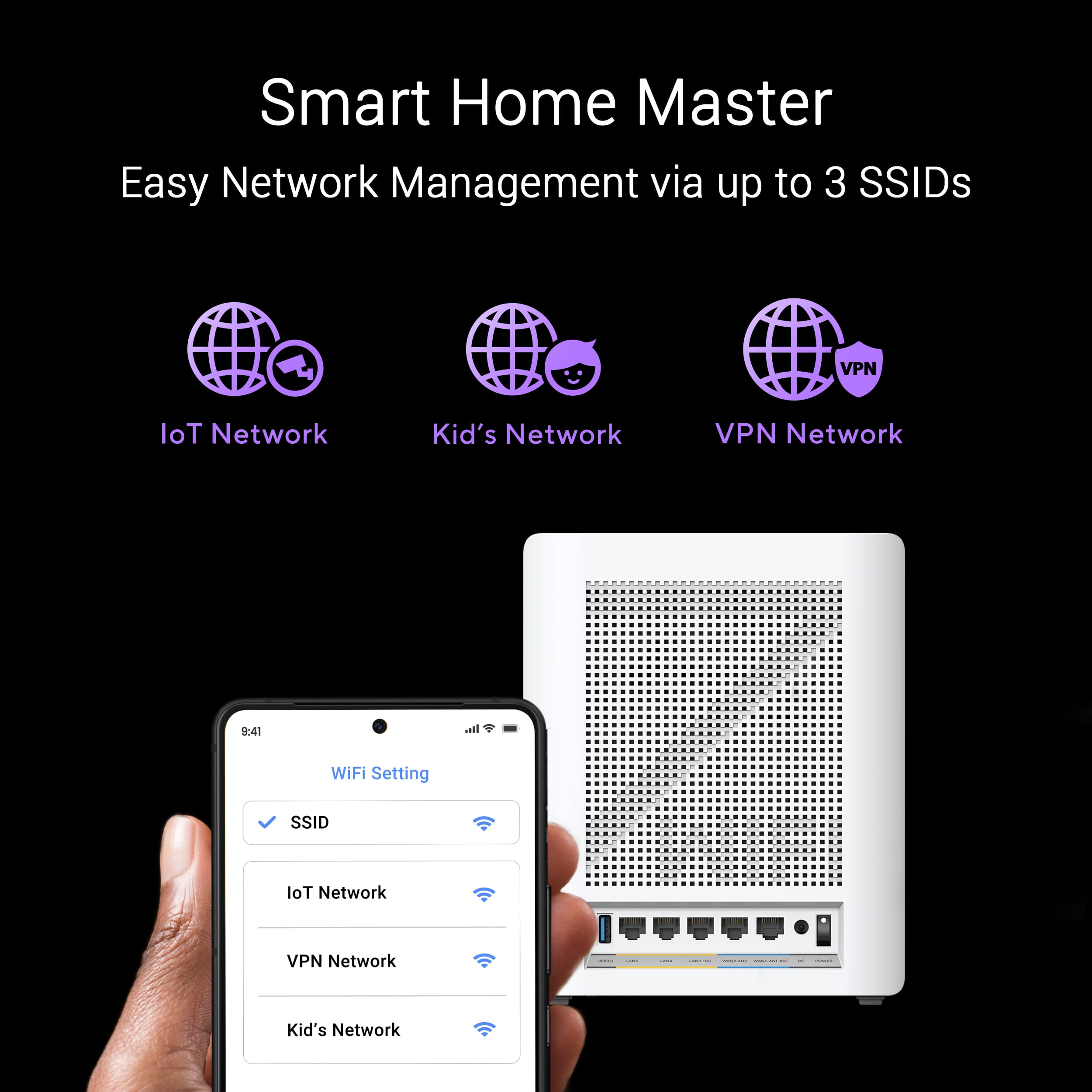
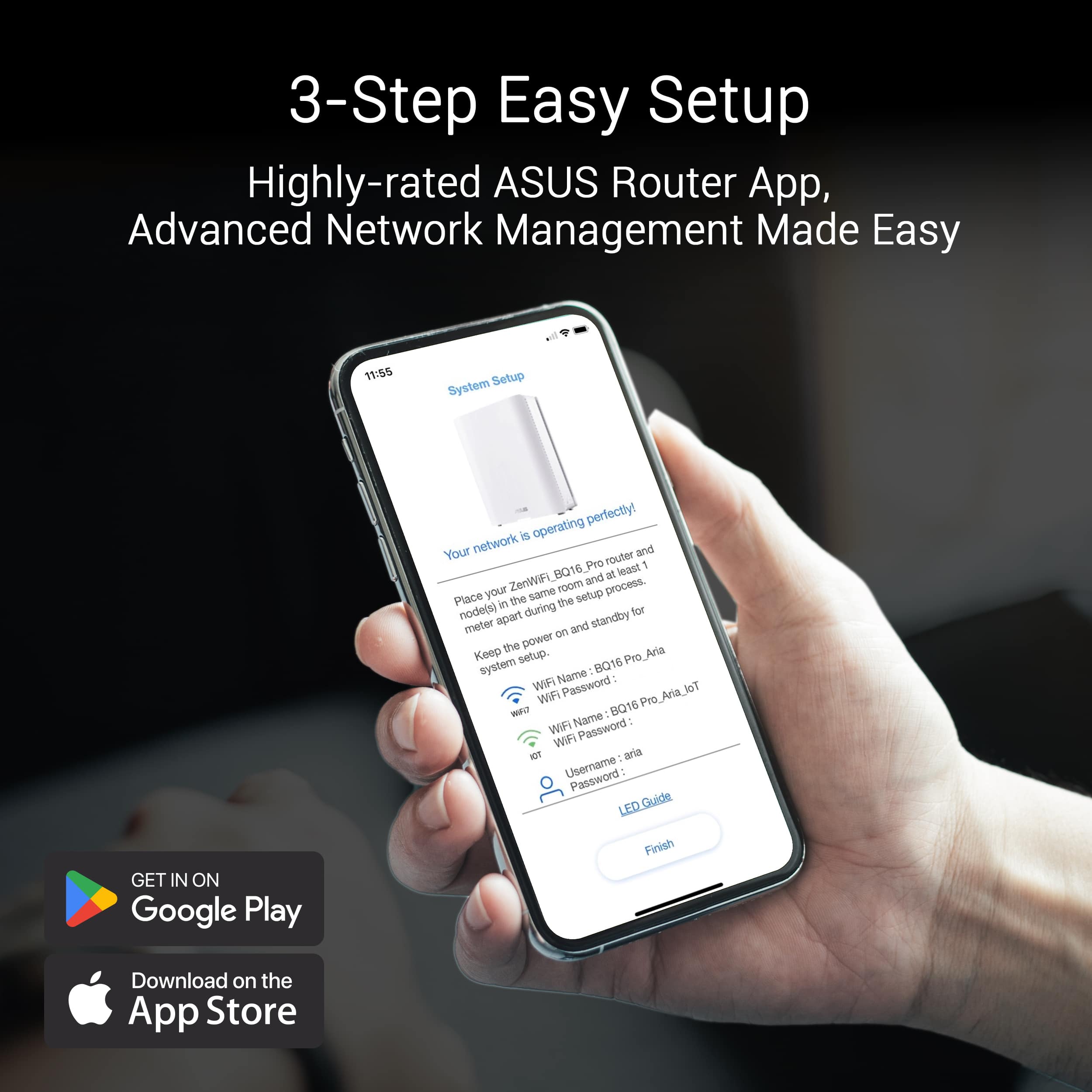
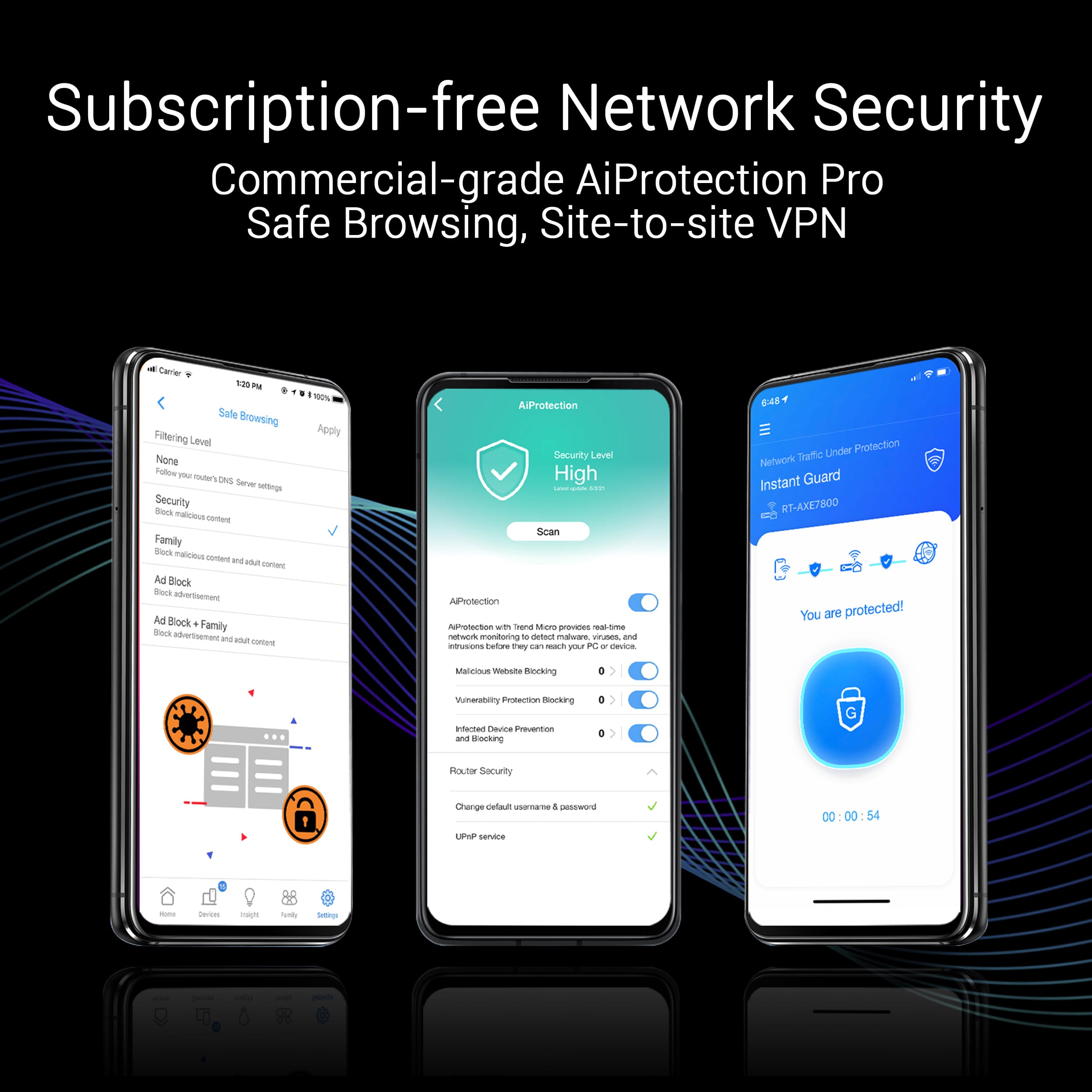
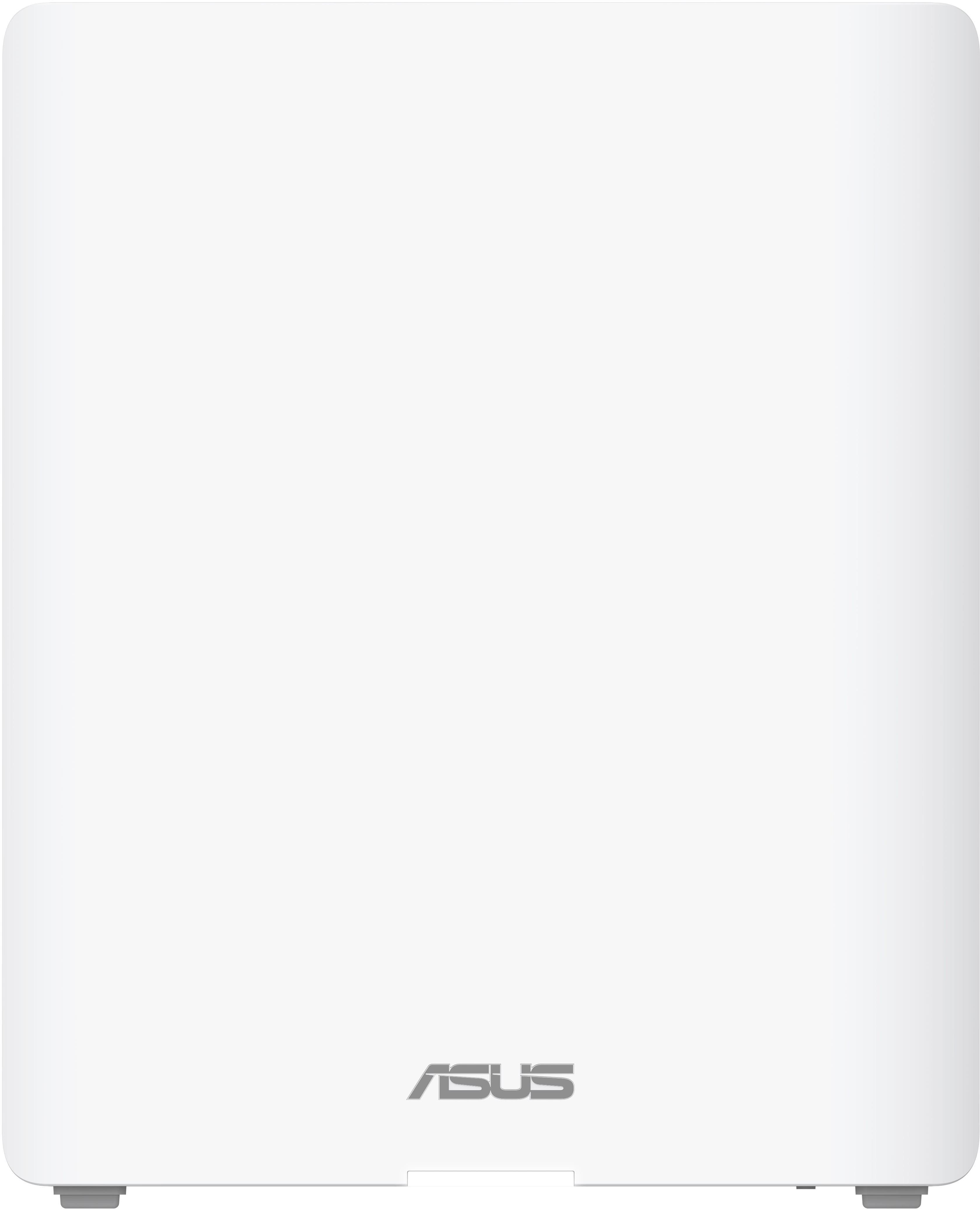
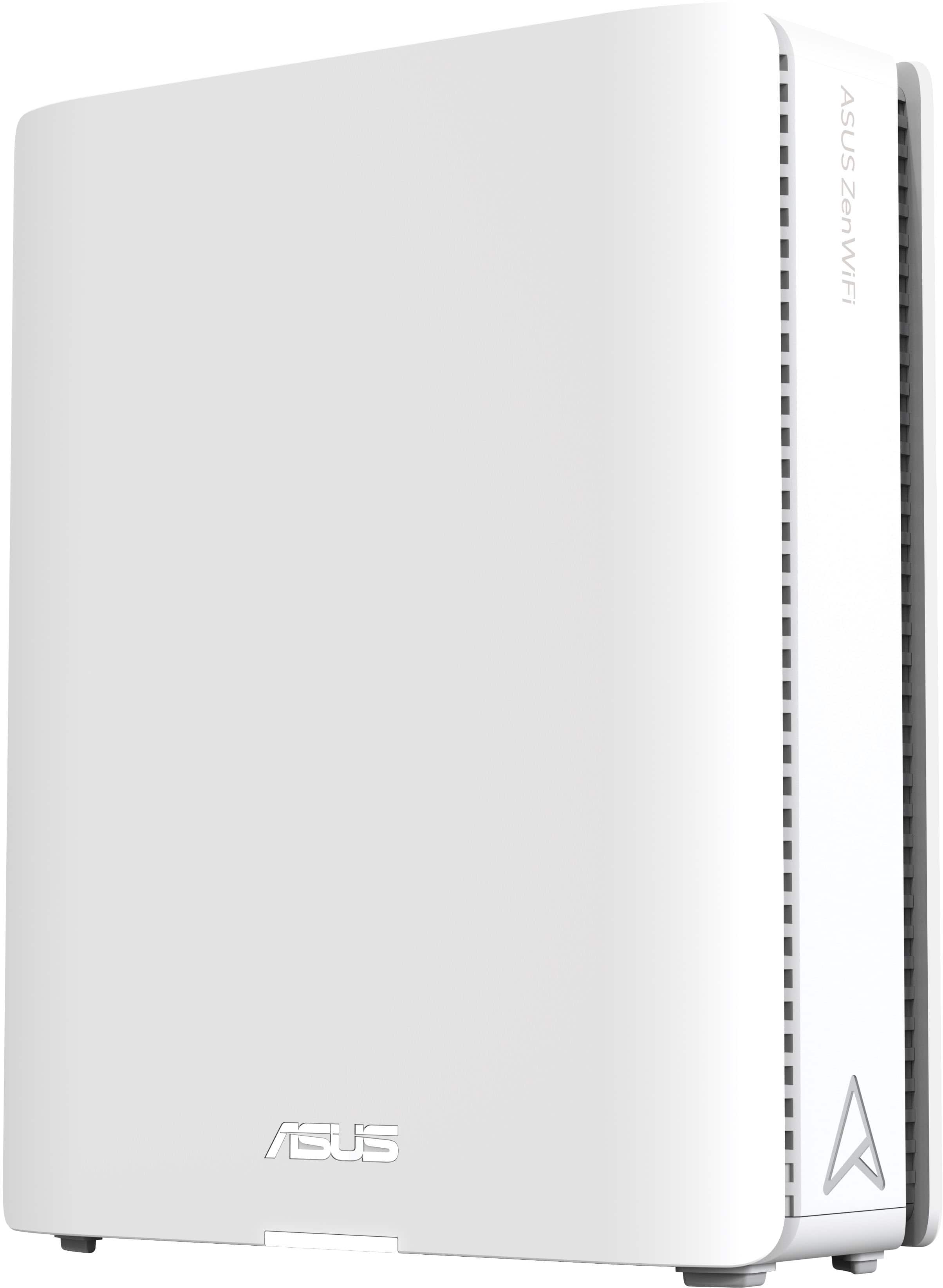
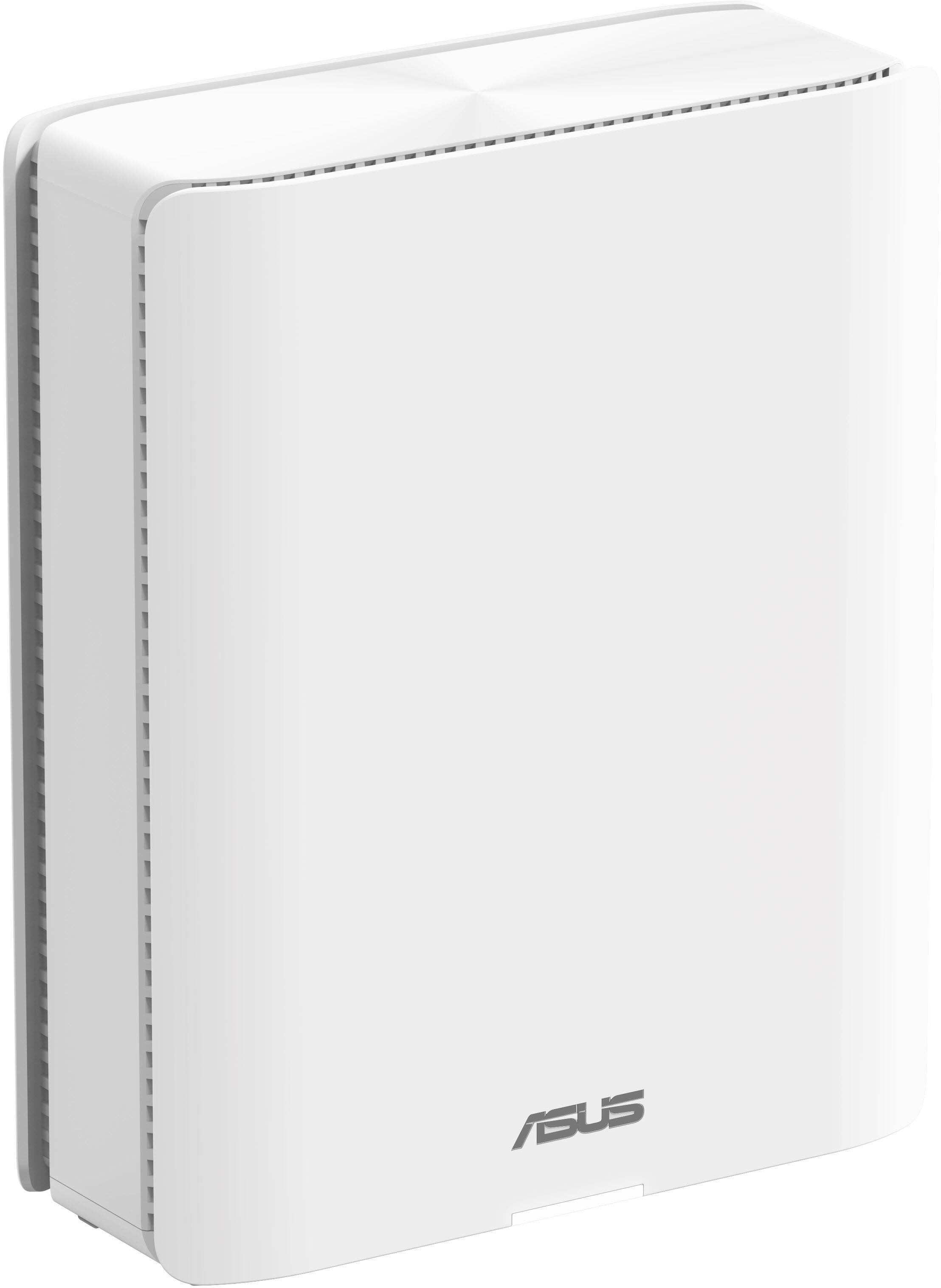
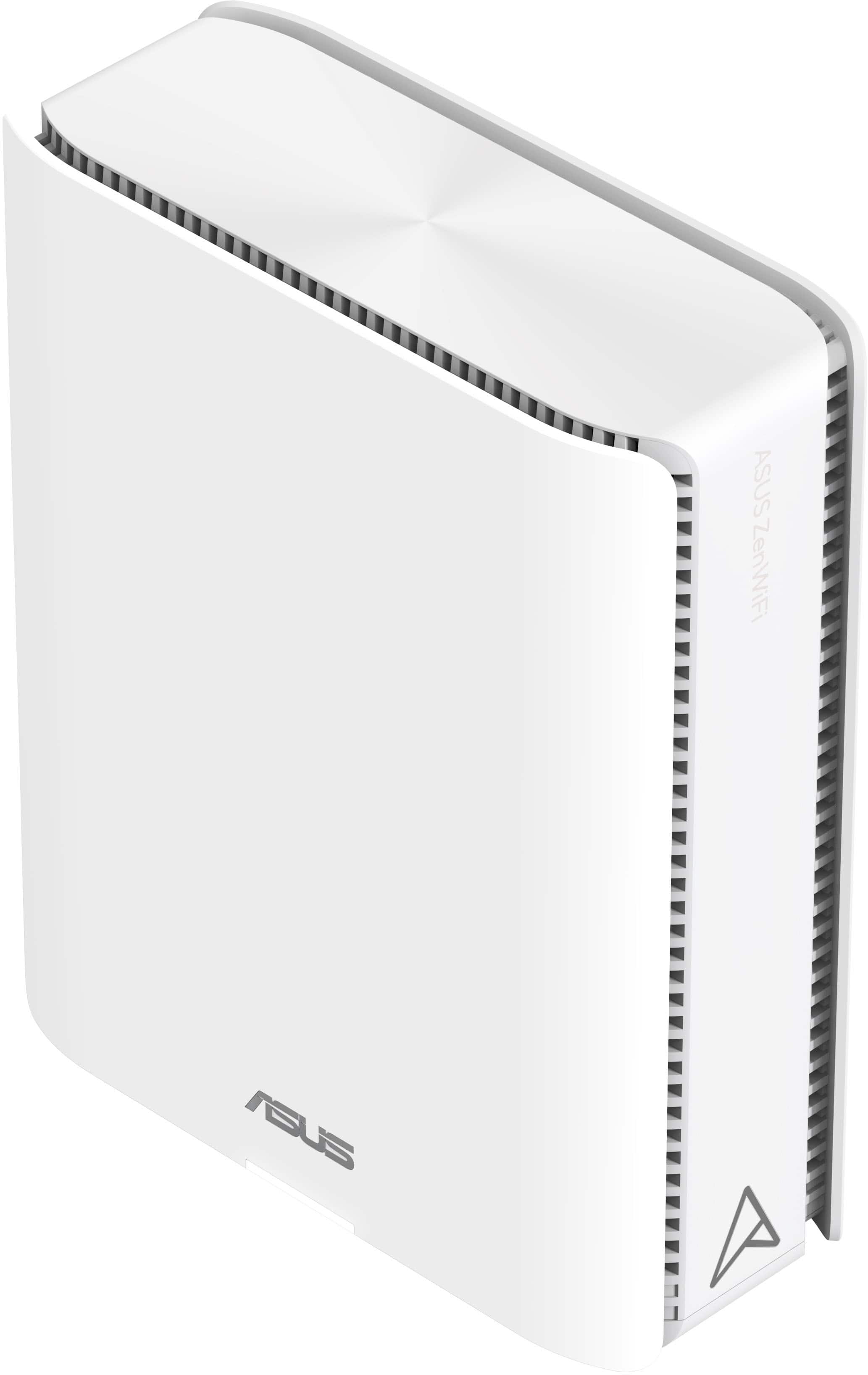
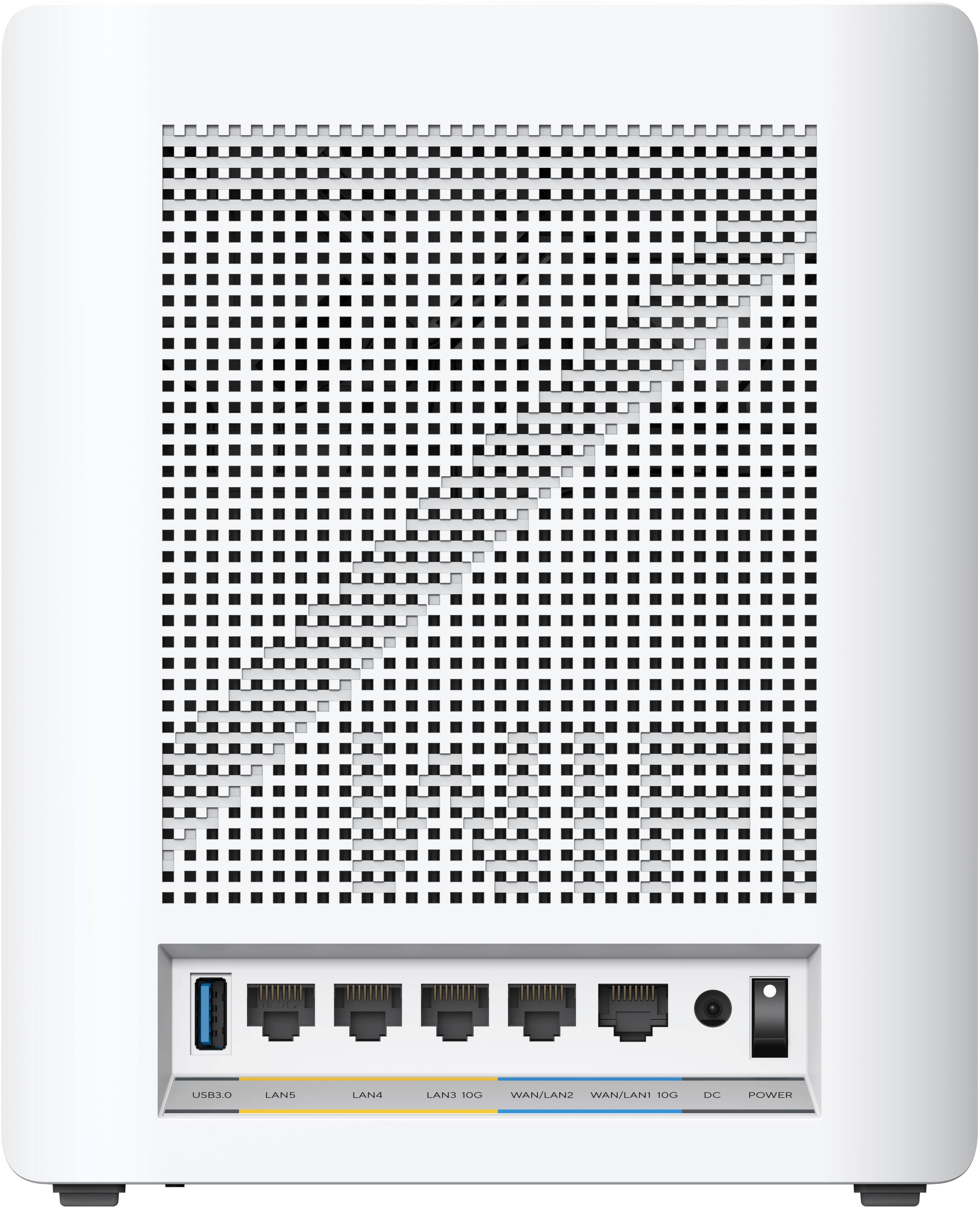
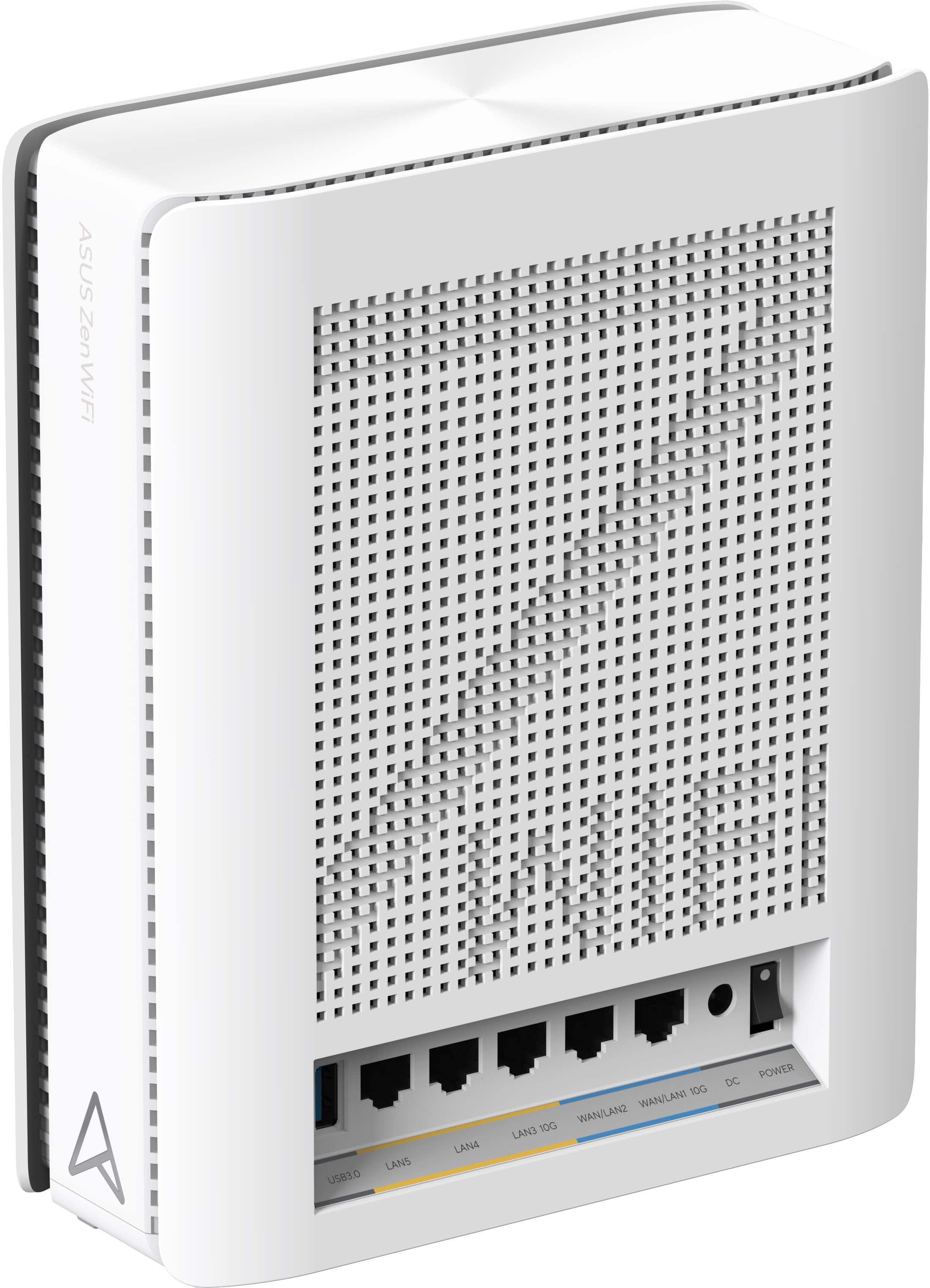
|Posted .This reviewer received promo considerations or sweepstakes entry for writing a review.Mesh routers are probably the most unpredictable consumer electronic product in existence because its performance depends on so many variables like a home’s layout, construction, and placement. That’s very different from a TV that works pretty much performs the same whether you set it up in my house or yours. In short, no matter what mesh router you buy, YMMV, despite any marketing claims. The Asus ZenWiFi BE30000 is a top-notch mesh router but not immune to this reality. It boasts a rich, desirable feature set that in turn garners high expectations that it’s a fix for everything missing from, and frustrating about mesh routers. In my personal use, so far, I’ve found, yes, the feature set is amazing, but also expected from the super-premium product it is. However, my experience setting up my system was not the advertised “piece of cake,” – and I’m neither a novice, nor intimidated by, setting up electronics. Yet once I conquered my vexing install I fell in “love” with this system. I think it’s “five stars” worthy, despite my painfully annoying setup ordeal. Setup is a one-time process; long term features and performance is my main consideration here. That said, there’s always installers like Geek Squad if you want to divorce yourself from potential setup hassles. To be clear, this is a cursory review and summary of my experience after a few days. I’ll start with the setup experience and then move into its performance in my home. I can’t say it enough, mesh routers are always YMMV since no two install locations are exactly the same. Also, because this is not your “basic” mesh router I’m neither competent at the point, nor have enough word count, to discuss everything this system offers. It’s a meaty system. SET UP EXPERIENCE This system consists of a router and two additional nodes that spread out the Wi-Fi signal. One unit has a sticker noting it’s the router though the permanent model information stamped on each unit is identical and from ASUS’s marketing material it looks like if you can expand the system using another “router” to set up as a node. Regardless all 3 units have identical ports – an upgrade from other systems which usually have fewer or even no Ethernet on the nodes. Huge feature right there if you are into gaming, or have A/V, smart devices, or a NAS that are easier to connect to your local network this way. The standout is the 10 gigabit WAN and LAN ports – more “future proofing.” If one 10GE port isn’t enough you can always buy a switch for expansion. There is also a USB 3.0 port to connect a hard drive or thumb drive – nice to have, but one area where the “future proofing” was missed. The “router” sticker has a QR code that when scanned with the Asus Router app (iOS or Android), theoretically will instantly connect your router to your Wi-Fi (iOS or Android). I tried twice with my iPhone 15 Pro Max with no luck. I then turned off the iCloud Private Relay in case that was interfering with the process, but nope. So I hit the manual set up button, entered my existing SSID and its password and that did work (or so I thought, keep reading). Next I linked the two nodes, which during setup must be in the same room as the router, preferably just a few feet away. At that point I had a solid Internet speed and relocated the nodes to where I place nodes in my house. My older, weaker mesh system enjoyed these locations, but Zen was not having it – and threw a fit a rage with its status light. After much time I eventually “discovered” Zen accepted locations and got the “white” light on the nodes indicating a good connection, verified by the app too. Sometime later the connection for both nodes went and ultimately I decided I needed a “do over.” This time I connected the router directly to my Mac via Ethernet. That seemed to do the trick, though the node furthest away from the router – about 40ft up does give me a yellow light occasionally indicating a poor connection. (I’m in a 4-level townhome so I measure in height rather than width since that is the weak point for Wi-Fi in my situation). I haven’t noticed any Internet dropouts when streaming, maybe thanks to buffering. I can’t say the situation would be the same for gaming, but there is an option to prioritize data for that activity. The quick guide packed with the system says to expect the system to take up to 10 minutes to optimize performance between the router and the nodes once they are “permanently” situated. In my experience this process – both times I did the setup – took considerably longer – like hours before I got a stable connection between router and both nodes. During this time Wi-Fi will be flaky and the nodes’ status lights will flash like rock concert. This isn’t a criticism, just a heads up. Another heads up - one huge difference I noticed between when I set up via the app and hardwired is how my smart devices connected. When I set up on the app all my devices – 40+ reconnected without any action on my part. But with the activation via hardwire, only about half reconnected. What I think I discovered is that, apparently when I set up via hardwire, the router was configured so that the main SSID used the newer WPA2/WPA3 password security standard and left WPA2 only access to the dedicated IoT SSID. Older smart devices don’t recognize WPA3 and also don’t yet have access to the “IoT” SSID. Newer devices with WPA3 support, on the other hand, can access the main SSID fine. The end result here is, if you experience this, expect to migrate your smart devices to the dedicated “IoT” SSID faster than maybe you planned. CONFIGURATION Setup and optional configuration are done either via the aforementioned Asus Router app or via a web browser. To do the initial set up via a web browser requires a hardwire connection via Ethernet cable to the router. The app, of course, is used over Wi-Fi. After setup you can use the browser configurator via Wi-Fi on any computer on your network, or out of network if you opt-in to remote control operation. Same goes for the app. The app is well thought out and offers an excellent graphical view of what is going on with each system component at any given time. It’s detailed down to specific cable ports being used and free. There’s lots of configuration choices, however, some options are only available in the web browser. One negative regarding the app in my short use, it lags “real time.” For example, I switched an Ethernet cable from one LAN port to another and it took a few minutes for this to be reflected in the app. Regardless, so many mesh routers are one-trick ponies. It’s great to have the detail and tools Asus offers here, even if you think you may not need them. PERFORMANCE EXPERIENCE My experience with the Zen WiFi BE3000’s reach easily beats what I’ve experienced from Wi-Fi 6 mesh routers when greater than 25ft or more away. When I get to the 3rd, and definitely 4th level of my home I see the major improvement over my Wi-Fi 6 router. The Zen, at its “worst” gives me 75% of paid speed. If I’m lucky I can get 50% paid speed with my Wi-Fi 6 router. One other area where the Zen offers improved performance is remote screen sharing with my other Mac. There is virtually no lag controlling the remote computer which is great. Previously there was always a second or two delay. It’s still early days for me with this system and it offers so many user-configurable options it will definitely take a while to fine tune it, but I like my starting point here. FEATURES The ZenWiFi BE30000 offers leading edge features including the recently finalized Wi-Fi 7 spec plus IPv6 support, so I think it should give me a solid decade of usefulness. Wi-Fi 7 compatible products are only just starting to drip out. Its powerful range means I won’t need to buy another router if I move to a bigger home. There are so many other “future proof” attributes packed inside, in fact, I’ve yet to test or fully test most of them. These include the option to prioritize data for different kinds of activities – gaming, streaming, file sharing, etc. –, built-in VPN capabilities, and also the option a discrete SSID for “IoT”, otherwise known as smart home devices and kid’s devices, as well as the more common guest SSID. And of course, its massive theoretical bandwidth of 30,000 Mbps. But of all of these, the Zen attracted me for 2.5 features - .5 because one isn’t technically a feature, but it is to me, and that is ASUS’s privacy policy is a bit better than many other router manufacturers. I think that has value, especially where some router companies don’t even allow consumers to opt-out – it’s “take it or leave it.” That’s not to say ASUS policy isn’t to its favor, but consumer-biased policies are non-existent or unenforced. But to my favorite actual features, also in the privacy and security realm, the dedicated SSID for smart devices AKA “IoT,” or Internet of Things, is something every router should have. No matter if you just have a couple of smart lightbulbs or smart home, it’s a must in 2024. It keeps your devices off your main SSID. This improves performance all-around, but also keeps any prying devices from collecting any meaningful data not relevant to supporting the device’s function. The SSID is a seamless overlay so while your devices are cordoned off, they still function, and you still control them the same as always. The other major highlight is the built-in VPN-ready capability. This allows you to plug in your VPN services information to give you “whole home” VPN, even for devices like TVs and streaming boxes. Without this it’s a pain and mess to configure this kind of ability for a router. Of course, you can control when the VPN is used and the country just as you would with the VPN provider’s app.
- Pros mentioned:Range, Speed
Future proof, but a lot of features not ready yet
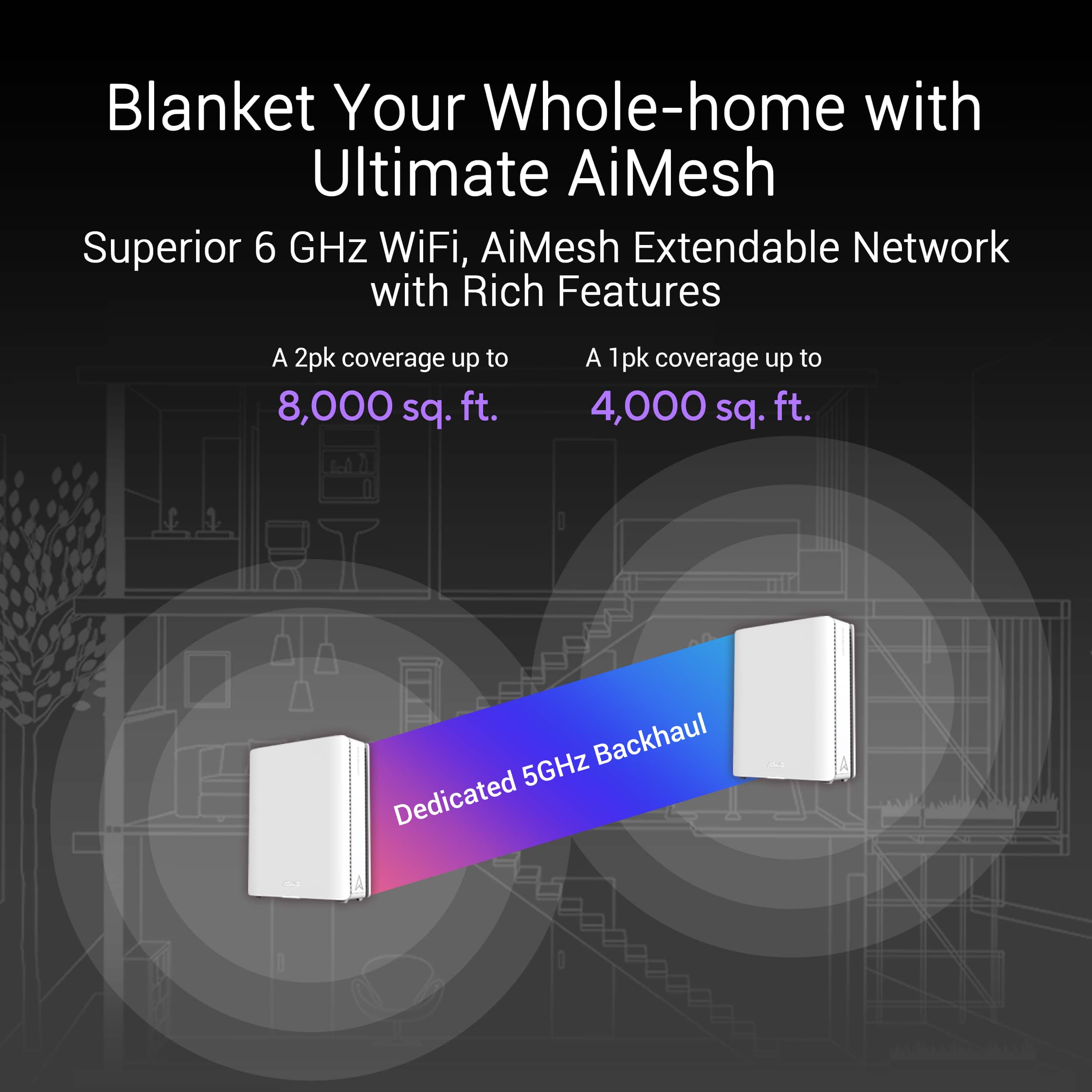
|Posted .This reviewer received promo considerations or sweepstakes entry for writing a review.PROS • extreme speeds • future proof • excellent accompanying app • extreme range • built-in parental features • free VPN and network security • AiMesh CONS • price • settings may be overwhelming for novice users Let me begin by stating that I have been a Google Wi-Fi Pro user for several years since their original Wi-Fi products introduced mesh Wi-Fi. Before that, though, I had a traditional Asus router. Over the years, I have quickly upgraded to the latest version of Google's Wi-Fi products. I never had any issues with Google Wi-Fi, except it's capped at one gig when I pay for 1.2 gigs. It wasn't a massive deal for me, but I wanted to get as much out of my internet as possible - especially the Wi-Fi aspect. I say this because Google's Wi-Fi products hold your hand and lock down settings, which may or may not be a good thing, depending on your user type. I'm a bit of a novice regarding Wi-Fi settings, so keep that in mind going forward in this review. Oh my, what a difference this ASUS ZenWiFi BQ16 Pro BE30000 makes to Wi-Fi. It can't be understated enough. I went from topping out at 800 Mbps (when I was close to my router) to getting as high as 1.9 gigs with the Asus (further away from the router)! That's more than twice what I was getting and more than my internet plan is. I have the three nodes placed triangularly across the house (2400 sq feet) and have had no issues with the signal. For those of you who can use ethernet, those speeds will be even higher! However, I'm not set up to use them other than to devices directly next to my router. However, it was easy to get to the steady speeds I sought. I have around 60 devices (including lights) hooked up to my internet, and many of those devices needed to be fixed after I set up the BE30000. It was a struggle to pinpoint what was happening, but after trial and error, it was two main things. The Wi-Fi 7 you get with this unit is revolutionary, but only if you have the support devices. Only a few of us do. That makes it super future-proof, but it could be more useful today. Therefore, I turned off Wi-Fi 7 and 6 because of the issues I was running into. My speeds with my devices connecting to Wi-Fi 6 were pretty low when I was further away from the router. Wi-Fi 7 requires WPA3. WPA3 isn't supported by many of my devices - specifically, my Sonos speakers. Once I toggled off Wi-Fi 7 and 6 channels, I got constant, consistent high speeds using the 5 and 2.4 channels. If you run into issues while you are setting up, try turning those off to see if it works like it did for me. Hopefully, devices upgrade their capabilities soon so that I can take advantage of Wi-Fi 7. But knowing I don't have to purchase another mesh system for the foreseeable future is very nice. Besides the speeds you get with this router, the app is one of the best aspects. The app is very well laid out and extremely easy to set up. Adding the nodes after setting up the main router was automatic. All you do is plug them in and allow them to connect to the main node automatically. I didn't realize that and struggled to "add a node." But you don't have to do that with this set (although you may if you purchase the nodes separately, I'm not sure). Regarding settings, you're free to make any changes you want! The one setting I'm so happy to see versus my Google Wi-Fi is the ability to use 2.4 specifically because many smart devices require 2.4 to set up. Being able to toggle everything off other than 2.4 and setting up a device is much better than crossing my fingers that it'd work with Google's router. AiMesh works fantastic as well. It connects multiple compatible ASUS routers to create a whole-home mesh WiFi network. The flexible and scalable technology lets you mix different AiMesh-compatible routers and add new ones anytime to improve coverage. All devices in an AiMesh network enjoy access to all the features of the main router, including gaming features, AiProtection commercial-grade security, and more. Most ASUS routers already support AiMesh, so if you have a previous ASUS router, you can use it to expand your network. You can cover up to 10,000 square feet! That's more than most of us need, but it's pretty cool anyway. Maybe when we get to that mansion in the hills, right? Other features, such as built-in VPN, parental controls, free network security, and many more settings, ensure your children's safety online. I can't speak on the 10G, as I don't have the devices to support it yet, but again, this device is future-proof, and you must think of that when considering the MSRP (tentatively $1600). I'm super happy with it now that I dialed in my speeds and can enjoy a worry-free experience. I wish I had upgraded to ASUS's mesh system long ago so I could have saved myself some headaches when working from home.
I would recommend this to a friend - Pros mentioned:Range, Speed
Expensive, powerful, featureful, and solid
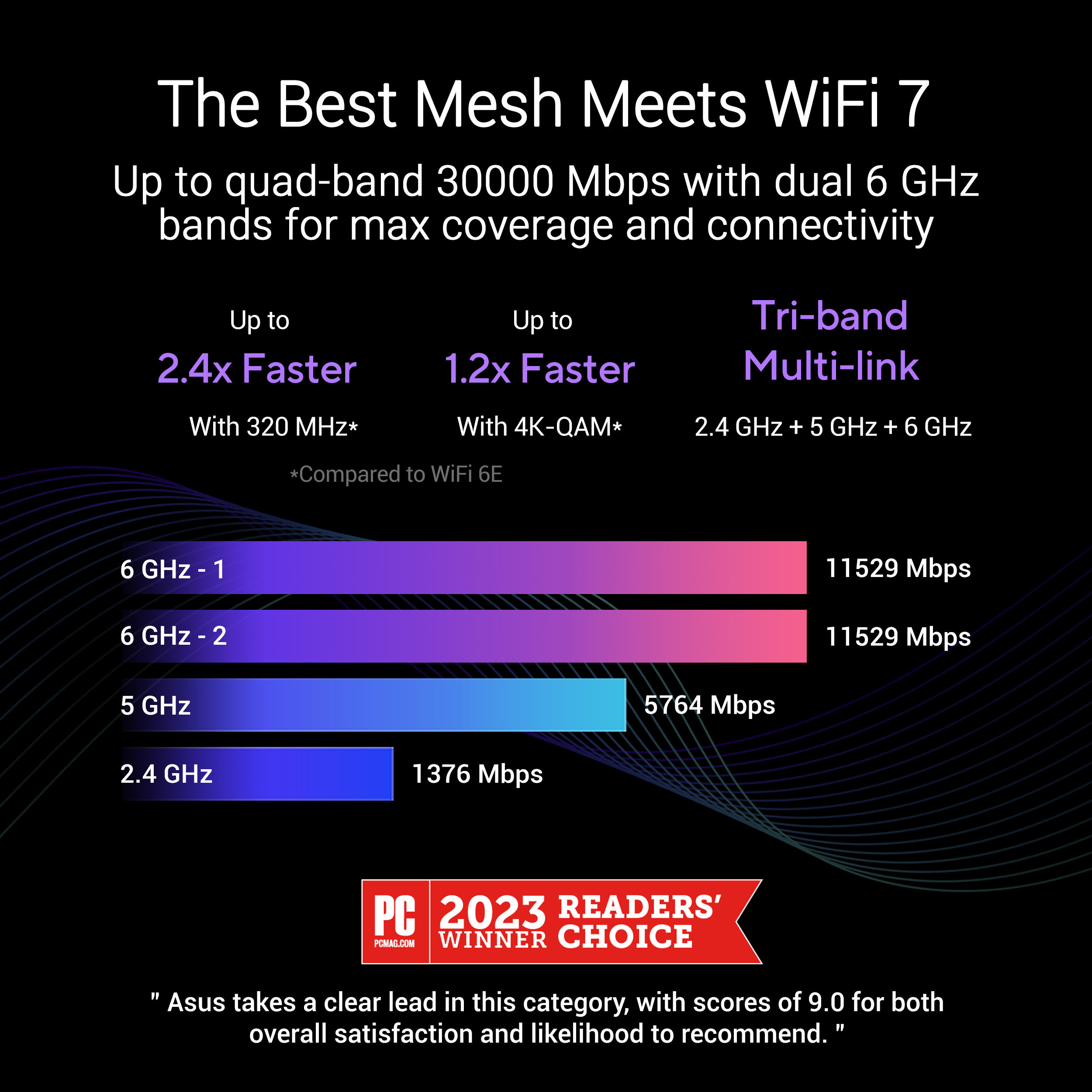
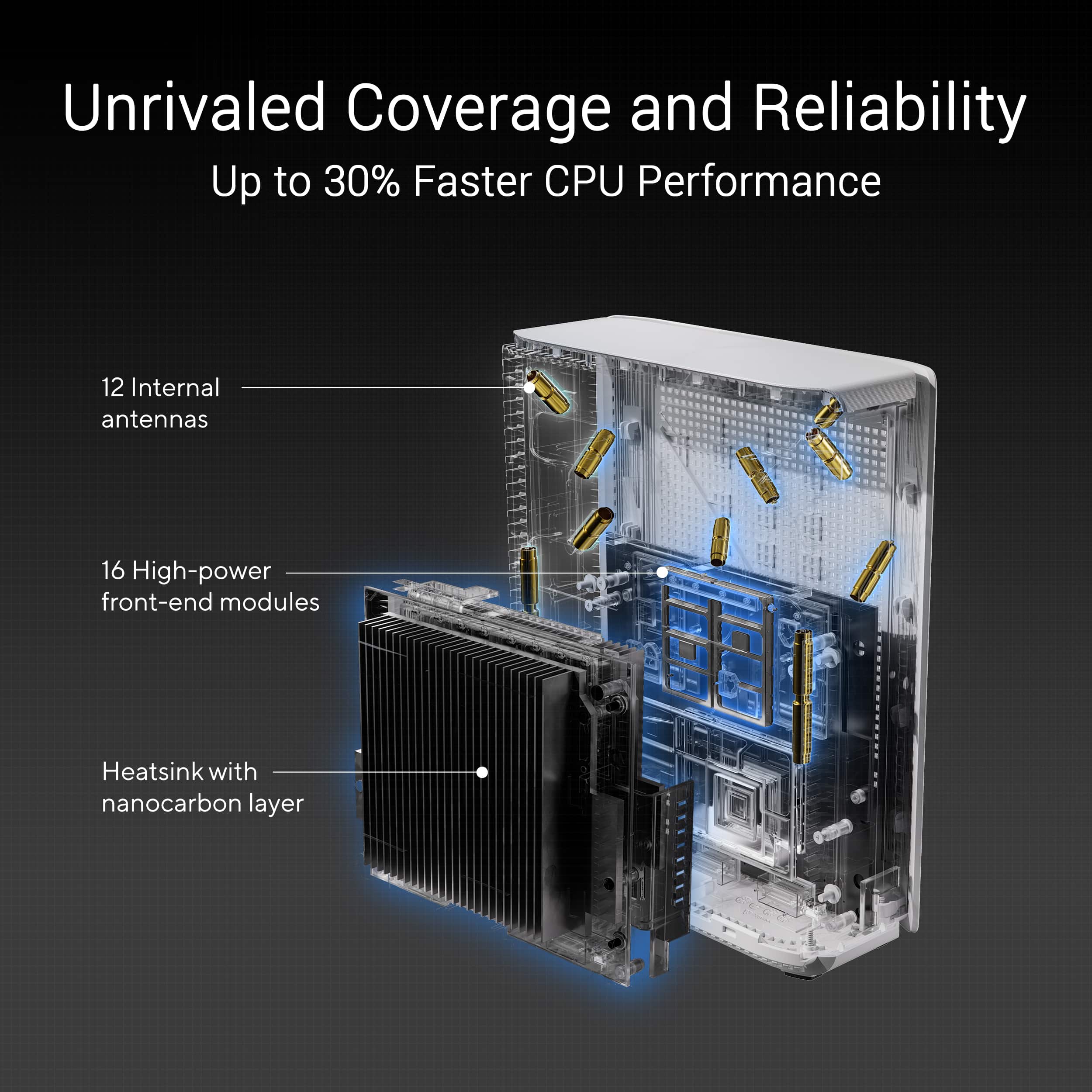
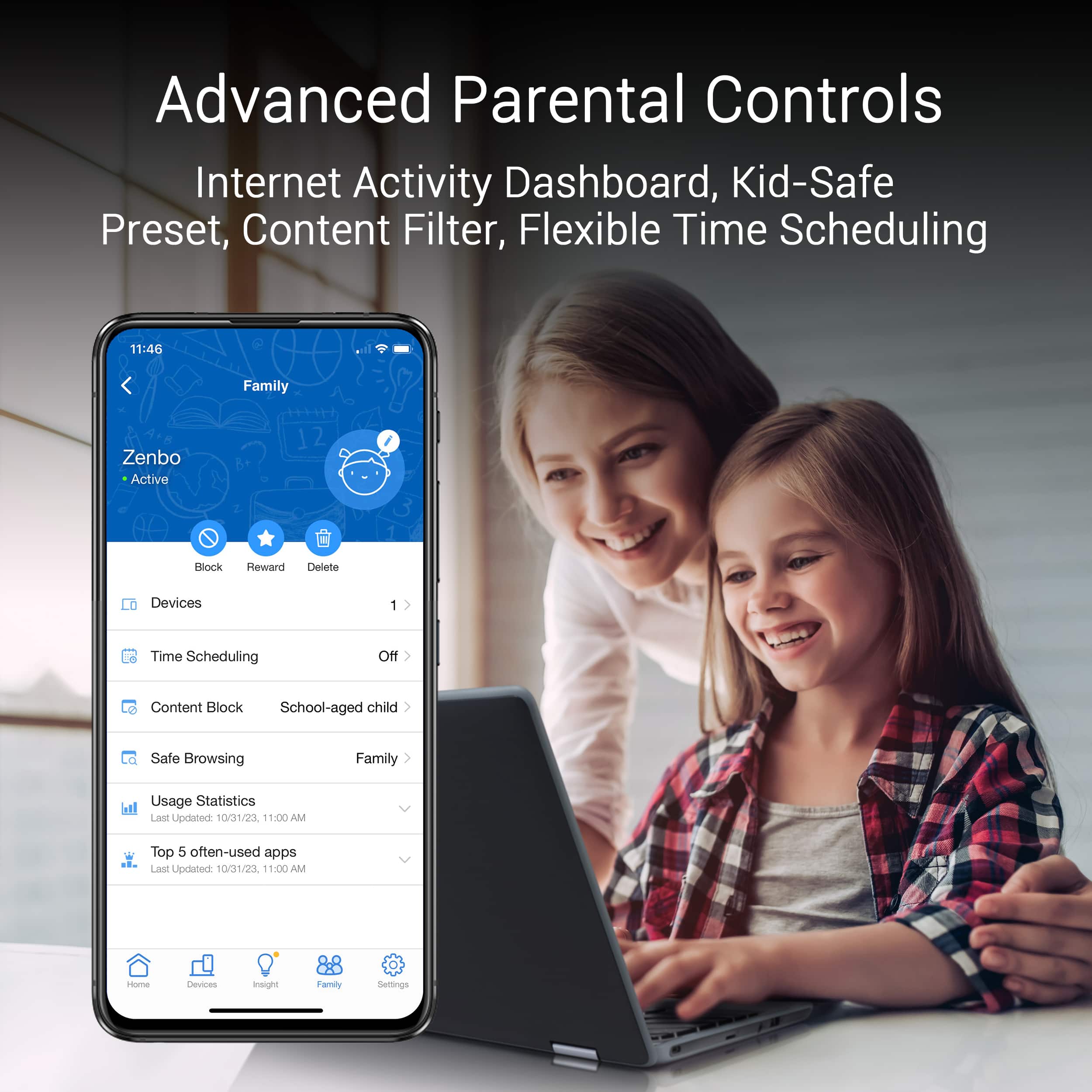
|Posted .This reviewer received promo considerations or sweepstakes entry for writing a review.WiFi 7 is here, and Asus’s entry into a WiFi 7 mesh system is ready to go. The BE30000 is a quad band, WiFi 7 system with 320MHz superwide channels, 10Gb multigig wired WAN/LAN and MLO. These units cover up to 11000 sq ft, but realistically will give you WiFi 6 line of sight in more places in your home. So is this cutting edge piece of kit ready for your home? Or is it pushing the boundaries a bit too far? The BE30000 is a high end set of 3 routers. Yes, each of them could operate entirely on their own, but they configure automatically on a wired backhaul very easily. I skipped the quickstart guide found in the box and simply started plugging them in. The initial network setup done by app was sufficient to get started, but I was happy to see the tried and true Asus web client still underpinning this experience. The BE30000 can hold your hand, or give you the reins to tweak your setup to a great extent. The other nodes detected their fate of being secondary nodes and stepped in line without any further interaction. Overall setup was a breeze. During setup, the device prompts you to create a separate IoT network. This network supposedly gives you separation enough to allow IoT devices to function without any issues, while leaving the WiFi 7 network to use the biggest and baddest feature set. In practice I found immediate issues. About a third or more of my IoT devices would not link up, in fact they wouldn’t even see the SSID of the network. These aren’t esoteric devices either, but rather Ring doorbells and stick up cameras, smart thermostats from major manufacturers, WiFi connected smart outlets from Amazon. I did quite a bit of diagnosis, but I finally found a thread discussing the problem. Do the following: Log into the web interface on a desktop computer. Select under advanced settings ‘Wireless’. Go to the ‘Professional’ tab, and choose the ‘2.4 GHz’ from the band. Go down to the Modulation Scheme (WiFi 5) and select ‘Up to MCS 7 (802.11n). This allowed all my devices to connect without issue. In my diagnosis, I ended up splitting my WiFi SSIDs so that the WiFi 7 network was marked as such, and I don’t regret this. I can ensure that my high speed clients are on the best possible network, while Alexa devices, older devices, and such are on my old network. This set is a nice setup for upgrading your home network. In my use case I kept each WiFi node on a wired backhaul, keeping an interlink of at least 2.5Gb (simply due to not having a 10Gb switch). Luckily when using other nodes, you can simply uplink them using the WAN port. This leaves the other 10Gb port at your disposal to link to a multigig switch or 10Gb client. Unfortunately the other ports are only gigabit, as I would have preferred to see 2.5Gb or 5Gb ports. Still, I am able to uplink on a Cat 6 wired network in my house at 10Gb no problem, and have transferred at incredible speeds between my NAS and a 2.5Gb client. Seeing 250-300 megabytes per second over wired, and over 120 megabytes per second on WiFi is something I couldn’t accomplish on my old mesh. 802.11be, or colloquially known as WiFi 7 offers some huge improvements. It’s still early yet, but seeing multiple gigabits from certain clients, even 2x2 antenna configs, is possible. Now, theoretical speeds WiFi speeds with MLO are up to 30000 Mbps using quad band capabilities.Of course that’s a pipe dream, but this sort of overstatement means there is plenty of bandwidth on tap. Each 6GHz network is technically rated at 11529 Mbps, and the 5Ghz 5764 Mbps. While your clients won’t see these rates exactly, it’s still possible to get speeds that push the boundaries of what’s possible with your internet, and even 10Gbps wired clients. 12 internal antennas that support beam forming ensure solid connections. Unfortunately I personally didn’t have any WiFi 7 clients, but I do have multiple WiFi 6E clients, and chances are you do too. These clients benefit from the 6GHz frequency these routers support, and give you superior bandwidth in those cases. My iPhone was able to easily hit gigabit speeds on these fairly uncrowded bands, and my MacBook Pro matched or exceeded those speeds, hitting spikes over 1500 Mbps transfer rates to my NAS. The key is you want the router in line of sight for these devices to really fly. If you can put one of these nodes in major traffic areas, or places you sit, you’ll see incredible speeds, even from last generation hardware. Now imagine your WiFi adapter and use the MLO features, and effectively double that 1500Mbps to 3000Mbps. This isn’t even a ‘reported’ speed, but rather actual transfer to a wired 10Gb client. These routers are very fast. Even on the 5Ghz band I was able to sustain 600 Mbps actual transfer speed at fairly decent distances. The 2.4Ghz at 20Mhz width was about as you’d expect - 50Mbps, but let’s be real, this is for IoT devices and older non-bandwidth sensitive applications. Hiding behind the plastic box are some pretty powerful CPUs. Clocking in at 2.6Ghz with 4 cores, it barely breaks a sweat when routing large amounts of traffic. 2GB of RAM isn’t a ton these days, but sufficient for the router's main job. Speaking of, I have fiber internet, and pay for 1.2Gbps. I consistent am able to maintain (from the router’s speed test, found under the QoS tab), 1250 Mbps up and down through the fiber ONT (which runs it’s wired network connection at 10Gbps). Now that I’ve waxed on about bandwidth and capabilities hardware wise, let’s dive a bit into the software. This is where Asus shines. Choosing either the app or the web interface, Asus does a good job showing you the overall network setup, port speed, network names, AiMesh node status, and clients connected. I love that it would confirm if the 10Gb port was running at 10, 2.5 or 1Gb. Each port’s status and speed is listed under the AIMesh (mouse over to see link speed or switch to list view in the app), CPU and memory utilization are listed, and backhaul link speed. You can enable SSH, and use remote access to the linux command line if you so desire. It’s running aarch_64 4.19 based kernel. If you’re a nerd, you’ll be quite pleased with the access these tools give you. Besides the nerd tools, network tools, and general network settings, you get great parental controls. You can setup times to disable internet access for all, or selected devices. Another great implementation here is with Trend Micro’s content filtering, which uses managed DNS to create filters for content. This allows you to block certain categories of content for clients. Overall the parental controls are simple, but effective. There is also direct integration with malware/phishing scam protection with Trend Micro here as well. While there isn’t a cost to this, there is more processing cost. That said, you may want to enable it and see how it does. I noticed no slow down. The traffic analyzer gives you some really interesting statistics and can monitor top users. I was able to pinpoint downloading Fortnight’s client on a graph. It was quite informative. Another wonderful feature is VPN. Not only do you get the ability to run your own VPN server, so you can do the traditional VPN home and access secure clients from anywhere. But you also get the ability to use VPN Fusion to create profiles for traffic and route them through a VPN provider of your choice (Nord, Surfshark, etc, but also PPTP and L2TP generic clients). There are other things, like Alexa integration (‘Alexa ask my router to upgrade the firmware’... ok asus…), IPv6 support, detailed Firewall settings, download master, ftp server, itunes server, samba server, printer server, 3G/4G USB network support (for a backup 4G access point) and remote syslog. This is a feature packed router and I can’t imagine exercising all it’s capabilities, it’s somewhat dizzying. Overall I found the tools, capabilities and strength of the BE30000 kit to be amazing and fairly intuitive to a fairly advanced user. Despite all the power, the basic experience through the app brings a lot of it to the masses. Overall I’d probably skip these if you’re an average home user, but if you’re a prosumer or router hacker from the DD-WRT days, you’ll feel right at home. Despite some quirks around the 2.4Ghz legacy support, and bad out of the box settings, this mesh setup blew me away with its features, capabilities, and ease of setup. In my use case, where I can use these devices to strengthen and bring multigig wired and wireless to my home, I found them to excel in every way. They’re an investment, but so are multigig switches, and WiFi 6E clients. Overall I believe these mesh nodes will power my network for years to come.
I would recommend this to a friend - Pros mentioned:Signal strength, Speed
I WANT to Recommend, But I Cannot
|Posted .This reviewer received promo considerations or sweepstakes entry for writing a review.I sincerely wish I could recommend the ASUS ZenWiFi BE30000, but I cannot. This is a fantastic mesh wifi system in all regards, but in the end, isn’t as compatible with home devices as it should be. And, to me, if your wireless system won't work with your wireless devices, you don't have a wireless system that functions. I will start off with everything I like about this first. I’ve never had a simpler set up for a WiFi device. Setup works roughly as follows: Your “main” unit is the one that gets the hard-wired connection from your modem. You plug that in and power it up and each of the mesh nodes you plug in and power up nearby. After power up, you use the (required) ASUS app to connect to the main router and set it up. The process is guided and completely seamless. I experienced zero errors as the units set themselves up and their firmware were updated. After set up is completed, you can then place the mesh units where you see fit. I do wish there was slightly more guidance on where ideal locations are, but once the devices are powered up, the app will show you their connection signal strength. In the box you have all your routers, their power connectors, one ethernet cable, and documentation. One is designated, via sticker, as the main unit, but I don’t think it really matters which is which. The size of the units are not small, but they’re not huge either. They’re about the size of a smaller hardback book and while not the most stylish things, blend in very well. The LED light is on the bottom and not very intrusive (and can be disabled, too!). A winning plus, in my opinion, is that each unit has ports in plenty. There’s 2 gigabit LAN, 10G LAN, and a gigiabit and a 10G WAN/LAN port, along with USB WAN if you’re planning on using 4/5G as a connection option. Having those added LAN ports on all units I find it super helpful with the various computers and components I have set up, particularly in my living room with multiple gaming consoles, a PC, Phillips Hue lights, and streaming box. The app itself is another major highlight. It’s quick, relatively intuitive, and easy to use and access the settings and features you may want. I will say that ASUS, compared to two other apps I’ve used for other brand routers, can feel overwhelming as there are a plethora of options at your disposal. However, compared to those other apps, they felt like they tried “simplifying” it for users but just not letting you access settings. I don’t want my settings locked away – I want to tinker if I need and if I don’t know what I’m doing, I don’t touch it. Apart from general router maintenance settings, there’s a robust set of parental controls and even several optional internet security settings. Bonus: those security features are included without additional fees. The signal strength is fantastic. With these routers strategically placed, there is no corner of my home that doesn’t get at least a good signal. This includes my front and back yards, too! Obviously, this level of signal strength is highly dependent on things like your walls and their materials and other things that may interfere, but I’m very pleased with the signal strength from all the units. As for the speed, I’m satisfied with it. I don’t have any extreme internet speed from my ISP, so it’s hard to fully test, but I’m pleased with the speed tests I’ve run on several devices. However great all the above is, where the ASUS ZenWifi BE30000 fails, it really fails at. I was warned during the setup to create a separate IoT (Internet of Things) network for many smart home devices that may have trouble connecting to the main network. Personally, I already found that to be questionable design in a released product, knowing that “default” won’t work for all devices. I set up that second IoT account, but was pleased that I didn’t really need to for nearly all of my devices. Some devices weren’t thrilled about the router change, even with the same SSID, but reboots solved that. I had one device, an a/v receiver from Technics, that I had to factory reset to get to work but it worked flawlessly after that, and I don’t blame ASUS for that. You’re working with a lot of devices, components, and manufacturers. All in all, I have about 35-45 devices at any given time that seem to work fine. All that is pretty standard for swapping out any router. What isn’t standard and where the ASUS ZenWiFi BE 30000 loses my recommendation completely is that not all my devices connected. While most did, I had four devices that didn’t: Two smart plugs from TP-Link/KASA a Ring Indoor/Outdoor Camera, and a Ring Chime for the doorbell. None of those devices connected and far, far worse than that: I literally cannot connect them to either my main or IoT network because they simply do not see the network. They all connect the same way – connect your phone to the device, select the wifi network and go. None of these devices SEE the network. Manually entering the network doesn’t do anything either. The ASUS ZenWiFI BE30000 networks simply do not exist for these devices. I can confirm all of these devices are working properly, were factory reset, and in locations near other devices that worked fine. Additionally, I checked, and all these products are still being sold, so you cannot blame outdated technology or even cheap products – these are two well known big smart home brands. I bought the Ring chime device less than 3 months ago. It’s worth pointing out that two other Ring cameras and my Ring doorbell connected without issue – therefore eliminating any notion that Ring is to blame. Four devices may not sound like a lot compared to the over 40 that works, but as mentioned these are four essential devices from well known and trusted manufacturers. This instantly makes my confidence level go down as I purchase future smart home devices. 3/5 Ring devices work. Will the next? That’s not something you want on your head. There’s a lot of suggested fixes on forums about how to make devices connect, the one that I keep seeing repeatedly being, “turn off WiFi7.” I find that it is completely unacceptable to disable a main feature of the device to make other devices work. After much forum scouring and many episodes of trial and error, as changing one setting reboots all routers, then you first must go to your device and go through the whole setup to see if it can see and read your network, I found a solution. You have to go into the web setting (not just the phone app), Advanced Settings, Wireless, Professional tab, change to the 2.4GHz settings, scroll down to “Modulation Scheme (WiFi 5)” and change it to “Up to MCS 7 (802.11n)”. This was after I changed many settings, taking up hours over the course of days. While I don’t consider myself a networking expert, I do consider myself highly advanced in computing and technology. If I’m having such a hard time troubleshooting without having to turn to advanced help and deep settings changes, then I certainly would never suggest this to anyone less comfortable with technology. This SHOULD be a situation where you set it up and it works and it’s not. The hours searching the web, trial and error, and everything about trying to fix the problem is unacceptable. This is not something, say, I could walk someone through over the phone easily. Lastly, I have noticed several devices that seem to get booted from the network or lose their connection. Specifically, I have a tablet that says there’s a WiFi connection with no internet connection that seems to always go away after I start up a web browser. I’ve also had two Google Next Hubs tell me there’s no network connection. Those did not reconnect until a reboot. I’m hoping this doesn’t happen again after figuring out the WiFi settings alterations mentioned above. I desperately want to recommend the ASUS ZenWiFi BE30000, but I cannot. When it works, it works great, and I’m satisfied with it. However, the things that aren’t working aren’t things that can be overlooked. Not knowing if devices you’ve already spent money on will work or not with this is not a question you want looming over you, especially considering the cost. With this cost, this should be a flawless product, even if you need a separate IoT SSID to connect devices. Spending time doing internet forum research and tinkering I (hopefully) made these devices work. But that’s a solution to an unacceptable problem to begin with. I hope that ASUS can figure out the issue and send out a firmware update that fixes it. However, until I know someone can set these up, update them, and have everything work effectively out of the box, I simply cannot recommend you purchase this.
No, I would not recommend this to a friendBrand response from ASUS Answers
Posted .Dear Eric,
Thank you for your comment.
We appreciate your feedback. Information coming from valuable customers, like you, will continuously help us improve our future product offering and services. If connections drops or unstable, place the routers in the center of the area you want to cover, avoid placing the router near metal objects, electronic devices or direct sunlight, position the router on a flat, hard surface and halfway between the floor and ceiling. Additionally, dense building materials, such as gypsum, concrete walls and planks can affect Wi-Fi signal penetration. If some of your IoT devices are legacy devices, they may not work properly with WIFI-6e and WIFI-7, please check updates for these devices. Also, try connecting this manually to either 2.4GHz or 5GHz. Furthermore, we recommend updating the Mesh router firmware if it is running with an older version. Firmware is available for download at: https://www.asus.com/us/networking-iot-servers/whole-home-mesh-wifi-system/zenwifi-wifi-systems/asus-zenwifi-be30000/helpdesk_bios?model2Name=ASUS-ZenWiFi-BE30000 .
Should you need further assistance with the product, please email me at cl-rodel@asus.com and I would be more than happy to help. Or you are most welcome to call Product Support Hotline at: 1(888) 678-3688. Also, you can chat with an ASUS live support agent from the link: https://www.asus.com/us/support/article/1135/.
Thank you for choosing an ASUS product.
Regards,
Rodel
ASUS Customer Loyalty
- Pros mentioned:Coverage, Speed
Overkill WiFi For Those That Want It All
|Posted .This reviewer received promo considerations or sweepstakes entry for writing a review.I currently use a WiFi 6 mesh system, but it hasn't been upgraded in a few years. With more and more WiFi 6e and 7 clients coming to market, I jumped at the opportunity to review the Asus BQ16 Pro WiFi 7 mesh system. The system itself guides you through the installation with a smartphone application, which makes the process very simple, even for people who aren’t technical. Once you’re up and running, you can dive into all the various features that the system provides you. Please make sure to update your main unit to the latest firmware as soon as possible to avoid any issues along your setup. The BQ16 Pro is definitely for the power user and is absolutely overkill for most users that don’t need a WiFi 7 system with multi-gigabit ports, or the availability of backup connectivity via 4G LTE. However, if you want to take advantage of the lightening quick internet your ISP provides you, this unit will certainly fit the bill. Along with all the advanced connectivity features, you’ll also get a ton of protection via Trend Micro’s AiProtection Pro security. This is a huge suite of tools that include malware protection, VPN, and even site-to-site VPN, which is incredible for a residential unit. With all that said, there are a lot of options that may be hard to understand for some users, but the smartphone app steers clear of a lot of advanced settings. Those that do want to dive into them can use the web GUI to access these features to tweak their settings even further. Pros: Blazing-fast speeds: The Asus ZenWiFi BQ16 Pro delivers incredibly fast speeds, making it ideal for demanding applications such as 4K streaming, online gaming, and large file transfers. Wide coverage: With its tri-band design and powerful antennas, the ZenWiFi BQ16 Pro provides excellent coverage, even in large homes with multiple floors. The 3 pack I received claims it can do more than 12,000 sq ft. Easy setup:: The Asus app makes it easy to set up and manage the mesh system, even for non-technical users. Advanced features: The ZenWiFi BQ16 Pro offers a range of advanced features, including parental controls, guest networking, and AiProtection Pro security. Cons: Expensive: The Asus ZenWiFi BQ16 Pro is one of the more expensive mesh systems on the market. Most people do not need the power, features, and range that this system offers. The differences in the features and functions of this system vs. one half the price aren’t going to be many, so make sure you require what this system is offering. WiFi 7 is still quite new and not supported by many devices. The web GUI can be overwhelming for those that aren’t comfortable with wireless routers. Overall: The Asus ZenWiFi BQ16 Pro is absolutely a top-of-the-line mesh system that offers blazing-fast speeds, wide coverage, and a host of advanced features. It’s also absolutely overkill for about 75% of home users. With that said, if you want the best of the best in wireless mesh systems without going through the hassle of a business grade mesh network, this is the system for you. Recommended for: Demanding users who want the best possible Wi-Fi experience Homes with multiple floors or very large square footage Users who need advanced features such as parental controls, guest networking, VPN and want it all.
I would recommend this to a friend - Pros mentioned:Coverage, Speed
Great for a lot of devices and large coverage area
|Posted .This reviewer received promo considerations or sweepstakes entry for writing a review.My last router died so I went back to my really old router to have something while searching for what router I wanted to get next. It's great how much they've advanced in a relatively short period of time. While we don't have the biggest home (about 1480 sq. ft.), it is anything but an open floor plan. We've always struggled with the far reaches of the house getting a good signal due to the router signal having to go through several walls. I previously had a mesh system before my last router (geared towards gaming), and it's great for our setup. This mesh router supports up to 200 devices. It sounds like a lot until you start to realize how much is connected to your router. I have a TV in the garage, 4 more in the house and a camera outside of the garage and this router easily covers everything. Even in slower times when not as much is being used, we have about 30 things connected to the router. During peak times, that number jumps significantly. For me, setup was quick and easy. You just connect the main router and then the nodes, then place them where you want them. Download the app and scan the QR code on the main router. For us, the main is in the living room, node 1 is in our bedroom and node 2 is in the dining room (closer to the garage). This gives us ample coverage throughout the house and yard. One great feature is the additional IoT network. I use this network separately running only 2.4G for devices that only support 2.4G. It's perfect for IoT devices like cameras, thermostats, smart plugs/lights, etc. Having this separate allows you to modify settings on the main network without affecting these devices. since their settings rarely change. On previous routers I would constantly have to keep changing these devices back to 2.4G because the routers would keep trying to put them on 5G, and they wouldn't work with it. The app has a lot of features, most people won't use the majority of them, but it's nice to have. You can see real-time traffic information, see which devices are connected to which node, use parental controls for kid's devices, a speed test, and a huge bonus is the ability to use the app to turn off the LED light. Of course, the light shows you the status, but for the one in our bedroom, I turned the light off as it was annoying shining in the dark. None of my previous routers had this feature. The best you could do was to cover the light. I can check the status in the app, I don't need a light to see the status. It has AiProtection which secures the network. The funny thing is, it has protected against 63 events and 62 of those (spam, phishing and malware) have been against my wife and daughter's iPhones. There's only been one attempt against my Samsung phone so far. It's nice that it is behind the scenes blocking things before they even get to the phone. It also has family member grouping so that you can group all of the smartphones/tablets of your kids and limited them all as one. Overall, I've had zero issues and it's been great. Our speeds are faster than they've ever been and it's worked flawlessly. Although pricey, it's definitely worth it if you have a lot of devices and/or a large coverage area.
I would recommend this to a friend - Pros mentioned:Coverage
Wide coverage with no dead spots
|Posted .This reviewer received promo considerations or sweepstakes entry for writing a review.The ASUS ZenWiFI BE30000 is the first Wi-Fi mesh system I’ve ever used, and I have been very pleased with it. It has been my main Wi-Fi system for the past several months (I own a couple of other Wi-Fi devices). We live in an about 3000sqft two-story house, with big areas in the back and front yards, and having the convenience to be connected to a single network while moving around indoors and outdoors and still experiencing high speeds has been a buying point for me to even promote the ASUS mesh system (in particular this one) to friends and family who, for the most part, have also experienced it while visiting our house. With the three units, I can cover the whole house and moving away from one of the units towards another doesn’t seem to reduce the speed too much. Connecting outside, in the back and front yards, as expected, the signal gets weaker, and lower speeds and GHz come into play, but I am still pleased with the coverage. I should say that it is still very decent compared to other Wi-Fi routers I own, when staying about the same distance away of the devices (especially over longer distances). As I said earlier, I didn’t have experience with mesh systems prior to this one (I don’t own any other system to compare to) so perhaps I am a little biased towards this ASUS system, but I would recommend it to anyone that can foot the bill and get this set. - Pros: great coverage, easy setup. - Cons: none so far. >> Setup This system is easy to setup that “even a caveman can do it”, well not really, but you get the point. I decided to follow the Quick Setup Guide and went for the Phone App setup approach to bring the main router unit and the other two units online. It worked just fine: - connect the main unit (“I’m Main Unit”) to the ISP modem using a network cable, - install and open the Phone ASUS router phone app. - scan the QR code in the main unit and connect to it, - create the couple of suggested default networks, - update the firmware (if prompted) and voila. I always preferred connecting to and configuring the routers using a PC, but I decided to give the phone-based approach a try (well the start guide suggested doing so.) All worked fine, and later, I used the web version to more easily inspect the different settings, but I think using the phone for the first setup seems the easiest way to proceed. I must remind myself that lots of things can easily be done with your phone as opposed to a full-blown computer, and configuring this set of devices is one such thing. >> Coverage With three units, the mesh configuration easily covers the whole house, with no dead spots as I could verify. There were only a few instances when it seemed my cell phone briefly lost connectivity while moving from one area to another but not because there was a dead spot. While at home, we always have our cell phones connected to Wi-Fi and so do all our guests (or most of them), and it is nice to not lose connection while performing our favorite tasks, for example making a video call or playing some video game. I used to have (still have) a wireless router and extender to reach different areas of my house, including the front and back yards, but they required their own networks. With the ASUS mesh system, I rely on a single network, I can be inside or outside, without losing connectivity (or falling to the cell network). It is easy to add other networks, the suggested ones are for guests and for IoT devices, so that you can better control who is accessing the network. >> Reliability It is expected that there will be changes in speed, and potentially channels, the devices are connected to depending on how far those are from the nearest ASUS mesh unit and whether there are any walls blocking the direct path to it. For example, I noticed that going to one of our bathrooms in a secluded area, with several walls blocking the signal to the nearest ASUS mesh unit, the signal would even be downgraded to 2.4GHz, providing lower speeds similar to what we would get outside in the backyard. But even connected with 2.4Ghz, it is much better than getting the inconsistent cell-phone signal. In general, for the most part, I get consistent speeds throughout the whole house. There is one thing that I have yet to figure out. A couple of times my cell phone lost connectivity for some noticeable period of time, when going from one area of the house to another. There was a “no connection” message when trying to use the ASUS App, but it’s been hard to catch the exact conditions of when this happens, since it will regain connectivity soon after. Perhaps it is when the signal is to be downgraded to 2.4Ghz. I also don’t have a top-of-the-line cell phone, and perhaps that plays a role in this situation. My wife has one of those high-end fancy cellphones and so far, from what I’ve been told, she’s been able to do all her media consumption with no issues and has been praising my ASUS mesh system. Another strange thing that happened with a Roku device in the playroom, is that connecting it to one of the IoT networks, which runs at 5GHz and 2.4GHz, it kept connecting to the 2.4GHz channel, despite one of the ASUS mesh units to be a couple of feet away. I am not sure what the issue is here, so I’ll need to do some troubleshooting when I find the time. So far, I have yet to reset/unplug the device to fix any connectivity issues, it’s been performing great for the last couple of months. There was also one instance in which we lost power for a few minutes, and I didn’t need to do anything, when the power came back on, and the main ASUS mesh router caught the signal from the internet provider’s modem, we were all back again online with no hassle. Overall, I’d say I am highly satisfied with the ASUS Zen BE30000 mesh Wi-Fi system. >> Wi-Fi 6/7 I haven’t tried Wi-Fi 7 yet, but the latest devices I own, Windows Co-Pilot+ ones, connect just fine to the Wi-Fi 6GHz channel with overall improved speeds over the 5GHz one, not only network speeds (connecting to the router or between two computers) but internet speeds as well. My current internet plan provides a 1Gbps download, and I’ve been able to experience Internet speeds of over 900Mbps while on the 6GHz channel compared to speeds of over 700Mbps on the 5GHz channel. For my current setup, inspecting the network properties, the 6GHz brings about double of what 5GHz brings (about 2Gbps for one and 1Gbps for the other, see pictures.) >> Configuration options There are a myriad of configuration options and settings, but for the most part, the default ones are all you’d need. That being said, some interesting settings are: - Multi-Link operation (MLO): if you get to the point of using Wi-Fi 7 then enabling MLO would make sense. - Parental controls: can control some content or communication options to reach specific MAC addresses. - Access point: can be configured as an access point, even a repeater., The ASUS Zen BE30000 seems to be a very versatile system, ideal for the ones that like to tinker with Wi-Fi configurations to enable the best quality for their network. >> Software I’d say that for most of your Wi-Fi networking needs, the cell phone App is all you’d need. It is the easiest way to set up the mesh system. For more convoluted options and configuration, you’d need to rely on the ASUS ZenWiFi BE30000 web Interface as it feels easier to navigate, and that is what I’ve been doing to try one setting one day, and then try another the next day. Some of the analysis tools, like Traffic Statistics, look way better on the web version than in the App (I’m biased to use a computer for configuring the device anyways).
I would recommend this to a friend - Pros mentioned:Coverage, Performance
Super Fast and Loaded with Features
|Posted .This reviewer received promo considerations or sweepstakes entry for writing a review.I’ve always been a fan of Asus routers. In my experience, they’ve been consistent with their GUI over the years and try to provide all the modern features and customizations you’d expect from a company that also does gaming PCs and hardware. Most of the devices in my house use Wi-Fi 6e or something older, and I imagine this represents the majority of folks. With new cellphones coming with Wi-Fi 7 along with the most recently released laptops, I imagine over the next few years, most newer devices will also be Wi-Fi 7. With that said, my laptop does use the Wi-Fi 7 standard, and it’s fast! <<Performance>> With the caveat out of the way, I’ll jump straight into performance and operation. I’ve got two nodes downstairs and one upstairs. All devices get a very strong connection inside the home, and switching between nodes is seamless. You’ll see the Wi-Fi signal drop then go back up as it switches to a stronger connection without interruption. I tested this by walking around my house, doing speed tests, and watching the speed fluctuate as I switch nodes. My two nodes are connected wirelessly and using MLO for their connections, so most of my network is wireless. My Wi-Fi 7 laptop holds a steady link speed of 3.8Gbps to the router. Considering most switches and routers connect at only 1Gbps, it’s wild to think my Wi-Fi is faster. My Wi-Fi 6e devices have a link speed of 1.8-2.1Gbps. As for actual internet speeds, I have a 1Gbps fiber connection. My modem supports 5Gbps Ethernet, and it’s connected to the 10Gbps uplink port on the router. It’s great to know if you have a 5Gbps internet speed, you’re not going to be limited by the ports on the router. Having one node in the front of the house and one in the back, I get great coverage in my yard and garage. As expected, speeds do drop as you get further out, but I’m mostly concerned with streaming music when doing yard work, so no need for the full bandwidth. <<Security>> This Mesh system is loaded with features and protections. Starting off with AiProtection, the router turns on protections and off some features that create an environment for security risk. You can go into this menu and adjust as needed based on your usage. For most folks though, the default settings will provide a safer browsing experience. You can also set family profiles to control certain levels of access to the web. You can assign devices to family members and control what types of sites that family member can access. With several different levels of protection and access. If you pay for a VPN, you can integrate it into the router’s settings and use VPN Fusion, which is split tunneling or a VPN server to access your network remotely. <<Connectivity>> Each mesh node is equipped with a 10GB WAN and 10GB LAN Ethernet, which allows for high-speed wired backhaul or connection of a client that supports 10GB LAN. I love to see more and more routers with these high-speed connections. Not only does this make for super-fast wired backhaul, but also if you have a wired device nowhere near wired access, the router almost acts as a portable switch within your home. There’s also a USB 3 port on each of the nodes, so if you can connect a portable drive, you can quickly access network storage. On the bottom of the unit, there’s a WPS button for quickly connecting devices. I found that this feature was turned off by default, though, for security. Along with these are all the built-in QoS, port forwarding, and IP reservation features. The number of features can be a bit overwhelming if you’re not tech-savvy, and you don’t have to use them all, as the original setup is enough, but I enjoy having the option, even though it may take me a moment to find what I’m looking for. I’d say the one caveat is the iPhone apps user interface is a bit different than the web UI. The layout and where to find things can be a bit challenging. There were a few times during the first few days of use where I was having some issues with devices connecting to the internet. I ended up going into the settings and manually setting the DNS server to Google servers. <<Final Thoughts>> I love ASUS routers. I had the ASUS ROG Rapture years ago, and it always felt like the engineers were making the kind of routers that they would want to use. While I liked the design of the Rapture routers, the mesh routers blend in better with the modern home, shedding the gamer design. The menus can be a bit much, but I’d rather have the option buried in some menus than not having the option at all. I also like the UI for the web menu has been largely unchanged, so upgrading from one ASUS router to another years later remains largely unchanged.
I would recommend this to a friend - Pros mentioned:Range, SpeedCons mentioned:Connectivity
Excellent system when set up
|Posted .This reviewer received promo considerations or sweepstakes entry for writing a review.For reference, I am strictly an ASUS router/networking guy. I have roughly 9 units of various sorts from ASUS and almost all of them work flawlessly. First, I love this ZenWifi system. It is fast, stable and the signal reaches further than my previous Wifi6 setup. I own the ASUS GT-98pro and I will use it for comparison. Setup: I attempted to set this up through the ASUS app as requested and after 3 or 4 attempts I was finally able to get everything to connect. The instructions are lacking, which surprised me a bit. However, once I figured out that all three units are turned on at the same time, at the beginning of set up, it will sync up, but not quickly. This is the second issue I had. The main router picked up the internet and naming of the SSID quickly, but the two nodes cycled numerous times before finally connecting wirelessly. They did so and everything ran smoothly. However, I prefer to use the online setup process so I reset each node and started over. I also put each node in their spot and wired them up with cat 7 cable for backhaul and bam! everything connected super fast and I was up and running in 15 minutes. Now, for performance. Like I mentioned in the title, they are stable and fast but I suggest not using smart connect unless you disable WIFI7. I do not have WIFI7 devices, but I wanted to try smart connect leaving WIFI7 on to see what I would find. My S23ultra phone works just fine, but, tends to gravitate toward 5Ghz and sometimes 2.4Ghz. When on Wifi6E, which it will do up close, latency is under 20ms and speeds are over 900Mbps down and over 40 up. 5GHZ is just under 900Mbps and over 40 up and 2.4Ghz is around 140Mpbs and 40 up. So, impressive. Range is good, I can walk 50 yards outside my house and still connect. Now, I had connection issues with my thermostats, couple of TV, vacuums, and printers. I created an IOT network, 2.4Ghz only, and no issues since. Everything works great. I even created a third guest network and that is working like a charm, as well. It has all the great ASUS settings and I have even gamed on it with no issues or lagging. All my settings transferred right over, double checked them, and the system is working like a charm. I highly recommend this system if you are in the market for a MESH. Security is free, VPN, port forwarding, Open NAT, QoS, I could go on. It is all here, and works great! Thank You ASUS!
I would recommend this to a friend - Pros mentioned:Speed
Fixed my home network!
|Posted .This reviewer received promo considerations or sweepstakes entry for writing a review.I love this router, it was easy to set up, it’s easy to manage with the app, and it looks great! I love how many extra ports it has, and I love most of all how reliable it is. I only have a single device giving me grief and I chalk it up to it being a Samsung Tablet thing more so than anything. Especially since it’s the only device that seems to have issues. I don’t know if it’s an Asus x Samsung problem, or just a Samsung issue. My iPhone in the same spot has no issues same with my wife’s iPad Pro. I’ll speak to how easy it was to set up. In the box there were three nodes, an extra ethernet cable and some power. All of them were identical, so I didn’t need to find a main unit to set up first. My house is wired with Cat 7 and unfortunately for me, my cable line is in the basement and I have NO other options. I’d have to pay for my coax to be moved for better coverage, but at this point with my Cat 7 going from the basement to the main floor, and the basement to the top floor, it’s kind of a non-issue. However it is still an issue for some mesh systems! My previous mesh router didn’t allow me to game properly on the top floor where as the Asus router consistently allows me to game without issue. It’s far more reliable than anything I’ve ever owned! It’s amazing! I pay for 1200 Mbps through Xfinity, and on each floor in the same room as the routers I get 1300 Mbps and sometimes 1400 Mbps!!! There’s plenty of extras too like, parental controls, VPNs, and some AI security features. I also love the fact I can just tell Google to turn it to Game mode when I’m gaming! I wish I could tell Google to turn off my router. The only reason why I want this is if my robo vacuum was ever compromised, I’d love to be able to just turn off the internet with my voice or a specific device. I can turn off Guest mode with this, so I just added it to the guest network as a work around. Long story short, I wish it had more voice options. Lastly I want to say I love how easy and nice this router is. The interface is clean and the router app is quite polished. I’m really happy with this!
I would recommend this to a friend - Pros mentioned:Range, Speed
Class leading Mesh System with superb range
|Posted .This reviewer received promo considerations or sweepstakes entry for writing a review.First things first, the mesh system comes with three nodes (1 main, 2 secondary). The devices do need to be setup correctly before use. This can be done via the Asus Router app. Do make sure you follow the directions carefully to ensure optimal setup. One step I would focus on is when you must place the secondary nodes close to the main one for their setup. Place them inches away from the main node after first so they can connect properly. After they do, you can move them to an optimal place within your household for maximum mesh coverage. The devices themselves are well made and aesthetically pleasing. The app is very useful and easy to use. Hats off to Asus for that! Below are some of the very impressive specs for the home mesh system. • WiFi 7 (802.11be) (2.4GHz): up to 1376 Mbps WiFi 7 (802.11be) (5GHz): up to 5764 Mbps WiFi 7 (802.11be) (6GHz-1): up to 11529 Mbps WiFi 7 (802.11be) (6GHz-2): up to 11529 Mbps • Internal antenna x 12 • 10G WAN/LAN x 1, 10G LAN x 1, 1G WAN/LANx 1, 1G LAN x2, USB 3.0 • AiProtection VPN WPA3 Enterprise, WPA3 Personal, WPA2 Enterprise , WPA2 Personal, WPA Personal, WPA Enterprise , WPS support WPS Let's Encrypt DNS-over-TLS SSH Security Scan Firewall • Maximum Firewall Keyword Filter : 64 • Maximum Firewall Network Service Filter : 32 • Maximum Firewall URL Filter : 64 Overall, once setup, I was able to get extremely impressive 2.4GHz speeds and more importantly range. We have a 5,400 sqft house and can leave the house entirely, walk across the street and still be connected. Superb range! On a fiber 1gb up/down line, I can pull between 600-900 gbps depending on the frequency I am on and how close to a node I am. This is more than enough for any household! I am more than happy with this device and extremely pleased with its top tier performance and range.
I would recommend this to a friend - Pros mentioned:Coverage, Speed
Stellar connection despite set-up issues
|Posted .This reviewer received promo considerations or sweepstakes entry for writing a review.The Asus ZenWiFi BE3000 3-pack mesh system has changed the Wi-Fi experience in my home. As someone who relies on a strong and stable connection for work, streaming, and gaming, this mesh system has exceeded my expectations in terms of coverage and speed. I'll be honest, the initial setup process was a big headache. Despite following the instructions to the letter, I struggled to establish a connection to the router. I came close to abandon the challenge and return it. Thankfully, the Asus support team was really helpful and guided me through the troubleshooting process. While this ordeal was frustrating, it was ultimately resolved and didn't detract from my overall satisfaction with the product. Once up and running, the ZenWiFi BE3000 proved to be a true powerhouse. The mesh network effortlessly blankets my entire home with a strong and consistent signal, eliminating the dead zones I previously experienced with my old router. Streaming high-definition videos, participating in video calls, and downloading large files are now a breeze, thanks to the impressive speed and bandwidth of this system. So far, it hasn't faltered under the demands of multiple devices connected simultaneously. By supporting the latest Wi-Fi 7 standard, the Asus ZenWiFi BE3000 is a sure investment for the future as more devices are set to adopt Wi-Fi 7. The Asus Router app is a key part of the ZenWiFi BE3000 experience. The app is designed to be intuitive and user-friendly, making it easy to manage the network, monitor connected devices, and prioritize bandwidth for specific activities with Quality of Service (QoS) settings. The app also provides regular firmware updates, ensuring that the mesh system remains up-to-date with the latest security patches and performance enhancements. The nodes are bigger than most competitors' mesh system but the minimalistic design is both aesthetically pleasing and functional allowing easy placement in most environments. Despite the initial setup hiccups, the Asus ZenWiFi BE3000 3-pack has been a game-changer for my home network. The speed, range, and ease of use are truly exceptional. If you're willing to persevere through the setup process, or are comfortable seeking help from support, this mesh system is a fantastic investment for anyone seeking a top-tier Wi-Fi experience
I would recommend this to a friend - Pros mentioned:Range, Speed
Great hardware and software, but still not perfect
|Posted .This reviewer received promo considerations or sweepstakes entry for writing a review.The BE30000 Mesh system is a (mostly) full-featured 3-node network Mesh setup. It is advertised to cover some 8,000sqft, and honestly, I have a feeling that it would. I am moving up from an Asus AX11000 ROG Mesh system (I have two of them). These are also powerful routers, but they’re a few years old and only support up to Wifi 6AX. So this Wifi 7 is a two-generation leap for me (6AX to 6AE to 7BE). Despite the significant tech upgrade, I’ll admit that I had a heck of a time during the setup of these routers/nodes. I followed the included Quick Setup guide and installed the Asus Router app for my Samsung Galaxy S24+. However, I could never even start the setup process as the app never found the router to start the process. I tried the included QR code, connecting manually via Wifi settings on my phone, etc. After a reset (#1), I was finally able to start the setup process when I plugged in my laptop to one of the ethernet ports. From here, things were easy. The software should have automagically connected the two nodes but it didn’t connect properly. So, reset #2. Finally, I let the nodes connect before I tried to set anything up…and sure enough, it worked. The software walked me through setting up a SSID and password, then a router admin account and password. Within a few minutes, I was connected to the web. From there, it was pretty standard Asus Router GUI and management…which is to say it was excellent. There are tons of advanced options, most with helpful hover-over info blurbs to describe the setting. I was able to create static addresses for my NAS for easy management and access, port forwarded the ports I needed, and there were a lot of DDNS options to choose from. Asus makes the most advanced, yet easy to navigate and understand router GUI, hands down. I spread the nodes out throughout my 5,300sqft home, top and bottom floors. I now have a minimum of 4 out of 5 bars everywhere in my home, and in my large yard(s). The range of this setup is impressive. All of my speeds jumped between 5-10%, but more on that below. Speeds are a mixed bag, but let me explain. On my prior router system, I had the benefit of WAN aggregation. This means I could take the two gigabit ports from my modem, and the router would virtually ‘merge’ them into one 2-gig connection. My ISP only goes to about 1.4gbps, so that’s where I’d cap my wired speed tests at (via the 2.5g port). The ZenWifi BE30000 has two 10g ports, so outgoing speeds will never be a problem. However, this system doesn’t support WAN aggregation, so I’m unfortunately limited to 1gbps speeds in and out. This issue could totally be remedied by a modem with a 2.5g output rather than my modem’s 1gig ports, but that’s another cost that I wasn’t expecting. Which brings me to my other nit-pick: The cost. Ooo boy, this setup may be excellent (especially after some much-needed software updates)…but it’ll cost ya. But, on the other hand, this system is pretty much future-proof for at least the next 5 years. And you know what: I value not having to worry about my network setup AND getting the absolute most from my ISP plan. For that reason, I can recommend the ZenWifi BE30000. If I could, I'd probably give the router a 3.5 stars. But I rounded up to 4 based on the hope that it'll only get better with future updates.
I would recommend this to a friend - Pros mentioned:SpeedCons mentioned:Firmware
Worth it, but finicky at first . . .
||Posted . Owned for 1 week when reviewed.This reviewer received promo considerations or sweepstakes entry for writing a review.Have had several ASUS routers in the past. Early adopter of a Deco BE85 system. It worked well. However, wanted quad-band and didn't want Chinese risk so I researched the WiFi 7 mesh systems. This system was on sale for Christmas. If it hadn't been on sale, I'm not sure I would have bitten but I'm glad I did. Initially, I was very leery of getting this system. The web reviews are extremely mixed and Dong said firmware had to mature. Even the Best Buy reviews were all from the ASUS website. The more I looked, the more it seemed the problems came from initial setup issues and from those who tried to set up a separate IoT network as the instructions suggest. I was going to turn off MLO at first, but that wasn't a problem. I tried the separate IoT network at first and many of my IoT devices did not connect so I turned that network off, went back to my usual setup and everything connected. I had to re-enter credentials on some things, but everything is connected now without difficulties. The system was relatively easy to set up. Bring the units all into one room close to each other and follow the instructions. However, be sure to force a firmware update more than once at the very beginning while the units are all in the same room and connected. They initially self-updated, but then they tried to update again twice after seeming to be done. Once set up and then placed, they seemed okay. Good speeds wired and wireless - maxed out my M1 iMac's 1G wired connection and consistently received 1.1G on iPhone 16 Pro. Though they come out of the box with MLO activated, I wasn't getting that consistently at first on one or the other satellite initially. On a lark, I tried another firmware update from within the web GUI. It updated! This is despite having the auto-update feature "on" and them being in operation for several days. So make sure you manually update the firmware a few times at the outset, maybe a few hours or even days apart regardless of the date of your last update vs. the ASUS site's dating. First couple of days and nights one satellite would cut out randomly and two nights in a row the whole system went down at around 11:00 pm for no reason. No interference, nothing special going on in the house. No power outages or unusual electrical use in the house. ISP had no outage. Rebooted them again. Initially, farthest satellite would only connect non-MLO and would cut-out sporadically. Rebooted the whole system twice more. Finally, and I don't know why, they connected with seemingly strong MLO connections to both satellites and have been steady now for the past week. Great speeds, no drops. The non-wifi 7 devices are wirelessly faster than before and the wifi 7 devices max out my 1G connection. So the setup was easy but the initial operation was finicky. Never had this much trouble with an ASUS setup before. Only an old ORBI was this bad. Firmware updates have to be done and it's almost like the system had to work out its own kinks before "settling" into solid operation. Not sure why. Other reviews (reddit, SmallNetBuilder, the web) suggest this system isn't worth it. YMMV, but with a little patience, this has turned out to be worth the money (IMO).
I would recommend this to a friend - Pros mentioned:Coverage, Speed
Could be great but fails
|Posted .This reviewer received promo considerations or sweepstakes entry for writing a review.As much as I want to like this product and recommend it, I can't. I really dislike it and would not recommend it. I consider myself somewhat tech savvy. As much as I can be since it's hard to keep up with all the advancements, especially with WiFi. But I've successfully, and without issue, upgraded routers over the years as well as moved to dedicated access points and now mesh systems. Each time I've been happy with the increased coverage and speed, etc. And the speeds with this system (when it works) are absolutely GREAT! I've provided screenshots below showing some speed tests done both with my old setup and the new Asus setup. Same device, same location in my home, same devices connected to the network and same server. As apples to apples as I could get. I will say this was with a Pixel 8 Pro which DOES support WiFi 7 (more on that later). But this system has been nothing but a headache since it arrived. I was previously on a mesh network made by another company. It was the same basic setup as this one (a router and two nodes). When I got it I went through the setup, pairing the nodes to the router and locating each one throughout my home to maximize coverage. I have well over 30 devices connected to my network. Everything from phones to tv's to smart switches, etc. So when I change my hardware I always set it up with the same SSID and password as the previous system. Each time I do this, once the new system is up and running almost all, if not all, of my devices automatically connect to the new network setup seamlessly. Everything goes smoothly. So when I setup this Asus ZenWifi network I did the same, however it has been 4 days of anything but smooth so far. At first I couldn't even get the router to find the nodes. The instructions for setup are not the best, nor is the app you use. I followed the instructions though and after several attempts I got it up and running. However I still had most of my devices not connected to the network. After trying several things I ended up resetting the router and 2 nodes to factory default (hard reset). Then, no matter what I tried I couldn't get them to connect again. Reset a few more times, still not connecting. Reached out to Asus, which of course suggested, you guessed it, factory reset... So I did one more time. Followed the setup instructions from a link they provided (was a little different than what came with the product), and after a while (it still did NOT go smoothly) I finally had everything connected. So now test things out and everything seems good. I add my devices and am loving the speed I get. However, everything is not fine and dandy... I still have network issues with being connected but no internet. The network stays connected it seems but the internet signal drops randomly. I've checked hardlines and it's not dropping. It also doesn't drop on all devices, only some. Then one minute I get 700Mbps+ with my phone and the next minute it's in the Kbps range... I plan on calling support this weekend, as my wife and I work from home and can't be without internet, to try and see if I can get these things resolved. Because I really want this setup to work. WiFi 7 provides vast improvements over earlier iterations, and while not a lot of devices support it yet, more and more will, beginning this year. If you have Gigabit internet service and can only achieve that hardwired, I have gotten those speeds over this wifi, so the benefits are definitely there. You may not need WiFi 7 support at the moment, but if you're looking to upgrade your system anyway, you might as well go with one of these setups. If you do go with this one, I would recommend getting it setup professionally because it's definitely not a simple plug and play system. However, once it is setup it provides a lot of benefits from the speeds and coverage to the network control you can have over screentime for kids, blocking sites, remote network connection, free network security from Trend Micro, VPN, etc. So I gave it 1 more star due to it's potential. If I get in touch with support and it turns out I got bad hardware I'll update my review accordingly.
No, I would not recommend this to a friendBrand response from ASUS Answers
Posted .Dear GoVols,
Thank you for your comment and for sharing your experience with the router.
We do understand your disappointment and the inconvenience this may have caused if you are experiencing connection issues with the router using WIFI 7. Legacy devices, not supporting WIFI 7, may not work properly. If the router is running with an older firmware version, please install the latest version posted at: https://www.asus.com/us/networking-iot-servers/whole-home-mesh-wifi-system/zenwifi-wifi-systems/asus-zenwifi-be30000/helpdesk_bios?model2Name=ASUS-ZenWiFi-BE30000. If you need further assistance, please email me at cl-rodel@asus.com and I would be happy to help. Or, you are most welcome to call Product Support Hotline at: 1(888) 678-3688. Also, you can chat with an ASUS live support agent from the link: https://www.asus.com/us/support/article/1135/.
Thank you for choosing an ASUS product.
Regards,
Rodel
ASUS Customer Loyalty
Blazing Fast WiFi… With a Tiny Catch
|Posted .This reviewer received promo considerations or sweepstakes entry for writing a review.-Introduction- I picked up the ZenWiFi BE30000 Wi-Fi 7 mesh (3-pack) because my old router was basically waving a white flag every time more than two devices hopped on. I’ve been using this setup for a bit now, and honestly… it feels like I upgraded from a bicycle to a sports car. But yeah, it’s not perfect—I’ll get into that. --Setup Experience-- Setting this thing up was almost suspiciously easy. I downloaded the ASUS Router app on my Android, followed the steps, and boom—done in under 10 minutes. No weird networking knowledge needed, no headaches. I was expecting at least one “why isn’t this working” moment… but nope. --Speed & Coverage-- This is where it really shines. I pay for 1 gig internet, and I’m actually seeing close to that over WiFi. That alone kinda blew my mind. Even better, the signal holds up through walls like they don’t exist. I can be in the next room, doors closed, and still pull crazy speeds. I even tested it outside—about 30+ feet from my house—and was still getting 500 Mbps or more. That’s just wild to me. My old setup would’ve tapped out halfway down the driveway. --Features & Tech Stuff (but not boring)-- This system is absolutely stacked with features. It’s one of those setups where you feel like you’re not even using half of what it can do. You’ve got: WiFi 7 support (obviously) with crazy bandwidth Quad-band setup, including a dedicated backhaul so your nodes talk to each other without slowing everything down Multi-Link Operation (MLO), which basically lets devices use multiple bands at once for better speed and stability 2.5G and 10G ports, which is awesome if you’re trying to future-proof or have fast wired devices AiProtection security built in, so you’re not totally exposed out there Easy device management, parental controls, guest networks… all that good stuff right in the app It’s the kind of system where you plug it in for WiFi, but end up geeking out over all the extras later. --Real-Life Use-- Streaming, gaming, downloading big files—everything just feels instant now. No buffering, no random slowdowns when multiple people are online. I’ve had a bunch of devices connected at once (phones, laptops, TV, smart home stuff), and it doesn’t even flinch. --The Annoying Part-- Alright, here’s the catch. Every now and then, the WiFi just… drops. Not for long—like 5 seconds—but enough to notice. And this only happens on my WiFi 7 devices (like my Galaxy S25 Ultra and iPhone 16 Pro). My older devices stay connected just fine. It’s super random too. No pattern, no way to trigger it. Just once or twice a day, boom—disconnect, reconnect, back to normal. It’s not a dealbreaker, but yeah… definitely annoying, especially if you’re in the middle of something. --Comparison Thoughts-- Compared to older mesh systems (like WiFi 6 ones I’ve used), this thing is on another level speed-wise. It actually feels like you’re getting what you pay your ISP for. That said, those older systems were sometimes a bit more “set it and forget it” stable. This one feels more cutting-edge… with a tiny bit of that early-adopter weirdness. --Final Thoughts-- Overall, I really like this system. The speed and coverage alone make it worth it for me, especially in a bigger home. It finally feels like my WiFi isn’t the bottleneck anymore. If ASUS smooths out those random dropouts (especially on WiFi 7 devices) with updates, this would be pretty much perfect. Right now, it’s almost there—but still one of the best mesh systems I’ve used.
I would recommend this to a friend- Pros mentioned:Range
Good Product with poor App Support
|Posted .This reviewer received promo considerations or sweepstakes entry for writing a review.The ASUS ZenWiFi BE30000 WiFi 7 Quad-band Mesh Router (3-Pack) is an excellent WiFi system, though the setup process may test your patience. I spent about two hours setting it up, requiring four attempts for the app to correctly configure my new network. Unfortunately, most new mesh routers require an app for setup, so your experience will largely depend on how smoothly the app functions. The build quality of these units is excellent, and I really appreciate the additional LAN ports on each device. This allows us to connect PCs via wired connections, while everything else performs better wirelessly. Online gaming has been fantastic—no lag or drops in performance. With around 25 devices connected to our network, I’ve only encountered buffering once, which was due to a temporary loss of internet connection. Unplugging and restarting the main router and two additional nodes quickly resolved the issue. The app itself is decent but could benefit from more options and improvements. Hopefully, ASUS will update it over time. Overall, this is a great WiFi mesh system that has been perfect for my three-level home.
I would recommend this to a friend - Cons mentioned:Connectivity
Great Mesh Router, When It's Working Properly
|Posted .This reviewer received promo considerations or sweepstakes entry for writing a review.I've been testing the ASUS Zenwifi BE30000 for the past week. Overall, it has great features, excellent Wi-Fi coverage, and provides blazing fast internet speeds. However, the connectivity issues and slow reboot time were so bad that I just can't recommend it. Unboxing and Setup Inside the box were the three nodes, three power cords, and one RJ45 data cable. Setting up the first node was simple. Scanning the QR code immediately brought up the app and walked me through setting network names, passwords, and network configurations. For the other two nodes, I had to keep them within a few feet of the main node, and they automatically connected. From there, all I had to do was place the nodes on each level of my home. However, connecting all my devices was not as simple. I spent the next two days trying to figure out why most of my smart devices either would not connect or would connect and drop within a few minutes. This was extremely frustrating and almost caused me to throw it back in the box and go back to my old Wi-Fi system. But luckily, I figured out the issue. By default, the IoT network is set to all Wi-Fi bands and WPA3 Personal authentication. So, by downgrading the IoT network to 2.4/5GHz and downgrading the authentication to WPA2/WPA3 personal, my smart devices were finally able to connect and maintain a connection. If you run into the same issue, I may have saved you two days. The non-IoT network was fine, and I was able to maintain all the default settings, but most non-Wi-Fi 7 devices won't connect to it at all. Performance When functioning properly, the ZENWifi is a beast. It connected to all 57 of my IoT devices and provided good connections. It maintained nearly flawless MLO connections to all the nodes, provided excellent coverage throughout my entire home, and even reached Wi-Fi cameras that sit 30 feet away from the house. The Wi-Fi speed was noticeably faster, especially on my PS5, Pixel 9 phone, and other Wi-Fi 7-enabled devices. However, almost every day I encounter annoying hiccups where my devices cannot access the internet. App and Features The BE30000 uses the ASUS router app for configuring settings, parental controls, performing updates, etc. However, you are also able to do it using a browser. I found the browser more convenient for navigating the menus. ZenWIFI has some great features. My favorite is AIProtection, a malicious website blocking tool powered by Trend Micro. When turned on, it blocks sites known for malware, phishing, hacking, ransomware, and adware. Additionally, it can scan your router settings for weaknesses and identify them. It also features other great tools that show real-time traffic statistics, perform speed tests, and list all connected devices. All are great tools for providing insight into your network. Conclusion Despite my frustrations with getting it to work properly, I kinda like it. The speed, AIProtection features, Wi-Fi coverage, and dedicated IoT network can be enough to convince me to keep it. However, Asus needs to figure out how to make it more reliable. And for that reason, I cannot recommend it.
No, I would not recommend this to a friendBrand response from ASUS Answers
Posted .Dear Buckbabes,
Thank you for your comments regarding the ASUS ZenWiFi BE30000 and we apologize for any inconvenience it may have caused you. We are committed to providing our customers with the highest quality products, and your feedback will be forwarded to our Product Team for review.
To troubleshoot the connectivity and slow reboot issue described, we recommend following the steps in the FAQ below. Should the issue persist, please contact our support team at https://www.asus.com/us/support/CallUs to further investigate the problem.
We do stand behind our products and continuously strive to improve our products and processes to achieve customer service excellence. For more information, email us at customerloyalty@asus.com and include the case number "N2406012043-0004" as a reference. We will do our best to resolve your case quickly. Your feedback is very important to us and enables us to improve our support channels. Thank you for choosing ASUS.
Best Regards,
Chantae
ASUS Customer Loyalty US Support
https://www.asus.com/support/faq/1047919/
https://www.asus.com/support/faq/1030641/
- Pros mentioned:SpeedCons mentioned:Connectivity
Great potential, great speeds - IF it works
||Posted . Owned for less than 1 week when reviewed.This reviewer received promo considerations or sweepstakes entry for writing a review.I'll start out by acknowledging that after trying to make it work, we returned the ZenWifi after 4 days. The good: Setup was actually fairly smooth - not plug and play, but it all worked out in the end. I used wired backhaul but even in wireless, connection was stable (all after latest firmware). I love Asus' web interface - IMO the best interface out there for making minute adjustments or just keeping it high level. Great insight into settings, and the app was good, too. Speed - a 3 level house - and reliability... So where devices connected on MLO 6Ghz (iPad M4, iPhone 15 Pro) speeds were amazing. easily 800Mbits (on a 1Gbit fiber connection) blew me away. Other (ax or ac capable) equipment worked fine... but connections was a little poorer than with my previous (wifi 6) mesh system. In the end, the probelms I had and couldn't fit let me to return it: We have close to 80 devices in the household - some 6e (and even 7), but a lot of Google cameras, hubs, IoT devices, locks etc etc etc. Almost none of them worked at first.. Not wanting to disable Wifi 7 or MLO I created an IoT network - and then spent 2 days dumbing down the connection settings (on 2.4 especially) in the end, most - but never all - devices worked even on IoT (using only WPA2 to boot) - all which worked flawlessly before. Also, my super fast devices would lose connection - and not reconnect - some distance away without a good reason. IN short - I wanted to love this. It actually worked well - to a point. But in the end, it's a tough system to make work if you have a lot of new (6E and maybe even 7) - and old / legacy equipment. For the latter, this never worked. Try it, but bring patience..
No, I would not recommend this to a friend - Pros mentioned:Range, Signal strength, Speed
Impressive even for wifi 6 only networks
||Posted . Owned for 2 weeks when reviewed.This reviewer received promo considerations or sweepstakes entry for writing a review.Wifi Router Feedback/Thoughts: My mom and I have a wireless connection between our two houses sharing one internet account. It's a tough jaunt because of how many walls and the awkward placement of where the routers are (for aesthetics and to avoid buying too much crap). Our internet connection is 1.25Gbps, chosen because the tier below that wasn't high enough, and we have something like six cameras streaming to the cloud and get all of our video over the internet. If you know much about networking you know that it's pretty hard to spread 1.25Gbps signal to every machine on the network and the best you can usually hope for is that every machine can get a juicy 250mbps, which is more than enough usually. Wirelessly its even harder to really get anything above 500 to each device. Our prior network consisted of two big ASUS AX-11000 routers between the houses and one side ASUS AX-92U in my office with a wired backhaul. That's Wifi 6 and honestly it did a fantastic job. We would get about 200-400 mbps at my mom's place and I would get about 500 mbps wireless in most places--definitely overkill and it was nice. The range for wifi 6 would be about a third of the way from our house to the mailbox (don't ask for distance I have no idea). This system worked really well and we had no real need that was unmet. I did have the routers upgraded to WRT Merlin, if you're an ASUS nerd you know that's the way to go. Eventually one of the AX-11000 routers started to have issues consistently and we had to replace it. Instead of replacing just that one router, we decided to update the entire network using an ASUS BQ16 Pro bundle. This put three Wifi 7 routers across the houses. I was a little annoyed because we don't have any devices that are wifi 7 so it begged the question of whether this would even be a worthwhile upgrade. WELL, WAS IT EVER. Although the old AX-11000 would usually keep a solid 5gHz channel it'd never be quite as high as I'd like, now my mom gets a 6gHz signal with speeds from 500-700 mbps. This is without MLO (sigh) because it's not implemented for backhaul yet, but since the signal is strong enough using wifi 7 it was able to push the most of the speed across the path. It's amazing. As far as other range, we get signal now all the way to the mailbox. I can't recommend Wifi 7 enough for anyone that has a mesh network that has to do some serious distance lifting.
I would recommend this to a friend