Customer Ratings & Reviews
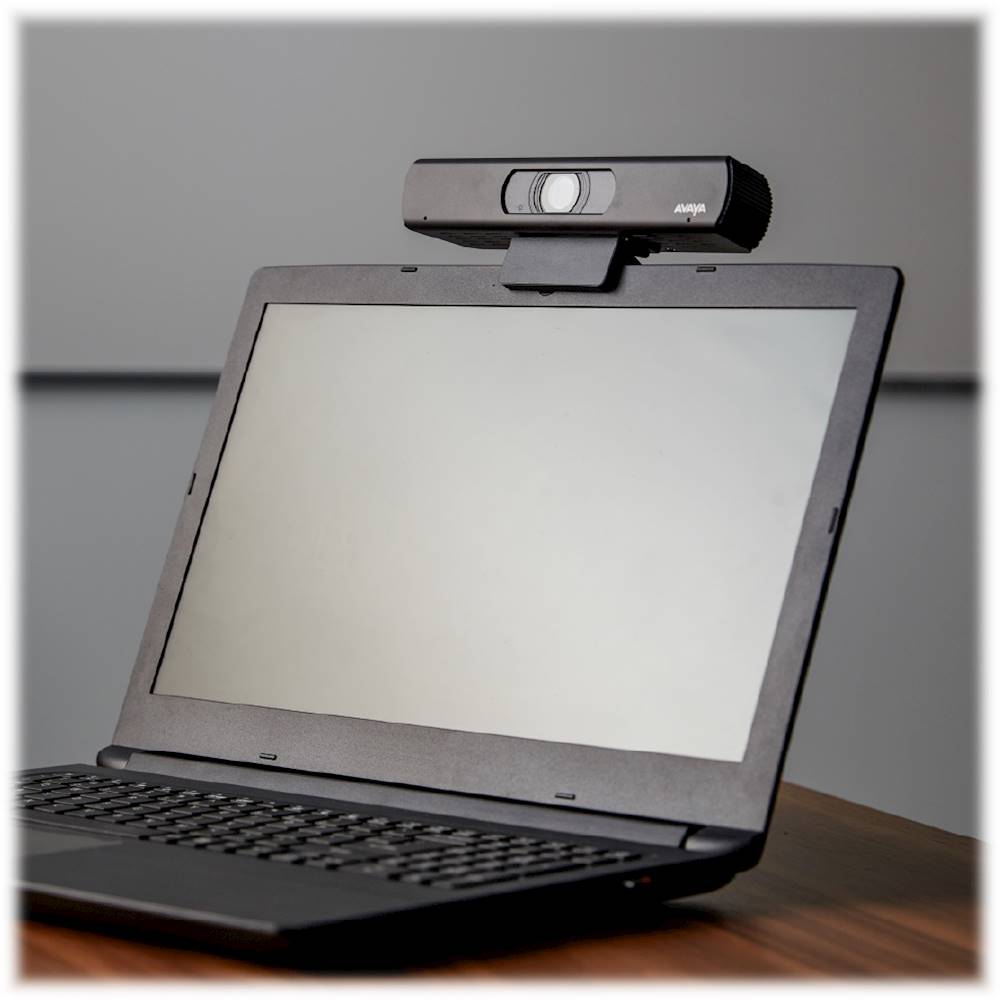
- Model:
- 700514534
- |
- SKU:
- 6397094
Customer reviews
Rating 4.3 out of 5 stars with 49 reviews
(49 customer reviews)Rating by feature
- Value4.0
Rating 4.0 out of 5 stars
- Quality4.6
Rating 4.6 out of 5 stars
- Ease of Use4.4
Rating 4.4 out of 5 stars
Customers are saying
Customers regard the Huddle IX 2160 (4K) Webcam favorably, particularly praising its zoom capabilities. Many appreciate the ease and speed of the zoom function, allowing for quick transitions between wide and close-up views. The overall image quality is also highlighted as a positive aspect. There were no negative customer comments reported.
This summary was generated by AI based on customer reviews.
- Pros mentioned:Video quality
Rated 4 out of 5 stars
Does it's job but not the right price
||Posted . Owned for 2 weeks when reviewed.This reviewer received promo considerations or sweepstakes entry for writing a review.Pros: - reliable work from home -zoom meetings -microphone is good - quality is decent -easy to use/connect Cons: -video quality for $250 Over all I give it a 4/5. It does its job. however I was annoyed to see that a $200 Logitech camera which is $50 less than this one has much better video resolution and image resolution. I believe that other camera was 13 MP. This one is 8.5 MP. Also the $200 Logitech has a faster refresh rate for videos. If this camera is really $250 then it should be better in specs than the $200 Logitech. Not happy about the price.
I would recommend this to a friend - Pros mentioned:Video quality
Rated 4 out of 5 stars
Video quality excellent
||Posted . Owned for 1 month when reviewed.This reviewer received promo considerations or sweepstakes entry for writing a review.Pro: I like the product, the video quality is excellent and reliable. I buy this for my school online google classroom due to Covid-19. Con: I little pricey. Under $200 be okay
I would recommend this to a friend Rated 4 out of 5 stars
Amazing camera, with a bit of hiccup installing.
||Posted . Owned for less than 1 week when reviewed.This reviewer received promo considerations or sweepstakes entry for writing a review.So I was on a lookout for a new webcam and came across this, never before heard of device. Although the price is a bit steep, it was definitely worth it. It has a remote where you can access settings from once you've installed it too. But...be aware that at least for me, installation was a bit interesting. Now, when I received the webcam, I noticed the manual talks about a codec unit -- this initially freaked me out because when I plugged it in to my 3.0 USB port, it installed incorrectly and the remote control did nothing. But, there's a work around. Once you plug it in, Windows 10 detected it just fine and installed it as a generic webcam. That's fine. The only problem is click on the power button doesn't turn it on. So how would you know it works or get to the baked in settings? I figured that if I opened the camera app in Windows 10 and switched to the Avaya IX Huddle (the laptop has a sub par built in cam), I could see it work. Then, I noticed you can actually use the settings from the remote control. The only issue is once you close the app, you don't have access to that anymore. So, I figured I'd check for a firmware update. And sure enough, they have one. Just download it from their site and run the utility. To get it to install the update prior to anything else, launch the camera app in Windows so it's actually on. From there, start the firmware update. It installed just fine. Now, it works flawlessly with the various videoconferencing software and apps that I use. You still can't use the remote to "turn it on" and access settings, but once you have launched whatever you're using, you can use the remote to get to those settings then. Apart from this, it's really a good camera. You won't be disappointed. Just a bit confused at first -- That's why I'm giving it 4 out of 5 stars.
I would recommend this to a friend- Pros mentioned:Video quality, Zoom
Rated 4 out of 5 stars
Unexpectedly Good
||Posted . Owned for 1 week when reviewed.This reviewer received promo considerations or sweepstakes entry for writing a review.So if you've tried to find a webcam lately you know that you can't find a webcam lately. I thought this was just going to be a price gouging given the the resolution and frame rate is below competitor webcams at lower price points. However, to my surprise, it turned out to be a great camera. Here are the highs: - Consistent compliments on the image quality - Remote control that allows zooming and panning Lows: - Setup on Windows 10 was quirky. Download the driver from the web. - It's bigger than a lot of the competition - Microphone sound quality is not good enough All this being said, I use it a lot and I would definitely buy it again. And I truly don't feel like I over paid.
I would recommend this to a friend - Pros mentioned:Video quality, Zoom
Rated 4 out of 5 stars
For price needs privacy cover and carrying case
||Posted . Owned for 3 weeks when reviewed.This reviewer received promo considerations or sweepstakes entry for writing a review.I was forced into buying an expensive webcam because I needed better than low-end and the middle was all sold out. The first thing you should do when you get this camera is go to the Avaya website and download the current firmware. The second thing I'd advise doing is getting a back-up remote control. They're easy to get on the web for $25 each. You'll hate yourself if you ever wreck the remote control, because it's the only way I'm aware of to control the very handy and valuable zoom and pan functions. Without those functions, this would be a pretty lame camera, but with them it's super handy. Video quality is very good and microphone seems to work very well. It seems to be a top-notch camera. Unfortunately it's price is also top-notch and it doesn't feature a flip-down privacy cover or come with a hard carrying case for all that money. It does work very well on flat screen monitors, which is how I use it. Overall, I still recommend it fairly strongly.
I would recommend this to a friend - Pros mentioned:Video quality, Zoom
Rated 5 out of 5 stars
Much better video in dim light
||Posted . Owned for less than 1 week when reviewed.This reviewer received promo considerations or sweepstakes entry for writing a review.I bought this because the video from the built-in webcam on my 2019 MacBook Pro was too dark. This Avaya unit gives a much better and brighter video, plus it has a remote-control that zooms in/out and pans left/right and up/down. It installed automatically (plug-and-play) on both Windows and MacOS. I really like this webcam, even through it was a bit more expensive than I had initially wanted. I would definitely but it again!
I would recommend this to a friend - Pros mentioned:Video quality, Zoom
Rated 5 out of 5 stars
High Quality
||Posted . Owned for 3 weeks when reviewed.This reviewer received promo considerations or sweepstakes entry for writing a review.After putting up with a marginally acceptable integrated laptop camera, this was a huge step up. The video quality is very good. Being able to mount it on a monitor provides a far better perspective than showing your double chin with a laptop. It can be used in a conference room due to its wide angle camera but with the remote you can zoom in to use for personal desktop applications. Only negative is there is no integrated speaker/microphone, but I prefer a headset anyway for better clarity. It's also a bit pricey but these days most cameras are out of stock.
I would recommend this to a friend - Pros mentioned:Remote control, Video quality
Rated 5 out of 5 stars
graet camera
||Posted . Owned for 1 week when reviewed.This reviewer received promo considerations or sweepstakes entry for writing a review.I bought this to video chat with my daughter on my computer, instead off using my phone. Had some issues with set up, but found out I created them. I plugged the USB into a powered hub but needs to plugged into the computer to operate. Every one I've talk to with the camera raves about the quality of the picture and the remote control allows you to tilt and pan as well as zoom without touching the camera. Love this thing best web cam I've ever owned The instructions for the remote have to be downloaded from their web site
I would recommend this to a friend - Pros mentioned:Video quality
Rated 5 out of 5 stars
Great wide angle webcam
||Posted . Owned for 3 weeks when reviewed.This reviewer received promo considerations or sweepstakes entry for writing a review.This camera greatly upgraded my wife's distance learning program. She is a teacher working from home during the pandemic. Not only is the picture quality much better, but the wide angle view allows for background shots of her work table, globe and wall maps. This creates a classroom setting for her video lessons.
I would recommend this to a friend - Pros mentioned:Remote control, Video quality
Rated 5 out of 5 stars
Great Webcam
||Posted . Owned for 3 weeks when reviewed.This reviewer received promo considerations or sweepstakes entry for writing a review.Super easy to set-up. Just plug in and away you go. I use for home and zoom in out remote control feature allows you to adjust for family distractions. Video and audio are excellent. Don't use other remote buttons at the moment.
I would recommend this to a friend - Pros mentioned:Ease of use, Video quality
Rated 5 out of 5 stars
Great webcam!
||Posted . Owned for 1 month when reviewed.This reviewer received promo considerations or sweepstakes entry for writing a review.Little on the pricy side, but it was available during the lockdown with absolutely zero availability from the competitors. I took a chance and was pleasantly surprised by the quality and ease of use.
I would recommend this to a friend - Pros mentioned:Video quality, Zoom
Rated 3 out of 5 stars
dark image camera.
||Posted . Owned for 1 week when reviewed.This reviewer received promo considerations or sweepstakes entry for writing a review.use for school purpose .dark image camera most be on place with bright light to be able to have great image. it comes with control remote that allow you to zoom and other features. I like it when is near led light. microphone work great. little expensive I glad did not pay full price. I would only recommend if you have bright place to used it.
No, I would not recommend this to a friend - Pros mentioned:Video quality, Zoom
Rated 5 out of 5 stars
Amazing Field of View and Control abilities
||Posted . Owned for 1 month when reviewed.This reviewer received promo considerations or sweepstakes entry for writing a review.I love this camera. It is so crisp and because it has non destructive zoom, you can move it up down and sideways when using it. It has been amazing for my Google Meetings and MS Team meetings.
I would recommend this to a friend - Pros mentioned:Video quality, Zoom
Rated 5 out of 5 stars
If you have the money get this camera.
||Posted . Owned for 3 months when reviewed.This reviewer received promo considerations or sweepstakes entry for writing a review.This has been an excellent camera. I am a teacher using it for on line learning. I love that you can zoom in and out.
I would recommend this to a friend Rated 5 out of 5 stars
Excellent camera, great features
||Posted . Owned for less than 1 week when reviewed.This reviewer received promo considerations or sweepstakes entry for writing a review.This was expensive, but you get what you pay for. I currently use this with Microsoft Teams and it does far more than I expected with the included remote - it can even flip the view, so that background words aren't shown backwards. It has PTZ, presets and an artificial backlight feature if your room is darkly lit. HIghly capable camera - would recommend for serious work.
I would recommend this to a friend- Pros mentioned:Ease of use, Remote control
Rated 5 out of 5 stars
Excellent camera
||Posted . Owned for 1 month when reviewed.This reviewer received promo considerations or sweepstakes entry for writing a review.Works very well with my Zoom needs! Easy to use and remote control is a nice feature.
I would recommend this to a friend - Pros mentioned:Video quality, Zoom
Rated 5 out of 5 stars
Webcam
||Posted . Owned for 6 months when reviewed.This reviewer received promo considerations or sweepstakes entry for writing a review.Such a great cam with great image. The zoom and pan features are so nice.
I would recommend this to a friend - Pros mentioned:Video quality
Rated 4 out of 5 stars
works very well. wish microphone was better
||Posted . Owned for 2 weeks when reviewed.This reviewer received promo considerations or sweepstakes entry for writing a review.I love the picture from the camera and I was able to get it working pretty quickly in my Mac Mini desktop computer. I just wish the microphone was a little better or had an input so you could plug in a better microphone or headset.
I would recommend this to a friend - Pros mentioned:Ease of use, Video quality
Rated 5 out of 5 stars
Excellent quality
||Posted . Owned for 3 weeks when reviewed.This reviewer received promo considerations or sweepstakes entry for writing a review.Easy to use, plug and play works perfectly. Excellent quality.
I would recommend this to a friend - Pros mentioned:Video quality
Rated 5 out of 5 stars
Its an enterprise grade high res webcam.
||Posted . Owned for 4 months when reviewed.This reviewer received promo considerations or sweepstakes entry for writing a review.I purchased this to use for ZOOM work from home meetings. It was a muddle to get it to work (the instructions were for using it as a piece of a bigger system) but the video quality is excellent and so for me it was worth it. For home use cases its overkill but for work and professional use its perfect.
I would recommend this to a friend