Customer Ratings & Reviews

- Model:
- 5455C010
- |
- SKU:
- 6535624
Customer reviews
Rating 4.7 out of 5 stars with 373 reviews
(373 customer reviews)Rating by feature
- Value4.6
Rating 4.6 out of 5 stars
- Quality4.8
Rating 4.8 out of 5 stars
- Ease of Use4.6
Rating 4.6 out of 5 stars
Customers are saying
Customers are delighted by the excellent print quality, overall performance, and ease of use, noting its straightforward setup and instant connectivity. They also appreciate its quiet operation and fax capabilities. However, some users have expressed concerns about the product's heavy weight, clunky software, and a slow touchscreen, with a few also encountering scanning errors.
This summary was generated by AI based on customer reviews.
- Pros mentioned:Overall performance, Print quality
Rated 5 out of 5 stars
Reliable, Fast Laser Printer for Daily Business Us
||Posted . Owned for 5 months when reviewed.This reviewer received promo considerations or sweepstakes entry for writing a review.’ve had this Canon imageCLASS printer since July, and I use it every day for my business. Once you get the settings dialed in, it’s very user-friendly. I prefer laser printers over inkjet models because the toner lasts much longer, and this one has not disappointed. It prints quickly and produces clean, sharp copies every time. While it was a bit pricey upfront, you truly get what you pay for. Overall, it has been very reliable and has served my business well so far.
I would recommend this to a friend - Pros mentioned:Print quality
Rated 5 out of 5 stars
Mrs. Jacquelyn Smith
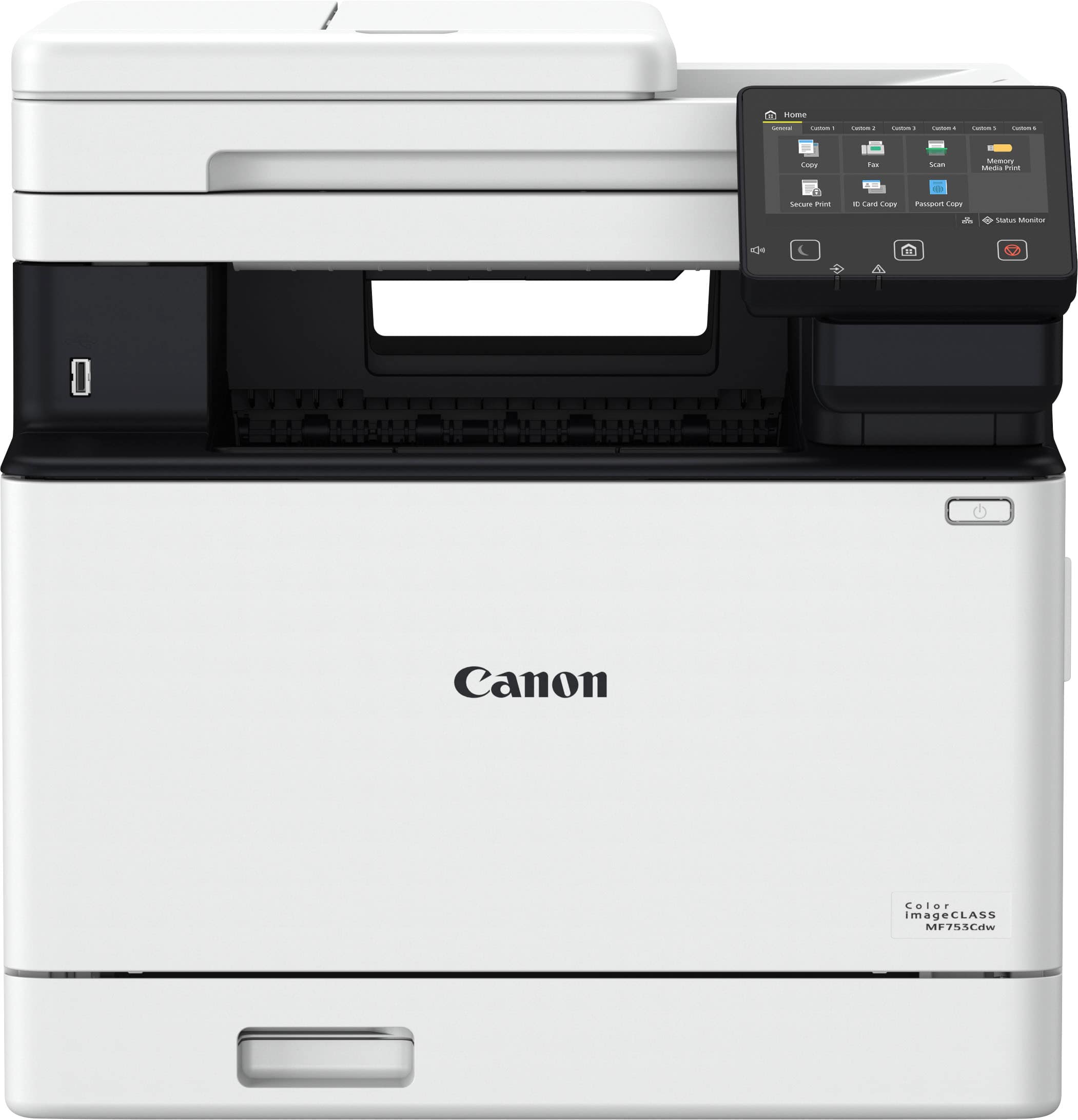
||Posted .This reviewer received promo considerations or sweepstakes entry for writing a review.I purchased a MF753Cdw wireless color all in one canon printer. it was exactly what I was looking for I was just browsing on the best buy website and saw it on sale and I purchased it and I made the right decision cause it's very quite, fast, and you can get the job done in no time all I'm still learning some of it features, and if I'm not able to understand them I can always reach out to there Customer Service line and they will be more than happy to assist you so I give a 5 stars rating best buy keep up the good work and thank you for everything you has done to make my purchased a remarkable one and if I need anything else I will keep you in mind.
I would recommend this to a friend - Pros mentioned:Print quality
Rated 5 out of 5 stars
Upgraded to Canon MW750C Color Laser
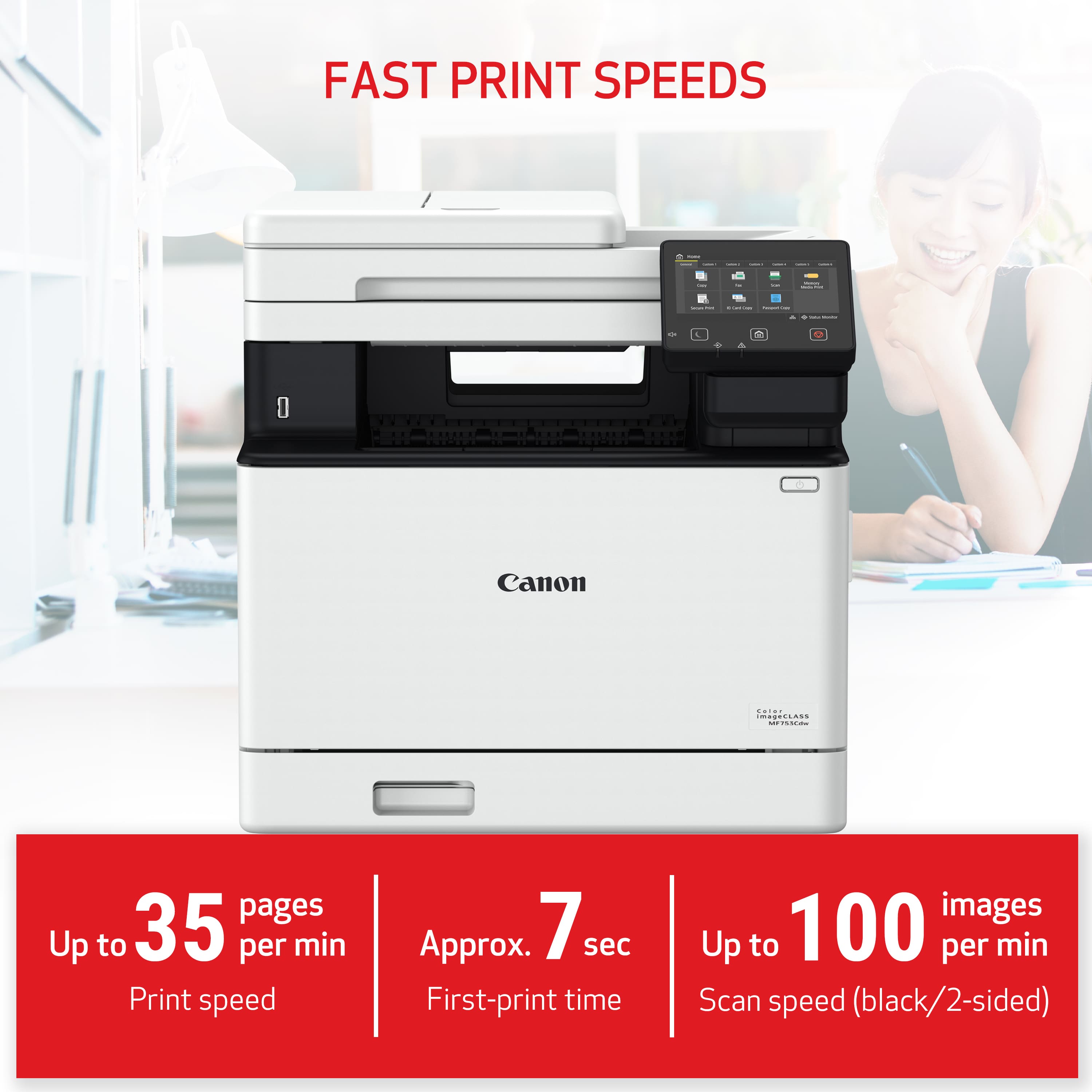
||Posted . Owned for 3 weeks when reviewed.This reviewer received promo considerations or sweepstakes entry for writing a review.Finally had to replace my 13 year old Canon inkjet all-in-one. Decided to move up to color laser for my home office with the Canon MF750C. After a month I am extremely pleased by the no-hassle set-up to my wifi and my Mac. Airprint works flawlessly. First page prints in about 7sec. Color prints better than I expected. Sound is very minimal. This printer is big compared to inkjets, but looks impressive. Definitely recommend.
I would recommend this to a friend - Pros mentioned:Print quality
Rated 5 out of 5 stars
Canon laser printer
||Posted . Owned for 3 weeks when reviewed.This reviewer received promo considerations or sweepstakes entry for writing a review.After owning ink jet printers for the past 30 + years I'm finally done with cleaning printer heads. It hasn't been horrible until the past few years now that there's no kids or grandkids printing school projects and the ink clogs up from infrequent use. Just me & grandma printing the occasional monthly reports, return slips, a few blog writings, and year-end tax reports. We don't do much color printing anymore, but still wanted the luxury of being able to, so after much research we settled on the Canon Image Class MF753Cdw color laser printer. The setup was pretty straight forward. We just need to struggle through setting up the (send emails direct from printer process...) The build quality of this printer is excellent and the print quality is professional grade. I even printed a picture of one of my old bikes on standard paper and was amazed to see that the color renditions, sharpness, & quality was just as good on standard paper as it was from our old Canon Pixma MX922. It would be interesting to see how well it prints color on quality photo paper. Even the price was decent since it was on sale @ $220 off. I believe we paid less than we did for our old Pixma printer.
I would recommend this to a friend - Pros mentioned:Ease of use, Print quality
Rated 5 out of 5 stars
Best laser printer for the money!
||Posted . Owned for 3 weeks when reviewed.This reviewer received promo considerations or sweepstakes entry for writing a review.Excellent laser printer (scan, copy, print, fax.) Ordered on line with free 2 day shipping. Easy setup and great price!
I would recommend this to a friend - Pros mentioned:Ease of use, Print quality
Rated 4 out of 5 stars
Canon MF753cdw
||Posted . Owned for 3 weeks when reviewed.This reviewer received promo considerations or sweepstakes entry for writing a review.We're in a small office, downsizing from a bigger multi-function unit that was past its prime. Easy setup, connected to our network and all our computers had no problem connecting to it for printing & scanning. Touch screen doesn't scroll easily when trying to change to two-sided scanning, but we're getting the hang of it. Good quality printing for a decent price.
I would recommend this to a friend - Pros mentioned:Overall performance
Rated 5 out of 5 stars
Terrific Color Laser Printer
||Posted .This reviewer received promo considerations or sweepstakes entry for writing a review.This printer is an upgrade of an old laser printer and an old standalone scanner. This printer is much quieter and operates flawlessly.
I would recommend this to a friend - Pros mentioned:Print quality, Setup
Rated 5 out of 5 stars
Great printer
||Posted .This reviewer received promo considerations or sweepstakes entry for writing a review.Super easy to set up, great quality printing, literally no complaints. Get this printer!
I would recommend this to a friend - Pros mentioned:Print quality
Rated 5 out of 5 stars
Canon simply the best.
||Posted . Owned for 5 months when reviewed.This reviewer received promo considerations or sweepstakes entry for writing a review.I've had this printer for around six months or so it has performed flawlessly. I'm still running on the ink that came with the unit. It is printed thousands of pages still works beautifully is extremely fast whether it's color or black-and-white. I have had the three canon printers in the last 25 years they have printed thousands of pages and service was easily obtained.
I would recommend this to a friend - Pros mentioned:Print quality
Rated 5 out of 5 stars
New office printer is Amazing!
||Posted .This reviewer received promo considerations or sweepstakes entry for writing a review.I absolutely LOVE my new office printer!! I did have to csll the Geek Squad because I couldnt figure out how to get the scanner to work. Come to find out, I needed to add a "print driver" o_O I had no clue. Geek Squad fixed it for me over the phone with remote access. How COOL IS THAT!! It also a color printer. I Still need to get a printer stand Lol
I would recommend this to a friend Rated 5 out of 5 stars
Happy with my purchase of this printer.
||Posted .This reviewer received promo considerations or sweepstakes entry for writing a review.I bought this Printer MF753cdw all in one, over a year ago in Oct 2024, today is December 2025. I had one issue but found out it was not a problem and tech support I got was awesome from Canon company. I am very happy with it, and I feel comfortable that I made the right choice in buying this. This thing has all the features that I use, wireless, copy, scan, print color and will save as a pdf file. It has more features that I have not explored. At the work place we had Canon printer, and I found them reliable, I am retired now. I recommend this printer for what it is.
I would recommend this to a friend- Pros mentioned:Print quality
Rated 5 out of 5 stars
Very good
||Posted . Owned for 10 months when reviewed.This reviewer received promo considerations or sweepstakes entry for writing a review.This printer runs very well, my family likes it very much and it has helped the children have clear pictures in learning
I would recommend this to a friend - Pros mentioned:Ease of use
Rated 5 out of 5 stars
Wonderful printer
||Posted . Owned for 8 months when reviewed.This reviewer received promo considerations or sweepstakes entry for writing a review.Love this printer, needed a good wireless printer to handle all our needs. Does everything i need it to do, easy to use and set up. If you need a printer to do duplex printing this is the one for you.
I would recommend this to a friend - Pros mentioned:Print quality
Rated 5 out of 5 stars
TOP IF THE LINE WORK HORSE!
||Posted . Owned for 1 month when reviewed.This reviewer received promo considerations or sweepstakes entry for writing a review.Have had many dreams fete this brands over the years, none of which could get close to the Canon products, and always return to Canon due to its long lasting ability and truly can say they they are always at the top of my choice. Before lurching my latest Canon, I decided to try one of the top of the line Brother copy machine, had to take it back three times, and went back to Canon…IT TOPS THEM ALL and I’m extremely pleased!
I would recommend this to a friend - Pros mentioned:Print quality
Rated 5 out of 5 stars
It's what we expected and more!
||Posted . Owned for 1 month when reviewed.This reviewer received promo considerations or sweepstakes entry for writing a review.This printer is excellent. I have always been and HP fan but their new printers are terrible. I did alot of reasearch and settled on this Canon IC. It's what we expected and more. Spend the extra money this thing is a workhorse!
I would recommend this to a friend - Pros mentioned:Overall performance
Rated 5 out of 5 stars
Top printer and copier
||Posted . Owned for 1 month when reviewed.This reviewer received promo considerations or sweepstakes entry for writing a review.This is the best multi copier I’ve ever owned if you need a new printer this is the one
I would recommend this to a friend - Pros mentioned:Print quality
Rated 5 out of 5 stars
Solid color laser
||Posted .This reviewer received promo considerations or sweepstakes entry for writing a review.Easy to setup, in depth enterprise capabilities, fast printing.
I would recommend this to a friend - Pros mentioned:Print quality
Rated 5 out of 5 stars
Fantastic printer, has every feature and function!
||Posted . Owned for 3 weeks when reviewed.This reviewer received promo considerations or sweepstakes entry for writing a review.Excellent printer, amazing quality and I got a great deal on it thanks to Best Buy price matching.
I would recommend this to a friend - Pros mentioned:Print quality
Rated 5 out of 5 stars
Perfect Printer
||Posted . Owned for 2 months when reviewed.This reviewer received promo considerations or sweepstakes entry for writing a review.One of the best purchases I have made in a long time. The printer is fast and has great print quality. I am able to get so much more accomplished with this device.
I would recommend this to a friend - Pros mentioned:Print quality
Rated 3 out of 5 stars
Crooked Scans Faded Color Prints
||Posted .This reviewer received promo considerations or sweepstakes entry for writing a review.It scans and private fast but scans are crooked, no auto recognition of page size, no straightening, no auto cropping. Color is faded and I have to laminate a page to get it to look vivid and crisp. It is easy to find on the network and prints quickly.
No, I would not recommend this to a friend