Customer Ratings & Reviews
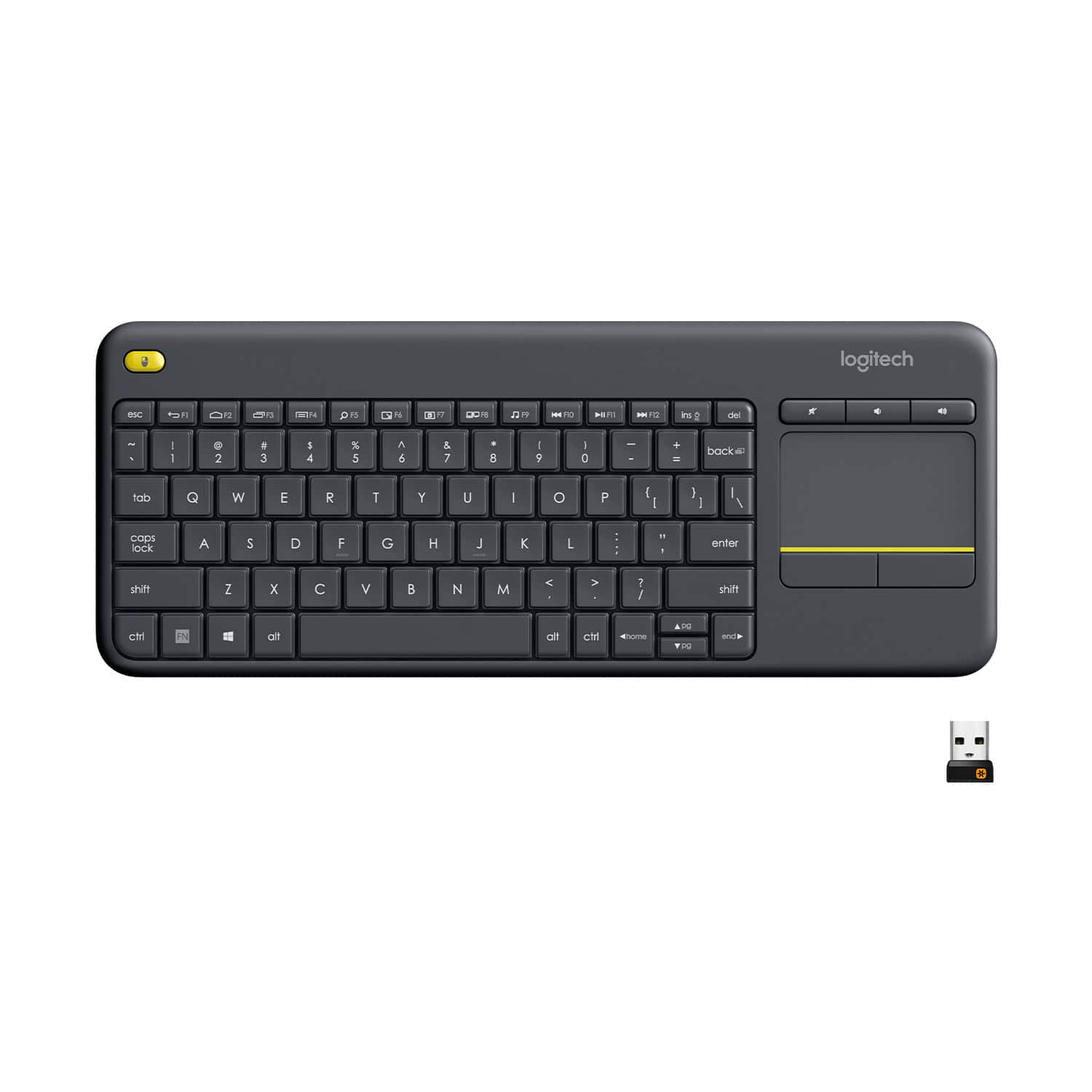

![Built-in touchpad logitech ins PC del + = back } ] I / POINT SCROLL enter shift](https://pisces.bbystatic.com/image2/BestBuy_US/images/products/9b5a0d6f-631a-4c6c-a7bf-e65b20135ee8.jpg)

- Model:
- 920-007119
- SKU:
- 7575039
Rating by feature
- Value
Rating 4.7 out of 5 stars
- Quality
Rating 4.5 out of 5 stars
- Ease of Use
Rating 4.6 out of 5 stars
to a friend
Customers are saying
Customers appreciate the K400 Plus TKL Wireless Membrane Keyboard for its ease of use, convenient touchpad, and compact size. Many users also value its wireless connectivity, overall performance, and good battery life. While the keyboard is generally well-received, some users have reported experiencing lag.
This summary was generated by AI based on customer reviews.
Review of the Logitech K400 Plus
||Posted . Owned for 8 months when reviewed.This reviewer received promo considerations or sweepstakes entry for writing a review.Review of the Logitech K400 Plus TKL Wireless Membrane Keyboard – A Compact Giant in the World of Peripherals In the boundless cosmos of peripherals, where innovation is often dwarfed by impracticality, Logitech has delivered yet another masterpiece that dares to challenge convention. The Logitech K400 Plus TKL Wireless Membrane Keyboard, with its built-in touchpad, is not merely a keyboard; it is a gateway to seamless convenience, a confluence of form, function, and finesse that redefines the concept of wireless control. Designed for a world where the boundaries between devices blur and multitasking is the norm, this keyboard stands as a paragon of utility. It is not just a tool; it is an experience—a tactile symphony that harmonizes with your PC, TV, laptop, or tablet. From its meticulously engineered design to its unmatched versatility, the K400 Plus is more than a peripheral; it is a companion. Unboxing: The Prelude to Greatness From the moment you lay eyes on the K400 Plus’s packaging, you know you are in for something extraordinary. The box itself is minimalist, exuding Logitech’s signature aesthetic—a commitment to design without unnecessary embellishments. Upon opening, you are greeted by the keyboard, resting like a crown jewel. Inside, you will find: • The keyboard itself, sleek and understated. • A USB receiver, small yet mighty, ready to forge the connection between devices. • Batteries already installed, a thoughtful touch that underscores Logitech’s attention to detail. • Documentation that is as concise as it is clear, ensuring even the most technologically averse can get started effortlessly. The unboxing experience, though brief, sets the tone for the journey ahead. Design: Compact Yet Commanding The Logitech K400 Plus is a triumph of industrial design. Measuring a modest 13.9 x 5.5 inches, it is compact enough to rest on your lap yet spacious enough to type comfortably. The keyboard embraces the TKL (tenkeyless) format, eschewing the numpad to achieve its streamlined form—a decision that speaks to its versatility. The black matte finish is both elegant and practical, resisting fingerprints and minor smudges. Every curve, every corner, every detail has been meticulously crafted to balance aesthetics with ergonomics. But it is the built-in touchpad that sets the K400 Plus apart. Positioned on the right side, it integrates seamlessly with the keyboard, offering precision control without the need for an external mouse. Its size, 3.5 x 2 inches, is perfect for multitouch gestures and cursor navigation, making it an invaluable asset for those who value simplicity. Wireless Connectivity: Freedom Redefined Here lies the essence of the K400 Plus: its wireless functionality. Utilizing a 2.4GHz connection via the Logitech Unifying Receiver, this keyboard eliminates the clutter of cables, offering a connection that is as reliable as it is responsive. The range, an impressive 33 feet (10 meters), ensures that you can control your device from across the room—a feature particularly appealing for those who use their TV as a media hub or their PC as a home theater system. Pairing is effortless, requiring nothing more than plugging in the receiver and flipping the switch on the keyboard. Logitech’s proprietary wireless technology guarantees minimal latency and interference, ensuring that your commands are executed with precision. Typing Experience: Membrane Magic The K400 Plus employs membrane keys, striking a balance between quiet operation and tactile feedback. Each keystroke is soft yet satisfying, with enough resistance to prevent accidental presses but not so much as to cause fatigue. The keys are well-spaced, accommodating users with larger hands while remaining compact enough for portability. The inclusion of media-specific keys—volume control, play/pause, and more—adds a layer of convenience that elevates the typing experience. The layout, though compact, is intuitive. The absence of a numpad might deter accountants, but for the vast majority of users, it is a worthy compromise for the keyboard’s portability. Touchpad: A Game-Changer The integrated touchpad is not merely an afterthought; it is a masterpiece in its own right. It supports multitouch gestures, including scrolling, swiping, and zooming, making it a versatile tool for navigating modern operating systems. The touchpad’s responsiveness is remarkable, rivaling standalone trackpads in its precision. It is especially useful in scenarios where space is limited, such as on a coffee table or a crowded desk. The physical buttons beneath the touchpad offer a satisfying click, providing an alternative for those who prefer tactile feedback. Battery Life: An Endurance Champion Logitech claims an astonishing 18-month battery life for the K400 Plus—a bold assertion that holds up under scrutiny. Thanks to the efficient use of power and the inclusion of an on/off switch, this keyboard is a true endurance champion. For casual users, the need to replace the batteries might occur once a year, if that. For heavy users, the longevity is still unparalleled, ensuring that the keyboard is always ready when you are. Compatibility: Universal Appeal Whether you are connecting to a Windows PC, a Mac, a Smart TV, or even a Raspberry Pi, the K400 Plus is up to the task. Its plug-and-play functionality means you can transition between devices effortlessly, making it a jack-of-all-trades and master of many. The keyboard is particularly well-suited for Smart TVs and media centers, where its combination of keyboard and touchpad eliminates the need for multiple peripherals. It is equally at home on a laptop or tablet, where its portability shines. Durability: Built to Last Despite its lightweight design, the K400 Plus is surprisingly robust. It can withstand the rigors of daily use, whether that means marathon typing sessions, frequent relocations, or the occasional drop. Logitech’s commitment to quality ensures that this keyboard will serve you faithfully for years to come. The Intangibles: A Philosophy of Convenience To use the Logitech K400 Plus is to embrace a philosophy of convenience. It is not the most advanced keyboard on the market, nor does it strive to be. Instead, it excels at what matters most: reliability, simplicity, and versatility. In an age where devices become increasingly complex, the K400 Plus is a reminder that great design is not about adding features but about perfecting the essentials. Conclusion: A Perfectionist’s Dream The Logitech K400 Plus TKL Wireless Membrane Keyboard is a triumph of engineering, design, and practicality. It is a product that understands its audience, delivering exactly what is needed without unnecessary frills. For those seeking a keyboard that can transition seamlessly between devices, offer unparalleled convenience, and perform reliably in any scenario, the K400 Plus is an obvious choice. Is it perfect? Perhaps not in the absolute sense. But in its category—a compact, wireless keyboard with a built-in touchpad—it is unrivaled. To own the K400 Plus is to own a device that enhances not just your productivity but your enjoyment of technology itself. It is more than a keyboard; it is a testament to the power of thoughtful design. Five stars, because six stars would defy logic—but this keyboard deserves them nonetheless.
I would recommend this to a friendBrand response from Logitech
Posted .Thank you for your insightful review of the Logitech K400 Plus! We're thrilled to hear that you're so impressed with its compact design, versatile functionality, and comfortable typing experience. It's great to know that the built-in touchpad and long battery life have made your experience even more enjoyable.
We Call it "The Greatest Keyboard Ever Made."
Posted .This reviewer received promo considerations or sweepstakes entry for writing a review.My brother and I are gaming nerds and we've been caliing the K400 "The Greatest Keyboard Ever Made" for more than a decade. This little keyboard has seen me through grad school and now sits in its rightful place on my Sim Rig. Its so nice and I'm so lazy that I'm going to buy a 2nd one just so I can use my laptop while lying in bed.
I would recommend this to a friendBrand response from Logitech
Posted .Wow! That's high praise for the Logitech K400 Plus! We're incredibly honored to hear that you and your brother have been using and enjoying the K400 for such a long time.

Just the ticket for your "Smart" TV
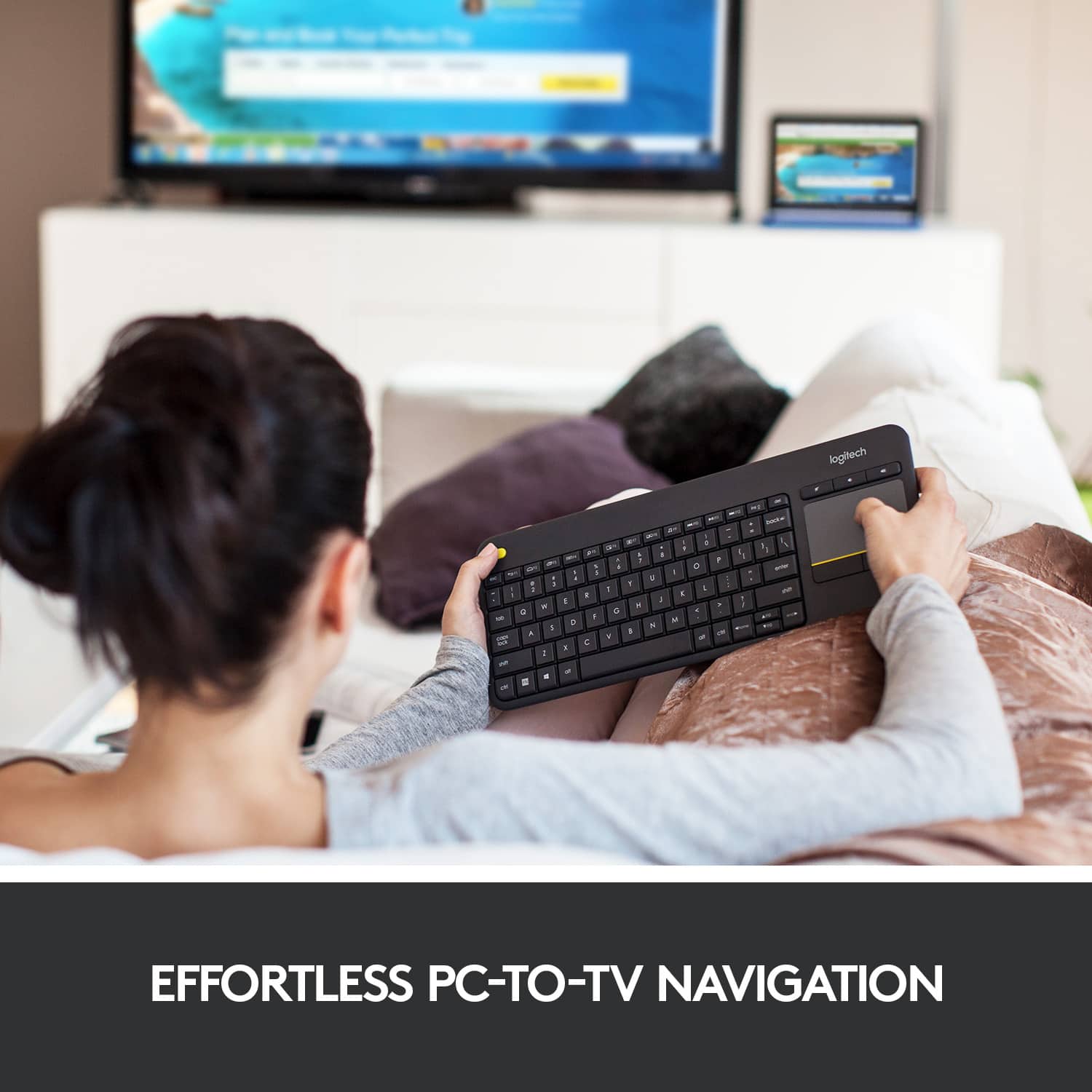
Posted .This reviewer received promo considerations or sweepstakes entry for writing a review.Recently bought a new LG 65" 4K TV, a "Smart" TV, but they sure seem very STUPID when trying to navigate around the online services and web browser with the dinky remote, trying to "type" using the arrow buttons. So, I started looking for a solution and came across wireless keyboards as the best solution, and this one with the touch pad integrated into it is THE SOLUTION! Plugged the tiny usb dongle into the port on the TV, and once I figured out that there was a pull tab on the batteries in the keyboard you had to pull out to allow them to make contact, the keyboard worked right away. So much easier to navigate the internet features and web browser now, almost like a giant PC now with a great TV in it. Every "Smart" TV should come with a keyboard like this as standard fare. And, I'm sure this keyboard would work great in many other applications as well, for your PC, or remote keyboard for a laptop or whatever you have that uses a keyboard and has a usb connection. Have only had this a few hours, but definitely recommend this device.
I would recommend this to a friendGreat couch keyboard at a great price!
||Posted .This reviewer received promo considerations or sweepstakes entry for writing a review.This keyboard is perfect for couch use with good range and battery life. It's also small, thin, and light. The multitouch capability of the TouchPad is also a nice feature.
I would recommend this to a friendGreat for petite hands!
||Posted . Owned for 1.5 years when reviewed.This reviewer received promo considerations or sweepstakes entry for writing a review.This is the 2nd one I've owned - I love this!!! I'm only 5'2" and have smaller hands. It's so easy to use this, It's compact, so when reaching for the wireless mouse I use with it, I don't have to stretch over a numbers pad. Plus, with it being wireless, you can position it just how you want for comfort. I wouldn't be without it. It's well made, my last one lasted about 10 years or so, and I used it 8 hours a day. I'd definitely recommend this product
I would recommend this to a friendEasy to use keyboard with great touchpad
||Posted . Owned for 4 months when reviewed.This reviewer received promo considerations or sweepstakes entry for writing a review.This keyboard is exactly what it's advertised to be - compact, easy to use, and high quality. The touchpad sensitivity is great, and I love that I get both a keyboard and mouse at the same time. It works well with my home workstation, where I constantly dock and undock three different laptops for work, school, and home. Battery life is good and keyboard is high quality and lightweight. I would recommend this product.
I would recommend this to a friendPerfect small form keyboard for HTPC or sim rig.
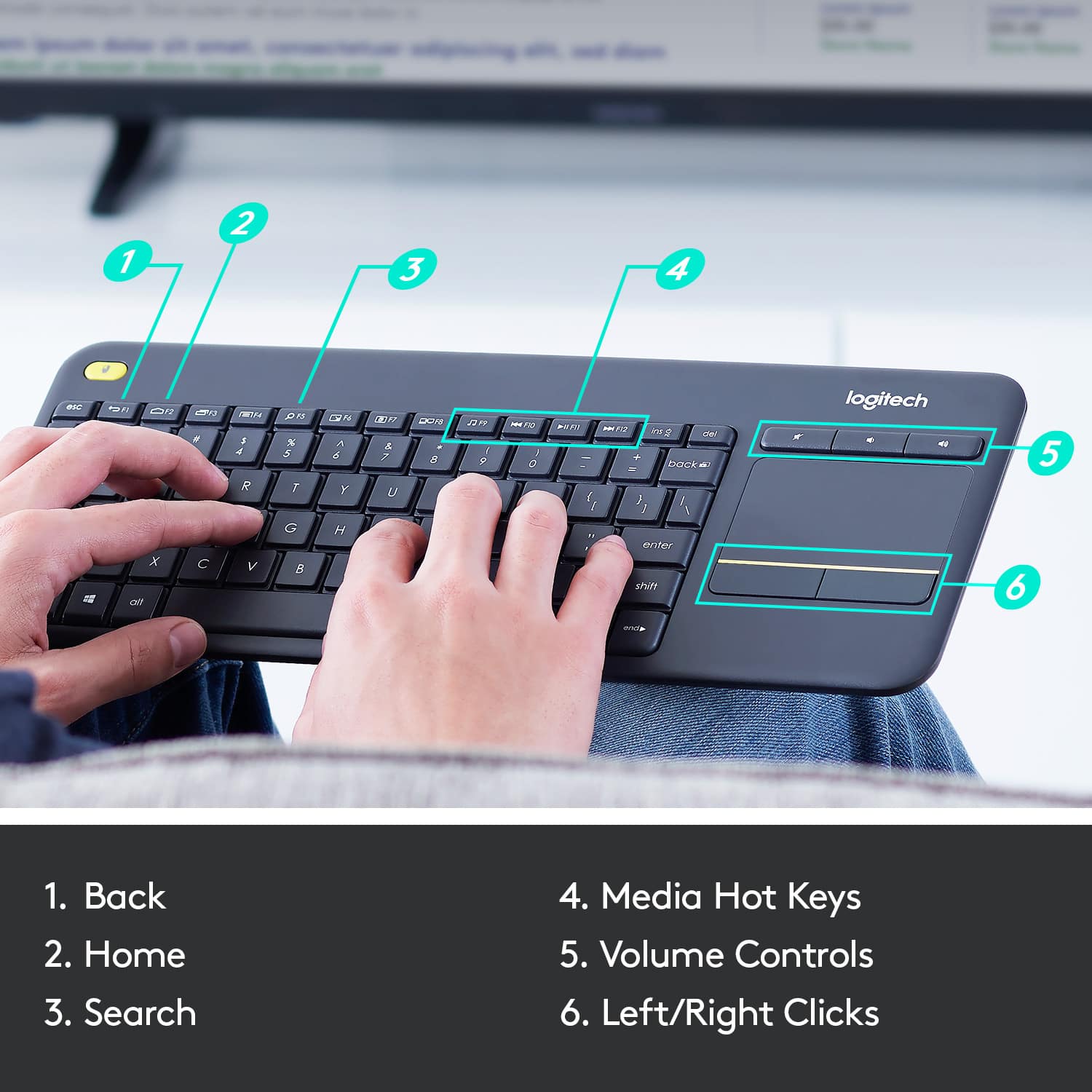
||Posted . Owned for 1 week when reviewed.This reviewer received promo considerations or sweepstakes entry for writing a review.Bought this to use with my racing sim rig so I wouldn't have to stand up to reach the keyboard at my desk since racing games have spotty UI controls on the wheel. Works great. Love that it has media control keys so I can control the music while I'm racing. The small form factor also makes it easy to store when not in use and will make it make it simpler to find/design a tray for it on my sim rig. The touchpad and keys are perfectly adequate for intermittent use. I don't know that I would recommend typing essays on it or doing trying to play games or anything like that, but if you just need a media center keyboard or something you'll use for literally seconds at a time, this is a solid bet, especially for the price. Also love that it has a nice big analog power switch. I'm sure the batteries would last quite a while even if you left it on all the time but I turn it off anyway when i store it and I expect months of life. The only weird thing is that the F keys are reversed by default. So you have to hold the fn key to press things like F5 (which is also the zoom button) , but this can be changed with the logitech software and I actually prefer this as I use the skip track key more than I use F9.
I would recommend this to a friendWonderful Little Keyboard!
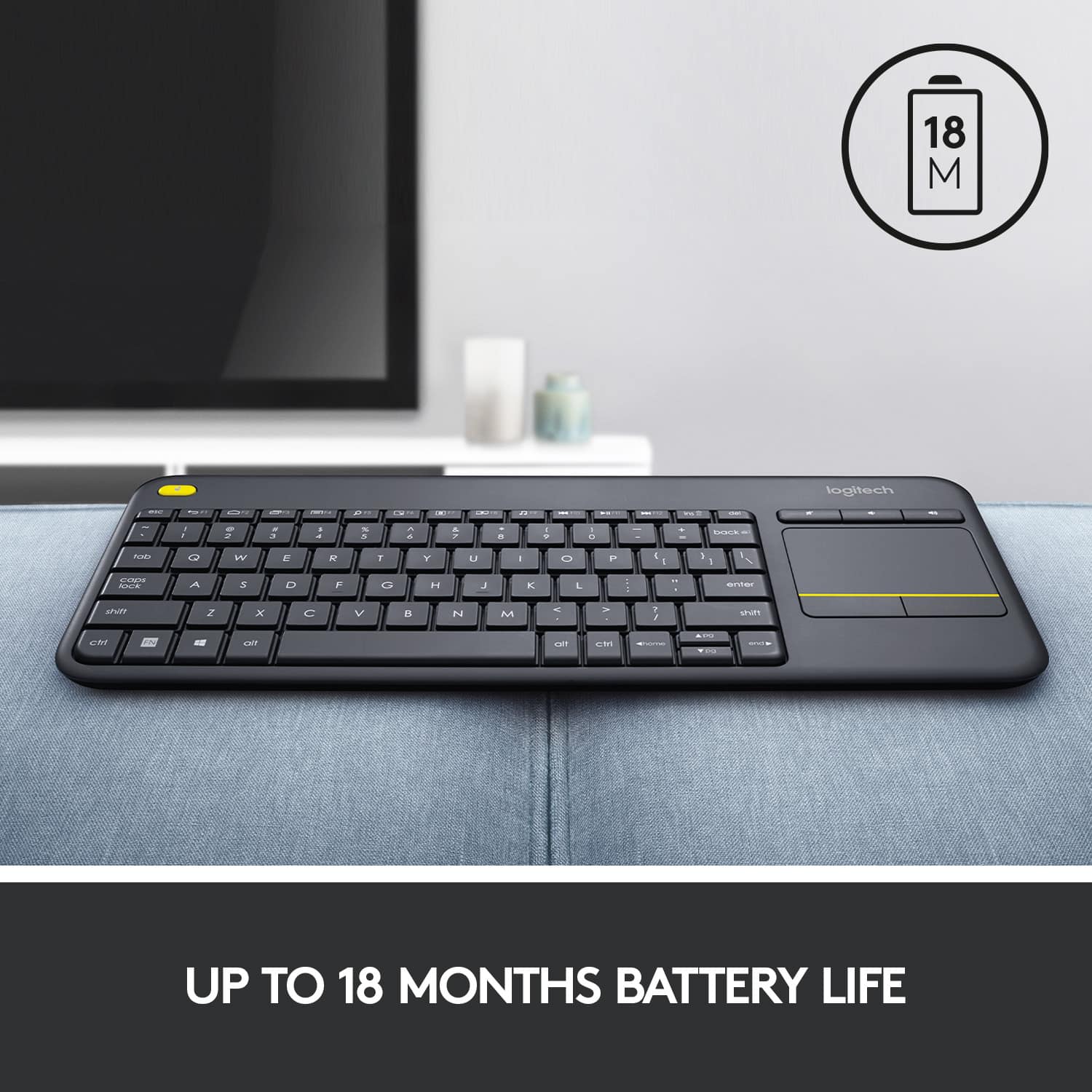
||Posted . Owned for 1 month when reviewed.This reviewer received promo considerations or sweepstakes entry for writing a review.The Logitech K400 Plus is a good wireless keyboard with an integrated trackpad. The all-plastic board make it lightweight and easy to carry, and its ABS keycaps feel nice to type on and are very quiet. It is my understanding that the plastic parts are made from recycled plastic, so that makes it a pretty green-conscious product, as well. It has dedicated volume control keys and a built-in trackpad, which is helpful for use with a TV or HTPC. I find it works very well for a raspberry pi setup. I've got another one of these that I use for field work - just insert the Logitech Unifying Receiver into a USB port, and we're off to the races. It uses two AA batteries, has an on/off switch, and the battery life really seems to last quite a while. I have one of these that has been running the same batteries for well over a year. All told, a fine little piece.
I would recommend this to a friendBrand response from Logitech
Posted .Hello, SBuy! I'm happy to hear that you're enjoying your K400 Plus keyboard! Feel free to reach out to our support team here https://support.logi.com/hc/en-us/requests/new?ticket_form_id=360000621393 if you ever need any assistance or if something happens in the 1-year limited hardware warranty. Thank you for the review and for shopping Logitech! - Maggie from Logitech
Great for couch/tv control of the PC
||Posted .This reviewer received promo considerations or sweepstakes entry for writing a review.I use this to control my pc connected to my tv from the couch. For that it is perfect. The keys are very responsive and the touchpad works as expected. I don't have any noticeable lag. I wouldn't game competitively like this but it is fine for casual gaming with a separate mouse. It is compact so several keys are multi function. For the discounted price this thing is perfect. I would recommend it as a secondary keyboard.
I would recommend this to a friendGreat keyboard/touchpad combo
||Posted . Owned for 3 weeks when reviewed.This reviewer received promo considerations or sweepstakes entry for writing a review.Recently built a new gaming PC, so I took my old one and moved it to the living room and hooked it up to my TV. This way I can use it to stream Netflix, Crunchyroll, or whatever. That way I can use my VPN to get around region locked content. Anyway, I needed a wireless mouse and keyboard obviously in order to actually do anything on my PC and since I'm not planning to really game on it anymore (if I do I'll just use an Xbox controller) a touchpad works just fine. This allows me to use my PC from the comfort of my couch, and being an all in one device it keeps me from having to look for anything and it's the perfect size that it won't get lost or take up too much space.
I would recommend this to a friendExcellent Keyboard For Living Room (PS4)
||Posted .This reviewer received promo considerations or sweepstakes entry for writing a review.Picked up this compact keyboard for use in the living room with the PS4. The PS4 recognized it quickly (there are set up guides online; just do a Google search) and the keyboard is recognized each time the PS4 boots up. Something to keep in mind for PS4 use: the keyboard functionality is *app-dependent.* It works fine in PS4 native applications (web browser, store, etc.), but functionality varies in other applications like Netflix (works fine), Amazon (works okay), etc. Have not been able to get the glide pad to work at all; not sure if it is a hardware issue with the keyboard or a compatibility issue with the PS4. Still, it's better than using the controller to hunt and peck letters one at a time. Functionality likely will improve on a newer TV (mine is almost 10 years old). Claimed range is 33 feet; haven't had any issues with range or initialization. It's compact enough to hide away on a shelf under the coffee table, but big enough to type comfortably for limited/light use. You probably won't want to use it for writing your next book, though.
I would recommend this to a friendEasy Install work great
||Posted . Owned for 1 year when reviewed.This reviewer received promo considerations or sweepstakes entry for writing a review.Keyboard was easy to connect, just plug in and ready to go! Works great right out of the box, I use it with my LG 50" TV.
I would recommend this to a friendBrand response from Logitech
Posted .Thanks for the positive feedback! We’re happy to hear the product is performing well. Your support helps us keep improving.
Good combination wireless keyboard/trackpad
||Posted .This reviewer received promo considerations or sweepstakes entry for writing a review.Pros: Easy connectivity with windows and a raspberry pi3, lightweight, sturdy feel given budget price, small footprint for easy storage out of sight when not being used Cons: No scrolling for trackpad that I have figured out yet, kind of frustrating, but at this price ($20) not expected. Overall: Would certainly buy again for $20 for HTPC or secondary computer (raspberry pi3 - reason I bought it in the first place)
I would recommend this to a friendExcellent all in one keyboard
||Posted .This reviewer received promo considerations or sweepstakes entry for writing a review.I bought this keyboard couple of months back to replace my existing Logitech keyboard and mouse for living area PC. I am more than happy with my purchase. Keyboard has touch pad which works perfectly fine under Windows and Ubuntu. I would definitely recommend it as keyboard for your entertainment center PC. Perfect size, weight and range. Not good if you need to type more.
I would recommend this to a friendSolution for lost Bluetooth connectivity.
||Posted . Owned for 2 weeks when reviewed.This reviewer received promo considerations or sweepstakes entry for writing a review.I picked up the Logitech K400 Plus specifically to keep my Nvidia Shield usable after the Shield’s Bluetooth started acting up. What I liked The keys feel good for casual browsing, searches, and quick inputs, more comfortable than I expected for a compact, living-room-style keyboard, some exceptions. Plug-and-play was exactly what I needed. Connection was quick and stable with no fiddling. Touchpad is genuinely useful: The built-in trackpad makes navigation easy on a TV interface, and it’s also a real benefit at a desktop, especially if you’re trying to reduce strain from constant mouse use. What could be better Range is “fine,” not amazing. Not backlit: For couch use, and in a darker room, a smaller backlit keyboard would be easier to use without hunting for keys. The arrow keys are very small (up/down). If your main use is remote replacement, I’d personally consider switching to a smaller backlit keyboard for the Shield and keeping the K400 Plus for desktop use, because the trackpad is a legitimate ergonomic win when you want to give your mouse hand a break.
I would recommend this to a friendBrand response from Logitech
Posted .Thank you for such a thorough review, Anthony. Your breakdown of strengths and areas for improvement is incredibly helpful for others considering this keyboard.
Great for Raspberry Pi
||Posted . Owned for 1 month when reviewed.This reviewer received promo considerations or sweepstakes entry for writing a review.Does exactly what I needed it to do. It let's me control my Raspberry Pi 4 and do what I need to do in Raspbian from my couch. It also let me use the TV in my living room as another remote learning station for my kids, which freed up my computer for work purposes. I can't really say how well things work with it in Windows or Mac because I haven't used it worth those, but I would imagine it would be just fine with those as well. It's small and took me a few days to get used to, but it is a nice keyboard once you get used to it. The trackpad is responsive, It is very light and comfortable in your lap. It has been absolutely perfect for my two little ones to handle and use while they get their work for school done. I liked it so much for what I am using it for, that I intend to buy another one for my other Raspberry Pi.
I would recommend this to a friendMust Have
||Posted . Owned for 1 month when reviewed.This reviewer received promo considerations or sweepstakes entry for writing a review.Best Keyboard for using smart TVs. light and unable. easy to work with. full features and linked with my Sony TVs, and Hisense TV Plug & Play. If it was water/splash proof was perfect. Battery life pretty good.
I would recommend this to a friendPerfect for PC connected to your TV
||Posted .This reviewer received promo considerations or sweepstakes entry for writing a review.If you have a PC connected to your big screen tv this is what you need. There are better products available for triple the price, but for the money the K400 Plus is unbeatable. Compact size, light weight, decent touchpad, batteries last forever.
I would recommend this to a friendGOOD!
||Posted . Owned for 1 year when reviewed.This reviewer received promo considerations or sweepstakes entry for writing a review.Decent at connectivity and usability. I'd recommend for any PC or laptop or a smart TV.
I would recommend this to a friendBrand response from Logitech
Posted .We’re grateful for your kind words. It’s wonderful to know our product is helping you out. Thanks for choosing Logitech!
Great Keyboard for media room
||Posted .This reviewer received promo considerations or sweepstakes entry for writing a review.I bought this keyboard to use with a PC stick plugged into my TV. Works great for this purpose. Big enough to be practical for typing and small enough to still sit on your knees so you don't need a supportive board underneath. Great range and mechanical feel on the keys. If I had to criticize something I would say that the track pad is a little too sensitive when sensing a 'tap'. I sometimes hold it like a tray and the heat from my thumb triggers a tap when the cursor on screen is above a button on screen that I don't necessarily want to press. This wouldn't stop me from buying this product I just have to be mindful of the sensitivity. Battery life so far has been excellent and seems to turn itself off when not in use which is awesome cause I almost always forget to turn it off.
I would recommend this to a friend