Last-Minute SavingsLimited quantities.Shop now

Skip to content
Gift Ideas
45575 Dulles Eastern Plz
Ste 188
Sterling, VA 20166
Opens at 9 am
Find Another Store
Main Content

Customer Ratings & Reviews
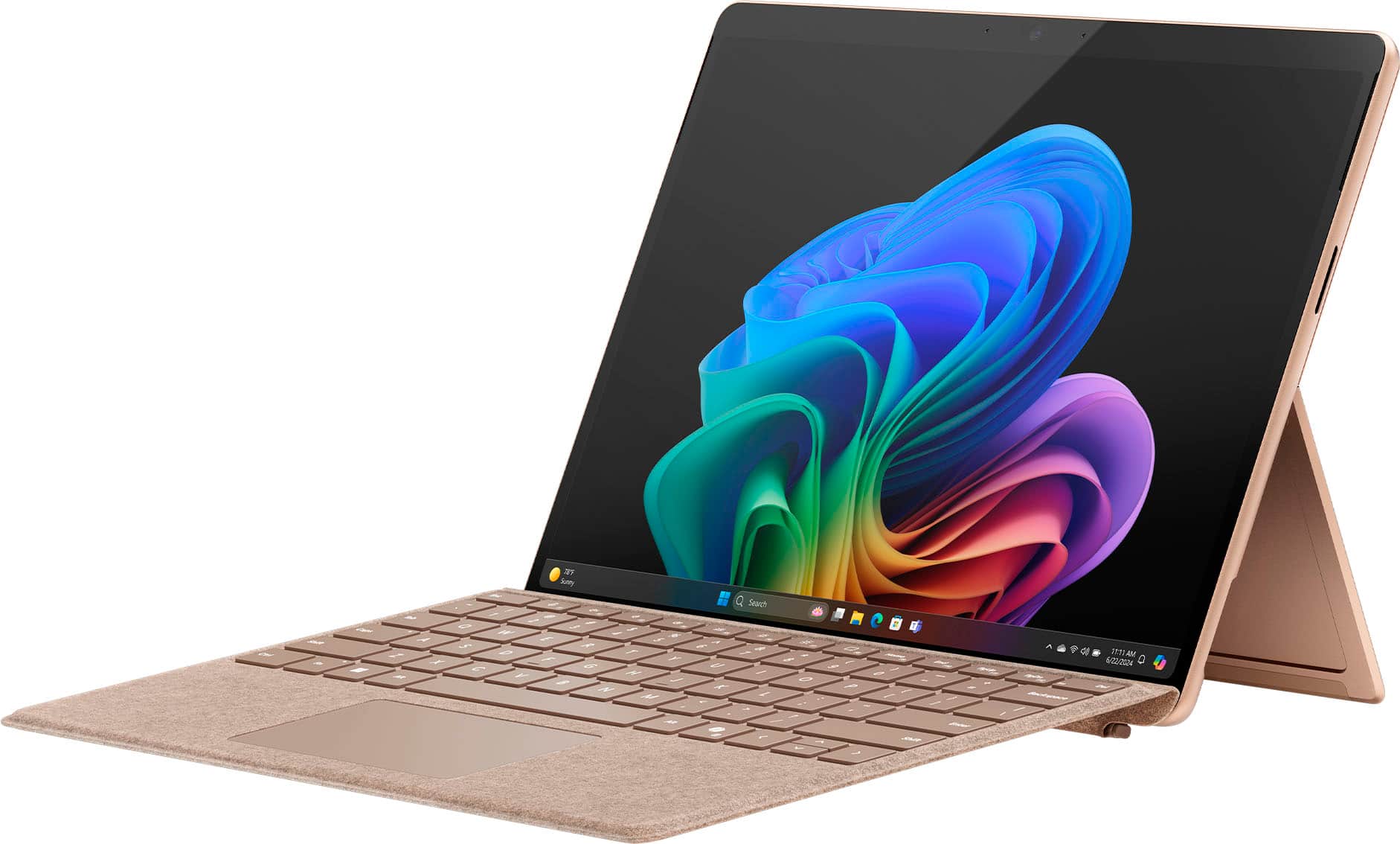
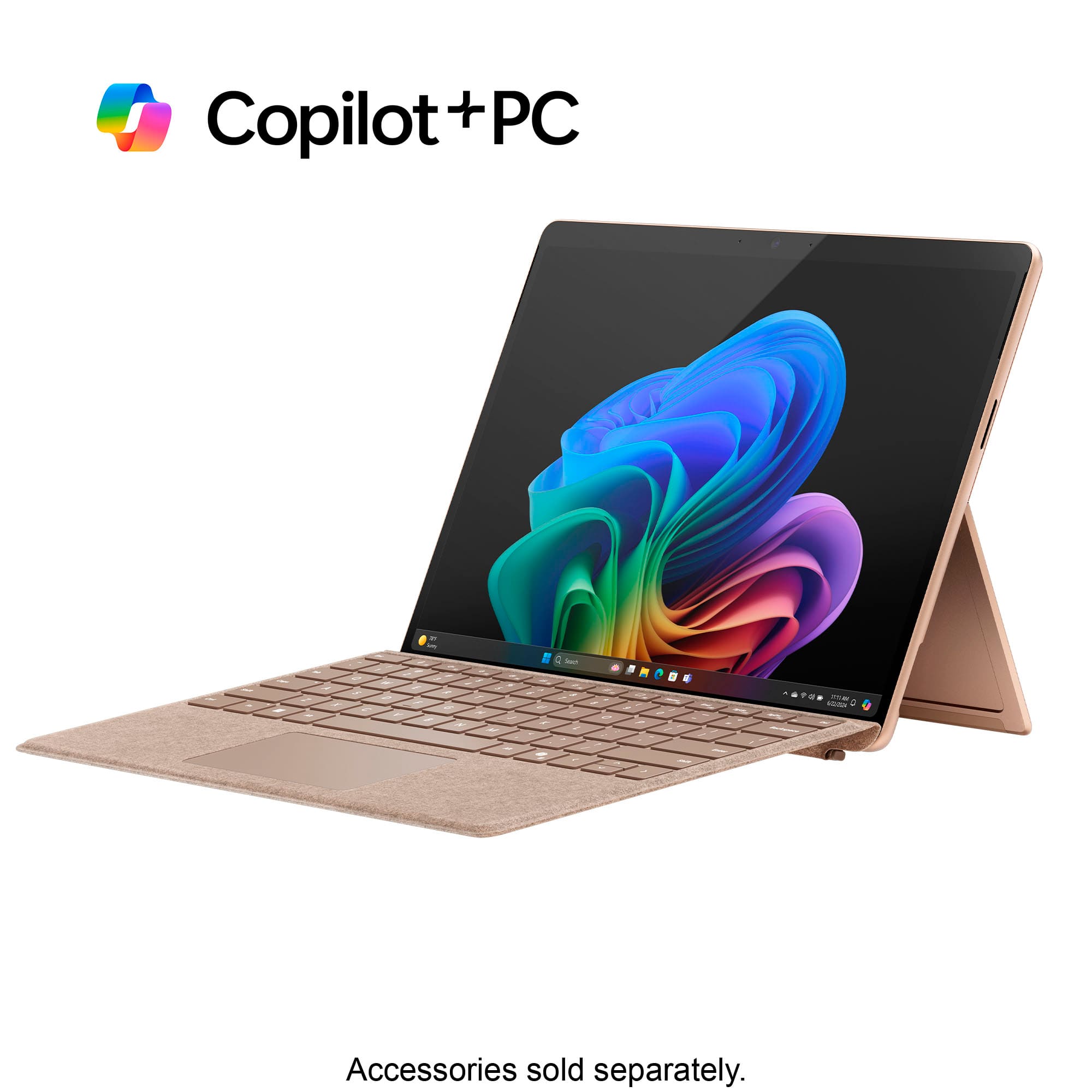
Your price for this item is $949.99
The comparable value price is $1,199.99

Customer reviews

Rating 4.6 out of 5 stars with 1177 reviews

Rating Filter

Rating by feature

  • Battery Life

    Rating 4.7 out of 5 stars

  • Durability

    Rating 4.7 out of 5 stars

  • Display

    Rating 4.8 out of 5 stars

Pros mentioned filter

Cons mentioned filter

91%would recommend to a friend

Customers are saying

Customers value the Surface Pro for its overall performance, portability, and fast processor speed. Many appreciate the battery life and screen quality, as well as its lightweight design. However, some customers have expressed concerns regarding software compatibility and the product's price.

This summary was generated by AI based on customer reviews.

The vast majority of our reviews come from verified purchases. Reviews from customers may include My Best Buy members, employees, and Tech Insider Network members (as tagged). Select reviewers may receive discounted products, promotional considerations or entries into drawings for honest, helpful reviews.
Page 56 Showing 1,101-1,120 of 1,177 reviews
  • Cons mentioned:
    Software compatibility

    Rated 1 out of 5 stars

    Not for developers

    |
    |
    Posted . Owned for 3 weeks when reviewed.
    This reviewer received promo considerations or sweepstakes entry for writing a review.

    If your a developer, forget it, hence the one star. The Snapdragon processor is incompatible with any Virtual machine (e.g., VMWare) as well as some of my development tools and remote communication apps. If you just surf and do word its fine.

    No, I would not recommend this to a friend
    • Brand response from Snapdragon team
      Posted .

      Hi MichaelL, thank you for your feedback. We’re continuously working to expand support for more applications, both natively and via emulation. Please visit https://www.qualcomm.com/products/features/windowsapps to see the most popular supported apps. snapdragon

  • Rated 1 out of 5 stars

    Extremely Disppointed

    |
    |
    Posted . Owned for 3 weeks when reviewed.
    This reviewer received promo considerations or sweepstakes entry for writing a review.

    I always liked the Surface Pro line since it is the lightest hybrid laptop possible. The biggest downside was its battery life was poor due to the Intel CPU. This one the got the new ARM Snapdragon architecture and they claimed it had huge performance boost and extremely long battery life. However I found this was NOT right. I didn't any better battery life improvement on this new machine compared to my old Pro 8. It was actually even worse since it drops battery, not %1 by %1. It could drop %4-%5 at a time which made me insane. I didn't feel it was faster than my older version either, especially when APP is not native arm version but intel version. The screen is another disappointment. You can visually say some dot matrix on the screen when viewing text which is really annoying. When watching video, I would say an Ipad ICD screen is still much better and comfortable than this one. Considering its price, finally I had to decide to return this product.

    No, I would not recommend this to a friend
    • Brand response from Snapdragon team
      Posted .

      Snapdragon X Elite & X Plus platforms are designed to deliver exceptional performance with remarkable efficiency, ensuring all-day battery life. If you’re experiencing shorter battery life, please check your power settings and background applications, as these can impact battery performance. snapdragon

  • Rated 1 out of 5 stars

    Awful Awful Awful

    |
    |
    Posted .
    This reviewer received promo considerations or sweepstakes entry for writing a review.

    The new Snapdragon OS is not compatible with our retail Star or Zebra receipt printers, so this product was completely useless to me. On top of that, Best Buy has a ludicrous 15-day return policy, which is hard to fathom, especially when dealing in a B2B situation. Needless to say, we didn't discover that this tablet would not work until beyond the 15-day window, and Best Buy made absolutely no effort to work with us on getting a return or an exchange or anything. They basically told me I was out of luck. This has been the worst, most inefficient and frustrating experience I've ever encountered in my experience as a consumer.

    No, I would not recommend this to a friend
    • Brand response from Snapdragon team
      Posted .

      Hi EllisS, thanks for letting us know. Everyday more and more applications are being supported either via emulation or natively. Please check https://www.qualcomm.com/products/features/windowsapps to see the most popular apps that are supported. For more specific app compatibility information, visit www.WorksOnWoA.com snapdragon

  • Rated 2 out of 5 stars

    Surface Arm failed

    |
    |
    Posted . Owned for 1 month when reviewed.
    This reviewer received promo considerations or sweepstakes entry for writing a review.

    Very dissapointed with this Surface (Arm processor), keyboard not working and bank software incompatible with this laptop. Poor job from Microsoft, returning the item and trying to get one with Intel or my mobey back. This was my third one.

    No, I would not recommend this to a friend
  • Rated 1 out of 5 stars

    MS Firmware problems

    |
    |
    Posted .
    This reviewer received promo considerations or sweepstakes entry for writing a review.

    The MS 13” Surfa Pro with SnapDragon Elite microprocessor has a firmware flaw where it does not recognize the keyboard when rebooted

    No, I would not recommend this to a friend
  • Rated 1 out of 5 stars

    HUGE FAIL on BEST BUY CUSTMER SERVICE FOR A TOTAL

    |
    |
    Posted .
    This reviewer received promo considerations or sweepstakes entry for writing a review.

    Best buy is letting me down again. I am a total member, and I ordered a computer on the 18th of June for delivery, delivery failed, (delayed) i asked to pick it up wherever it is available local, so they found it in stock at coral springs, I went to pick it up. it's not available there its being shipped. I can pick up on the 23rd. NO, its not there yet. Customer service says: lets cancel that order and redo it. Now i am back to square one... same song... delivery delay, come get it, not there.....

    No, I would not recommend this to a friend
  • Rated 1 out of 5 stars

    Never ever believe them

    |
    |
    Posted . Owned for 1 week when reviewed.
    This reviewer received promo considerations or sweepstakes entry for writing a review.

    The product is great. Delivery was not. I ordered a black one and was promised a 6-18-24 delivery. Then it went to 6-22-24. Then 6-29-24. As I needed a computer, I asked if any were available. Yes an "orange" one. Functionally the same. Great. Oh yeah can you bring that promotional TV back or pay for it. It only came with the black one.....that you can't get because none are available. Hello Owasso OK.

    No, I would not recommend this to a friend
  • Cons mentioned:
    Software compatibility

    Rated 2 out of 5 stars

    Surface Pro not always compatible

    |
    |
    Posted . Owned for 1 week when reviewed.
    This reviewer received promo considerations or sweepstakes entry for writing a review.

    is not compatable with our programs we need to do our jobs

    I would recommend this to a friend
  • Rated 3 out of 5 stars

    ARM support not quite ready for my use.

    |
    |
    Posted . Owned for 2 weeks when reviewed.
    This reviewer received promo considerations or sweepstakes entry for writing a review.

    Really disappointed that I can't project to the arm Surface Pro 11. I was really looking forward to an extra work display.

    I would recommend this to a friend
  • Rated 3 out of 5 stars

    Good idea, not so sure about execution

    |
    |
    Posted . Owned for 1 month when reviewed.
    This reviewer received promo considerations or sweepstakes entry for writing a review.

    I am not sure about this experience so far, with the limitations on windows ARM. For sure you will be an early adopter if you decide to get it!

    I would recommend this to a friend
  • Pros mentioned:
    Battery life, Portability, Processor speed

    Rated 5 out of 5 stars

    Surface Pro

    Posted .
    This reviewer received promo considerations or sweepstakes entry for writing a review.

    Even though it's been a recent purchase and I’ve only been using it for about a month, I’m really glad I decided to get the Surface Pro. I went with the 13-inch model, and it's the perfect size for school, compact enough to carry around easily, but still big enough to comfortably read, write, and multitask. The battery life has been good so far. The processor is fast and responsive, which makes switching between apps and tabs smooth, especially helpful when I’m working on assignments. I chose the Surface Pro for school, and it’s been great for that. There's plenty of storage space, so I’ve been able to download all my textbooks and documents without worrying about running out of room. I also like how lightweight it is, making it easy to carry in my backpack. So far, I haven't run into any issues. It’s early, but based on my experience so far, I’d definitely recommend it to other students or anyone looking for a reliable and portable laptop/tablet combo.

    I would recommend this to a friend
  • Rated 1 out of 5 stars

    A Painful Experience

    |
    |
    Posted . Owned for 3 weeks when reviewed.
    This reviewer received promo considerations or sweepstakes entry for writing a review.

    I did not receive this product from FedEx. This is one of the worst experiences buying electronics from BestBuy. The whole experience reeks of incompetence from both BestBuy Customer Service in resolving the issue. I had to buy the product directly from Microsoft and it arrived in 2 days yet the one I bought from Best Buy never got to me and my funds have not yet been returned to my card.

    I would recommend this to a friend
  • Rated 2 out of 5 stars

    Surface -- Bad performance

    |
    |
    Posted .
    This reviewer received promo considerations or sweepstakes entry for writing a review.

    Very Slow performance ... Firmware not up-to-date -- Currently reaching out to Best Buy, and I am hopeful they can help.

    No, I would not recommend this to a friend
  • Rated 1 out of 5 stars

    Disappointed surface pro bundle

    |
    |
    Posted . Owned for 3 weeks when reviewed.
    This reviewer received promo considerations or sweepstakes entry for writing a review.

    While at the store, 2 different employees said we could purchase the sapphire color with the bundle, but we had to order it, so we did. When we received the package it was just the tablet part. So we returned it and the customer service rep said she would send the sapphire with the bundle. Again the we received the tablet. My wife then went to the store and the manager could not find the bundle deal even though we told him that’s why we bought it from Best Buy, and the only thing he could do was a black one. Very disappointing to convince your wife to buy it from Beat but only to not get what you want even thought we had a number of employees said it was included.

    No, I would not recommend this to a friend
  • Rated 3 out of 5 stars

    Pretty cool

    |
    |
    Posted . Owned for 1 week when reviewed.
    This reviewer received promo considerations or sweepstakes entry for writing a review.

    It's pretty cool. Its like an iPad and a laptop with a kick stand. No keyboard, no pen. But is still pretty cool.

    I would recommend this to a friend
  • Cons mentioned:
    Software compatibility

    Rated 1 out of 5 stars

    Incompatible PC is WORTHLESS

    |
    |
    Posted .
    This reviewer received promo considerations or sweepstakes entry for writing a review.

    The ARM Processor is not compatible with most everything we use. This is garbage.

    No, I would not recommend this to a friend
  • Rated 3 out of 5 stars

    Bad experience

    |
    |
    Posted . Owned for 3 weeks when reviewed.
    This reviewer received promo considerations or sweepstakes entry for writing a review.

    Too expensive for this price point ,nothing special and co pilot is not complete AI

    No, I would not recommend this to a friend
  • Cons mentioned:
    Software compatibility

    Rated 1 out of 5 stars

    Keep far away business users

    |
    |
    Posted .
    This reviewer received promo considerations or sweepstakes entry for writing a review.

    If you need to run business products or software, you need an X86 or X64 process. For this class of users DO NOT GET an ARM device. In addition to not running required software and hardware, this computer crashes constantly. Complete waste of time money.

    No, I would not recommend this to a friend
    • Brand response from Snapdragon team
      Posted .

      We appreciate you bringing this to our attention. Every day, more applications are becoming supported, either natively or through emulation. For the latest list of popular supported apps, please check https://www.qualcomm.com/products/features/windowsapps. snapdragon

  • Rated 3 out of 5 stars

    boring

    |
    |
    Posted . Owned for 3 months when reviewed.
    This reviewer received promo considerations or sweepstakes entry for writing a review.

    it's a boring laptop, i wanna return it,.. please buy it from me

    No, I would not recommend this to a friend
  • Pros mentioned:
    Battery life, Processor speed
    Tech Insider Network Member

    Rated 5 out of 5 stars

    Cool, Quiet, Excellent!

    |
    Tech Insider Network Member
    Posted .
    This reviewer received promo considerations or sweepstakes entry for writing a review.

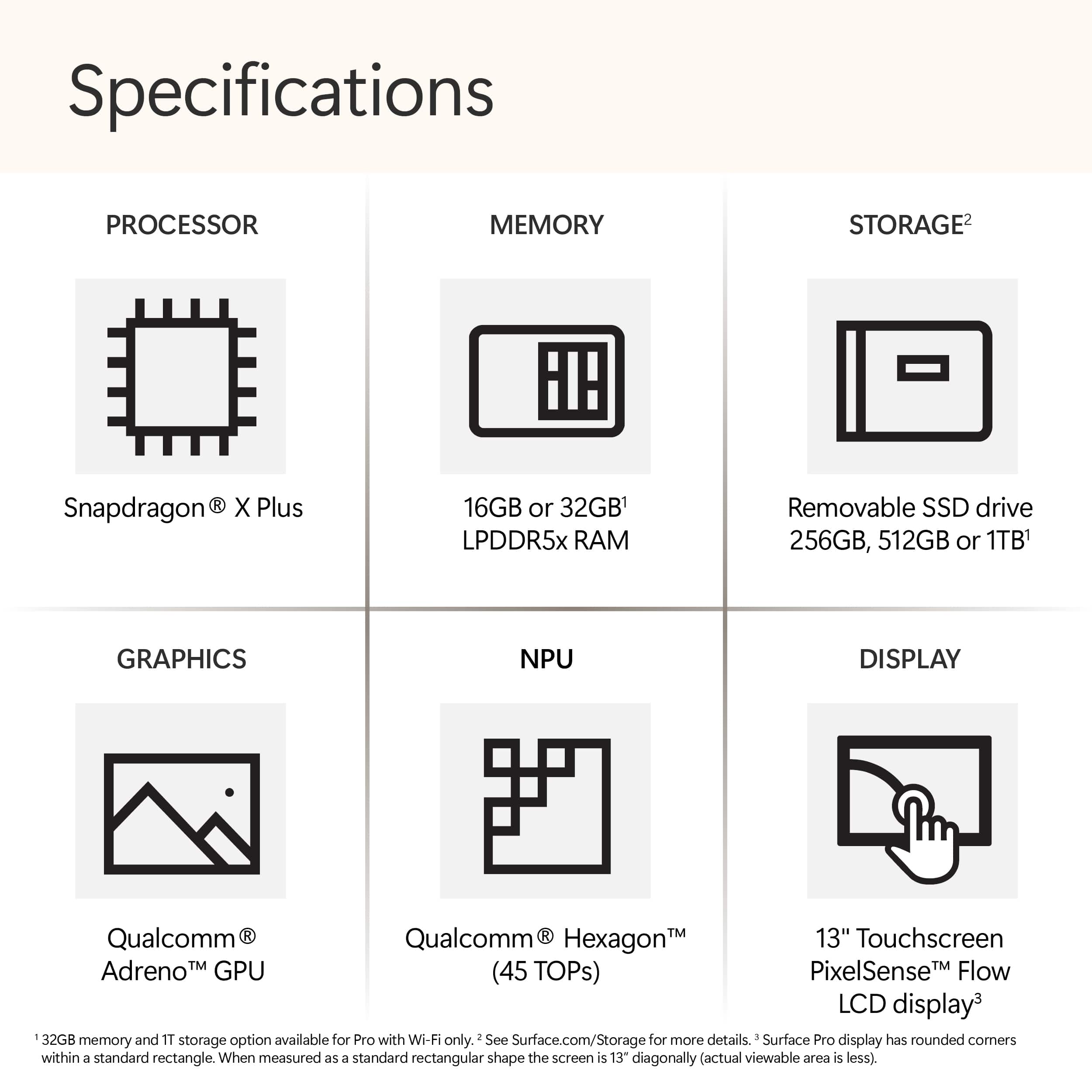
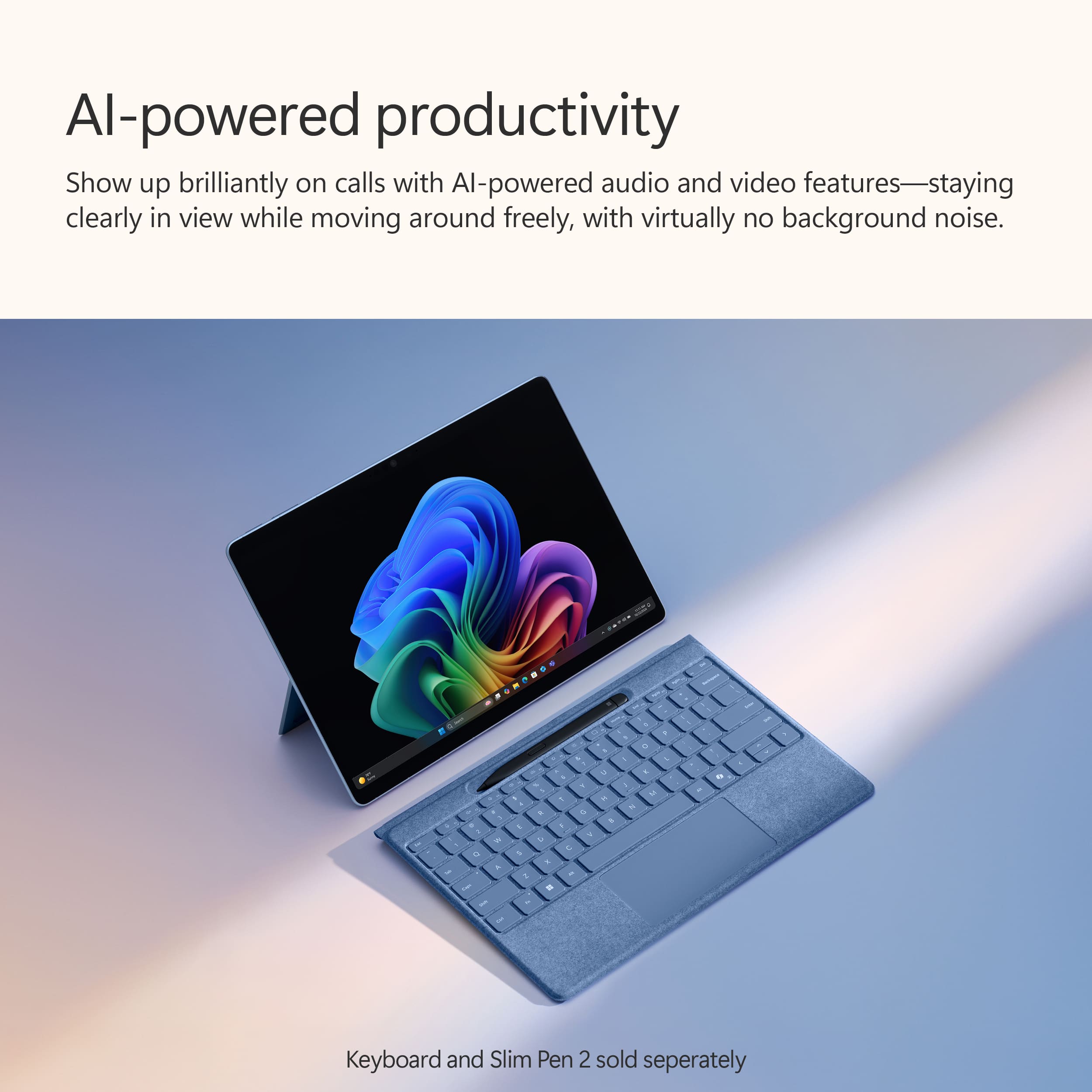
    This is a beautiful, practical device and probably a no-brain upgrade for Surface Tablet lovers like me. The OLED screen is an absolute delight to behold. The Snapdragon processor running Windows 11 on ARM speeds through a typical day of office work, internet research, photo editing and media consumption. The 16GB of RAM and 512GB SSD are more than enough to handle my needs. The front and rear facing cameras are excellent, and the built-in AI abilities enhance and expand your creative use of them. Every Copilot+PC has a powerful AI processor, also known as a Neural Processing Unit (NPU) which can deliver up to 45 trillion operations per second (TOPS). You will begin to put this NPU to work the moment you boot up your computer. Of course, you can smash the Co-Pilot key and a screen will pop up asking you what you want to explore. You can type in your instructions, or speak them into your microphone, and you will get both a typed and spoken answer. If you are watching virtually any video that contains audio or communicating with a group through Teams or Zoom, your computer now can translate scores of foreign languages into English and present the generated subtitles to you in real time. This is immensely useful. I tuned into a CNN news channel being broadcast in Spanish, and this feature translated everything that was spoken into English subtitles in real time. Right now, this only seems to work in one direction: translating the other language into English. I am confident that translation in the other direction will work as well as the product matures. Another example: open the Paint application and use the co-creator feature. Draw a picture and use artificial intelligence to enhance it, and the amount of creativity is varied by adjusting a slider. I did not care for the result I got when I tried this with a drawing, so I took a picture of my living room using the rear camera and enhanced it with both impressionistic and surrealistic styles using various levels of creativity. I am attaching the rather interesting result. AI and Copilot PCs are in their infancy, so some of the promised features are not yet available to the public. I expect that my use of AI will broadly expand in the days and months ahead. Battery life has been exemplary. I easily get a full day of use with varied tasks, and when I close the keyboard cover to let the device sleep, I can open it back up hours later with almost no battery drain. Of course, to get the best battery life, I turn the brightness down some. My use scenario easily yields about 10 hours of battery life in real world use, and I am sure that by tweaking the settings I could squeeze out more. I felt little heat from this efficient computer. The fan, when it did turn on, was barely audible. I could shut the keyboard cover which puts the device to sleep and come back to it hours later with only a tiny amount of battery drain. This was a first for any Windows computer I have ever used, and it was greatly appreciated. As much as I love the OLED screen, the base model with the still- great LED screen also supports the same sharp 2880 x 1920 resolution and should squeeze out even more battery life, if you can live with the 256GB SSD. Remember, these Surface Pro Tablets have a user replaceable SSD, which differentiates them from most other Copilot+ PCs. You’ll need some technical acumen and patience to research how to image your original SSD containing the operating system and copy it to the new SSD, but it’s certainly doable without having to take the device apart. I personally have always loved the Surface tablet form factor. I owned a Surface RT, a fourth-generation Surface Pro, a Surface X, and still have a Surface Go 2. Windows on ARM has been frustratingly slow to evolve, but this Copilot+ PC is a giant step forward. Better emulation means many more applications designed for X86 chips can run under ARM. All my Microsoft 365 office products are running natively and work exactly as they do on my desktop and other Windows laptops. All my home and office printers (with one exception, which was also problematic on a recently acquired Core Ultra 7 Intel laptop) were easily found and proper drivers installed under Windows 11 through a network search. ARM 64 native versions of the Chrome browser, Zoom Workplace, VLC Media player, my VPN client, and a beta version of DaVinci Resolve were located and installed without incident. I have also installed the free version of Adobe Acrobat, which appears to be a 64-bit version of that App running under emulation. It runs without issue. Running Windows Task Manager in a detailed view will let you see which apps are running natively, and which apps are running under emulation. Various other apps including Netflix, Paramount+, Amazon Prime, HD Homerun, and Hulu were installed through the Microsoft Store. All work perfectly. Given the great impetus created by Microsoft’s development of Copilot+PCs and with so many manufacturers adopting the new architecture, many more native applications will be available soon. There are some limits to what emulation can run, especially with older programs. I tried installing a 32-bit application which I have used for many years to edit videos, VideoReDo. I hoped it might run under emulation but was not surprised it didn’t. The keyboard cover and pen, if you use one or both, each costs extra. I tested the Microsoft - Surface Slim Pen (2nd Edition) and Pro Keyboard for Pro (11th Edition) which BestBuy offers as a package for a reasonable but still significant $280. I would not consider buying the Surface device alone without a keyboard cover (which also has a trackpad). You need this tool to fully enjoy the benefits of having a compact device which runs the full Windows operating system on ARM. You should note that the keyboard in the package I mentioned is NOT the new Bluetooth Flex keyboard which can be totally detached from the tablet and still connect to the tablet through Bluetooth. You’ll have to pay even more for the convenience of the Flex, if that feature appeals to you. It is $350 and DOES NOT come with a pen, although it has a well to store one if you already have it. Good news if you already have one of the Signature keyboards originally designed for Surface 8, 9 and Surface X- they all have a well for holding a pen and will work on this Copilot device, minus only the Copilot key. Not having to invest in a new keyboard would put the buyer in a position to move up to the Snapdragon Elite processor for about a hundred dollars more than the cost of the device and a new keyboard or stepping down to the base model to save some dollars and get a little more battery life. Either of those choices are going to be tempting to a buyer who already has a Signature keyboard. As you may have gathered, I am excited about this product. This model is by far the best Surface tablet I have ever used, and I am enjoying it more every day. Highly recommended for Surface fans!

Sponsored