Customer Ratings & Reviews
- Model:
- UHOO-IAS1-M-C-US
- SKU:
- 6419011
Rating by feature
- Value
Rating 3.3 out of 5 stars
- Quality
Rating 3.7 out of 5 stars
- Ease of Use
Rating 4.0 out of 5 stars
Customers are saying
Customers are enthusiastic about the Smart Indoor Air Quality Monitor's ability to track air quality, including carbon monoxide and particulate matter levels. They also praise the device's ease of setup and the user-friendly app. The virus index feature, which assesses the likelihood of virus spread, is another appreciated feature. Overall, the monitor receives positive feedback for its effectiveness in improving indoor air quality.
This summary was generated by AI based on customer reviews.
- Pros mentioned:Air quality, Carbon monoxide

A worthy investment to know what you're breathing
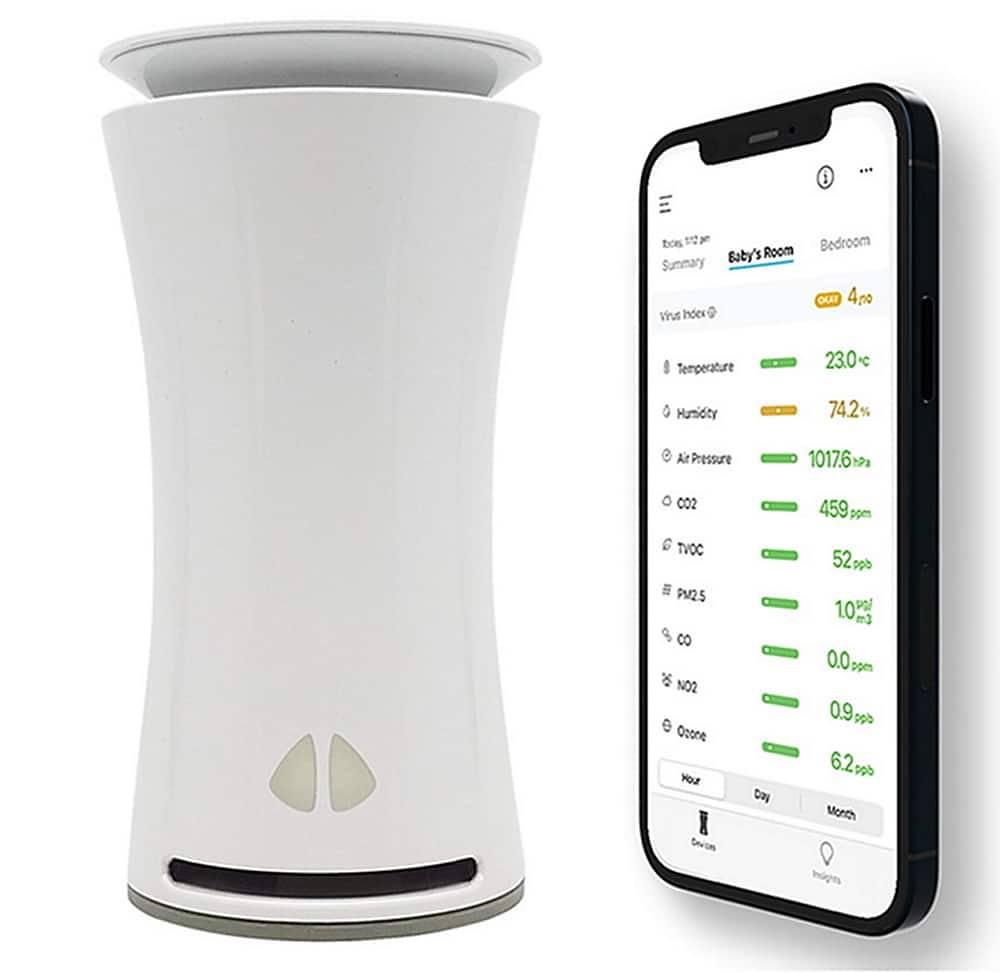
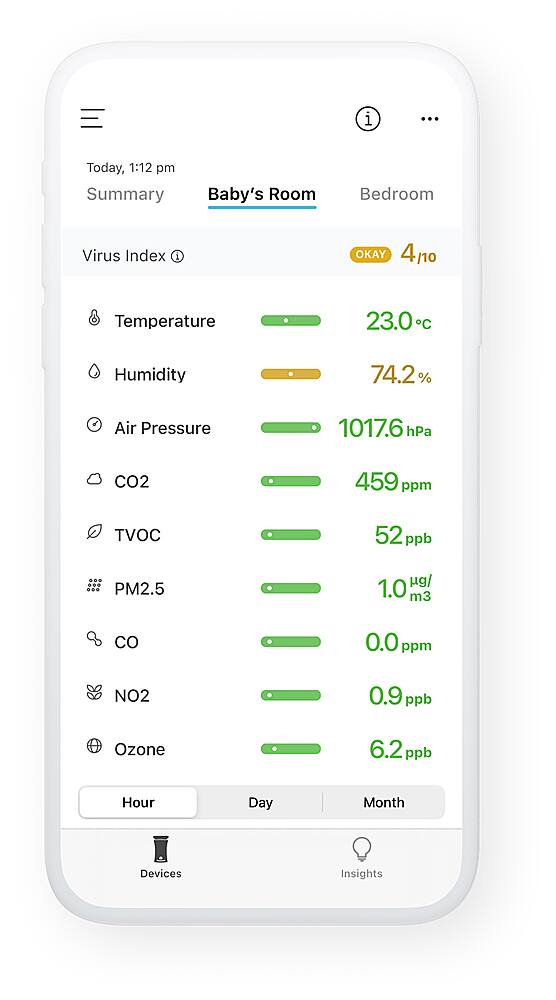
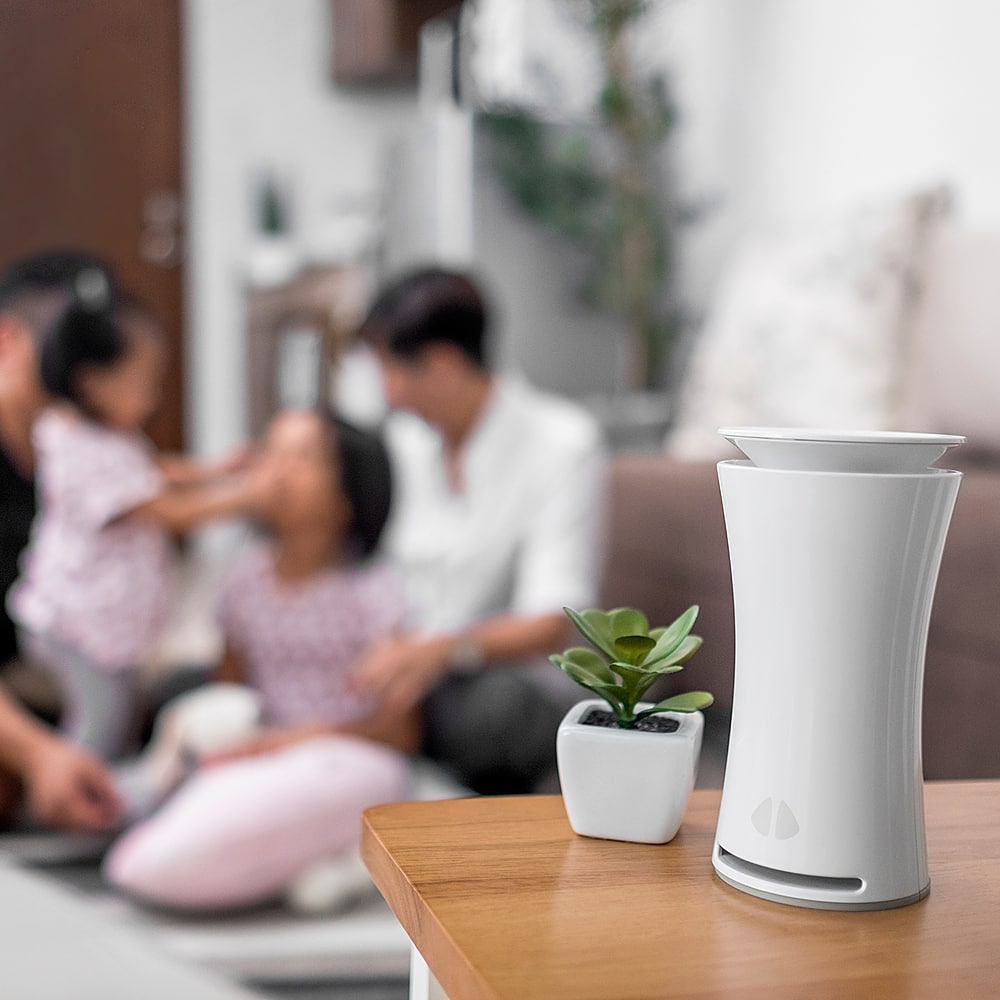
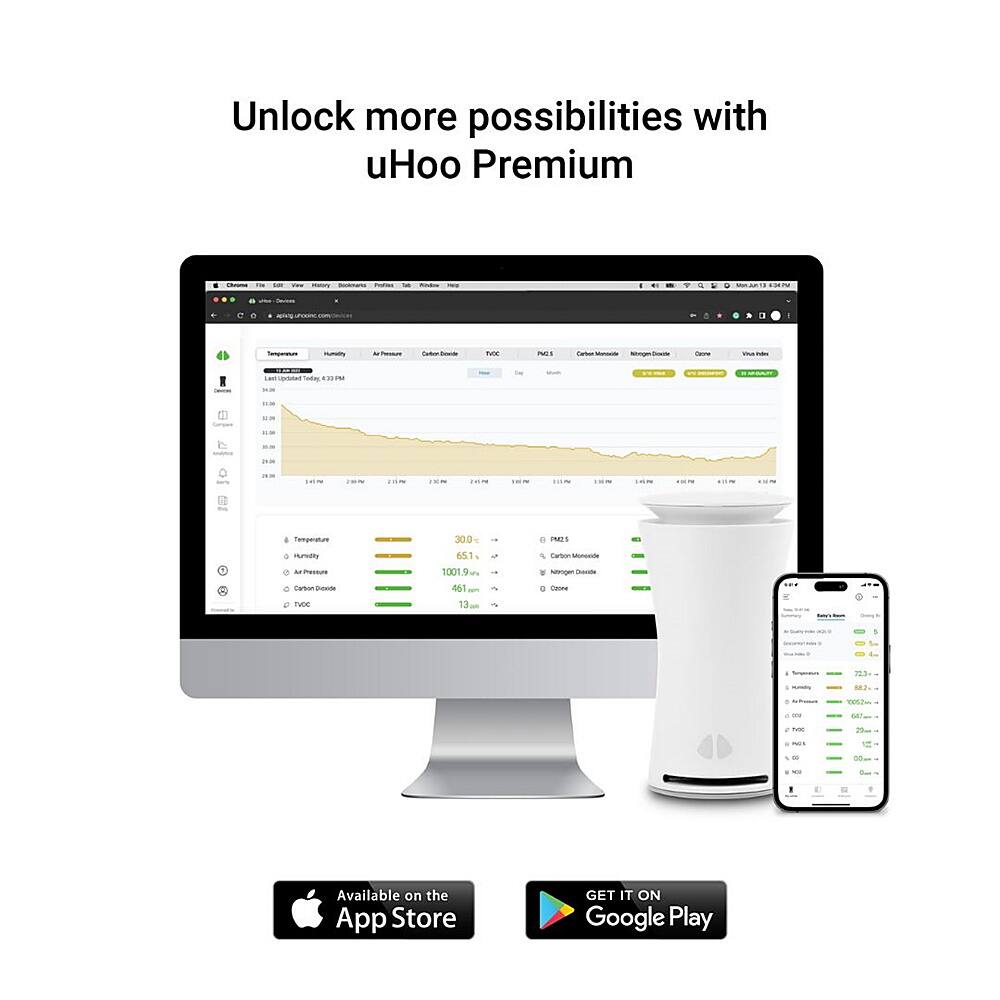
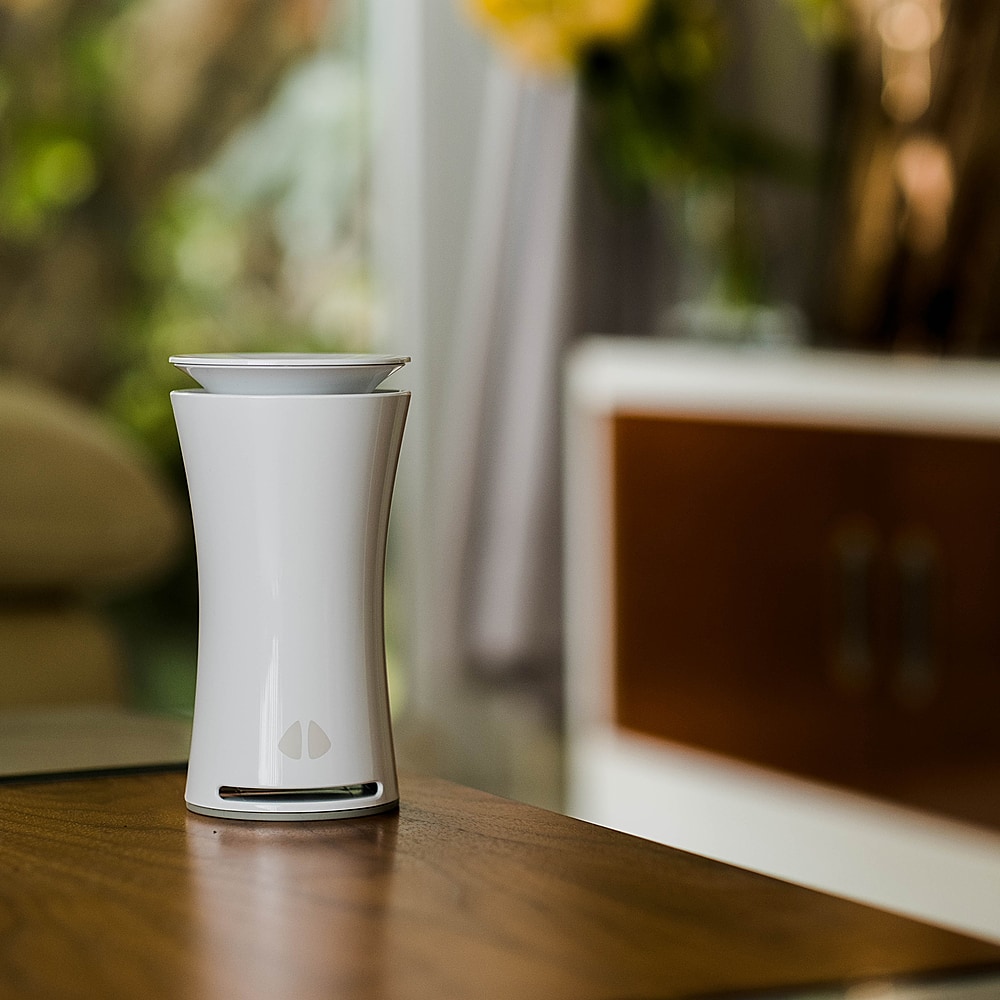
|Posted .This reviewer received promo considerations or sweepstakes entry for writing a review.With the Covid pandemic still firmly in place, we are spending much more time in our homes than ever before. Scientists have warned us for a long time that indoor air quality can actually be worse than outdoor air, and especially now, we need to be aware of what we are breathing indoors. uHoo hopes to help with this issue. uHoo is an air quality sensor device no larger than a small flower vase, that sits in your home and when connected to wifi, will alert you via an app as to the overall air quality in your home. The device contains nine sensors to detect room temperature, humidity, dust, carbon dioxide, nitrogen dioxide, VOC chemicals, carbon monoxide, ozone, and air pressure. It also has an added “Virus index” which measures conditions in the room and lets you know how likely viruses may spread in the air based on conditions. Setup is almost easy, but the wifi connection is a bit back-and-forth. The device will work on 2.4 ghz wifi, as well as “mesh” 2.4/5 ghz systems, but will not work on dedicated 5 ghz systems; unfortunately it doesn’t spell this out for you until you get pretty far along and try to connect it to a 5 ghz system, and then makes you go back to do it all over again using another route. That could be done better. But once it’s connected, and you’ve downloaded the app and created an account, you will be able to see a list on one page of all of the sensor readings in the area the uHoo is located in. A couple of them need to calibrate for up to 48 hours to give their most accurate readings. Once you have had the system up and running over time, it will also provide you with graphs for each item so you can see how each individual sensor’s readings go up and down in a given space over time. The app has the main “devices” area which is your main readout screen, and also an, “insights” area which as of the time of this writing, shows nothing except a blank screen. The top of the app has an info button that once presses will take you to an area describing what each sensor reading is measuring, and you can swipe-left through each of them for a better understanding of what each compound is. If a reading is in the safe zone, it appears in green on the main page. Orange is medium and it will give you tips in the info area as to how to improve the air, and any measurement in red (bad) will instruct you as to what to do as you should take that as a potentially dangerous reading depending on the compound in question. uHoo claims this will work with IFTTT-enabled smart devices to help keep your air cleaner (such as enabled air purifiers, humidifiers, etc) but I wasn’t able to test this feature. It will also work with Alexa and Google assistant. Not having other scientific devices to double-check this, it’s hard to know if the readings are precise or not, but I did some simple tests. As an example, I turned off my fan and air purifier in the room uHoo is in, and the readings for dust and carbon dioxide did begin to go up, telling me to open a window to improve air flow, etc. Placing it near a lit fireplace, the amount of carbon monoxide did rise a bit as well, so the sensors do seem to be working. As someone who has lung issues, it’s nice to have something that gives me detailed views of what I’m breathing. The deduction of one star in my rating is simply because of the price, as well as the power cable being a bit short to me as I’d like to see something that can stretch further for more options in placement. Is it work the up to $400 retail price? For someone like myself, it very well may. It’s an investment, but a worthwhile one for anyone concerned about what they’re breathing in their home. Always of course, check for sales to possibly save some, though. So, it’s a gadget that has value and in my opinion, worth it.
I would recommend this to a friend WORKS WELL - ALREADY FOUND AIR QUALITY ISSUES
|Posted .This reviewer received promo considerations or sweepstakes entry for writing a review.WORKS WELL - ALREADY FOUND AIR QUALITY ISSUES REVIEW: UHOO - SMART INDOOR AIR QUALITY MONITOR Best Buy Tech Insider Network SUMMARY: Was not sure what to expect, but it seems to work well detecting all the invisible stuff in the air. Within a few days of setting it up I started to get alerts about my air quality. Specifically, in my case about CO2 moving into the “yellow” zone. At first, I did not believe it, since the readings were all over the place from 300 to 1200 and I could not correlate it anything. I even went as far as to purchase a cheaper CO2 meter just to check the uHOO device and sure enough it was reading correctly. Finally, I think I have narrowed it down to my hot water heater directly below my home office. Every time my son was taking a shower within a few minutes CO2 readings started spiking. Since he keeps irregular work hours it was a little hard to pin down. OK back the review. UNBOXING: (see picture) INITIAL IMPRESSIONS: My package was not sealed. Maybe it was an open box. The outside box was fine, but inside was cheap packaging. Not what I would expect from an expensive device like this. There was a single card in the box in broken English telling me to go to a website for setup instructions. Can someone tell me what “The socket-outlet shall be installed near the equipment and shall be easily accessible.” Means? Of course, the socket (outlet?) needs to be near the unit, as the cord is only so long. Seems like unnecessary advice for a special card insert. So, they must be telling me something else? Maybe [Make sure you can easily access the outlet to plug it in?]. Again, unnecessary advice. It wont work unless it is plugged in, so of course you have to be able to plug it in to use it. So, the broken English and poor interior packaging made me doubt the quality of the unit, which made me doubt the readings which led me to spend an extra $100 on a second device to check the first device. SETUP: Like everything else these days you have to download an app on the phone to use it [sigh]. The set up was more painful than needed. If you have ever installed older Alexa Devices this is the same type of setup. First you have to browse to this device, make it your default WIFI Device, then give it your credentials, then turn off your blue tooth because it is getting confused, then turn off your Mobile data because it is getting confused, and so on, until eventually you get it working. Then you have to wait several days (I think it was about 4 days in my case) while it was calibrating. ONCE IT WAS WORKING: You have to do everything on your phone. There is no Web Browser counterpart. So, I’m trying to read trends on a 5 inch screen which only shows and hour at a time or a day at a time or a month at a time. It makes it really hard to pin down when readings changed over time to identify a root cause of the air quality issue. This is the trend of all “modern” only app enabled devices so it is more of a pet peeve of mine. I don’t want to do “Everything” from my phone. Give me an “export to Excel” feature or “print a detailed report”. The app works well, I can scroll around and view history going back weeks or Months. I don’t know how long it will keep history or what level of detail. Again, it would be nice to access this on a website. I think these should be “past 24 hours”, or “past 30 days” instead of “Today” or “This Month”. I’m trying to look at trends by I have to keep jumping between months and days to try to “remember” a trend from day to day. I can’t get a contiguous trend of the past 24 hours. Only 1200 am to 11:59pm. ADVANCED SETTINGS I have not tried it yet, but this device says it is IOT (Internet of Things) enabled. In theory I could set up a recipe in IOT portals such as “When C02 is above 1000 run the fans on my furnace”. Or, ask Alexa, what is the CO2 in the room. Though I can’t imagine ever doing that. It already gives alerts, so I don’t see IOT doing anything important for me that I would want to automate. BEST FEATURES: Small Size Attractive Long History of Readings, not just current readings SUMMARY: The primary reason I would recommend this unit is the long history of readings. However, the lack of a Web Based Interface and only an App on a phone takes away a little from the usefulness of the history. I am a little nervous of the overall long term quality just from initial impressions unboxing, and setting up the device. Even after several weeks I still have lingering doubts in my mind and keep double checking readings with my second unit. (so far both units are within 10% of each other). They are not scientific lab grade measurements, so I would not take the readings as absolute value just for watching trends (is air getting better or worse). I think you would do well with this unit. However, there are many similar units in the marketplace that, for a little more will also check for things like RADON or for a lot less, give you point in time (current) readings. If you need trends and history this is probably the unit to get.
I would recommend this to a friend- Pros mentioned:Carbon monoxide
Monitor Your Air Quality
|Posted .This reviewer received promo considerations or sweepstakes entry for writing a review.I got this air quality monitor with the main purpose to test the quality of the air at work. I work in a warehouse environment and the air quality is quite poor and I wanted to know just how poor it was. My only problem was that my employer blocked port 8466 so I was never able to get setup at work. I hope to try again in the near future using my phone as a hotspot. If that works, I will post a comment adding to this review. I took the uHoo home and set it up in our house. Setup was fast and easy and after just a few minutes the readings started showing up in the app. I was expecting everything to look good but soon learned we had elevated CO2 levels. The app gave us an idea what could cause the higher than normal CO2 levels in the house and after a few days we were able to get the levels down. I attached two screenshots from the app on my Android phone with a before and after reading to show the changes we were able to make to improve our air quality. If you want to know if the air in your house is healthy, this instrument will give you a good idea where you stand. It gave me a nice piece of mind knowing my family was living in a home with good air quality. I only wish it didn’t need port 8466 to work properly. This won’t be a problem for at home use since you can unblock the port if your router blocks it, but will be a problem if you’re trying to setup a monitor in a work environment and don’t have the ability to unblock that port.
I would recommend this to a friend Great peace of mind; needs more export options
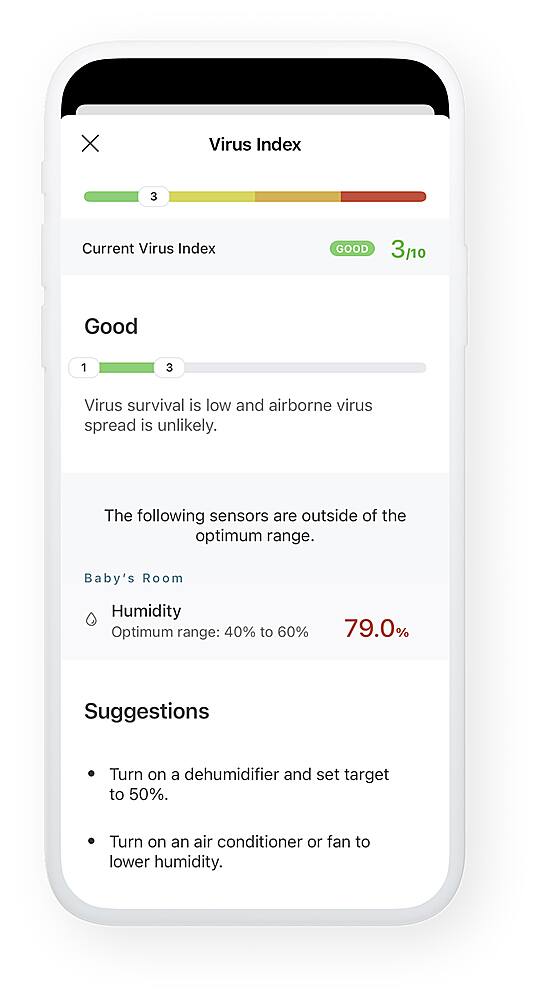
|Posted .This reviewer received promo considerations or sweepstakes entry for writing a review.## Some things to know upfront - The "virus index" does not test for the existence of COVID-19 in your home. - In my experience, the CO2 sensor reading was high for the first 4-5 days. - The unit does not test for radon. ## Setup To be honest, I was a little turned off by the setup process. For some reason, it required my GPS location in order to setup the WiFi and timezone, but even after granting the app access to my location (and iOS 14's new "general" location was not accepted by the app), I still needed to configure my WiFi and timezone manually. I reviewed uHoo's privacy policy and nothing nefarious stood out to me, but I still wonder why the app was so adamant on knowing my location. Other than needing location information, the setup process was standard for many other devices: create an account, connect to the device's own WiFi network to enter your home WiFi information, and then wait for everything to sync up. Many of the sensors require at least 24 hours to calibrate (in fact, my CO2 sensor did not seem to be accurate until 4 days later). Unfortunately, moving the unit to a new room -- or simply power cycling the device -- can require another multi-day calibration period. The unit is powered with a Micro USB cable and includes a 5V 2A USB wall plug. ## Performance After the calibration period, I was happy to see that the air levels in my home showed in the "green zone" in the app, meaning they were within "normal" limits. It is interesting to see how responsive the unit is: after using an aerosol product, for example, I get an alert a few minutes later stating that the TVOC levels are high (they quickly fall down shortly after). Using the graphing feature of the uHoo app, I can also see some interesting items such as an increase of CO2 levels overnight, which makes sense as I placed the uHoo unit in the bedroom. The graphs are a little hard to navigate: swiping across the graph will sometimes advance to the next hour/day/month, other times it will simply tell you what the value was at the time you touched. One thing I wished the unit tested for is the radon level in the home, but unfortunately the uHoo unit does not have a sensor for radon. For many people, radon is tested once when buying a home, and found to be either normal or is mitigated, then never tested again. However, radon levels can fluctuate throughout the year, so it would be nice if the uHoo until could report on this so you know if your mitigation system needs adjusted. The app includes push notifications and can alert you when any level moves to the yellow or red zone. However, if a reading is borderline, the app will send several notifications each time the level goes over the threshold. For example, overnight my CO2 levels may go into the "yellow" zone, dip back down, then go back into the "yellow" zone several times in an hour (making me grateful for "Do Not Disturb" mode on my iPhone). It would be nice if the push notifications could be set so you would only receive them once an hour, for example. Unfortunately, the data can only be accessed inside the app as there is no web portal to login to and access the information. Also, there is no way to export your data to a spreadsheet (the IFTTT integration is for alerts only). ## Features - Several sensors: The uHoo unit can test for temperature, humidity, carbon dioxide, VOCs (airborne chemicals), particle matter, nitrogen dioxide, carbon monoxide, ozone and air pressure. - Mitigation tips: If one of the sensors go into the yellow or red threshold, the app will give you tips on what to do about it (although, many of the tips are to "open a window" or "remove the source"). - No light: I was a bit worried about placing this in the bedroom at first as the unit lights up when initially powered on. But, thankfully, after the setup process, the light on the unit turns off (although, I thought the blue LED looked kind of cool, so I wish there was a way to turn it on when I'm not sleeping). - Alexa and Google Assistant compatibility: In addition to the uHoo app, you can link your account to Alexa and then say something like, "Alexa, ask uHoo for a summary". - Virus Index: The unit tries to estimate how well a virus could survive in your home and how the air quality might affect you if you do get sick. However, it is important to note that this uHoo unit does *not* test for the existence of viruses, so it does *not* detect if COVID-19 is present in your home. - IFTTT integration: The IFTTT triggers for uHoo are limited to when a sensor reaches a threshold, so unfortunately, the IFTTT integration does not provide a means to log your hourly data to Google Sheets. However, you could configure an IFTTT event to turn on an air purifier, for example. ## Summary Although the setup process could be streamlined, the uHoo Smart Air Indoor Air Quality Monitor performs well and can detect changes in air quality within minutes. Push notifications are quick and provide general guidance on how to mitigate the issue. Unfortunately, it is not possible to export your data at this time. Regardless, it is nice to have some peace-of-mind of the indoor air quality with many of us spending more time at home.
I would recommend this to a friend- Pros mentioned:Setup
Cool Unit, but Maybe Needs Some Work
|Posted .This reviewer received promo considerations or sweepstakes entry for writing a review.The uHoo Smart Indoor Air Quality Monitor is one of those gizmos that you don’t know that you need until you get one. The unit is designed to detect allergens and toxins in the air. I suffer from allergies year-round, I have dogs, and I have children. There is a lot of stuff in our air so I was curious as to what this would measure. The unit was easy to set up. You take it out of the box, plug it in, download the app from your favorite app store, and off you go. You follow the prompts in the app to set up. You will need to let the unit run for about three days before you start to see accurate results. This thing monitors stuff I didn’t realize were things. What’s a TVOC? PM2.5? I’m not sure, but the uHoo monitors it. I have CO2 monitors in the home and have never had one go off. However, the uHoo alerted me via push notification that my CO2 levels were higher than recommended. The next day, I had the windows open for a while and the level went down. What became annoying, though, was a stream of constant alerts. It told me that the humidity was high and that I should turn my thermostat down. I did so. Then it alerted me that my home was colder than usual and to turn my thermostat up. Huh? This went back and forth until I finally shut off the push notifications. It was too much. Seems to me it is a little too sensitive, maybe? It also defeats some of the purpose if I have to turn off the notifications because there are too many of them. It’s the app that cried wolf. Now, how will I know if I’m in a danger zone? For that reason, I took off one star. It’s a really interesting item to have, but it might need a bit of tweaking to be really helpful.
I would recommend this to a friend Quick and convenient setup & usage
||Posted . Owned for 1 month when reviewed.This reviewer received promo considerations or sweepstakes entry for writing a review.This device offers a lot of info about air quality and provides remote access anywhere to this device. It’s easy to customize the thresholds and alerts. Like the free remote access and no subscription. The only issue I’ve had is elevated TVOC levels at night from an unknown source; while customer support was quick to address my concern, it is unclear what precisely the uHoo is detecting.
I would recommend this to a friend- Pros mentioned:Setup
Great Little Monitoring Device
|Posted .This reviewer received promo considerations or sweepstakes entry for writing a review.This is a neat little device that monitors the air quality of the room that it's in. It's aesthetically pleasing and does not stick out like a sore thumb. The smart app that is used in combination with this device makes monitoring and checking on the air quality statistics very easy. One of the best part about this device is how easy the setup was. All that was needed was to follow the step-by-step guide provided by the application and you are up and running within 5 minutes. The application itself has a helpful guide that shows you what every statistic means. It is up to you, the user, which statistic matters to you. Personally, I was most interested in the amount of particles in the air. While the application is great in many aspects, it is also disappointing in some. Once such case is that there is no way to set alerts when measurements hit a certain level. You can only turn on or off alerts that doesn't tell you when it will alert you. The help page is also a little wonky, in that some of the bars do not display correctly so you do not get the full picture. I also wish you could customize the graphs a bit more, like being able to set a time period for the charts instead of being limited to hour, day, and month. Since this device is so heavily dependent on the application, they should put more usable features on it. Overall, the device itself is great but the application is a little lacking.
I would recommend this to a friend - Pros mentioned:Carbon monoxide
Great For Getting a Picture of Your Air Quality
|Posted .This reviewer received promo considerations or sweepstakes entry for writing a review.The uHoo air monitor is an exceptional option for anyone looking to get a visualization on their indoor air situation over time. The only real decision here is whether the peace of mind is worth the cost of admission. There really isn't much to this thing. It's a small-ish, unassuming tower that does its job silently in the background, relaying all information to the app. The app does a decent job of displaying the wealth of information the uHoo has stats for, including: temp, humidity, air pressure, CO2, TVOC, PM2.5, CO, NO2, and Ozone. It's an exhaustive list of measurements that's tracked over time on a series of bar graphs. The UI isn't necessarily the most polished thing I've seen, but it does an adequate job of showing the information at hand. They've included some helper text to inform users on each of the aforementioned values being tracked, a nice touch which helps to understand what the various PPM values really mean. Finally, they also list a "Virus Index." This seems to be a calculation based on air pressure, humidity, and other related measurements to determine how likely it is for viruses to survive in your indoor space. One thing I've noticed while playing around with the app is that it offers quite a surprising amount of customization. You can display the UI in list or grid view, you can set alerts, you can adjust the thresholds for each measurement, etc. It's a nice touch to help fit a wide number of usage scenarios. I left mine at the defaults with the assumption that they're a good marker for the average user. My only negative in dealing with the uHoo was the setup process. It's admittedly convoluted; you download the app, plug the device, connect to the device's Wifi (which obviously has no internet connection, which may trip some phones up; make sure you select any "Stay connected anyways" options that may arise on your phone), and theoretically let the thing do its setup job. This didn't work the first time, though, and it took repeated resets to get things to finally work. Other gadgets have devised more pain-free ways of doing this (using bluetooth for the initial connection, for instance), and it's the one area I could see an improvement warranted. Otherwise, this gadget does exactly what it says it's going to do. You already know if you want or need this device, and if you're like me (a parent who went into full on paranoia mode and got this for my newborn's nursery), you'll enjoy the peace of mind that comes with being able to track your indoor air quality over time, albeit at a cost.
I would recommend this to a friend - Pros mentioned:Setup
Interesting Data.
|Posted .This reviewer received promo considerations or sweepstakes entry for writing a review.Overall the uHoo device is an interesting mix of sensors for monitoring air quality in a room, what I'm unsure with the device is the calibration of the sensors. For things like particles in the air or even CO2, I don't have anything else to compare it with, so the measurements it provides me I take with a grain of salt only because I can't verify the readings. That was my biggest problem, I just don't know off hand how accurate within a reasonable range they. I didn't see anything so out of whack that I doubt it, I just wonder how best to verify the data. That said let's get onto setup with the uHoo. That was very well done. I was using the Android version, but unlike a lot of other IoT devices this walked you through setup and it was easy without an issue and the device came online first try no needing to figure out how to reset it and try again. It just worked, that was very nice. Once that is done, you just leave the device in whatever room you want to monitor. I'd recommend at least for the first week you turn off the alerts in the app since a few of the sensors took a few days to calibrate according to the app, like the volatile compounds. Once its dialed in you can adjust the alert thresholds and monitor the air quality. I do appreciate the app allows me to set alert levels, since you can customize your thresholds. Now the app does take this information from all the sensors and gives you a score from 1-10 on the ability of viruses to live in that area. Interesting information and that is all it is. Nothing something that will prevent them. Just gives you an idea of what you might want to adjust. The overall sensor package is small, and looks ok and can fit anywhere where it can get power and Wi-Fi. This can be handy to monitor spaces for dust or should I open a window, or what the temperature is. The graphs in the apps are nice and a handy way to track trends for the month. Overall if you are looking for a sensor package to monitor the diverse things this covers from CO/CO2/Volatile Compounds/Temperature/Humidity/Air Pressure/Dust/Ozone/NO2 this might be something you can use.
I would recommend this to a friend Amazing insights, beautiful app
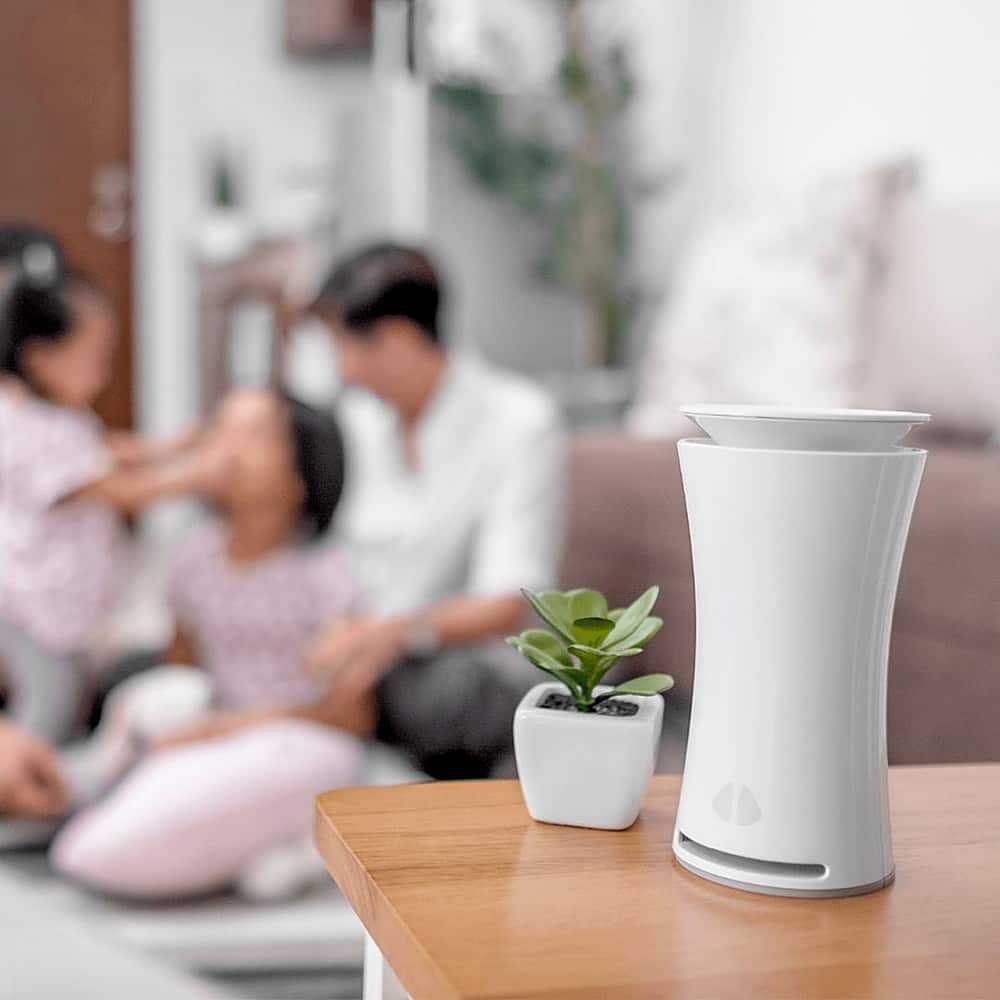
|Posted .This reviewer received promo considerations or sweepstakes entry for writing a review.It's pretty amazing the amount of insights this little unit gives you. I love the detail + the recommendations on how to improve your air quality. One thing I constantly get reminded to do is open my windows when CO2 levels get too high. I'm not an expert, but I did cross-ref this with a LEED engineer I know and he confirmed the levels and recommendations for me. With the current state of the world, I also greatly appreciate their "virus index" which tells you, based on the combination of factors in your air quality, how likely viruses are to survive for any long period of time in your home - very useful! The app is pretty, but the navigation can be a bit frustrating; just a minor nit, though, IMO. I'd love to see the unit extendable with "satellites" you could place around your house, though, because it's hard to find the "perfect" place to put something about as big as a 16oz aluminum can of soda.
I would recommend this to a friend