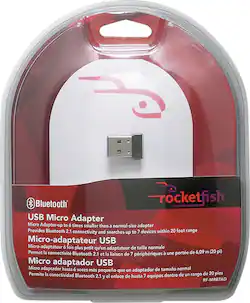
Rocketfish™ - Micro Bluetooth USB Adapter - Multi
Model: RF-MRBTAD
SKU: 8820886
This item is no longer available in new condition. See similar items below
The vast majority of our reviews come from verified purchases. Reviews from customers may include My Best Buy members, employees, and Tech Insider Network members (as tagged). Select reviewers may receive discounted products, promotional considerations or entries into drawings for honest, helpful reviews.
I'm using the adapter in my HP 385 photo printer. I used to have an older BT adapter, but lost it somewhere. Thank goodness! This new adapter transfers the data so the printer can work so much faster. The smaller form factor may mean that it can get lost more easily, but it also means that it is much more portable than the older BT adapter. In the image, it will store nicely in the space where the photo paper emerges, without the fear of it going inside the printer. All in all I highly recommend it!
Posted by LittleRunt
Installing it on Windows 7 was relativity easy. However, it requires multiple drivers and some are only available on the net and are hard to find. I got this device to use Motorola Bluetooth Buds with my computer. It did not work so well. It takes too long to pair. The signal drops off and on and I can tell its the Bluetooth device because I can hear that disconnect sound and when it reconnects, the reconnection prompt shows up in the task bar. The $20 price tag seems a little high for what seems to be no more than a generic Bluetooth dongle. My advice - skip it.
Posted by DarkTester
I needed Bluetooth support for a laptop that I just bought from Best Buy. Although it was a beautiful laptop with amazing specs, it was lacking Bluetooth so I picked up this Rocketfish Bluetooth Adapter. Let me just say first and foremost... I cannot stress this enough... DO NOT PLUG IN THE ADAPTER FIRST AND DO NOT INSTALL THE DRIVERS THAT ARE INCLUDED ON THE DISC THAT COMES WITH THE ADAPTER, ESPECIALLY IF YOU'RE USING A 64-BIT VERSION OF WINDOWS 7! The drivers on it are pretty outdated and you can get the full package with up to date drivers from the Rocketfish site rocketfishproducts dot com. The drivers also include absolutely everything you need to enjoy the latest Bluetooth technology it has to offer. Go to Service & Support then Drivers & Downloads and finally enter RF-MRBTAD into the search box which will take you to the drivers for this adapter which will work with ALL versions of Windows. Once I got it installed and set up on my laptop, I connected my iPhone 4S to it and it paired successfully on my 64-bit Windows 7! It streamed audio being played from the phone to the adapter via AirPlay and can even control my music using stop, play, skip, previous, repeat, etc from the laptop itself using media player buttons! Next I tested a PS3 controller and it also paired successfully! I can play games using the controller with no problems! It's a bit of work to get it up and running at first due to the outdated CD included but in the end it's worth it to have the adapter fully working as it's supposed to. I've included two pictures to this review to show that it indeed works as intended. Hopefully this review helps you out!
Posted by AmpliHelix
Customers find value in the Micro Bluetooth USB Adapter's ease of use, reliable Bluetooth connectivity, and compact size. Many appreciate its performance and the reasonable price point, noting strong signal strength and convenient file transfer capabilities. However, some users experienced challenges with compatibility and driver installation. A few also reported occasional connection issues and difficulties with the software.