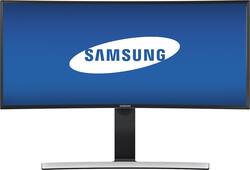
Samsung - 34" Curved HD 21:9 Ultrawide Monitor - Glossy Black
Model: S34E790C
SKU: 6074122
This item is no longer available in new condition. See similar items below
Customers appreciate the 34" curved screen size, saying it's a "beast" and great for gaming. They also mention that the resolution is great, with one customer saying "Great size. Great resolution. Great picture."
The vast majority of our reviews come from verified purchases. Reviews from customers may include My Best Buy members, employees, and Tech Insider Network members (as tagged). Select reviewers may receive discounted products, promotional considerations or entries into drawings for honest, helpful reviews.
This Monitor is absolutely beautiful, don't let others sway you from this, there is zero back light bleed, and color representation is about 95% accurate out of the box, For gaming this monitor is dead on, have had no issues with screen tearing, only thing about this im not to crazy about is the hdmi ports are only 50Hrtz, unlike the display port is 60, and the price when i bought it was $200.00 cheaper than any ware else, this is good for productivity as well as games, GTA 5, Battlefield 4 csgo, Elite Dangeours all look amazing just be sure u have the horsepower to back it up or this will not work for you i recommend at least a gtx 980ti or an r9 390x or 390 overclocked, personally i have a r9 390 overclocked and get 60 fps on all games
Posted by Rgamer29
I replaced three 19 inch monitors I had hooked up to my PC with this 34 inch Samsung. This unit is very sleek looking on my desk and takes up less space than the 3 monitors and arm I had on my desk before. Resolution is awesome and it is easier to arrange my PC desktop on one big screen than 3 smaller screens. I will be buying another one soon for another office.
Posted by Tdog
I bought this monitor because I'm sick of the split between my old dual monitors setup. The colors are wonderful and the widescreen format is just what I'm looking for. The curve is interesting but I'm liking it more and more. The only improvement that I can suggest is to make the power button separate from the menu button. I want to be able to press the power button and shut it down right away. Not press a button, wait for the menu to pop up (sometimes takes a while), select power, then finally shut down the monitor. As for the rest of the experience, Samsung has done a great job. Please redesign your power button and add g-sync and I will buy another one!
Posted by EricChyn