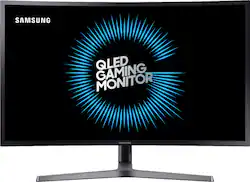
Samsung - CHG7 Series C27HG70QQN 27" HDR Curved QHD FreeSync Monitor
Model: C27HG70
SKU: 6243735
This item is no longer available in new condition. See similar items below
Customers regard the CHG7 Series C27HG70QQN 27" HDR Curved QHD FreeSync Monitor highly for its exceptional picture quality, smooth refresh rate, and vibrant colors, making it an excellent choice for gaming. Many appreciate the HDR capabilities and FreeSync technology, contributing to an immersive experience. However, some users find the monitor stand to be bulky and inconvenient.
The vast majority of our reviews come from verified purchases. Reviews from customers may include My Best Buy members, employees, and Tech Insider Network members (as tagged). Select reviewers may receive discounted products, promotional considerations or entries into drawings for honest, helpful reviews.
First of all, I was never a huge fan of Samsung products, traditionally only purchased Sony Televisions, Apple Mobile Devices, Canon/Sony Cameras, however, Samsung and LG are the only monitor manufacturers who heavily innovate in the display industry. So when I started doing research into Monitors for my new Office/PC Gaming Setup they were where I started. I soon eliminated LG for the search as I never cared for IPS displays and they don’t produce OLED Monitors. That left me with Samsung. I debated for weeks on whether I wanted to go with the CHG70 or the CHG90, after getting my desk there was no way I could accommodate the CHG90 so this model was the last one standing. When I first unboxed it I realized Samsung did a fantastic job with production on this model. Build Quality is excellent. There are a few games I use to test displays with, Madden for motion clarity, Doom for contrast, and Assassin’s Creed Origins for Color. Out of the Box the picture quality was fantastic for Non HDR content, but for HDR content it was very washed out. There was contrast to the image. As an owner of 2 OLED Televisions I just attributed it to being an edge lit LED-LCD Display, not much could be done. It wasn’t until I was very bored one night playing Assassin’s Creed III Remastered which forces HDR on automatically that I said, maybe I could tweak settings and fix the contrast. I tried decreasing Brightness, but all that did was lower the highlight (Backlight) brightness. That is when I found the Black Equalizer setting and read its description that I realized it was the magic setting I needed. Samsung’s menu has the setting as the one that lowers the black levels independently from the highlight (Brightness) settings. To me, this was brilliant. I adjusted this setting and the image transformed. No longer was the picture washed out on HDR. It was everything that HDR should be. Highlights had impact, blacks were deep, and color had incredible pop to them. Long story short, I no longer have any complaints about this monitor. For those having issues with HDR being washed out, I highly encourage you increasing the Black Equalizer setting, this will match the blacks to the ambient blacks in the room giving you the rich vibrant image that you are looking for. Bravo Samsung, Bravo.
Posted by Ozzman24030
I love this monitor and for the price it really cant be beat. The build quality and design is flawless and the graphical quality is just jaw dropping awesome. My friend and I both have one. I would totally recommend anyone looking for a 1440p 144hz monitor to purchase this monitor.
Posted by Justin
For the price it's the best monitor I've owned so far for Quad HD and it's supposedly does g-sync as well as freesync 2 although I'm still wondering if it's actually doing g-sync but when I turn the freesync to option on with my Nvidia card and the local dimming turned off contrast turn to 100% And sharpness turn to 90% And set to RPG picture mode and black level 18 and then turn the freesync to ultimate and the screen gets really colorful but like I said I'm not sure if it's actually going to do g-sync even though people are saying so and the system says it's not compatible with g-sync but then why does the freesync option available normally Hardware Gray's out stuff that isn't compatible. You'll need room because from the back of the stand to the monitor is about maybe 10 inches of depth.
Posted by rob0976