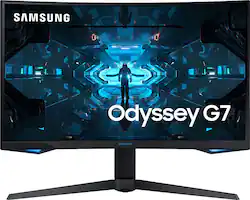
Samsung - Odyssey G7 27" LED Curved QHD FreeSync and G-SYNC Compatible Monitor with HDR (DisplayPort, HDMI) - Black
Model: LC27G75TQSNXZA
SKU: 6404863
This item is no longer available in new condition. See similar items below
Customers commend the Odyssey G7 monitor's picture quality, refresh rate, and immersive curved screen. Many appreciate the vibrant colors and HDR capabilities, although some found the price point high. A few users reported issues with flickering and dead pixels, while others experienced problems with adaptive sync and DisplayPort connections. Overall, the positive feedback on picture quality and refresh rate outweighs the negative experiences reported by some users.
The vast majority of our reviews come from verified purchases. Reviews from customers may include My Best Buy members, employees, and Tech Insider Network members (as tagged). Select reviewers may receive discounted products, promotional considerations or entries into drawings for honest, helpful reviews.
As a previous owner of the CHG70 (Samsung's last 144hz iteration of this display) - This is effectively a very nice refined revision of it. It has a nicer curve than the CHG70. It still has a 125% color gamut with Qled. Contrast is still excellent. It has an even higher refresh rate at 240hz and appears to have minimized smearing significantly (an issue on the CHG70). Cable management has been added which is really slick. Additional lighting points have been added in the front and now has customizable colors. I think it looks great. Finally G-Sync compatible. (Adaptive sync needs to be on in the menu.) Side note: If you set this to 10-bit at 240hz on an Nvidia card, you may find your display is stretched when you apply it. Just reboot the computer. I did not have any issues with dead pixels. Backlight uniformity seems fine. I don't mind some cloudiness. I personally don't like bright spots and I haven't noticed any in gaming or regular/work use. As far as cons I don't have much. The stand is gigantic as it was previously on the CHG70. The vertical part of the stand no longer bends forward/backward when sliding up/down like it did previously and it is much better. The legs of the stand are very wide to allow for keyboard space but you lose a foot or more of depth on your desk. Keep this in mind because you may be much closer to the screen if you don't have a deep desk. To better reference this, from the back of your desk, measure 1 foot towards your sitting location. The closest point to where your sitting is how close the screen is. (See pictures). The monitor does wobble easily while typing. I don't care all that much and while gaming, you're not typing stories so its a non issue for me. Only a 1 year warranty on a $700 monitor is absolutely terrible. Other brands offer a better value and some offer a 3 year warranty. I find this unacceptable especially if this is a "Premium" monitor. I'm hoping this goes on sale in the return period because at $499 or even at a stretch at $599 I could rationalize it better. Overall, the colors, refresh rate, and curve I think are excellent and offer something pleasing from the king of the mobile display market. I just don't know that its worth $700. In the chance the monitor fails just after a year I would be extremely upset. So much so I would consider returning it. I have a 24" Dell 1440p 165hz G-Sync TN panel. It might have only display 70% of the colors and average 700:1 contrast compared to 125% and 2500:1. . . but it was $250 on sale. It can be completely replaced almost twice before even breaking this monitor once. That price is a major factor for me and it is beyond luxury priced above $500. The monitor itself is excellent otherwise. I would recommend this to a rich friend, but not someone just trying to get by in covid.
Posted by Matt
Sort of a long term review... I took delivery of a pair of these screens 9/9/2021, and they were beautiful, and flawless out of the box. They are thiccc and heavy but do play nice with a dual monitor mount as long as it is beefy enough. I continued to use these monitors on my gaming and general use PC, and even now I still have them mounted up(because unmounting screens is just soo much fun) However, a few days ago I sat down at my PC and noticed a line of light peeking over the right monitor(seen in the image) This was about 1/3 of the way in from the left edge, and when I inspected the screen I found that the surface was pulling away from the bezel. I checked the other screen and sure enough, in the same location the front surface is pulling away from the bezel just not quite as badly. I looked online for some guidance and saw several others with these issues, and many had luck using some phone repair glue to seal that top layer back down. I saw others using clamps and a tea towel to prevent scuffs but I had the patience, so I gently applied pressure with my thumbs. Gently gliding my thumbs along the place where I had glued keeping it smoothed down and even. Once the glue was set enough to hold it in place, I went to bed and let it rest for about 24 hours. When I turned my screen on I was met with the second image, a large damaged area caused by a crack going top to bottom from where I glued. I highly doubt the crack was spontaneous, despite me being as gentle as I could be I probably messed that part up... but I should NOT have to be gluing a $700 monitor together after not even 2 years of use because it is pulling itself apart... on a 1 year warranty. When I was looking around I found many others with the same problem(or worse) and also noticed that most other monitors in this price/performance range had 3-5 year warranties and this was brought up during my talk with Samsung support. Despite there being photo reviews from a few months ago on their own website with the same issue, they did not acknowledge that this is a common or known issue with the curved screens, and simply offered to open a service ticket for me to pay for them to repair the screen. Don't get me wrong, they worked wonderfully for that two years and spend your money as you see fit but for less money I've had monitors that are 10+ years old and working like new.
Posted by Gillieshooter
I had high hopes for this monitor as it checked off all the boxes for me, I was hoping this could be what replaced LG's 27GL850 as the new 1440p champ given that LG decided to go 4K for their high end gaming monitors this year (Which I think has little point at 27"). I felt this was Samsung's chance to prove they were done treating their gaming monitors as second class citizens and while the specs are great the experience of actually using it falls flat. For starts lets go over the main selling points for me: 1440p - Perfect for the 27" size, nice and sharp but without going overkill. 240hz - This still gives a nice boost in smoothness and responsiveness, I also did not notice the usual black smear that commonly plagues VA displays which is awesome. I am usually not one to like VA panels due to that but this one performs well. VESA HDR 600 - While like most computer monitors this still can't take full advantage of HDR, and window's HDR implementation still needs a lot of improvements, this can at least hit 600nits peak brightness. I do feel that HDR games look better on this screen than when I play them in SDR. I still would rather play a cinematic game on my OLED but at least when I am sitting at my desk gaming on the G7 I don't feel the need to turn HDR off. VRR - This is where things really start to fall apart the 27" version of this monitor has a VRR Range of 60-240Hz (80-240 on the 32"). I also can only speak to the Nvidia experience but given this is certified it should be fine, right? Not even close. I have never once noticed flicker on my GL850 but it happens all the time in certain scenarios on the G7. Seems anytime the frame time exceeds about 6-7ms (So say like an unstable 150fps) you can get flicker if the scene is a high contrast scene. This was the same place for 2 different monitors I have received (Had to swap out the first due to it having 3 dead pixels). I used CRU to try to fix this issue by bumping up the bottom of the VRR range to help this issue but I had to move it up so much to eliminate it that it made VRR just note as worth it. While the VRR annoyance had me nearly returning this monitor this rest of the experience is the reason why I will. For starters something else I noticed (And this seems to maybe be related to the VRR flicker) is that certain images/content on screen will cause this odd effect where every other line is a different intensity and the whole screen dims. The content that seems to do this is content that once again is high contrast that only a small part of it is bright. Given this just like with the VRR flicker happens "randomly" it can be distracting a take away from the experience. I have attached two pictures showing the comparison of what it looks like when this happens, this is hard to capture since a camera tried to smooth it together given how small it is but it gives you an idea, and in the real world it is very noticeable every time it happens. Also when my computer turns the screen off for a bit and thus this monitor goes to sleep takes forrrrevverrr to go back to displaying an image. It takes multiple seconds to do so and comes on and off multiple time in the process. I thought maybe the monitor had a deep sleep mode like dell does, but if it does there is no way to turn it off. Firmware updates feel like they have made this worse, not better. Also because of this if you are going to use this monitor in a multi monitor setup persistent windows is going to be a godsend. Lastly when the display goes into this sleep mode it turns off the USB controller. Most monitors only turn this off when you manually turn the display off, but this one will also just do it after a certain amount of time. That means no long file transfers using the USB ports on the monitor (Not that that is a big deal given how hard they are to access). But in my case as someone who uses a USB DAC plugged into the monitor for my audio this means if I am playing a game, hit pause, and come back in a few minutes then I need to reboot the game since my audio controller is no longer seen by the game since it was affectively unplugged and plugged back in. In conclusion this monitor shows that while Samsung may be ready to take Gaming Computer Monitors seriously their years of not caring and not understanding what PC gamers expect from a monitor is what kills this monitor. If you are looking in this price range DONT buy this monitor, I know it is tempting, but if you can, just wait a few more months until monitors start coming out with the new IPS 1440p 240hz panel from LG that we have seen on a few companies roadmaps. If you can't wait then I would say just go down to the 27GL850, the price just to the G7 is just not worth it given the little features you gain and the giant headaches that come with it.
Posted by tjhrulz