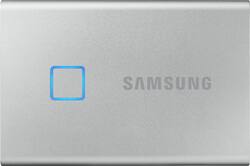
Samsung - T7 Touch 1TB External USB 3.2 Gen 2 Portable SSD with Hardware Encryption - Silver
Model: MU-PC1T0S/WW
SKU: 6401073
This item is no longer available in new condition. See similar items below
Customers are satisfied with the T7 Touch's compact size, ease of use, and robust security features. Many appreciate its portability and convenient fingerprint security for protecting sensitive data. The straightforward setup process is also frequently praised. Overall, the positive feedback highlights the drive's blend of convenience and security.
The vast majority of our reviews come from verified purchases. Reviews from customers may include My Best Buy members, employees, and Tech Insider Network members (as tagged). Select reviewers may receive discounted products, promotional considerations or entries into drawings for honest, helpful reviews.
The Samsung Portable T7 Touch is Samsung’s newest model of small, portable, high-capacity Solid State Drives (SSD), with a notable improvement in data transfer speed capabilities over most other SSDs. Samsung has long been a highly respected and popular manufacturer of flash memory and SSD devices. Samsung developed many improvements in solid state memory technology and has cultivated an outstanding reputation for their solid state drives. The new T7 Touch is really a standout for several important reasons! The T7 Touch is available in 500 GB, 1 TB and 2 TB models with either black or silver cases. The black case that I have is brushed, anodized aluminum and it appears that it should prove to be both rugged and durable. However, this is not a sealed device and it is not IP rated. The dimensions of the T7 Touch are 3.3” in length x 2.25 in width” x 0.3” in thickness. It is both light weight, and compact. Portable SSDs are extraordinarily convenient and useful for many purposes. Video content producers find them to be essential. Given their large capacity and high data transfer rates they are ideal for those purposes as well as data backup and storage, and notably, for use as a portable file store when using multiple computers, and particularly when travelling away from home or primary workplace. The Samsung T7 Touch is ideally suited to working when away from a primary computer. When travelling “light”, the Samsung T7 Touch is the perfect accompaniment to an extremely portable 13.3” Chromebook. That compact, lightweight pair obviously can’t run AutoCAD, but they easily accommodate working with Microsoft Office files, Adobe Acrobat files and other functionality not requiring hauling around a large, heavy and powerful laptop. Of course, even when travelling with a Windows laptop the Samsung T7 is still the external SSD to which I tether the laptop. It is extremely useful to be able to “take it all”, and have optimal data security as well. One of the most significant advantages of the Samsung T7 Touch, and a major driver in my selection decision for the best travel SSD, is the set of security features embedded in the T7 Touch. Both a Password only security option and a Fingerprint security option are available, coupled with AES 256-Bit encryption. A biometric protected, encrypted SSD is the safest and smartest way to travel with private or sensitive data. Hardware encryption complimented by biometric security clearly differentiates the Samsung T7 Touch from other SSD drives, and marks it as the superior choice for anyone who desires to use a very fast external drive which also provides optimal data security. Furnished in the box with the T7 Touch are two USB 3.2 Gen 2 cables. Both a USB Type-A to USB Type-C cable and a USB Type-C to USB Type-C cable (approximately 17.5” long) are included. There is a printed Quick Start / Installation Guide included, but the PDF only User Manual must be downloaded from the Samsung website. I wondered why it wasn’t preloaded on the drive. Once attached to a computer, the Samsung T7 Touch immediately mounts and displays a read-only partition containing both the Windows and Mac versions of the Samsung Drive Management Software, as well as a text file referring Android users to the Samsung site. I located the Samsung Android App in the Google Play Store. The T7 Touch is preformatted in exFAT, which is appropriate for both Windows PCs and Chromebooks. Once the software is installed, the process of password creation and fingerprint enrollment for up to four fingers (which can of course belong to multiple users, if sharing the drive) is a simple and straightforward process. Note that if Security Mode is subsequently disabled after setup, the password and fingerprint data are deleted and reactivating security in the future requires repeating the password creation and fingerprint enrollment process. Individual fingerprints can be deleted and replaced as well as assigned individual names to facilitate their administrative management. The T7 Touch can be used without security (unlocked drive) or with just Password Security (which requires the application to be installed on any computer to which the device is attached) or with Fingerprint Security (which requires establishing a password first), which will unlock the drive on any computer to which it is attached. Obviously, the security, flexibility and ease of convenient use provided by the biometric security option is truly optimal. Unlocking the T7 Touch drive with just a touch on the fingerprint sensor is the fastest and most convenient means to unlock the drive. The Samsung software is needed only on those devices which will be used for drive management (creating or modifying Password, Fingerprints or Firmware Updates), or if Password Security alone (without fingerprint security) is selected. Quite importantly, the software is not needed in order to use the drive when Fingerprint Security is employed, which is clearly the best choice for the majority of users. The drive is instantly accessible on any computer once a fingerprint is authenticated. The management software functionality is exclusively for setting up or modifying the drive security, and for obtaining updates for the software and firmware. The drive management software is not compatible with, and thus not installable on some devices, such as Chromebooks, but that only limits administration of security features. The software was compatible with my Android phones, but none of my Chromebooks, including a very new Chromebook. The T7 Touch SSD hardware works perfectly well with all of my devices including my Chromebooks. The software once installed, is always running as a background process occupying 1.6 MB of RAM on my laptop when the drive is mounted, and 0.8 MB of RAM when the drive is not attached. Additionally, when the T7 Touch is connected to a computer upon which the application is installed, the software always launches a pop-up window, which can be a minor distraction or annoyance. There is no option to only launch that window on demand. Since it is only needed for initial security feature setup, ongoing password or fingerprint management and software/firmware updates, it is safe to uninstall the application, which can easily and quickly be reinstalled when needed directly from the T7 Touch, even when locked. However, it is probably wise to leave the software installed in order to receive notifications of available software and firmware updates. If you turn off the password or fingerprint security, that data is deleted and re-enabling of security then requires re-configuration with creation of a password and re-enrollment of fingerprints. It would be nice if that data was retained when switching Security Mode off and back on, until the owner elects to delete it. This became particularly evident when the software detected an available Firmware update. In order for the firmware update to succeed, it requires disabling Security Mode, which has the consequence of deleting your password and stored fingerprints. This is a minor annoyance. The only indications of which firmware version is installed on the T7 Touch is during the firmware update operation. The Samsung software does not otherwise display the firmware version currently installed. I believe that the software should be improved to display the firmware version (and date) on the application main screen, or at the very least, on demand. It would also be helpful for the application to display the device’s serial number, as well. The square shaped fingerprint sensor embedded flush on the top of the Samsung T7 Touch is surrounded by four LED elements which illuminate in various patterns to indicate drive status. All four perimeter LEDs initially illuminate solid to indicate that the drive is powered. All four LEDs extinguish when the drive is idle. The LEDs flash sequentially, clockwise during data transfer, and all four flash on and off in unison when waiting for fingerprint unlocking. The high transfer rate specifications for the Samsung T7 Touch are a very impressive 1050 Mbps for Sequential Reads and 1000 Mbps for Sequential Writes. Those fast data transfer rates are attributable to the PCIe (Peripheral Component Interconnect Express) bus, NVMe (Non-Volatile Memory Express) memory and USB 3.2 Gen2 connectivity. However, those data transfer rates are only achievable when the host computer is similarly equipped with USB 3.2 Gen2. My test speeds were limited by the USB 3.0 ports on both of the laptops available for testing. USB 3.0, data transfer rates were measured with Crystal DiskMark 7.0 at 457 – 459 Mb/s Sequential Reads and 437 – 441 MB/s Sequential Writes. Nevertheless, based on anecdotal observation, the Samsung T7 Touch was the fastest drive which had ever been attached to either laptop. Very large file transfers were very fast. Of course there are faster SSD drives available, notably those using the faster Thunderbolt 3 interface, such as the Samsung X5. Data transfer rates did not appear to be affected at all by AES 256 Bit hardware encryption. The Samsung T7 Touch does become warm when attached to a computer, and generates heat in proportion to activity when it is actively in use. Large data transfers generate palpable heat. It is my understanding that Samsung employs a single layer PCM (Phase Change Material) to somewhat mitigate the heat generated by active use (presumably encapsulated paraffin wax). Overall, the Samsung T7 Touch is absolutely great. It offers large capacity, fast data transfer rates and stellar biometric security and hardware encryption. The T7 Touch is the optimal portable SSD drive particularly when travelling, and especially when maintaining data security is imperative. The Samsung T7 Touch is outstanding, and I highly recommend it!
This review is from Samsung - T7 Touch 1TB External USB 3.2 Gen 2 Portable SSD with Hardware Encryption - Black
Posted by Curmudgeon1
I was researching on external drives to use on my PS5 because of its lack of storage space. I came across the Samsung T7 touch, so I purchased this when it’s on sale. I didn’t set up touch security yet, I just plugged into my console and it works like a charm. Transfers data pretty fast. And I love the blue lighting as well! Keep in mind that you can only put PS4 games on the external drive. I recommended this if you own a PS5, or a T7 if you choose not to have touch or fancy lighting.
This review is from Samsung - T7 Touch 1TB External USB 3.2 Gen 2 Portable SSD with Hardware Encryption - Black
Posted by Primo
The fingerprint lock is just amazing. The felling that you have an extra lock is so reassuring. It is great
This review is from Samsung - T7 Touch 1TB External USB 3.2 Gen 2 Portable SSD with Hardware Encryption - Black
Posted by JonathanG