/
Keyboard & Mouse Combos
(157)Finding the best keyboard and mouse combo for you
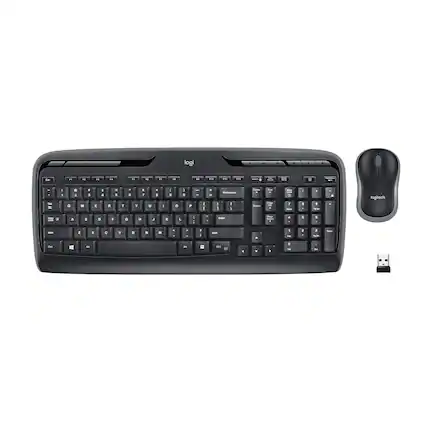
You may think choosing a computer keyboard and mouse combo is a simple decision, but there are actually many features and design components to consider. For example, do you want to expand your keyboard size to incorporate a numeric keypad or do you want to choose a more compact keyboard design? A keyboard with a numeric keypad is highly useful for making calculations, hitting commands in PC games and creating numerical shortcuts.
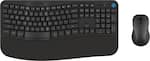
If you spend long hours typing or navigating with your mouse, your hands and wrists will benefit from an ergonomic keyboard and mouse combo. Ergonomic designs take into account the most natural angle for your elbows and wrists. Given that each user is unique, there are a few things to look for in an ergonomic keyboard and mouse, like adjustable heights, split keyboards and curved designs.
If your keyboard and mouse needs are highly specific, you may be best served by choosing each component separately. Sold individually, there are numerous computer mouse and keyboard options from which to choose, but a combo may save you money and time.
Getting the most out of your computer keyboard and mouse combo
Whether you have chosen a wireless keyboard and mouse combo or a wired set, your computer will likely prompt you to install the associated drivers when hooking up your devices for the first time. Fortunately, this should be a fast and straightforward process. Simply follow the directions that pop up on your screen or consult the keyboard/mouse user manual.
To get the most out of your new keyboard, find out what keyboard shortcuts you can use on your computer and within individual programs. There are numerous keyboard shortcuts for everything from undoing an action to printing documents. Additionally, some keyboards come with programmable “hot keys” that allow you to open applications with just the touch of a button.
While wired keyboard and mouse combos draw power from your computer, wireless keyboard and mouse models need independent power. Most frequently they use batteries, so you may want to stock up on extras. Finally, you will want to outfit your desk with a mouse pad. You can choose a small one if you have limited space or go with an extra-large mousepad for improved navigation.
![esc ! i 1 tab caps lock shift F1 2 Q A aas E4 F3 F2 $ % # 4 5 3 E R W F S D X C Z FS A 6 T G V F6 & 7 Y H B 17 * 8 U J N logi HI FI0 P9 FB ) - ( - 9 0 o P I K L > < M I P + = { [ A : I : ? I alt cmd3 2 0 3 10% 1 F12 page home up backspace ins page I delete end down } ] / enter shift ctrl fn opt^= Q I * / clear 8 9 + 7 pg up home 5 6 4 , 4 2 3 enter 1 dn pg end = 0 del ins ctrl start opt alt cmd](https://pisces.bbystatic.com/image2/BestBuy_US/images/products/6571/6571662_sd.jpg;maxHeight=100;maxWidth=150)


![F1, esc, !, -, 1, tab, caps lock, shift, F2, @, 2, Q, A, F3, Q, #, 3, W, S, Z, F4, $4, E, D, X, F5, %, 5, R, F, C, F6, 44, A, 6, T, G, V, F7, HI &, 7, Y, H, logi, F8, FO, 4, *, (, 8, 9, U, I, J, K, M, N, FI0, 0, O, L, <, -, alt, page up, page down, end, down, delete, home, 1, P, [, ] 5, 5, 4, ., -, enter, :, 1, 3, enter, I, 2, 1, Pg up, [, ] 5, 5, 4, ., -, enter, ?, >, /, 0, del, a, 4, ins, e, ctrl, *, fn, ctrl, fn, alt, logi.](https://pisces.bbystatic.com/image2/BestBuy_US/images/products/6536/6536551_sd.jpg;maxHeight=100;maxWidth=150)
![The text on the image reads:
"OSC F1 F2 F5 F4 O F5 - F6 - F7 1. F8 4 F9 F10 F11 F12 1 2 3 logitech - - 1 2 # $ 4 % 5 . 6 & 7 . 8 1 9 I 0 - - block insert home page up num lock clear / . I tab Q W E R T Y U I O P { [ } ] I / delete end page down 7 home 8 A 9 P9 up + caps lock A S D F G H J K L : ; a enter 4 4 5 6 shift Z x C V N < ? shift 1 end 2 3 pg dn enter ctrl fn start alt opt alt crnd x alt cmd x fn ctrl alt opt 0 ins del 1 logitech."
The text seems to be a combination of keyboard shortcuts and instructions for using the Logitech keyboard, along with some additional information about the keyboard's features.](https://pisces.bbystatic.com/image2/BestBuy_US/images/products/5761/5761911_sd.jpg;maxHeight=100;maxWidth=150)


![esc ! i 1 tab caps lock shift F1 2 Q A aas E4 F3 F2 $ % # 4 5 3 E R W F S D X C Z FS A 6 T G V F6 & 7 Y H B 17 * 8 U J N logi HI FI0 P9 FB ) - ( - 9 0 o P I K L > < M I P + = { [ A : I : ? I alt cmd3 2 0 3 10% 1 F12 page home up backspace ins page I delete end down } ] / enter shift ctrl fn opt^= Q I * / clear 8 9 + 7 pg up home 5 6 4 , 4 2 3 enter 1 dn pg end = 0 del ins ctrl start opt alt cmd](https://pisces.bbystatic.com/image2/BestBuy_US/images/products/6571/6571662_sd.jpg;maxHeight=427;maxWidth=640?format=webp)