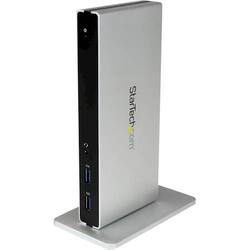
StarTech.com - DVI Dual-Monitor USB 3.0 Docking Station - Black / Silver
Model: USB3SDOCKDD
SKU: 4686048
This item is no longer available in new condition. See similar items below
Customers recognize the DVI Dual-Monitor USB 3.0 Docking Station's excellent support for dual monitors, ease of setup and use, and ample port selection. Many appreciate its seamless performance and straightforward installation. However, some users have reported issues with the USB 3.0 ports. Overall, the docking station is praised for its functionality in supporting multiple monitors and peripherals.
The vast majority of our reviews come from verified purchases. Reviews from customers may include My Best Buy members, employees, and Tech Insider Network members (as tagged). Select reviewers may receive discounted products, promotional considerations or entries into drawings for honest, helpful reviews.
I was using a Lenovo USB 3.0 Dock for the last three years, but the two USB 3.0 front ports began failing. After shopping around the StarTech USB 3.0 was just what I needed to attach my VGA monitor (1680 x 1050), external backup drive, Ethernet, phone, and Logitech USB headphones with mic. Since the StarTech uses DisplayLink technology just as the older Lenovo, the software driver was the same. Pros: * The device was fully complete in the box with various power plugs and DVI to HDMI and a DVI to VGA converters. * It's well constructed, and I prefer the Aluminum housing and stand over the plastic construction of the older USB 3.0 Dock from Lenovo. * I opted for regular ground shipping, and since it left a warehouse in central PA, I had it in my hands the very next day in NJ at no extra charge. * Another nice feature is the USB 3.0 ports supply power. That's handy. * It was on sale in December 2016 which made it a great deal. Cons: Can't find any. It worked the first time I hooked it all up. I did have to hit the Auto Video Adjust on the monitor to sync it with the new hardware and eliminate a flicker.
Posted by GaryJG
I use this on my Windows laptop and MacBook Pro. Just get the drivers installed and you’re off and running. The only downside side are the connectors. I had to get a specific DVI adapter so that I could use HDMI to DVI because my monitors only have DIsplayPort and VGA. Connectors or the dock are DVI to HDMI and VGA. Other than that, it works seemlessly.
Posted by GoProKids
Nice docking station and has enough ports for various devices which allows for charging phones running an hdmi cable to a monitor, etc. Works as intended!
Posted by MG001