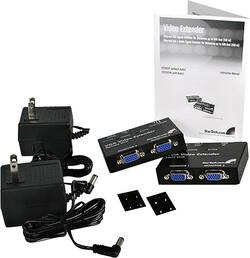
StarTech - VGA Video Extender Over Cat-5 Kit - Black
Model: ST121UTP
SKU: 1262492
This item is no longer available in new condition. See similar items below
The vast majority of our reviews come from verified purchases. Reviews from customers may include My Best Buy members, employees, and Tech Insider Network members (as tagged). Select reviewers may receive discounted products, promotional considerations or entries into drawings for honest, helpful reviews.
I purchased the extender to be able to connect three extra large screen monitors for PowerPoint presentations at our church. All of the monitors are very clear and great quality. Very please with the purchase.
Posted by PadreJim
Set this up over the weekend for a hotel client. The DVR for the hotels security cameras was located on a second floor which had all the live camera feeds displayed on a monitor connected directly to the DVR VGA out port. An existing identical monitor was located in the lobby area on the first floor near the check-in desks. The StarTech VGA video extender was used to duplicate the DVR live video feed to the lobby monitor over an existing network cable run. The network cable run was cat6 at a little over 100ft. Picture at the local and remote ends was nice and clear. For the local unit you will need to use a VGA video extension cable which has male and female ends to connect to the local unit VGA input port which is male.
Posted by Netflow