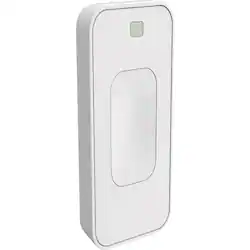
Switchmate - Bright Toggle Wireless Smart Switch - White
Model: TSM003W
SKU: 6148409
This item is no longer available in new condition. See similar items below
Last Chance 48-Hour Flash SaleEnds Dec. 24. Limited quantities.Shop now
Customers enjoy the Bright Toggle Wireless Smart Switch, especially its ease of use. Customers find the switch very easy to set up and appreciate the convenience of controlling it with their phones. The schedule setting is also a highly valued feature.
The vast majority of our reviews come from verified purchases. Reviews from customers may include My Best Buy members, employees, and Tech Insider Network members (as tagged). Select reviewers may receive discounted products, promotional considerations or entries into drawings for honest, helpful reviews.
The bae and I are renting a new place together, but the place has very old wiring and basically no built in lightning, requiring me to stash lamps everywhere. This has left me doing all kinds of nonsense to get this place hooked up with wifi lighting like I'm used to. I'll save you all the rest of the saga and just say this - the switchmate is bluetooth only, with all of the many limitations that entails. The box says it has Google assistant support and the description here says that as well. But please don't be fooled like I was, that support is barebones at best. If you wanted to put a solution together that keeps your less nerdy SO happy while allowing you to wifi all the things like your heart desires, you can stop reading now and find another solution. Good luck to you! For the curious...you *cannot* follow their instructions to make it work. Why? Those instructions are based on how the Google Home app worked a year ago (!), and the way I found out that they knew this was from a YouTube comment by Switchmate on their setup video. They said they'd be updating us all with a new video..that was five months ago. The switchmate does still work with Google assistant, it just requires more effort. Once you set up the switch (the app they use is actually not too bad - it keeps this from being a one star review!) you use the button in the app to generate a pairing code. Then just ask Assistant (not the Google Home app!) to link up to switchmate. Open the first link, put in the pairing code, and vuala! It works. Kinda. To make it work, you have to say "talk to switchmate" and then "turn on x." I'm sure this functionality will only work when your phone is nearby as well. It was at this point that the switchmate went back in the box for me. It's 2019, I am not going to talk to google that way every time my kitchen needs some light.
Posted by Rapdactyl
Bought this to set up automatic on/off for my front door lights. It wouldn't activate the switch properly - had to keep moving it up or down ever so slightly to get it to either turn on or off. So moved it to my kitchen counter light switch. Still needed to make slight adjustments but did find the 'sweet spot' so that it would do both, turn on and off. The motion sensor setting is great, you set the length of time you want it to stay on. And, the schedule setting is great allowing me to walk into a lit kitchen at 4:00am to start the day. Oh, got this because this is old house without ground wiring so Smart Switches don't work here. Good solution.
Posted by RingMe
Nice alternative to changing the whole switch panel. It does make a slight noise which startles my dog but she will adjust. I like the fact that I can move it or take it off with ease.
Posted by SumoTC