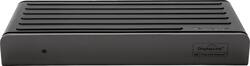
Targus - VersaLink Thunderbolt 3/USB Type C Docking Station - Black
Model: DSU400US
SKU: 6071401
This item is no longer available in new condition. See similar items below
Customers are impressed with the VersaLink Thunderbolt 3/USB Type C Docking Station's ability to support dual monitors and its ease of use, finding it convenient for both office and home setups. The USB Type-C connectivity is also frequently praised for its versatility and additional ports. However, some customers find the price to be a significant drawback, and a few have experienced issues with the power delivery to their laptops.
The vast majority of our reviews come from verified purchases. Reviews from customers may include My Best Buy members, employees, and Tech Insider Network members (as tagged). Select reviewers may receive discounted products, promotional considerations or entries into drawings for honest, helpful reviews.
This product works well for my needs. I recently decided to try my hand at setting up a dual monitor display. I researched a particular product but it was not available on Amazon. This was availably locally so I picked it up. There is really no set-up involved. I plugged in my monitors and laptop, there was a quick update, and then everything was smooth sailing. I only connect my laptop to the dock with one cord and my laptop does charge over this same cord. The only thing I noticed was at one point my Microsoft mouse was lagging when the dongle was connected to the docking station. The problem didn't happen long enough to anger me. I have nothing to compare it to but overall I think this is a great docking station. It would be even better if it was about $50 cheaper!
Posted by MsVB
I have two DisplayPort monitors running off my laptop, backup disk drive, wireless mouse & keyboard, seems to work fine. I do get a message on my laptop that the power supply is not powerful enough to charge my laptop, but once it boots, the laptop charges fine. Biggest downside is the price, you can find cheaper docks, but needed it right away and they had them in stock at Best Buy.
Posted by ab521
I am using this docking station for a Lenovo X1 Carbon. It's adequate for what i need which is dual monitors. The only con that i have found so far is that my laptop has to be powered on prior to attaching it to the docking station. The docking station power button doesn't power up my laptop. At least i have not figured it out yet if it does.....
Posted by JOHNSON19