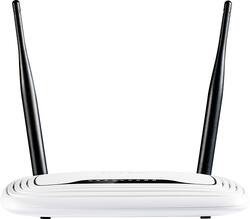
TP-Link - Wireless-N Router with 4-Port Ethernet Switch - White
Model: TLWR841N
SKU: 3604302
This item is no longer available in new condition. See similar items below
Customers appreciate the Wireless-N Router with 4-Port Ethernet Switch for its ease of use and setup, with many noting how quickly and easily they got it working. The router's range is also a plus, providing strong signal strength throughout homes of various sizes. Positive feedback highlights reliable connections even at a distance.
300Mbps Wireless N Router TL-WR841N *My Test Setup Desktop PC Windows 10 Pro AC1900 Wireless Dual Band PCI Express Adapter (Archer T9E) *Setting Up Setting up the TL-WR841N for the first time is quick and easy to do. Once everything is properly connected, you’ll be online in less than 5 minutes. And when you’re ready to dig into the router’s more advanced settings to customize it to your liking, you’ll have plenty of options to dig into. You can set parental controls for certain users, as well as set up a Wi-Fi guest network for your guests, which keeps them off of your main network. Also, the router’s web management page is very nicely done, too. All the different settings are laid out perfectly and easy to navigate. *Wireless Performance After getting the TL-WR841N router setup and running, I ran a few speed tests and all were pretty consistent. Listed below is the current Internet plan I am subscribed to, along with those speed test results. My Internet Subscription Plan: Download 100 Mbps / Upload 10 Mbps TL-WR841N Wi-Fi 2.4 GHz Speed Test: Download 94.93 Mbps / Upload 12.16 Mbps As you can see, the TL-WR841N provided great speed test results. And the router provides pretty good coverage in and around my home. If your internet plan is less than 100Mbps, and you just need a router for one or two devices, this should be fine for your needs. For those of you who need a router to support many devices at once, and are on an internet plan above 100Mbps, you’ll want to go with one of TP-Link’s Gigabit routers for optimal performance. Also, for the best wireless coverage, be sure to place the modem in an open area of your home free of obstruction. Do not place the modem in an enclosure, under a desk, or block the vent-holes. Best of luck setting your network up.
Posted by TechOnDeck
The TL-WR841N is a $20.00 home router with a surprising number of features at this price point. The TL-WR841N is feature packed with things like guest networks, parental controls, access control, schedules and multiple operations mode. The multiple operations mode is what makes this router a steal. It has standard wireless router, hotspot mode, access point mode for when you only have ethernet and range extender mode. The latter is a great feature if you have some ethernet devices but no ethernet cables. In my case I have My TV, Xbox360 and blu-ray player. Only 1 of the 3 has wi-fi. I use this in range extender mode and take advantage of the 4-port switch. The setup is pretty straight forward plug it in and connect to it via Wi-Fi, the SSID and the initial password are printed on the bottom of the unit. Connect to the Wi-Fi and visit http://tplinkwifi.net/ or http://192.168.0.1 in your browser. Follow the onscreen instructions and you’re done. Just make sure you pick good strong passwords. The Wi-Fi speed is good, I downloaded an OnDemand game while I streamed amazon video. I had no issues. All in all, a great product with a price that cannot be beat. Submitted as part of a free sample program.
Posted by Chris1433
This is a good basic router for the price. I tested this using my laptop and my LG G3 phone for reception and speed. I averaged a download speed of just over 80 Mbps and over 90 upload (please see screen shot of test speeds). This test was done at a range of 10 feet from router. My other router ($300 TP-Link AC router) was averaging over 100Mbps upload and download speed. At 25 feet away with 2 walls in between I still was getting a rating of good for connection strength on my phone. Set up was very easy and the router was connected and working within 5 minutes of opening box. This is a good router if you just need basic router and do not want to spend a lot of money. If you are wanting higher speed or will be using a lot of devices you may want to get a more expensive model. This is a review of a free product received from TP-LINK as part of the review program.
Posted by allynbrian
The vast majority of our reviews come from verified purchases. Reviews from customers may include My Best Buy members, employees, and Tech Insider Network members (as tagged). Select reviewers may receive discounted products, promotional considerations or entries into drawings for honest, helpful reviews.