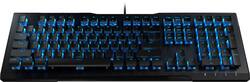
Vulcan 80 Wired Gaming Mechanical Roccat Titan Switch Keyboard with Back Lighting - Black
Model: ROC-12-381-BN
SKU: 6337968
This item is no longer available in new condition. See similar items below
Customers appreciate the smooth and responsive keys of the Vulcan 80 keyboard, frequently praising the key feel and the overall build quality. The durable construction and adjustable backlighting are also highlighted as positive aspects. Many users find the keyboard aesthetically pleasing and enjoy its performance.
The vast majority of our reviews come from verified purchases. Reviews from customers may include My Best Buy members, employees, and Tech Insider Network members (as tagged). Select reviewers may receive discounted products, promotional considerations or entries into drawings for honest, helpful reviews.
Sure this version doesn't have RGB and all the fancy lighting, but for the price, the Titan Switches are very nice to type on. Similar to a firmer Gateron brown, they are pretty quit. The keycaps take a little getting used to, but once you do they are quite nice to type on. The software is ok, and doesn't work 100% of the time. I use multiple virtual desktops with Windows 10 and I programed the keyboard to make the swtich with CAPS-LOCK 1 and CAPS-LOCK 2. Pretty nifty. The USB cable is not braided and is rubberized. All and all, solid firm keyboard.
Posted by skip
I thought my Razer keyboard was very good until I tried one of these. The comparably-priced Roccat Vulcans blow every other keyboard I've tried away. It’s not even close. The mechanical keys are quick to bottom, with a solid, stable feel and a quiet click. I also love the crumb-and-lint-resistant seal around the keys. The Vulcan 80 is the base model that offers keys backlit only in royal blue, and basic audio level control keys (mute, softer, louder). Stepping up to a higher numbered Vulcan model (100, 120, 121, 122) will get you more key illumination colors and customizability, additional keyboard multimedia controls, a brushed aluminum case, and for the 120s, a built-in wrist rest (none of which I miss). This is not documented in the materials that come with the keyboard, but you do NOT need to install Roccat's Swarm software to either make the keys remain always-backlit in blue (set this option by holding the FN key while pressing the F3 key) or disable blue key backlighting (hold the FN key and press the F4 key). The default key backlight pattern as shipped, which I find annoying, is a constantly moving fan pattern of on-off blue backlit keys (FN + F1) and there's one other option, a constantly moving left-right pattern of on-off blue backlit keys (FN + F2). Adjust the illumination brightness to one of ten levels from 100% down to 0% brightness using the key marked with a sun icon. Your selections are remembered after you restart your computer, a nice touch. Again, you don't need their software to make any of these changes. The keys are only illuminated when your computer is powered on. You do need to install Roccat Swarm software, downloaded from their website, to set gaming macros for the M1 - M6 keys, customize keypress sounds, or set up custom profiles for different apps or users. I did not install this software, so I can't rate it.
Posted by David
Great keyboard. You have light up options without having to install the software. Feels very sturdy and durable. Love the titan switches on it feels good typing.
Posted by Strike