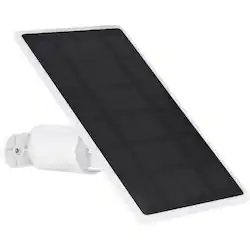
Wasserstein - Mountable Solar Panel for Google Nest Doorbell (battery) - White
Model: NestDBSolarUSA
SKU: 6476983
This item is no longer available in new condition. See similar items below
This is an inexpensive and easy way to keep your Ring Doorbell (battery) charged and it’s easy to set up and connect. From unboxing to connection, it took me all of 20 minutes to complete. The panel itself is sturdy and well-constructed. It seems like it’s going to hold up well both to weather and to UV exposure, which is important. Despite only moving in two orientations, the mounting bracket allows enough flexibility to align it with the track of the sun for the best results and it’s easy enough to adjust it for changes in the sun track per season. And this is something you WILL want to do to ensure maximum output. I attached mine directly to my vinyl siding with vinyl siding screw hooks. (If you’ve never heard of these, Google them; they’re a great way to attach things to vinyl siding without any damage and are easily installed and just as easily removed.) I felt like the 13-foot connection wire was more than generous for my installation, though it’s easy enough to add wire if you need to. Just keep in mind that if you add too much wire you could end up losing some efficiency. In fact, I’d say that it would be a great idea if Wasserstein included another set of crimp end connection so that you could even shorten the wire to make it easier to install. I also feel like Wasserstein could have done a bit better on the instructions; while there’s great detail about setting up the mount, there’s really nothing in there about the actual connection to the doorbell itself. It should be noted that there’s no polarity to the connection, so it doesn’t matter which wire connects to which screw terminal on the doorbell as this isn’t mentioned at all in the instructions. I figured it out myself because when there is polarity for a connection, either one of the terminals or the wire itself will indicate this with some kind of mark or different color and neither was present. But it should have been part of the instructions. Heck, they didn’t even show any diagrams of the actual connection! The weather here hasn’t really been the greatest for testing out solar panels, but after a day or so we got some direct sun, and I was able to determine that my doorbell’s battery was getting a charge. Nest doesn’t make this easy though; when the panel is delivering a positive charge the doorbell will only show “Plugged In” on the Home app and won’t allow you to see the current battery level. For that, you’ll have to wait until sundown to verify. I think this is because the terminals on the doorbell weren’t originally designed for a solar panel, but for connection to a standard DC doorbell transformer that would be always connected. Perhaps in the future Google can push a firmware update or update to the Home app that will allow you to see the battery levels at all times. Other than these minor issues, I’m pretty happy with the unit and look forward to it allowing me to keep my Nest Doorbell where it belongs; on the front of my house rather than connected to a charger every couple of months!
Posted by kaizen61
I'm quite shocked at how little power this provides, my Nest Doorbell Battery shows "plugged in" all the time but the battery just continues to decline. I live in San Diego and the solar panel is getting probably 10+ hours of direct sunlight. Maybe have a defective unit but there is no charging or powering happening as is.
Posted by DJSD
I love the Google Nest Battery doorbell, it's battery life is nearly 2 months, but taking it down to re-charge it is still a hassle. This little solar panel avoids that hassle. The solar panel is very high quality, with a +20% efficiency. It includes all the necessary hardware to mount the panel and about 13' of wire to run from the doorbell to the panel. The doorbell seems to have been designed so that a solar panel could be added. The back of the doorbell has 2 small screws that allows the panel to be added/connected. My second photo show the wires entering from the top of the bracket that holds the doorbell. Here you can see the y-connectors that are placed under the screws. You then can re-connect the doorbell.. The solar panel should be placed where it will get maximum sun exposure (preferably pointing south). The solar panel holder is plastic (I wish it was metal) with two screws to hold it in place. The panel can be adjusted up and down and be turned in the holder. Given I have a wood facia it was easy to connect with the provided wood screws. They also provide sleeves if you need to install on masonry/brick. Installation was easy. When I installed mine my battery was about half charged, When the panel is in the sun you will seen that it's charging (see last image). My battery was 100% charged after it's first day of sunshine. Perfect! I'm very happy with how easy this was to install and how well it works.
Posted by 3Tcubed
The vast majority of our reviews come from verified purchases. Reviews from customers may include My Best Buy members, employees, and Tech Insider Network members (as tagged). Select reviewers may receive discounted products, promotional considerations or entries into drawings for honest, helpful reviews.
Customers find value in the extended battery life and ease of installation of this mountable solar panel for their Google Nest Doorbell. Many appreciate the simple setup and reliable charging capabilities, enabling them to keep their doorbell powered without frequent battery changes. However, some users wish the connecting cable was longer to accommodate various installation locations. The solar panel itself is frequently praised for its performance and quality.