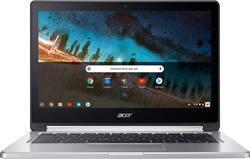
Acer - R 13 2-in-1 13.3" Touch-Screen Chromebook - MT8173 - 4GB Memory - 32GB eMMC Flash Memory
- Key Specs
- Screen Size: 13.3 inches (Size of the screen, measured diagonally from corner to corner.)
- Screen Resolution: 1920 x 1080 (Full HD) (Screens come in a range of resolutions (measured in pixels, horizontal x vertical). The higher the resolution, the greater the picture quality.)
- Touch Screen: true (Touch-screen devices make navigating more intuitive. Using a touch-screen display, you can do things such as tap to select, hold and drag to move items, swipe to scroll, and pinch to zoom.)
- Storage Type: eMMC
- Total Storage Capacity: 32 gigabytes
- System Memory (RAM): 4 gigabytes (Random-access memory (RAM) is a computing device's short-term data storage, which allows active information to be accessed quickly. The size and type of RAM determines how efficiently the device can handle large amounts of information at one time. For example, gaming or video editing requires more RAM for optimal performance.)
- 2-in-1 Design: true (A laptop and a tablet combined in one lightweight, portable device. Sometimes referred to as "convertible" or "hybrid" laptops, these devices deliver the processing power and keyboard of a laptop. When you're ready to play, either detach the screen or fold your 2-in-1 into tablet mode to comfortably watch movies, play games, read an e-book and more.)
- Backlit Keyboard: false (Integrated lights allow for visibility of the keys in low-light conditions.)
- General
- Product Name: R 13 2-in-1 13.3" Touch-Screen Chromebook - MT8173 - 4GB Memory - 32GB eMMC Flash Memory
- Brand: Acer
- Model Number: CB5-312T-K8Z9
- Display
- Screen Size: 13.3 inches (Size of the screen, measured diagonally from corner to corner.)
- Screen Resolution: 1920 x 1080 (Full HD) (Screens come in a range of resolutions (measured in pixels, horizontal x vertical). The higher the resolution, the greater the picture quality.)
- Touch Screen: true (Touch-screen devices make navigating more intuitive. Using a touch-screen display, you can do things such as tap to select, hold and drag to move items, swipe to scroll, and pinch to zoom.)
- Processor
- Processor Brand: MediaTek
- Processor Model Number: M8173C
- Storage
- Storage Type: eMMC
- Total Storage Capacity: 32 gigabytes
- eMMC Capacity: 32 gigabytes (The amount of data that can be stored on the device's embedded Multimedia Card (eMMC). eMMC is a flash-based storage used in smartphones and personal computers; it typically has a smaller capacity than HDD or SSD storage.)
- Memory
- System Memory (RAM): 4 gigabytes (Random-access memory (RAM) is a computing device's short-term data storage, which allows active information to be accessed quickly. The size and type of RAM determines how efficiently the device can handle large amounts of information at one time. For example, gaming or video editing requires more RAM for optimal performance.)
- Type of Memory (RAM): LPDDR3 (Each type of RAM delivers a different level of speed, bandwidth, energy efficiency and performance.)
- Compatibility
- Operating System: Chrome OS (The operating system manages all software and hardware, including files, memory and connected devices. Most importantly, it lets you interact with your device and your programs in a visual way; otherwise, you'd be typing computer code to get anything done.)
- Operating System Architecture: 64-bit (An operating system (OS) manages computer hardware, software resources, and programs in conjunction with the system's processor. 64-bit operating systems can handle more data at once than 32-bit systems, resulting in faster speeds, more effiency, and overall improved performance.)
- Connectivity
- Number of VGA Ports: 0 (VGA (Video Graphics Adapter or Video Graphics Array) is a display standard that transmits via analog signals. This type of interface is typically used to connect a computer to a display device such as a monitor, projector, or TV.)
- Ethernet Card: 10/100/1000 (Also known as an Ethernet adapter, this card plugs into a computer's motherboard and enables it to access an Ethernet network. Ethernet data transmission speeds are measured in Mbps (megabits per second) and Gbps (gigabits per second). For example, a 10/100 Ethernet port transmits 10 and 100 Mbps, while a 10/100/1000 Ethernet port transmits 10 and 100 Mbps and has a maximum speed of 1000 Mbps (1 Gbps).)
- Power
- Battery Cells: 3-cell
- Battery Capacity: 4670 milliampere hours (The amount of energy stored in the battery.)
- Camera
- Front-Facing Camera: true
- Features
- 2-in-1 Design: true (A laptop and a tablet combined in one lightweight, portable device. Sometimes referred to as "convertible" or "hybrid" laptops, these devices deliver the processing power and keyboard of a laptop. When you're ready to play, either detach the screen or fold your 2-in-1 into tablet mode to comfortably watch movies, play games, read an e-book and more.)
- Backlit Keyboard: false (Integrated lights allow for visibility of the keys in low-light conditions.)
- Media Card Reader: true (A hardware device that allows for access to data on a memory card and enables the transfer of its files to a computer. These devices may have one or multiple slots for various types of memory cards, and may be integrated into the computer or available as an external device.)
- Audio Technology: Stereo Speaker
- Speaker Type: Stereo speakers
- Stylus Dock: None
- Casing Material: Aluminum
- Dimensions
- Product Height: 0.6 inches (The out of box height of the item. Height is measured as the vertical distance from the bottom of the item to the top as it would be primarily used or placed.)
- Product Width: 12.8 inches (The out of box width of the item. Width is measured as the horizontal distance from one side of the item to the other as it would be primarily used or placed.)
- Product Depth: 9 inches (The out of box depth of the item. Depth is measured as the distance from the front of the item to the back as it would be primarily used or placed.)
- Certifications Listings & Approvals
- ENERGY STAR Certified: false (Devices carrying the ENERGY STAR service mark, such as computer products and peripherals, kitchen appliances, and other products, generally use 20% to 30% less energy than required by federal standards.)
- EPEAT Qualified: false (The Electronic Product Environmental Assessment Tool (EPEAT) was designed to provide an environmental assessment tool for purchasers. In order to qualify for EPEAT, a product must meet all 23 required criteria.)
- Included
- Included Software: 30-day Microsoft Office trial
- Numeric Keypad: false
- Stylus Included: false
- Warranty
- Manufacturer's Warranty - Parts: Not available
- Manufacturer's Warranty - Labor: Not available
- Other
- UPC: 888863852499
 Acer R 13 Convertible 2-in-1 Chromebook: Experience the combined benefits of power, flexibility and mobility with this Acer Chromebook laptop. It has a 2.1GHz quad-core MediaTek processor and 4GB of RAM for multitasking efficiency and enhanced productivity, and it runs efficiently on Chrome OS. This Acer Chromebook laptop has a 13-inch touch screen that flips for use as a tablet.
- Google Chrome OS: Automatically downloads and installs security and software updates, so you don't have to waste your time managing patches and waiting for restarts.
- 13.3" Full HD 10-point multitouch screen for hands-on control: The 1920 x 1080 resolution boasts impressive color and clarity. IPS technology for wide viewing angles. Energy-efficient LED backlight.
- 4GB system memory for basic multitasking: Adequate high-bandwidth RAM to smoothly run multiple applications and browser tabs all at once.
- 32GB eMMC flash memory: This ultracompact memory system is ideal for mobile devices and applications, providing enhanced storage capabilities, streamlined data management, quick boot-up times and support for high-definition video playback.
- 360° flip-and-fold design: Offers versatile functionality with laptop, audience, tabletop, presentation and tablet modes.
- Built-in cloud support: Easily save your files to your Google Drive account for secure access wherever you go. You can also sync with your other devices running Chrome and even work offline when needed. Fees may apply.
- Weighs 3.28 lbs. and measures 0.6" thin: Ultraportable design, featuring a smaller screen size and omitting the DVD/CD drive to achieve the compact form factor. 3-cell lithium-polymer battery.
- Aluminum chassis: Offers a sleek look.
- Bluetooth interface syncs with compatible devices: Wirelessly transfer photos, music and other media between the laptop and your Bluetooth-enabled cell phone or MP3 player, or connect Bluetooth wireless accessories.
- 2 USB 3.0 ports maximize the latest high-speed devices: USB 3.0 ports are backward-compatible with USB 2.0 devices (at 2.0 speeds).
- HDMI output expands your viewing options: Connect to an HDTV or high-def monitor to set up two screens side by side or just see more of the big picture.
- Built-in media reader for simple photo transfer: Supports MicroSD memory card formats.
- Dual-band wireless network connectivity: Built-in high-speed wireless LAN built into the screen, so it connects to your network or hotspots on all current Wi-Fi standards in both laptop and tablet modes.
- Built-in HD webcam with microphone: Makes it easy to video chat with family and friends or teleconference with colleagues over Google Hangouts or other popular applications.
- Built-in virus protection and Google products: Work, play and do right out of the box with Search, Gmail, Talk, YouTube and Hangouts, then personalize with the Chrome Web Store. Multiple layers of protection defend against viruses and malware.
- Additional port: Headphone/microphone combo jack.
Whats Included
- 3-cell battery
- Acer Chromebook R 13 CB5-312T-K8Z9
- Power adapter
A: It currently runs Android apps in the beta preview, which you can access buy going the to "about" section of your Chromebook (At the top of the settings menu). That being said, it will likely be in the stable channel in the next month of two if you want to wait (It may be there now if you're reading this in 2017). It should be noted that without GPS or an accelerometer, some apps may be unstable or not run at all. Also, some apps, as is true for all Android tablets, only run in portrait mode, so son't expect to be able to use the Keyboard and snapchat at once. There are TONs of positives too however, and I wouldn't let these small inconveniences be the deciding factor in your purchase decision. For an FYI, the Asus Chromebook flip is a smaller chromebook, but is among the first that will get Android Apps in the stable channel, as announced by Google and has comparable specs for RAM and storage to this model.
A: It only has 4GB RAM. The product description has now been updated to reflect this. Originally the product description on BestBuy was wrong. When I bought it on 10/21 from one of the local BestBuys (somehow one location had it in stock a week before all the others in town), the description of the product online was incorrect, showing 8GB. I still bought it because some quick searching on Acer's website showed that they weren't going to offer this with 8GB at all anyway.
A: Streaming videos look great. I like that (as with all 2-in-1's) you can fold the screen back and set the R13 in presentation mode to watch a movie. The speakers are okay, nothing special but certainly not bad. You might want to use headphones. The battery life on this unit is amazing -- no problem getting through a long, long movie.
A: Good questions. Yes, this Chromebook, like basically all Chromebooks, auto updates. One of the very nice features of Chromebooks (to me) is that the update process is crazy fast -- basically just a reboot, and in seconds you are back to work/play. You can download apps from the Chrome Store; there is a ton of stuff there but if there are particular apps you are interested in you might check to see what is there. The Acer R13 is one of a small crop of the "latest" Chromebooks (and quite a nice one, I think). It gives you the ability to download and run android apps (the same that you would on an android phone) which expands the capability of a Chromebook. When I research a computer purchase, I look at customer reviews here and on Amazon (real world usage is very valuable; I tend to disregard reviews, however, that are clearly grumpy or unrealistic); then I turn to Google, and type something like "Acer R13 Chromebook reviews" and browse through the results. These will generally offer you different tech websites with their reviews of products, which can be helpful. Good luck!
A: Yes. You can open and modify Word, Excel and PowerPoint programs. You also have access to similar Google programs such as Google Slides, Google Drive, Google Docs, etc. Good for on the road studying with multiple programs open at once.
A: an onscreen keyboard appears
A: Easily, without a doubt.
Q: I'm used to using an hp for work-how is this similar and different? I definitely want a touchscreen!
A: I had a HP chromebook prior to having the acer touch screen and i needed to replace the HP due to a digital "crack" in the screen (it was a well loved, well used HP), i can say, i LOVE the touchscreen and it is the exact same working system as the HP chromebook. it is slimmer and about an inch smaller than my HP but i actually like the size and build of the acer better. went to best buy to check them out, did a ton of online research and I am very happy with it. I am in school and take it everywhere with me, is great for down time too. I have used it for everything from videos for class, research, writing papers, power points and just chilling watching netflix. i have gotten so used to the touch screen i have caught myself reaching up to touch screens that haven't had the upgrade yet! lol Hope this helps.













