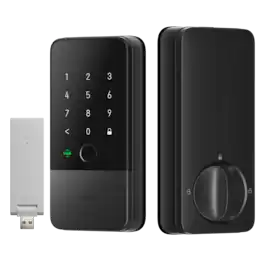
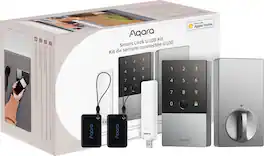
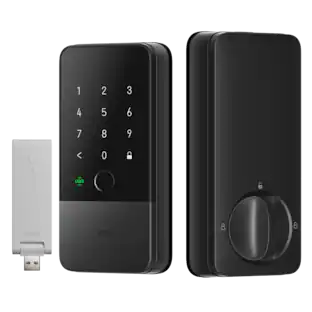
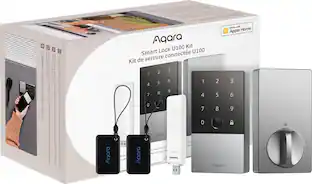
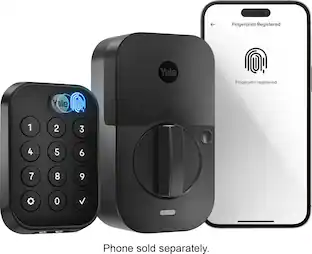
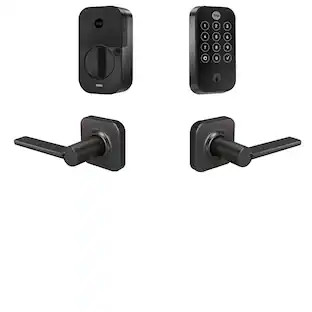
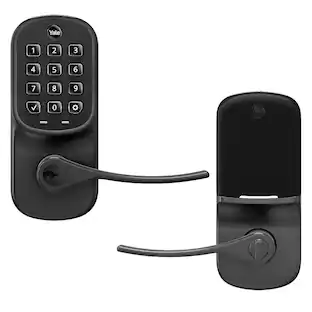
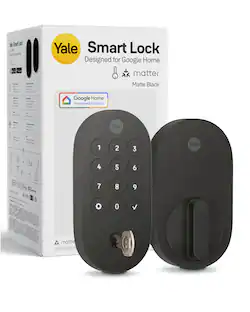
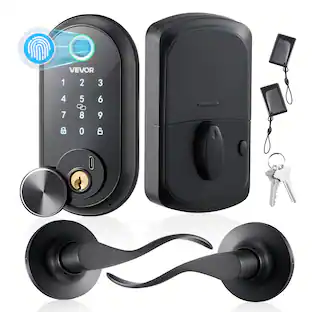
the first Matter-compatible leverset, perfect for various doors. It features fingerprint access, home key, and always-on mode, etc. Enhanced with AIoT and Thread protocol for seamless smart home integration, U300 combines quick, secure entry with robust connectivity. Upgrade the access with U300 for advanced security and convenience.
A: Yes, you can change the handle orientation.

the first Matter-compatible leverset, perfect for various doors. It features fingerprint access, home key, and always-on mode, etc. Enhanced with AIoT and Thread protocol for seamless smart home integration, U300 combines quick, secure entry with robust connectivity. Upgrade the access with U300 for advanced security and convenience.

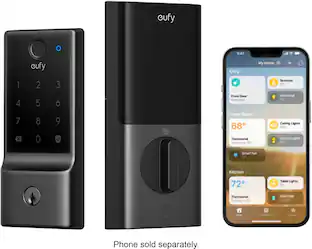
Say goodbye to the hassle of fumbling with keys and welcome the seamless experience of unlocking your door with a simple touch of your iPhone or Apple Watch. By also fully supports the Apple Home app, including guest access code, gaining entry to your abode has never been easier or cooler. Even if there's a power outage of your Apple devices, you can still tap your device and enter your home effortlessly.

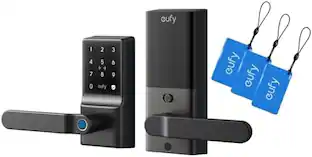
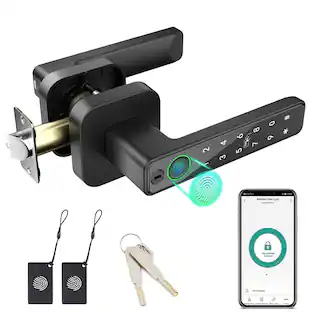
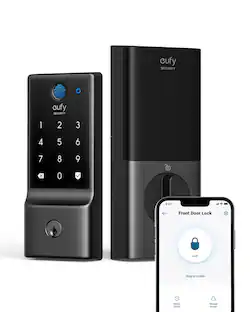
eufy Smart Lock C33, Fingerprint Keyless Door Lock with Handle, Built-in Wi-Fi, APP Remote Control, Biometric Door Knob for Entry Door, Auto Lock, IP53 Waterproof

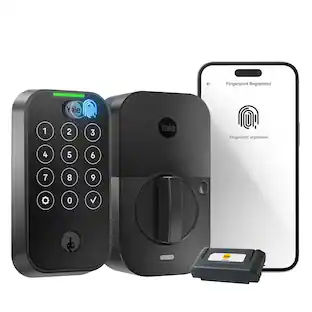
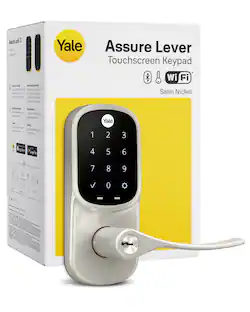
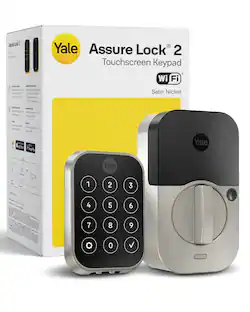
YALE ASSURE 2 TOUCH. A lock as unique as you. Make coming home more seamless with the Yale Assure Lock 2 Touch built-in Wi-Fi. Thanks to the new biometric keypad, a simple touch of your finger is all it takes. Explore multiple ways to access your home including hands-free Auto-Unlock, back-up key, or your phone or Apple Watch from anywhere
| Pros for Aqara - Smart Lock U300 Matter over Thread Lever Set with Touchpad/NFC/Auto Lock/Home Key/Fingerprint/Bluetooth/Key Access - Black | |||
|---|---|---|---|
| There were no pros for this product— | |||
| Cons for Aqara - Smart Lock U300 Matter over Thread Lever Set with Touchpad/NFC/Auto Lock/Home Key/Fingerprint/Bluetooth/Key Access - Black | |||
| There were no cons for this product— | There were no cons for this product— |
Customers express satisfaction with the Smart Lock U300's build quality, smooth connectivity, and rapid fingerprint reader. The ease of installation is also frequently praised, with many users highlighting the helpful in-app instructions. However, some users found the external locking mechanism slightly confusing. Overall, positive feedback significantly outweighs negative comments.
The vast majority of our reviews come from verified purchases. Reviews from customers may include My Best Buy members, employees, and Tech Insider Network members (as tagged). Select reviewers may receive discounted products, promotional considerations or entries into drawings for honest, helpful reviews.

This is yet another rock-solid smart lock from Aqara. The build quality is exceptional, constructed mostly from solid metal with a sleek matte black finish, with few components, such as the battery cover, are plastic. The handles feel smooth and feature grip grooves on the inside for better ergonomics. The keypad is cleverly designed with a hidden number pad, giving the lock a clean, minimalist appearance. It activates with a simple touch on the surface. This lock supports Matter over Thread through border routers or hubs like Apple HomePods, SmartThings, and select Google devices. Unlocking options include the app, Bluetooth, NFC, fingerprint, keypad, or the included physical key. If you’ve installed regular or smart locks before, the process will feel familiar. However, assembling some parts of his lock took some thinking since the box included only an installation diagram, no detailed instructions. Full installation guides are available in the Aqara app during setup or on their website. If you’re new to this, I highly recommend watching their video tutorial first. Once I figured out the trick with the back plate and the extension screws behind the main handle, everything came together smoothly. The latch adjustment was a bit tricky as it uses a push-pin/pull-pin system rather than the easier twist-to-extend method. For my door, I had to adjust between 2 ¾ and 2 ⅜ inches. Aqara includes all necessary hardware and even provides two different strike plates. However, note that the plates come in brushed nickel, not matte black, which I found a bit disappointing. Once the physical installation is complete, programming is straightforward. Keep in mind that a Matter-over-Thread border router is required for remote control. With an Aqara E1 Hub which I own, the lock won't bind since E1 is an Matter bridge only. Although you can connect to the lock via Bluetooth with the Aqara app and still have full access to all its features. I integrated mine with SmartThings without issues, but some features like adding NFC keys or fingerprints weren’t available through SmartThings (only key codes worked). Interestingly, my Google Home devices also detected the lock during setup. In terms of performance, this lock has been fantastic, just like other Aqara locks I’ve owned. The fingerprint reader is lightning-fast, the keypad is highly responsive, and I love how the numbers disappear into the surface. The included NFC tag works flawlessly, though NFC unlocking with my Android phone didn’t work. The built-in speaker is loud and clear, much better than other locks I owned. It runs on four AA batteries, and in case they run out, you can always use the included physical keys. Overall, this is a top-tier smart lock packed with features and multiple unlocking options. It is very well built, durable, easy to install, and designed to retrofit most doors. This lock is absolutely worth considering if you want a reliable, stylish smart lock for your home. Inside the box, you’ll find the lock, two sets of keys, an NFC card, all necessary hardware, and an installation diagram.
Posted by Wishkid
The new Smart Lock U300 Matter by AQARA is the good and well made from the stand point of hardware and its controlling application. It feels and look sturdy and it is heavy, and its controlling app is simple and after couple of time of interaction with the app, it is straightforward without major difficulties for setting up and using it on daily basis. Installing: Installing by replacing any existing lever which is based the review, it was simple, as if placing few pieces of puzzle together. But earlier had to spend some time understand the manual and the parts that was included in the package as learned later there were couple of missing details as going through the installation. Setting up with the Application: After the installation, adding to the app and making it ready is simple right after pairing. For one already used to other brand and for new to the subject but some familiarity with the tech can easily understand it. Controlling: From the App, can Lock and Unlock, being within home, or away in remote mode. It provides functionalities to add and manage users, passwords, review lock/unlock activities under Log function, it can set Alert . Setting up with Matter over Thread It was setup with Apple Home Kit, having Apple TV and iPhone, was sufficient to pair and have it recognized in the Apple ecosystem. Once it is setup, form Apple TV and all of Apple devices list it as part of Home and allowing to control or see activities of Lock/Unlock alert. What I wish it would do better: 1. As soon as open the App, there is couple of second of latency, it is not real time for which has to wait a bit to see the actual status. 2.. The lever doesn’t have visual indicator that it is locked such that from outside can’t open. It is only noticeable via the App or physically checking on it. As remark on it, it does have voice indicator, but one need to be front of it to notice. 3. Locking from outside feels bit confusing how it work as can’t tell immediately, hence one has to figure out or spend some time on the subject. 4. Biometric capture is bit confusing as it work. As setting it, in the application shows seven steps but as going through, it consistently shows message failed and need to redo, but the process moves to the final step and then suddenly says completed. 5. Battery, this might depend on preference, but it use 4 batteries of type AA. I would preferred a UBC-C rechargeable battery with option for Solar charging. However its specification states it last 10 months with the set under the assumed usage of 10 lock/unlocks per day and specific temperature. Now does it means total 20 or it is 5/locks and 5 unlocks, couldn’t find answer but as everything it will depends on each user. To finish, the Smart Lock U300 is integration friendly to HomeKit via Matter over Thread, and at high level does make feel secure lock and easy to use aside of above listed wishes.
Posted by MigDigital
This is my second Smart Lock from Aqara, but my first door handle unit as opposed to a deadbolt. The device is surprisingly hefty, as its constructed from all metal, and consists of an interior and exterior lever handle with integrated touch pin pad, fingerprint reader, NFC key fob, and two physical backup keys. Note that a Matter Controller and Thread Border Router are required for WiFi setup, though you don’t have to explicitly use one of Aqara’s hub devices; however, these would allow you to access more of its features. While most current generation Echo and Eero devices have Matter and Thread hubs built-in, or if you set up the unit with Apple Home, these don't have access to some configuration features like auto-lock and user management. Since I was replacing an existing doorknob with an appropriately sized thru hole, I did not need to do any drilling on my door. The Aqara kit comes with an adjustable length latch and 2 sets of strike plates, one with rounded corners and the other with square corners, so you can match the existing cutouts on your door and jamb. The exterior panel with the pin pad also has a fingerprint reader that can pop out to reveal a keyhole behind it for the physical keys. There are two USB-C power ports, one on either side of the unit, in case it runs out of battery as it can be powered by a power bank or plugged into an outlet as backup. The 4 AA batteries, however, are rated to last about 10 months depending on usage. The interior panel has a passage mode button on top that prevents the door from auto-locking when desired, and the cover panel is removable to reveal the battery bay, set, and reset buttons. Installing the unit is straight forward and only took me 10 minutes. The mounting plate goes on the interior side of the door, and the handles are reversible in orientation depending on which side of the door the unit is being installed. There is only one cable connecting the outer panel to the inner one. The only thing I found odd is that the panels are not aligned, height-wise, after installation. It doesn’t impact functionality, but it looks a bit strange. Once installed, you’ll need to install the Aqara Home app to a mobile device to set it up and add users for access. Bluetooth is required for setup and you’ll need to be near the lock physically in order to modify its settings and configure users. In order to enable WiFi access from anywhere with an internet connection, you will need a device with Matter/Thread router capabilities. For this I added the device via the Alexa app as I am using an Echo Show 8 (Gen 3) as my hub. This also enables features like remotely locking and unlocking via app or voice. Each user in the app can use multiple entry methods including fingerprints, PIN codes, and NFC devices. You’ll also be able to add temporary users that have codes with limitations like specific scheduled days/dates and time windows when they are active; this is perfect for service people or guests who only need access during specific like a dog walker, cleaning service, or renter. One-time use codes can be created as well and will not work for subsequent entry attempts. While the unit comes with an NFC fob, you can also simply use the NFC chip in your mobile device or smart watch, ensuring that you always have a method of entry with you. Sensitive data like fingerprints and PIN codes are stored on the lock itself, and are not accessible on the cloud, so these will work even if the lock loses its WiFi connection. If you have other Aqara camera devices, like their doorbell, you can create an automation that will unlock the door automatically using facial recognition, which I thought was pretty cool. I like that this lock has auto-locking and locks a few seconds after unlocking by default. Since it only disables the latch movement from the exterior lever, you’ll always be able to exit the room from inside. Do Not Disturb mode adjusts the volume or silences the lock, for examples at night, and Failed Attempt Lockout disables the lock for a period of time of your choosing, if a PIN has been incorrectly entered 10 times. One interesting feature is the Night Latch mode which only allows the admin, Bluetooth, or physical key to unlock the unit while other methods of entry like NFC and AI voice assistants are disabled. Passage mode is great for when you’ll be going in and out through the door frequently or have a lot of guests as you don’t want the door to lock each time and have to unlock it again, causing inconvenience and wasting battery. Overall, the U300 is a versatile smart lock that works great for both interior and exterior doors. It was quick and easy to install when replacing an existing door knob, and the multiple methods of entry lets you decide how you prefer to open the lock, and the USB-C backup means you can always power the device and never get locked out. I don’t like that without an Aqara Matter-enabled hub, I need to be physically close to the lock in order to manage it and add users and codes over Bluetooth, as being able to confer access remotely is one of the biggest perks of a cloud-enabled smart lock. However, with the Alexa integration, I can still remotely unlock or lock the door on-demand when needed, which is still useful.
Posted by ReviewedByPhil