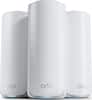
Elevate your smart home with blazing-fast tri-band Wi-Fi 7 speeds of up to 9700 Mbps, boosted range with ASUS RF and AI-boosted Smart AiMesh technology and up to 20G of wired capacity. The ASUS RT-BE92U unleashes superior 6 GHz Wi-Fi and future-proof 10G networking.
Q: Does this router have a built-in modem?
A: No, the ASUS RT-BE92U does not have a built-in modem.
Q: What kind of security features does this router have?
A: This router uses AiProtection Pro network security, powered by Trend Micro, to protect your smart home and connected devices from online threats. It also features Instant Guard for added security.
Q: What is the maximum number of devices that this router can support?
A: This router can support up to 200 connected devices.
Q: How many antennas does the RT-BE92U router have?
A: The RT-BE92U router comes equipped with 4 antennas.
Q: What is the wireless speed of this router?
A: The ASUS RT-BE92U boasts a wireless speed of up to 9.7 gigabits per second.
Q: Does this router offer parental controls?
A: Yes, the router offers robust parental controls through a free subscription to help you monitor and customize settings for your children's online activity.
Q: does this have built VPN or do i still need my VPN For torrenting
A: The ASUS RT-BE92U supports built-in VPN features, including OpenVPN, PPTP, IPSec, and WireGuard. However, for torrenting, using a third-party VPN may still be beneficial for enhanced privacy and security. https://www.asus.com/us/networking-iot-servers/wifi-7/all-series/asus-rt-be92u/techspec/
Q: can you use the 10 gb port for regular Lan i only get 100 mbs
A: Yes, the ASUS RT-BE92U features a 10Gbps WAN/LAN port, which can be used for regular LAN connections. However, if your internet speed is 100 Mbps, the connection will be limited to that speed, as the router cannot exceed the bandwidth provided by your ISP.

Elevate your smart home with blazing-fast tri-band Wi-Fi 7 speeds of up to 9700 Mbps, boosted range with ASUS RF and AI-boosted Smart AiMesh technology and up to 20G of wired capacity. The ASUS RT-BE92U unleashes superior 6 GHz Wi-Fi and future-proof 10G networking.

Step into a new era of home Wi-Fi with the TP-Link BE9700 Tri-band Wi-Fi 7 Router. Powered by revolutionary Wi-Fi 7 technology, this tri-band router revolutionizes your home connectivity. It offers expansive wireless coverage and impressive Wi-Fi speeds of up to 9.7 Gbps using Multi-Link Operation across six simultaneous streams spanning the 6GHz, 5GHz, and 2.4GHz bands. Wi-Fi 7 delivers even smoother connections with less interference, lower latency, and enhanced reliability. Plus, enjoy increased capacity to accommodate more devices simultaneously, making it the perfect router for 4K/8K streaming, lag-free online gaming, and seamless smart home connectivity. Designed for ultra high speed, multi-gigabit internet, the Archer BE9700 boasts a 10 Gbps WAN/LAN port, 2.5 Gbps WAN/LAN port, 3× 2.5 Gbps LAN ports, and a USB 3.0 port, catering to all your high-performance device needs. Experience the future of Wi-Fi today with the TP-Link Archer BE9700. †‡§

MSI RadiX AXE6600 WiFi 6E Tri-Band Gaming Router support 2.5GHz/5GHz/6GHz, AI QoS support

Leverage the power of Wi-Fi 7 for speeds up to 9.3Gbps at 2.4 times faster than Wi-Fi 6 and 320MHz high-capacity channels for up to 100 devices. The NETGEAR Nighthawk RS300 Wi-Fi 7 tri-band router offers three bands of Wi-Fi, including the ultrafast 6GHz band. The high-performance antenna design provides up to 2500 sq. ft. of Wi-Fi coverage, and you can connect your high-demand devices to the two 2.5Gbps and two 1Gbps LAN ports for ultrafast wired speeds. Enjoy the very best of next-gen 4K/8K video streaming, gaming, videoconferencing, security system, and smart home devices.
| Pros for ASUS - RT-BE92U BE9700 Tri-Band Wi-Fi 7 Router - Black | |||
|---|---|---|---|
| There were no pros for this product— | Overall Performance, Connectivity, Speed, Setup, Ease of Use | There were no pros for this product— | Overall Performance, Speed, Connectivity, Signal Strength, Coverage |
| Cons for ASUS - RT-BE92U BE9700 Tri-Band Wi-Fi 7 Router - Black | |||
| There were no cons for this product— | There were no cons for this product— | There were no cons for this product— | Setup |
Customers are pleased with the RT-BE92U BE9700 Tri-Band Wi-Fi 7 Router's overall performance, speed, and range, with many noting quick and easy setup and improved signal strength. The router's WiFi 7 capabilities and coverage are also appreciated. However, some customers have expressed concerns regarding connectivity issues and the firmware's readiness, with a few feeling the router is overpriced.
The vast majority of our reviews come from verified purchases. Reviews from customers may include My Best Buy members, employees, and Tech Insider Network members (as tagged). Select reviewers may receive discounted products, promotional considerations or entries into drawings for honest, helpful reviews.
This review is for the second RT-BE92U I purchased from BestBuy. My initial experience with this router was in December 2024. The firmware was absolutely horrible. The router was usable for only a very short period of time before CPU resources would spike at 100%. Sometimes it was only one of the cores. But I had seen it spike to 100% on all 4 cores. The router was returned shortly afterward. Fastforward to March 2025... I purchased this router again after seeing a firmware fix for the CPU issue posted on the ASUS website on 2/17/2025. After getting the router updated and running it for a couple of months, it has been very stable. There have been three other firmware updates since then -- it looks like ASUS got their issues sorted out with this router. No real issues with it since then. Comparing the router to the one it replaced (ASUS RT-AX86U 1st Gen), this router offers the added benefits of WiFi-7. Many new devices are starting to support WiFi 7. For me, it was my Windows PCs. It is nice to be able to benefit from the additional speed provided by this technology, Additionally the router has support for the 6GHz band. It does sacrifice throughput on the 5GHz band as it has fewer antennas dedicated to that frequency. In both cases, neither is a need-to-have feature. But if you are interested in keeping current and your current router is either a legacy device or is now end-of-life, it's hard to say no to this router. The price makes this one a good buy if you want to be ready to support new features. With all the kinks worked out of the firmware, it's easy to recommend. If you need a router that gives you lots of configuration options (support for storage over USB, DNS-over-TLS, running all your traffic over a VPN connection, flexible firewall configuration, local network DNS, IP reservations, and more...), ASUS has you covered. I continue to use ASUS routers as they make all this functionality available through a web interface. They do have a mobile app as well for those who want to keep setting the router up simple. For power users, the web interface is awesome.
fakecode Posted
Real good speeds and interface. The brand is known for bad customer service but the actual product has been working really well and easy to use. I had my 10 year old son help me set it up.
CharlesY Posted
I Paired this router with an Arris s34 and its running good so far .Im on Xfinity x2 multi gig plan and I’m getting my speeds im paying for which are 2.3 gbps down and 335 mbps up, However i did notice with my iphone 16 pro max that sometimes it automatically puts me in the second ssid Iot which i dont understand why so i have to go into phones wifi settings and forget network and reconnect to other ssid. I also noticed that my iphone 16 pro max is utilizing mlo.just not sure if its normal for it to switch often
Pcgamer Posted