Save up to 50% on 3-Day Sale deals.Ends 12/7.Shop now

Main Content

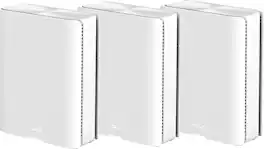
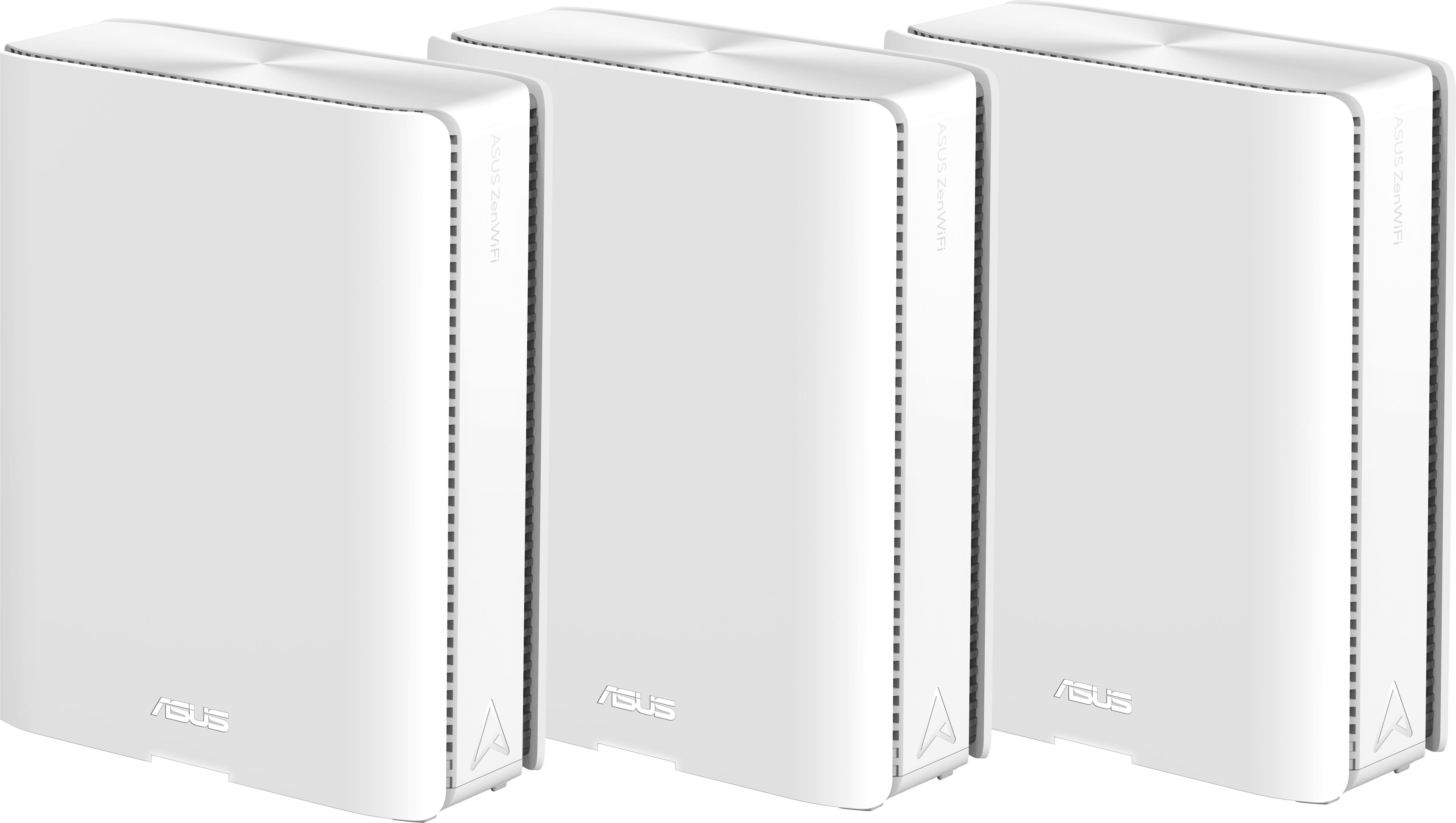
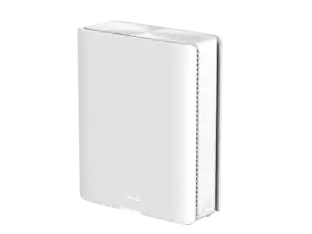
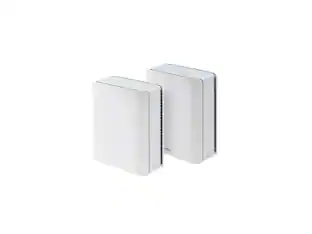
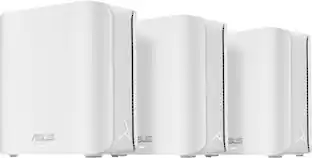
ASUS - ZenWiFi BE30000 Quad-Band Mesh Wi-Fi 7 System (3-Pack) - White

Model: ZenWiFi BE30000
SKU: 6578392
$999.99
Save $400
Comp. Value: $1,399.99
or
$41.67/mo.
suggested payments with24-Month Financing
Show me how
Finance OptionsView your offers
Special OffersOn related products
Standard Geek Squad Protection
Availability
Fulfillment Options
Pickup at
Act fast - Only 1 left at your store!
Sold by Best Buy

Highlights

  • Key Specs
    • Wi-Fi Mesh System: true (A single wireless network consisting of a main router (connected directly to a modem) that connects to a series of satellite modules or nodes placed around the home. Routers with this capability promote stronger, faster wireless signals as well as increase Wi-Fi coverage by reducing interference and eliminating dead zones.)
    • Number of Wi-Fi Satellites Included: 3 (Quantity of Wi-Fi satellite modules/nodes for a Wi-Fi Mesh System that come with the product.)
    • Number Of LAN Ports: 4 (Number of devices able to be connected to the Local Area Network (LAN). LAN ports allow wired connections to other networking devices (wireless access points, range extenders, etc.) in order to share the internet connection received through a WAN port.)
    • Wi-Fi Speed: 30 gigabits per second (The maximum rate at which data is transferred between a network device and wireless router.)
    • Works With: Amazon Alexa (Compatible with or able to be connected to other smart devices or applications.)
  • General
    • Brand: ASUS
    • Model Number: ZenWiFi BE30000
    • Product Name: ZenWiFi BE30000 Quad-Band Mesh Wi-Fi 7 System (3-Pack)
    • Color: White
  • Security
    • Data Encryption: true
    • Encryption Type: WPA-Personal, WPA2-Personal, WPA3-Personal, WPA-Enterprise, WPA2-Enterprise (The security protocols or certification programs that protect the Wi-Fi network.)
    • Firewall Type: NAT, SPI (The method the firewall uses to filter and process data to increase network security, primarily by blocking malicious traffic requests while allowing legitimate traffic through.)
    • Security Features: AiProtection Pro network security / Instant Guard
    • Parental Controls: true (Allows user to block unwanted content, signals, channels, networks, etc. from being received or accessed.)
  • Network
    • Quality Of Service (QoS) Traffic Prioritization: true (Allows a user to manage a device's network performance by configuring the types of traffic that receive top priority for transmission. High priority functions and applications receive maximum network performance, while low priority traffic receives minimum performance.)
    • Band Technology: Quad (Refers to the number of frequency bands used to wirelessly transmit an internet signal. For example, dual-band devices may use one 2.4 and one 5 GHz band, while tri-band devices may use one 2.4 and two 5 GHz bands. Multiple bands also provide more flexibility for designating connected devices to specific band use.)
    • Ethernet Standard: 10/100/1000/2500/10000 (Each standard is a variation of the IEEE 802.3 set of computer networking technologies known as Ethernet. New versions evolved to include higher bandwidth, different physical media, and other new and improved features. Standards are often denoted by speeds (in Megabits per second). For example, a 10/100/1000 Ethernet port transmits at 10 Mbps, 100 Mbps, and 1000 Mbps (1 Gbps).)
    • Number of Antennas: 12
    • Frequency Band: 2.4 GHz, 5.0 GHz, 6.0 GHz, 6.0 GHz (Bands may be grouped into categories such as low- and high-band VHF (Very High Frequency), low- and high-band UHF (Ultra High Frequency), or certain frequency channels (measured in MHz or GHz). Generally, higher frequencies transmit information faster but have shorter range than lower frequencies.)
    • Wireless Networking Standard: Wi-Fi 7 (The wireless networking standard used by the device. Each iteration of the standard developed by the Wi-Fi Alliance corresponds to an existing IEEE 802.11 protocol; for example, standard 802.11ac (or AC) is termed Wi-Fi 5. Refers specifically to the standard the device is designed to use, but ultimately determines product interoperability and backward compatibility including previous versions.)
    • Wireless Standard: BE, AX, AC, N (The wireless networking protocol used by the device. Each iteration of the protocol is based on the 802.11 standard developed by the Institute of Electrical and Electronics Engineers (IEEE) Standards Association. Denoted by letters following 802.11 (802.11a, 802.11ac, etc.), each version, published in alphabetical order, encompasses all previous versions.)
    • Input/Output Technology: MU-MIMO (Multi-user Multiple-Input Multiple Output) (Generally, multiple-input multiple-output communication technologies allow for more signals to be transmitted at a single time, which can improve the device's overall performance.)
    • Number of 2.4Ghz Streams: 4 (A router's streams are like lanes on a highway. The more streams a router has, the less traffic congestion. Because the 2.4 GHz band is used to transmit wireless signals to a wide variety of devices, there is often high amounts of traffic on that stream. But with multiple streams, each can be designated to a specific device for optimal performance. For example, if one 2.4 GHz stream is assigned to one device, such as a desktop computer, it leaves the remaining streams open for guest users, devices that use more data, or devices with specific band compatibility.)
    • Number of 5.0Ghz Streams: 4 (A router's streams are like lanes on a highway. The more streams a router has, the less traffic congestion. The 5.0 GHz band provides high speed, short-range data transmission and typically has less traffic than the 2.4 GHz band. With multiple streams, each can be designated to a specific device for optimal performance. For example, if one 5.0 GHz stream is assigned to one device, such as a streaming media player, it leaves the remaining streams open for guest users, devices that need less data, or devices with specific band compatibility.)
    • Number of 6.0Ghz Streams: 8
    • Wi-Fi Mesh System: true (A single wireless network consisting of a main router (connected directly to a modem) that connects to a series of satellite modules or nodes placed around the home. Routers with this capability promote stronger, faster wireless signals as well as increase Wi-Fi coverage by reducing interference and eliminating dead zones.)
    • Number of Wi-Fi Satellites Included: 3 (Quantity of Wi-Fi satellite modules/nodes for a Wi-Fi Mesh System that come with the product.)
    • Number of Wi-Fi Satellites Supported: 50 (Maximum quantity of Wi-Fi satellite modules/nodes that are able to be connected to the main router in a Wi-Fi Mesh System.)
    • Wired Backhaul: true (Also known as Ethernet backhaul or backbone, this capability can be enabled to directly wire a secondary router or satellite to the main router via Ethernet cable. This connection allows for faster and more stable data upload.)
    • Ethernet Switch: true (Connects multiple devices to expand the Local Area Network (LAN).)
  • Certifications Listings & Approvals
    • ENERGY STAR Certified: false (Devices carrying the ENERGY STAR service mark, such as computer products and peripherals, kitchen appliances, and other products, generally use 20% to 30% less energy than required by federal standards.)
  • Features
    • App Compatible: true (The product can be connected to a program or software application on a mobile device, which then receives collected data from the product.)
    • App Name: ASUS Router APP
    • Beamforming: true (A signal processing technique that enables a router to focus a Wi-Fi signal in a specific direction. The router determines where a connected device in the network is located and projects a stronger signal in that specific direction. This can result in faster and higher quality data transfer as well as reduced signal interference.)
    • Integrated Modem: false
    • Wireless: true
  • Ports
    • Number Of WAN Ports: 2 (Number of devices able to be connected to the Wide Area Network (WAN). This type of port may simply be labeled "Internet," and it allows the device to share its internet connection with all devices connected to it via LAN ports.)
    • Port Type(s): RJ-45, USB (USB 2.0 connects external drives, gaming controllers, smartphones, MP3 players and other accessories.USB 3.0 transfers data faster than USB 2.0, but only when used with USB 3.0 devices.USB Type-C provides fast speeds and versatile power, featuring connectors with identical ends that plug in upside down or right side up. Adapters allow for video as well as backward compatibility.Thunderbolt provides ultra-high bandwidth for fast data transfer between devices featuring a Thunderbolt or MiniDisplayPort connection.HDMI allows you to connect a projector or display HD media on your HDTV or monitor.Media card slots allow you to transfer photos from your digital camera or camcorder.)
    • Number Of LAN Ports: 4 (Number of devices able to be connected to the Local Area Network (LAN). LAN ports allow wired connections to other networking devices (wireless access points, range extenders, etc.) in order to share the internet connection received through a WAN port.)
  • Speed
    • Wired Speed: 10000 megabits per second (The maximum rate at which data is transferred between a network device and router using an Ethernet cable.)
    • Wi-Fi Speed: 30 gigabits per second (The maximum rate at which data is transferred between a network device and wireless router.)
    • Gigabit Ethernet Speed: true (Supports the gigabit Ethernet networking standard, which has a data rate of at least one gigabit per second, or 1,000 Mbps.)
  • Compatibility
    • Bluetooth Enabled: false (The device is capable of communicating with another device via Bluetooth, provided they are within the required range of each other. A Bluetooth-enabled device must also be the same Bluetooth version or higher than the accessory it is intended to pair with.)
    • Works With: Amazon Alexa (Compatible with or able to be connected to other smart devices or applications.)
  • Dimensions
    • Product Height: 8.43 inches (The out of box height of the item. Height is measured as the vertical distance from the bottom of the item to the top as it would be primarily used or placed.)
    • Product Length: 2.83 inches (The out of box length of the item. Length is measured as the longest dimension of the item.)
    • Product Width: 6.86 inches (The out of box width of the item. Width is measured as the horizontal distance from one side of the item to the other as it would be primarily used or placed.)
    • Product Weight: 2.96 pounds (The out of box weight of the item.)
  • Warranty
    • Warranty - Parts: 3 years
    • Warranty - Labor: 3 years
  • Other
    • UPC: 197105414860

Award-winning meshes bring next-gen Wi-Fi 7 speeds of up to 30 Gbps, extendable coverage of up to 11000 sq. ft. (3pk) for your worry-free smart home.

  • Wireless Technology: Quad-band AiMesh unlocks Wi-Fi 7 potential in all bands, plus AI-enhanced dedicated 6 GHz backhaul helps to ensure congestion-free connections.
  • Smart Home Master: Smart Home Master inside the ASUS router mobile app provides easy, powerful subnetwork setup and management for IoT devices, VPNs, and parental control.
  • Multi-link Operation (MLO): With MLO technology, the devices can simultaneously transmit and/or receive across different bands and channels. The parallel links increase the throughput to the device, lower the latency and improve reliability.
  • Ethernet connectivity: Maximized wired connectivity and flexibility with dual 10G ports and three GB ports
  • AiMesh: Quad-band AiMesh unlocks Wi-Fi 7 potential in all bands, plus AI-enhanced dedicated 6 GHz backhaul helps to ensure congestion-free connections.
  • 1 USB 3.0 port: Allows you to connect a printer and enjoy 3G and 4G file sharing.
  • Auto detecting and auto sensing: To simplify device connectivity.
  • ASUS AiProtection: Utilizing the powerful network security solutions and cloud data centers from Trend Micro, it protects your smart home and all connected devices from online threats.
  • Parental Controls: Protect your kids online with our robust parental controls offered through a free subscription. You can effortlessly monitor your kids’ online activity and customize settings for each connected device.
  • Wireless Technology: Quad-band AiMesh unlocks Wi-Fi 7 potential in all bands, plus AI-enhanced dedicated 6 GHz backhaul helps to ensure congestion-free connections.
  • Smart Home Master: Smart Home Master inside the ASUS router mobile app provides easy, powerful subnetwork setup and management for IoT devices, VPNs, and parental control.
  • Multi-link Operation (MLO): With MLO technology, the devices can simultaneously transmit and/or receive across different bands and channels. The parallel links increase the throughput to the device, lower the latency and improve reliability.
  • Ethernet connectivity: Maximized wired connectivity and flexibility with dual 10G ports and three GB ports
  • AiMesh: Quad-band AiMesh unlocks Wi-Fi 7 potential in all bands, plus AI-enhanced dedicated 6 GHz backhaul helps to ensure congestion-free connections.
  • 1 USB 3.0 port: Allows you to connect a printer and enjoy 3G and 4G file sharing.
  • Auto detecting and auto sensing: To simplify device connectivity.
  • ASUS AiProtection: Utilizing the powerful network security solutions and cloud data centers from Trend Micro, it protects your smart home and all connected devices from online threats.
  • Parental Controls: Protect your kids online with our robust parental controls offered through a free subscription. You can effortlessly monitor your kids’ online activity and customize settings for each connected device.
Whats Included
  • ZenWiFi BE30000 (3-Pack)
  • Network Cable (RJ-45)
  • Power Adapter
  • Quick Start Guide
  • Warranty Card
  • ZenWiFi BE30000 (3-Pack)
  • Network Cable (RJ-45)
  • Power Adapter
  • Quick Start Guide
  • Warranty Card

Q: What kind of security features does this router have?

A: This router includes ASUS AiProtection Pro network security and Instant Guard to protect your network.

Q: How many antennas does this router have?

A: This router is equipped with 12 antennas.

Q: Does this mesh router system support wired backhaul?

A: Yes, the ZenWiFi BE30000 supports wired backhaul for a more stable connection.

Q: What wireless networking standard does this router use?

A: This router utilizes the Wi-Fi 7 wireless networking standard.

Q: Does this router offer parental control features?

A: Yes, it offers robust parental controls through a free subscription, allowing you to monitor and customize settings for each connected device.

Q: How many devices can connect to this mesh network?

A: The ZenWiFi BE30000 mesh network can support up to 200 connected devices.

Q: What is the maximum wired speed supported by this router?

A: This router supports a wired speed of up to 10000 megabits per second.

Q: Can the ET12's be used as satellites with the BE30000?

A: Yes. That'll work best with wired backhaul though considering the available bands, and the ET12 being tri-band versus quad-band. The BE30000 can negotiate 2.5gbe on its 10gbe ports. You'll also want to make sure the BE30000 is on the latest firmware. The ET12 won't support many of the BE30000's features, but if those are your only devices it'd still be best to have the BE30000 set up as the primary router. If your buying the 3pk of BE30000 you may not need the ET12, as the BE30000 does have even better coverage. Meaning you may be able to use the ET12 for something else, or maybe sell it. There are still some issues with the implementation of Guest Network Pro on the BE30000's firmware, particularly with the 2.4Ghz band while using non-BE30000 nodes. So, you might want to set up the ET12 as a separate AP versus a MESH node as something like a dedicated IOT AP. At least until, and if, there are some firmware updates to resolve the 2.4Ghz issues with nodes while using Guest Network Pro, it may be easier to set up a different AP for that band.

Sponsored

Compare similar products

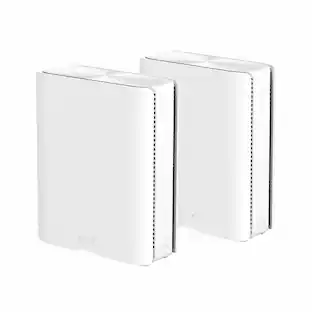
ASUS - ZenWiFi BE30000 Quad-Band Mesh Wi-Fi 7 System (3-Pack) - White

Award-winning meshes bring next-gen Wi-Fi 7 speeds of up to 30 Gbps, extendable coverage of up to 11000 sq. ft. (3pk) for your worry-free smart home.

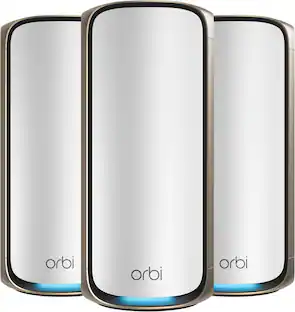
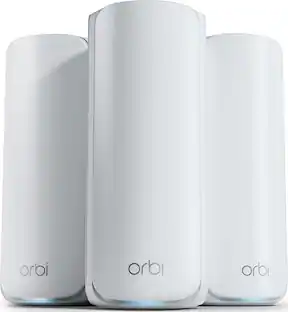
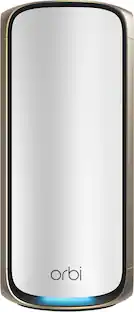
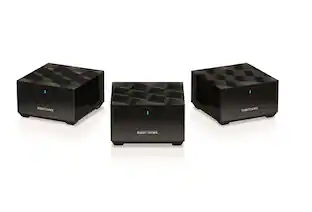
NETGEAR - Orbi 970 Series BE27000 Quad-Band Mesh Wi-Fi 7 System (3-pack) - White

Orbi Wi-Fi 7 is in a class of its own, designed for a new era of entertainment, hybrid work, and smart home convenience. The Orbi 970 Series unlocks the power of Wi-Fi 7 with speeds up to 27Gbps, 2.4X faster than Wi-Fi 6. Exclusive, patented Quad-Band technology with Enhanced Dedicated Backhaul ensures Wi-Fi stays fast across all devices simultaneously. In addition, the Orbi 970 brings exceptional 360° Wi-Fi coverage across every corner of your home, regardless of the layout, from the front door to the back yard and the basement to the rooftop. It includes a 1-year subscription of NETGEAR Armor, all-in-one internet security protection.

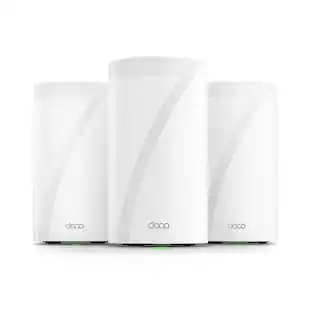
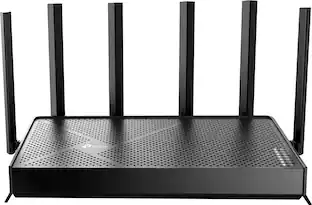
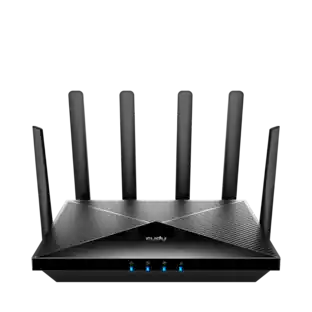
TP-Link - Deco BE65 Pro BE11000 Tri-Band Wi-Fi 7 Whole Home Mesh Router System (3-pack) - White

Supercharged by the latest Wi-Fi 7 technology, the Deco BE65 Pro mesh system takes the power and efficiency of your Wi-Fi network to new heights. Delivering combined speeds of up to 11 Gbps on three bands, this powerhouse is an ideal solution for future-proofing your home network, all thanks to Wi-Fi 7 features such as MLO, 320 MHz channel, and 4K-QAM.1,4 Two 5 Gig ports and one USB 2.0 port allow for maximum expandability. With built-in AI-Roaming technology, it creates the ideal Wi-Fi solution with its advanced algorithms and self-learning. Walk through your home and enjoy seamless streaming at the fastest possible speeds‡. TP-Link HomeShield keeps your home network safe with cutting-edge network and IoT protection.5

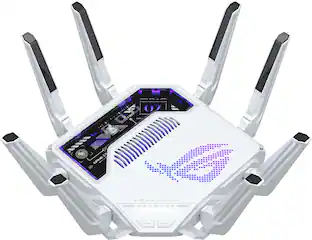
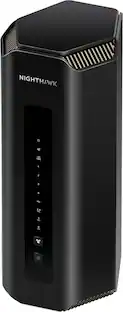
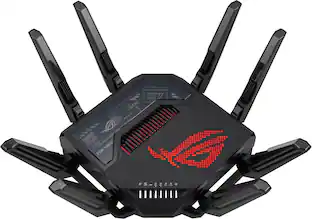
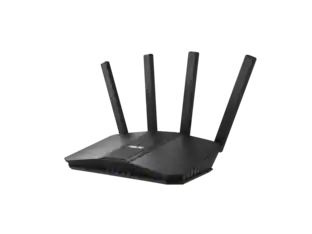
ASUS - ROG Rapture GT-BE98 Pro BE30000 Quad-Band Wi-Fi 7 Gaming Router - Black

GT-BE98 Pro Quad-band Wi-Fi 7 (802.11be) Gaming Router, support new 320 MHz bandwidth & 4096-QAM, dual 10G ports, backup WAN, Triple-level Game Acceleration, Mobile Game Mode, AURA RGB, AiMesh support, subscription-free network security and comprehensive VPN features

Pros for ASUS - ZenWiFi BE30000 Quad-Band Mesh Wi-Fi 7 System (3-Pack) - White
Speed, Coverage, Performance, Range, Signal StrengthSpeed, Coverage, Setup, Performance, Ease of useSpeed, Performance, Setup, Coverage, ConnectivitySpeed, Connectivity, Setup, Range, Overall Performance
Cons for ASUS - ZenWiFi BE30000 Quad-Band Mesh Wi-Fi 7 System (3-Pack) - White
Connectivity, Price, Firmware, SetupConnectivity, Price, Size, App, Parental ControlsSizeSize, Firmware, Heat Dissipation

Specs

Reviews

Customers are saying

Customers admire the ZenWiFi BE30000's ease of setup, impressive coverage and range, and strong performance. Many appreciate the robust signal strength and the user-friendly app, although some experienced connectivity issues with the nodes. The high price point is a recurring concern for some buyers. While the WiFi 7 capabilities are praised, concerns remain regarding firmware stability.

This summary was generated by AI based on customer reviews.

Customer Images

The vast majority of our reviews come from verified purchases. Reviews from customers may include My Best Buy members, employees, and Tech Insider Network members (as tagged). Select reviewers may receive discounted products, promotional considerations or entries into drawings for honest, helpful reviews.

  • Rated 4 out of 5 stars

    Great once you get it setup/connected.

    I really like this mesh system now that I got it up and running. I did drop it from 5 to 4 stars as the firmware has some minor bugs still (They have come a long way in the last year though). Specifically, the router has issues obtaining the WAN IP address from the ISP modem. I had to power cycle both the modem and the router (left router off for several minutes after modem rebooted) and then it finally got the IP. But if you don't wait 5 minutes before powering up the router it will just sit there and say its "obtaining..." the IP address and never do it. Speed on wifi off these is insane! By the way, the white flat surface of the routers are just begging to have something on them...I personalized mine with some favorite characters by ordering vinyl stickers (see pics).

    Posted by Brent

  • Rated 5 out of 5 stars

    The Wi-Fi System of the Future!

    Pros: Extremely fast speeds! Truly WiFi 7 Very wide coverage Simple setup process Plenty of customization options Cons: On the expensive side After reading many WiFi 7 router reviews, I have been wanting to experience the speed of WiFi 7! Although TP-Link released its WiFi 7 Mesh last year, I decided to wait for the ASUS one since I have been using ASUS routers for years with satisfying experiences. I finally got my hands on the BE30000 after waiting for over a year. It turns out the wait was worth it. I used the WebGUI for setup, and everything was as usual – I took the three BE30000 units out of the box, placed them at least one meter apart as instructed, and powered them on. I connected the unit labeled "main router" to the modem. Then I logged into the web interface and followed the on-screen instructions to complete the setup. The nodes' LEDs flashed blue during the process. Although it took a while, they eventually connected successfully, with all three BE30000 units showing solid white LEDs. After the basic setup, I moved the two nodes to the bedroom and near the kitchen, and the backhaul connection remained in MLO mode. By the way, the MLO feature in WiFi 7 was the most anticipated for me, so seeing "MLO" connected on the screen was incredibly exciting! One reason I really like ASUS is the wide range of customization options it provides. With the BE30000, ASUS has updated the Guest Network settings, allowing for easy network segmentation. I can set up different SSIDs for different purposes and manage devices separately. I found the VPN network most helpful for me. I no longer need to frequently switch VPN connections; I just connect to the VPN Network SSID. Additionally, the subscription-free security features are fantastic. The AiProtection Pro provides real-time network monitoring, automatic security updates, and protection against malicious websites and intrusions—all at no extra cost. It’s incredible that these comprehensive security features are offered for free. I was really impressed with how the ZenWiFi BE30000 covers every corner of my house. In the past, some areas only had one or two bars of WiFi signal, which was barely usable, but now I get three bars everywhere. Being able to use the internet smoothly everywhere is fantastic! I can now watch videos anywhere without being limited to areas with good signal because the signal is great everywhere. In conclusion, if you want to experience the speed boost brought by WiFi 7, the ZenWiFi BE30000 is definitely a great choice. Its sleek design, stable and high-speed network, and rich customization features make it highly recommended.

    Posted by LauraL

  • Rated 5 out of 5 stars

    High Performance and Easy Setup

    Considering my work-from-home needs, I often need to transfer large files and hold video conferences. I also have many devices at home that require internet connectivity. The WiFi system I was using seemed outdated and overloaded: File transfers were slow, and video conferences were often lagging, so I decided to find a replacement, hoping it would improve network stability and provide faster speeds to meet my home office needs. On the recommendation of a friend familiar with router products, I purchased the BE30000. Initially, I was worried that the setup would be time-consuming after reading some reviews, but following the app's instructions, the setup was very easy. The app interface is very intuitive, with clear and simple steps. From connecting the main router to adding nodes and setting up the Wi-Fi name and password, the entire process was seamless. After completing the setup, I noticed there was a firmware available for update, so I immediately updated to the latest version. The process was very simple; just press "update," and the system automatically completes everything. The advanced settings in the app let me adjust network configurations as needed, such as setting up a kid’s network and IoT network. It's very convenient for device management. Now I can change the settings of the main network without the trouble of reconnecting my home devices. I've been using it for a few days now, and everything is working great. I'm very satisfied. The Wi-Fi signal is very stable and has wide coverage. The speed tests met my expectations, and there were no lags during conference calls. Additionally, file transfer speeds have increased significantly, saving me a lot of time, and improving my mood!

    Posted by Mike

Sponsored

Similar products from outside of Best Buy

sponsored

Finance Options

My Best Buy® Credit Card
Choose a benefit:
$41.67/mo.suggested payments with 24-Month Financing
Or
10% back in rewardson your first day of purchases when approved for the My Best Buy® Credit Card.
Buy Now, Pay Later
8 payments starting at $125.00
Lease to own
Apply today with no credit needed and enjoy flexible payment options.

Special Offers

Top Offers
Trending
Save $50 on outdoor router with purchase