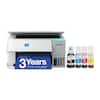
Brother - INKvestment 4355 Wireless All-in-One Inkjet Printer with 1.8” Color Display (MFC-J4355DW) + Print Like A Pro Bundle
SKU: 12905526
Reviews coming soon
Reviews coming soon
What's In The Box: Brother MFC-J4355DW All-in-One Printer|Starter Black INKvestment Tank Cartridge (approx. 1,800 pages)|Starter Cyan Ink Cartridge (approx. 750 pages)|Starter Magenta Ink Cartridge (approx. 750 pages)|Starter Yellow Ink Cartridge (approx. 750 pages)|Power Cord|Quick Setup Guide|Product Safety and Warranty Information|Deco Gear Print Like a Pro - Deco Essentials Guide|Deco Essentials High Speed 6-foot USB Type B 2.0 Printer Cable to USB Type-C & USB A --- The Brother MFC-J4355DW INKvestment Tank All-in-One Printer is a powerful and compact solution designed for small offices and home workspaces. With fast print speeds, high-yield ink efficiency, and multi-function capabilities, this printer offers Print, Copy, Scan, and Fax all in one device. Its INKvestment Tank system helps reduce running costs by combining internal ink storage with long-lasting cartridges. Additional features include automatic two-sided printing, a 1.8-inch color display, and wireless/mobile connectivity through Brother Mobile Connect, Apple AirPrint, and Mopria. Reliable, efficient, and feature-packed, it's an excellent choice for daily productivity.
This multifunction printer makes it easy to print, copy, scan, and fax —all in one compact printer. Includes one 1,800-page yield black cartridge and one 750-page yield cartridge for each color in cyan, yellow, and magenta.
Enhance your workflow with Wi-Fi Direct, which allows you to print wirelessly even without an external network connection.
Print from and scan to popular Cloud apps(, including Google Drive, Dropbox, Box, OneDrive, and more with an impressive 1.8" color display that enhances clarity and ensures effortless operation.
A 150-sheet paper tray(, 20-page single-sided automatic document feeder (ADF)(2), and automatic duplex (2-sided) printing, plus a 1-sheet manual feed slot(2) provide advanced media-handling capabilities.
Connect your way. Interface with your printer on your wireless network or via USB.
We’ll try to get your question answered within 24 hours by a Best Buy customer or brand representative.

Learn more >