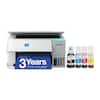
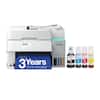
Canon - MAXIFY Megatank GX4020 Wireless All-In-One Supertank Inkjet Printer with Fax - White
Model: 5779C002
SKU: 12633592
Customers often highlight the phenomenal print quality and the straightforward setup process as standout features of this printer. Users also appreciate its ease of use, compact size, and overall reliable performance. While the device is generally well-regarded, some customers have noted that it can be a bit noisy during operation and occasionally slow to connect.
Get the job done easy with an intuitive and easy to use 2.7” LCD touch screen.
Print up to 6,000 black pages / 14000 color pages with just a single set of inks.6
Medium resolution for producing sharp text, even at 6 points or smaller, and graphics with thin lines and curves.
Built-In Ethernet connection for Wired LAN support.
Easy Wi-Fi setup in minutes. Connect to Wi-Fi without the need for a computer.
Print from your favorite mobile devices using the free Canon PRINT app, Apple AirPrint and Mopria Print Service.
Print on both sides of the page without turning it over manually, to minimize your printing costs and help the environment.
Automatically print 2-sided documents, scan documents to your computer or directly to e-mail, send quick faxes and more.
They offer excellent print quality for photos and documents and accept a variety of paper types and sizes.
The ink bottles have a "keyed nozzle" design to only fit and fill the correct colo ink tank.
Get running in just a few minutes thanks to a streamlined and easy setup process out of the box.
Not only are the MAXIFY GX series printers packed with features, they're also designed small to fit your workspace.
Copy multi-page documents with ease with the 35-sheet ADF.
Page yield is the estimated value based on Canon individual testing method using ISO/IEC 24712 test chart and continuous printing simulation with full set of replacement ink bottles after initial setup.
Warranty is effective for three (3) years from date of original purchase or the printing of 80,000 pages, whichever comes first. Warranty program is subject to certain conditions and restrictions. See www.usa.canon.com/maxify-gx-series-warranty for details.
Wireless printing and scanning requires a working network with wireless 802.11b/g/n capability, operating at 2.4GHz or 5.0GHz. Wireless performance may vary based on terrain and distance between the printer and wireless network clients.
Requires an Internet connection and the Canon PRINT Inkjet/SELPHY app, available for free on the App Store and at Google Play. Your device must be connected to the same working network with wireless 802.11 b/g/n capability as your printer
AirPrint functionality requires a compatible iPad, iPhone, or iPod Touch device running iOS 7.0 or later, and an AirPrint-enabled printer connected to the same network as your iOS device. A printer connected to the USB port of your Mac, PC, AirPort Base station, or Time Capsule is not supported.
Requires Android mobile device with Android 4.4 operating system or later with the Mopria Print Service pre-loaded with that device and the compatible PIXMA printer on the same wireless network.