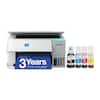
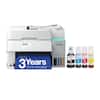
Canon - PIXMA Megatank G6020 Wireless All-In-One Supertank Inkjet Printer - Black
Model: 3113C002
SKU: 6356231
Sold byBest Buy
Customers are pleased with the exceptional print quality and the overall ease of use that this printer provides. While users appreciate the straightforward setup and reliable performance, some have noted concerns regarding the lack of a backlit display and occasional connectivity issues. Additionally, a few users mentioned that the control panel can be difficult to read and that the device produces some noise during operation.
Produces a 4" x 6" borderless photo-quality print in 45 seconds.*
Ask a compatible voice assistant (device required) to help you print shopping and to-do lists, various crossword puzzles and games, coloring activities, comics and more.
Use the Google Assistant (device required) to print your Google Calendar, various crossword puzzles and games, comics and more.
This inkjet printer offers excellent print quality for photos and documents and accepts a variety of paper types and sizes.
Connect this printer to your home or office network with built-in Ethernet or wireless LAN. You can also print from your mobile device with the free Canon PRINT app or Apple AirPrint.
You can use it for Apple iPad and iPhone printing.
High resolution allows producing incredible quality and detail in documents and photos.
Only replace the ink tank you need when a color runs out. Three dye-based inks produce vivid color in photos, and the pigment-based black ink provides crisp text.
Reload less often with 250-sheet front and 100-sheet rear input trays.
Easily input commands for printing, copying, and scanning directly from the printer.
The high-speed USB 2.0 port offers a standard connection to your PC.
Automatically print two-sided documents, scan documents to your computer or directly to e-mail.
Apple, the Apple logo, iPod, iPad, and Apple AirPrint are trademarks of Apple Computer, Inc., registered in the U.S. and other countries.
Requires high-speed Internet connection.
* Print speeds vary with use. See manufacturer for the information on print speeds.