Canon - PIXMA TR7020a Wireless All-In-One Inkjet Printer - Black
Model: 4460C052
SKU: 12839819
Customers are enthusiastic about the printer's exceptional print quality and its remarkable ease of use. Users frequently highlight the smooth wireless connectivity and the quiet operation as standout features that make the device a perfect fit for their office space. While the overall performance and value are highly praised, some users have noted that the accompanying software can be slightly challenging to navigate.
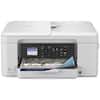
The TR7020a features a compact design that matches your home or work space. With Front & Rear Paper Feeding you can simultaneously hold plain paper in the front cassette and extend the rear tray when you want to print on photo paper or other paper types.
Get started with Easy Setup for smartphone and computer. Printing/copying/scanning is a breeze with a clear 1.44” OLED Display and built-in Auto Duplex so you can use less paper when printing large documents.
Copy or scan mult-page documents like contracts or reports with ease using the built-in Compact Auto Document Feeder.
Print from your smartphone or tablet quickly and easily using Apple AirPrint4, Mopria Print Service5, or the Canon PRINT App3. You can also download the Easy-PhotoPrint Editor app6 or Canon Creative Park App for more printing options.
* Failure to connect your PIXMA Printer to the Internet will impact Canon’s ability to ship PIXMA Print Plan Cartridge(s) on a timely basis.

Learn more >