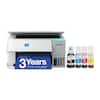
Canon - PIXMA TR7820 Wireless All-In-One Inkjet Printer - White
Model: 6258C002
SKU: 12633589
Customers enjoy the excellent print quality and the overall performance of this printer. Users also frequently highlight how simple the setup process is and appreciate the device's ease of use. While the printer is generally well-regarded, some customers have noted occasional issues with connectivity and a higher noise level during operation.
Print, copy and scan features for full control at your fingertips.
Print approximately 15 (black) / 10 (color) images per minute.6
Get running in just a few minutes thanks to a streamlined and easy setup process out of the box.
Print full color with only 2 (no mess) easy-to-replace ink cartridges.
Get the job done with an intuitive and easy to use 2.7” LCD touchscreen.
Stable and reliable connection with Dual Band Wi-Fi (2.4GHz or 5GHz).
Built in Auto Duplex Printing for convenience & paper savings
Easy Wi-Fi setup in minutes. Connect to Wi-Fi without the need for a computer.¹
Print from your compatible mobile devices using the free Canon PRINT app², Apple AirPrint³, and Mopria Print Service⁴.
Print on envelopes, business cards, high resolution paper, banners, and more!
Be creative with POSTER ARTIST Online, a free web-based poster creation software you can use to create banners, signage and more!⁶
Works with chromebook, so you can print schoolwork and other documents hassle-free.
Have peace of mind with a 1-year warranty. *
* Failure to connect your PIXMA Printer to the Internet will impact Canon’s ability to ship PIXMA Print Plan Cartridge(s) on a timely basis.
*Warranty program is subject to certain conditions and restrictions. 1-Year limited warranty with InstantExchange Program. 1-Year toll-free 100% U.S.-based technical phone support.
1. Requires a smart device with the Canon PRINT Inkjet/SELPHY app installed and connected to the desired active wireless network to complete cableless setup.
2. Requires an Internet connection and Canon PRINT Inkjet/SELPHY app, available for free on the App Store & Google Play. Compatible with iPad, iPhone 3GS or later, and iPod touch 3rd generation or later devices running iOS 12.0 or later, and Android mobile devices running Android 4.4 or later.
Your device must be connected to the same working network with wireless 802.11 b/g/n capability as your printer. Requires a compatible social media account and is subject to that social media account’s Terms of Service. Certain exceptions may apply.
3. AirPrint functionality requires a compatible iPad, iPhone, or iPod Touch device running iOS 7.0 or later, and an AirPrint-enabled printer connected to the same network as your iOS device. A printer connected to the USB port of your Mac, PC, AirPort Base station, or Time Capsule is not supported.
4. Requires Android mobile device with Android 4.4 operating system or later with the Mopria Print Service pre-loaded with that device and the compatible PIXMA printer on the same wireless network.
5. PosterArtist Online Version requires a personal computer with Internet access and a compatible Canon printer. The service is not available on some operating systems or browsers. See usa.canon.com/ PosterArtist for details.
6. Print and/or copy speed is based on internal testing. It may vary depending on the number of copies selected, as well as the settings for size, type, and orientation of paper, and whether two-sided is selected. In addition, first-print speeds may vary based on warm-up time and other restrictions.

Learn more >