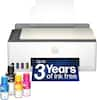
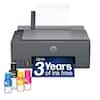
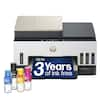
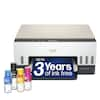
Epson - EcoTank ET-15000 Wireless All-In-One Wide-format Supertank Inkjet Printer - White
Model: C11CH96201
SKU: 10839849
Customers express satisfaction with the printer's beautiful print quality, overall performance, and user-friendly design. While the setup process is generally praised for being straightforward, some users have noted concerns regarding network connectivity and the device's operational noise. Additionally, a few customers mentioned that the printer is quite large and that scanning at higher resolutions can be a slow process.
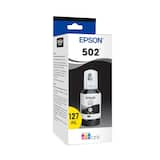
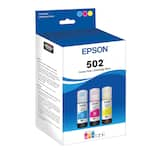
No more tiny, expensive ink cartridges; each ink bottle set is equivalent to about 80 individual cartridges (4)
Save up to 90% with replacement ink bottles vs. ink cartridges (1) – that’s enough to print up to 7,500 pages black/6,000 color (3)
Up to 2 years of ink in the box (2) – and with every replacement ink set – for fewer out of ink frustrations
Epson’s exclusive EcoFit ink bottles make filling easy and worry-free
By using an EcoTank printer, you can help reduce the amount of cartridge waste ending up in landfills
Print up to 13" x 19" and on specialty media through rear feed; copy and scan up to 8.5" x 14" via ADF
Auto 2-sided printing; 2.7" color touchscreen; borderless printing up to 11" x 17"; hands-free voice-activated printing (5)
Easily print from your smart device (6) with the intuitive Epson Smart Panel app (7); includes Wi-Fi Direct (8) for network-free printing
Key security features, including WPA2 for both wireless and Wi-Fi Direct (8), user-initiated data erase and network protocol disablement
For optimal print quality and performance. Non-genuine ink could cause damage not covered by the printer’s limited warranty
Will the print head nozzles dry and plug up when there is long-term nonuse?
Hi Pjm, If you do not use any ink jet printer, including the ET-15000, for an extended period of time nozzle issues can occur. In order to prevent this, print something once a week. Even a nozzle check, which uses minimal ink will work. Regards, Mark - The Epson Team.

Is there a direct phone number for Epson to reach their USA support location without being routed offshore? Thanks.
Hi Sunshine. Yes, you can contact our Advanced Support Team directly at 1-800-241-5794 between 7 am - 4 pm (PT), Monday - Friday. Regards, Bobby - The Epson Team.

Can I print wirelessly from my smartphone or tablet?
Yes, you can print wirelessly from your smartphone or tablet using the Epson iPrint mobile app or Apple AirPrint.
Does this printer offer two-sided printing?
Yes, the Epson EcoTank ET-15000 offers automatic two-sided printing.
How much ink is included with the Epson EcoTank ET-15000?
The Epson EcoTank ET-15000 comes with enough ink to print for up to 2 years.