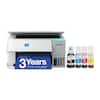
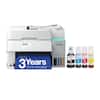
Epson - Expression Premium XP-7100 Wireless All-In-One Inkjet Printer - Black
Model: C11CH03201
SKU: 6280710
Customers have good things to say about this printer, particularly highlighting its amazing print quality and user-friendly interface. Users also appreciate its compact size, straightforward setup process, and reliable wireless connectivity. While the overall performance and quiet operation are frequently praised, some users noted that the motorized paper tray is a specific feature to be aware of.
Creates a 4" x 6" photo-quality print in as little as 12 seconds.*
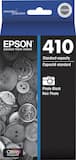
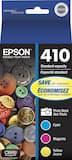
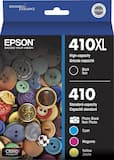
Enter your printer's model number into our Ink and Toner Finder to find compatible cartridges.
This inkjet printer offers excellent print quality for photos and documents and accepts a variety of paper types and sizes.
Connect this printer to your home or office network with built-in Ethernet or wireless LAN. Plus, print from your mobile device with the free Epson iPrint app or Apple AirPrint.
Epson Connect enables simple wireless printing from most smartphones, tablets and more.
Allows Apple iPad and iPhone printing.
High resolution for producing incredible quality and detail in documents and photos.
Only replace the ink tank you need when its color runs out. Four dye-based inks produce vivid color in photos, and the pigment-based black ink produces crisp text.
100-sheet input, 20-sheet dedicated photo and 30-sheet output tray.
You can use the large, intuitive 4.3" touch screen to view, edit and print photos directly from connected devices.
The built-in memory card slots and USB port let you simply plug in your memory card, USB drive, camera or other device and print.
Print on both sides of the page without turning it over manually to minimize your printing costs and help the environment.
This printer comes with a 30-page Auto Document Feeder (ADF) and automatic two-sided print/copy/scan feature.
Apple, the Apple logo, iPod, iPad and Apple AirPrint are trademarks of Apple Computer, Inc., registered in the U.S. and other countries.
* Requires a high-speed Internet connection.
* Print speeds vary with use. See manufacturer for the information on print speeds.


Learn more >