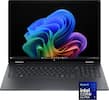
HP - EliteBook X G1a Notebook - Copilot+ PC - 14" 2.8K OLED 120Hz Touchscreen - AMD Ryzen AI 9 HX PRO 375 - 32GB RAM/1TB SSD - Silver
Model: EBXG1a
SKU: 13146494
Reviews coming soon
Reviews coming soon
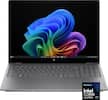
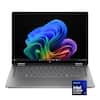
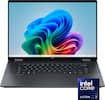
Purpose-built for knowledge creators to do more with local AI, the 14" EliteBook X G1a Notebook from HP puts the power of AI in your hands. Inside this thin and light notebook is an AMD Ryzen AI 9 HX PRO 375 12-Core processor and 55 AI cores, which quickly handle demanding AI workloads such as Microsoft Copilot+ to organize your data, communicate, and more. With 32GB of onboard LPDDR5x memory and a 1TB SSD, you can smoothly load and multitask demanding applications. Its 2880 x 1800 OLED touchscreen has a 120 Hz refresh rate, which provides smooth visuals, with deep, rich color. Wi-Fi 7 (802.11be) and Bluetooth 5.4 support, along with a 5MP IR webcam, a dual mic array, and quad speakers provide clear video chats with teammates and clients. Two Thunderbolt 4 ports allow you to connect displays and transfer up to 40 Gb/s with compatible devices. A USB-C 3.2 Gen 2 port is also available alongside a USB-A port, which work with 10 Gb/s compatible devices. Windows 11 Pro is the installed operating system and included are one year of HP Wolf Pro Security and a 100W Slim USB-C AC adapter.
Thunderbolt 4 utilizes the reversible USB-C connector and features a maximum throughput of 40 Gb/s when used with compatible devices. The connector also transmits data via USB4 at up to 20 Gb/s, and dual-bandwidth DisplayPort allows you to connect either an 8K monitor or up to two 4K displays simultaneously. Additionally, you can daisy chain up to six devices from a single Thunderbolt 4 port.
Enhance your multitasking workflow by connecting external displays to the HDMI, Thunderbolt 4, and USB-C 3.2 Gen 2 ports.
Windows Hello works with the built-in fingerprint reader and infrared camera facial recognition to log you in without having to enter a password. You can also secure your notebook using the nano security lock slot.
HP Smart Sense balances power and performance, and Adaptive Dimming helps conserve battery life.
Microsoft simplified the design and user experience with Windows 11. It has a modern, clean design with a new Start Menu position. Snap Layouts, Groups, and Desktops allow you to multitask with ease. Microsoft has also integrated some of their apps, such as Microsoft Teams. The redesigned Microsoft Store makes it easier to look for supported apps.
We’ll try to get your question answered within 24 hours by a Best Buy customer or brand representative.