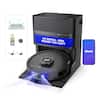
iRobot - Roomba 105 Combo Vacuum & Mop - Easy-to-Use, Intense Power-Lifting Suction, LiDAR, Avoids Mopping Carpets, Self-Charging - Black
Model: Y314020
SKU: 12201167
Customers are delighted by the vacuum's exceptional cleaning performance, strong suction power, and accurate house mapping capabilities. Users also appreciate the device's quiet operation, compact size, and the convenience of its easy setup and scheduling features. While the navigation is highly regarded, some users noted that the dustbin capacity is somewhat small and the battery life could be improved. Overall, the product is well-received for its efficiency and user-friendly design.
4-Stage Cleaning includes 70X more power-lifting suction*, a Multi-Surface brush, and Edge-Sweeping brush to devour dirt and dust bunnies, plus a microfiber mop pad to leave floors shiny and clean.
ClearView LiDAR quickly maps your home, avoids obstacles and cleans in neat rows, even in the dark.
Unlike other cleaning robots, the Roomba 105 Combo Robot automatically detects and avoids carpets while mopping so your rugs stay dry – no complex programming required.
Choose from settings including vac only, mop only, or combo vac-mop. Schedule and target rooms based on your daily routine and adjust the number of cleaning passes, levels of suction power, and amount of mopping solution pumped onto the microfiber mopping pad.
Focus on specific rooms that need extra love, set to spot-clean crumbs, or skip a room if an activity is going on in there.
Simply tap to set a custom clean, get time estimates, check on the filter life, or create keep-out zones to avoid specific areas.
Leave floors beautifully cleaned thanks to the built-in mop with a micro-pump controlling water flow and keeping the mopping pad uniformly moist during cleaning. Use water or a compatible cleaning solution*, and choose SmartScrub for 2x deeper scrubbing**.
Conveniently control your Roomba robot by speaking to your preferred voice assistant-enabled* devices, tapping the app, or pressing the robot's buttons.
The Roomba 105 Combo robot's sleek look is inspired by modern design with beautiful finishes and textures that blend easily with home décor.
Uses a 2.4 GHz network for setup and operation. After setup, your robot will stay on 2.4GHz for operation and your phone can return to 5GHz.