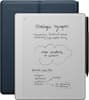
Kobo - Stylus 2-Mark Up, Write Notes and Make Highlights-Rechargeable via USB-C-Compatible with 7" Libra Color eReader - Black
Model: N605-AC-BK-S-PN
SKU: 6684446
Sold byBest Buy
Kobo Stylus 2 makes annotating eBooks and PDFs smooth and comfortable, whether you’re looking to focus more deeply, track insights, or remember character moments. Make highlights with the intuitive highlighter button and wipe away mistakes using the built-in eraser. On the Kobo Libra Color eReader, write notes and make highlights in the color of your choice. Easily recharge your stylus through a USB-C power source.

Write comfortably like pen on paper with Kobo Stylus 2’s smooth writing tip. Wipe away errors with the built-in eraser, or use the highlighter button to capture important passages.
Annotate directly on the page—jot down notes in the margins, underline or circle words, or even doodle in your eBooks and PDF documents.
If you change your reading settings, Kobo’s patented markup experience lets you view your notes in your eBooks and revert back to original settings with just a tap.
Choose from a variety of pen colors, styles, strokes, and notebook templates to create your to-do list, journal, meeting planner, and more.
Write just like you would in a paper notebook with Kobo Stylus 2, then easily transform your handwritten notes into clean, typed text for later with a quick double-tap in an Advanced Notebook.
Learn more >