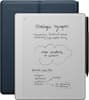
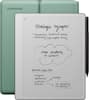
Lenovo - Idea Tab Pro - 12.7" 3K Tablet - 8GB RAM - 128GB UFS - with Tab Pen Plus - Luna Grey
Model: ZAE40136US
SKU: 12709699
Elevate your academic journey with the Lenovo Idea Tab Pro, powered by the MediaTek Dimensity 8300 for 60% more power*. Instantly search or translate information on your screen with Circle to Search with Google, all without switching apps, enhanced with the precision of the Lenovo Tab Pen Plus. The Lenovo Idea Tab Pro comes with the Google Gemini app. Chat with Gemini to supercharge your creativity and productivity. Get help writing, planning, learning and more. Enjoy both your studies and downtime on a stunning 12.7” 3K display, while quad JBL speakers deliver immersive sound for your favorite shows. With all-day battery life, stay connected and entertained from class to chill time.
Can this item support an external display like does it support a monitor via wired USB Type C?
Hey Bryan, Yes, the Idea Tab Pro features a USB-C port that supports display output. Please feel free to reach out to us with any other questions!

Can I play games from Google Play store
Hey Mickey, You can download a myriad of games onto the Idea Tab Pro via the Google Play Store. Please feel free to reach out to us with any other questions!
Get ready for an immersive experience with the quad JBL speaker system and 12.7” 3K display, featuring a dynamic refresh rate of 144Hz and 400 nits brightness. Whether you're curled up for a movie marathon, catching up on your favorite series, or having a cozy night in with a classic film, every detail comes to life, making each moment unforgettable.
Switch between research, notes, and projects in an instant with the MediaTek Dimensity 8300—delivering 60% more power1 with a leading 4nm chip. Multitask effortlessly with 8GB RAM and 256GB storage, powered by Lenovo TurboSystem. Need quick downloads or uploads? Wi-Fi 6E keeps you connected with lightning-fast speeds. Stay ahead, stay focused, and let your tech keep up.
Get up to 11.4% more daily usage and enjoy up to 11 hours of YouTube streaming with our tablet’s big battery and powerful Lenovo TurboSystem. Seamlessly switch from online classes to binge-watching without the battery anxiety.
Your creative expression knows no bounds. The perfect tool for artists, writers, and notetakers, The new Lenovo Tab Pen Plus has 4,096 levels of pressure sensitivity, tilt detection, and palm rejection to create realistic scribbles and strokes. With automatic Bluetooth pairing, magnetic attachment, and anti-lost alert, the new Lenovo Tab Pen Plus is the stress-free companion your tablet needs.
Discover a streamlined method for tablet searching with Circle to Search with Google. Simply long press the home button and draw a circle on what you want to search using your finger or with the precision of the Lenovo Tab Pen Plus.

Reviews coming soon