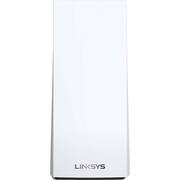
Rating 4.4 out of 5 stars with 489 reviews
4.4- Speed (149)
- Ease of use (70)
- Coverage (66)
- Setup (52)
- Range (41)
- Price (30)
- Size (12)
- Connection (11)
- App (4)
Customer Images
The vast majority of our reviews come from verified purchases. Reviews from customers may include My Best Buy members, employees, and Tech Insider Network members (as tagged). Select reviewers may receive discounted products, promotional considerations or entries into drawings for honest, helpful reviews.
- Rated 5 out of 5 stars
Pricy But Well Worth the Purchase
Currently working from home with the family. This was the best fix, perhaps even overkill, for my overloaded, overworked, weak ISP-provided modem/router. My house is an old build, so my ISP-provided router couldn't cover the house - lots of dead spots. Likes: extremely easy to install. The app instructions made it fast and user-friendly. The unit is super fast and has a good signal range. Small enough to hide high. No more dead spots, faster speed per device, and better distribution of broadband per device feeding off the network. So far, I have no dislikes for this node system.
This review is from Linksys - MX10 Velop AX5300 Mesh Wi-Fi 6 System (2-Pack) - White
Posted by IronMonkey
- Rated 5 out of 5 stars
Probably the Best Home Wi-Fi Available!
Mesh radio networks were originally developed for, and deployed to military and subsequently public safety applications. The development of a seamless, ad-hoc, dynamic broadband network technology which forms and reforms dynamically as nodes increase or decrease in numbers and as they change proximity to the others employing short RF hops and a self-healing architecture was a very significant technological evolution. In Mesh network deployments every mobile radio is an active, intelligent node, maintaining network persistence even as those nodes are mobile, and even at high speeds. Although research and development actually began in the 1970’s, field deployments of Mesh networks began in earnest in the late 1990’s and early 2000’s. My familiarity and experience with Mesh networks is based in that time frame. Having developed a favorable impression of Mesh technology over twenty years ago, now that there is consumer grade Mesh Wi-Fi technology with a few years of product maturity and evolution for those systems, I decided that a Mesh network in my residence would be a great improvement in my home-network infrastructure. Linksys has been a leader in Wi-Fi networking equipment for a long time, and it appeared to me that this latest product delivery was an impressive example of a matured technology coupled with the latest technical standards. The Linksys Velop MX10600 / AX5300 Mesh Home Wi-Fi 6 system is a top-of-the-line product from a well-trusted manufacturer, and bears outstanding feature specifications including Wi-Fi 6 (802.11ax) with full backwards compatibility, tri-band (which includes two, 5.0 GHz networks which also provide the backhaul), seven internal antennae, 4X4 MU-MIMO, 2.2 GHz Quad-Core CPU, 4 – Gigabit Ethernet Ports and 1 – USB 3.0 Port, coupled with exceptional performance specifications. Network security options include WPA3, WPA3/WPA2 Mixed mode, WPA2 and two Open options. The WPA3 standard is a requirement of Wi-Fi 6. At present, there are relatively few WPA3 compatible client devices, which most likely serves as the basis for the Velop defaulting to WPA2, unless and until changed by the network administrator. Recent information has been published regarding WPA2 / WPA3 Mixed Mode being vulnerable to Mixed Mode Downgrade to WPA2 and Dictionary Attack Transition Mode Vulnerabilities, and problems with SAE/Dragonfly (Simultaneous Authentication of Equals) handshake. These recently exposed vulnerabilities are inherent in the standard and are not deficiencies, defects or malfunctions with the devices or manufacturers. At this point in time, for most networks it is not practical to run in WPA3 only due to incompatibility with most client devices. Thus, most Wi-Fi networks, including the Velop Mesh network, should probably use WPA2 security for now. Prior to setting up the new Velop system, I benchmarked my existing Wi-Fi which was comprised of a Cisco access point which performed competently with generally good signal propagation across the house. Nevertheless, the 200+Mbps (typically ranging from 220 – mid-230 Mbps) service from the ISP was diminished through signal loss to an average of 50 – 75 Mbps mid-house, and only around 30 Mbps at the distant side of the house. These benchmarks were obtained with a mid-230’s Mbps average speed received at the cable modem / router. After placing the access point in bridge mode, the Velop setup was undertaken. Velop setup and administration is very easily accomplished with the Linksys phone app. (Post initial setup, the users Linksys web portal can be used for some management tasks, but the app must be used for setup). Initial communication with the Velop nodes is via Bluetooth connectivity, until the first node, the Parent Node is configured and the phone joins the new network. Mesh networks should employ a single SSID for the mixed band network, allowing the intelligent nodes to arbitrate which device should run on which band, and on which physical node, at a given time, based on RSSI (Received Signal Strength) levels. With only the Parent Node active, I benchmarked the network speed again. The mid-house speed was averaging 225 – 232 Mbps, and the distant location from the node averaged 130 – 145 Mbps. This single node performance was extremely impressive, particularly realizing approximately twice the network speed at range than with the Cisco routing. Once the Parent Node is configured, the Child Node configuration is undertaken with the same flawless operation and ease as the Parent Node. Child Node configuration also verifies that the range between nodes is acceptable to maintain reliable, broadband inter-node communication, which is essential to Mesh network operation and performance. With both nodes configured through the phone app, assign the client devices to the Velop SSID (user defined) and all setup and configuration are complete. Very little time or effort is required for the entire process. Post setup, I performed another round of benchmarking for speed and RSSI. Wi-Fi speed throughout the house was now averaging the same approximate 230 Mbps ISP rate throughout the entire structure. That is the maximum level of performance which any local network can deliver. Client devices automatically initially camp on the node presenting the strongest RSSI when the client joins the network. Fixed location clients will generally remain on that same node indefinitely. However, mobile clients will move between the nodes depending on RSSI and hand-off criteria logic in the Velop firmware. Resultantly, a mobile client will be expected to camp on the most proximate node, which is presumably going to be the strongest signal source. However, a hand-off between nodes will not occur until the client’s RSSI drops below the -70 dBm handoff threshold. Therefore, if you are monitoring the RSSI on the client device, and/or utilizing the Linksys app to determine which node each client is currently camped on, you may observe that a client which is only inches from one node, is actually working off the more distant node. If you absolutely, positively can’t stand to wait for the Velop to manage the inter-node handoff, you can force the client onto the closer node by simply switching the client Wi-Fi off for a moment and then back on, whereupon it will re-join the network on the node with the best signal strength (the closest node). Similarly, if one node if powered off, all clients will camp on the sole working node (even if it is distant), and distant clients will likely be degraded to the 2.4 GHz network in order to maintain connectivity and throughput. In that event of losing an active node for any interval, it may be necessary to re-join each client to the Mesh network by either switching the client’s Wi-Fi off and back on, or even power-cycling the device, in order to have all clients associated with their optimal node. This phenomenon is not a system or equipment malfunction; it is a function of the design criteria. Once the RSSI to the mobile client device falls to -70 dBm, it will be handed off by the Velop to the other Mesh node, which is more proximate to the client device (and of course is presenting a much stronger RSSI). In fact, I am seeing signal levels of around -36 to -40 dBm at mid-house, with link speeds (TX and RX) of around 780 – 866 Mbps and full ISP bandwidth delivering 230+ Mbps speed, which represents absolutely incredible signal levels and incredible performance. The Velop AX5300 is an outstanding performer. Anecdotally, all client devices exhibit great network performance. More significantly, the empirical data is most impressive and persuasive. The Velop essentially delivers the same data rate which is received at the modem, throughout the Wi-Fi network coverage area. I strongly endorse and recommend the Velop AX5300 / MX10600. I am very favorably impressed with the system performance, ease of setup and decent administration capabilities. Linksys remains a trusted and reliable developer and manufacturer, and to the best of my knowledge and in my experience, provides good product support.
This review is from Linksys - MX10 Velop AX5300 Mesh Wi-Fi 6 System (2-Pack) - White
Posted by Curmudgeon1
- Rated 5 out of 5 stars
The Best Mesh Wi-Fi Network System Gets Better
The Linksys Velop AX5300 (also known as the Linksys MX10 Velop for a 2-node system and MX5 or MX5300 for a single-node) is a multi-node mesh Wi-Fi networking system. These types of Wi-Fi networking systems have been growing over the past few years, and Linksys wants to be the company to lead the way. As a user who reviewed the previous tri-node Velop system (WHW0303) and gave it a mediocre review at launch 2 years ago, I’d like to briefly revisit that system 2 years later and how the new Wi-Fi 6-enabled MX10 Velop builds upon that. ==PREVIOUS GEN VELOP== At launch, the now 2-year-old Velop had good signal, but the process for setup was poor. There was even a limitation of requiring an iOS or Android device to setup. Other Best Buy Tech Insider Network reviewers encountered the same issues I did, and a friend of mine who is also a TIN reviewer agreed with my sentiments pertaining to the previous Velop. However, Linksys came through in the end. I have been using only the Velop for 2 years now, and I can say that it’s been reliable, stable, and easy to use. They’ve even developed a web-client for more advanced management of your Velop system—so those who are familiar with other Linksys Smart Wi-Fi routers will be familiar with this web-client. So when I got the opportunity to review the newly improved MX Velop system, I was excited to try it out. ==THE NEW VELOP== SETUP: The new MX10 Velop at launch has been far more simple to use in comparison to the previous generation at launch. This time around, smartphone app worked without any unexpected hitches. I’ve set up many Wi-Fi networks in my time, and the setup process for the MX10 Velop helps complete newbies have an easy setup process, but allow more advanced users to make changes after the setup is complete. Following the instructions on your smartphone (or tablet) using the Linksys app led me to set up both nodes and have a working connection in about 30 minutes. The only hitch I encountered was having to restart the master Velop (the node connected to your Modem) one more time after power-cycling my modem per the instructions in the app. After the first node, the second node was a breeze to set up, and it even updated the firmware on both nodes afterward. In my case, I was replacing my older 3-node Velop system with this 2-node Velop system. During setup, I used the same Wi-Fi name, and all of my Wi-Fi enabled devices reconnected to the new MX10 Velop. So in 30 minutes, I was able to swap out my older Velop System with my newer one—pretty impressive, if you ask me. I’ve spent far more time setting up routers with repeaters and configuring them. For me, the MX10 Velop is probably the least painful Wi-Fi setup experience I’ve had yet. COMPATIBILITY WITH PREVIOUS GEN: For this review, I’m assessing the MX10 Velop independently of the previous generation Velop, but it should be noted that if you use a previous generation Velop product, they are compatible with this new MX10 Velop! That’s a major win in my book. This means that while only the MX10 Velop supports the newer Wi-Fi 6 (aka 802.11ax) and WPA3 security protocols, the MX10 is backwards compatible with previous generation Wi-Fi devices and will automatically work with the older Velop nodes to enable WPA2/WPA3 Mixed Personal security alongside compatibility with Wi-Fi 6 / Wi-Fi 5 (802.11ac) and older. So as more smartphones, tablets, computers, televisions and other IoT (Internet of Things) devices adopt Wi-Fi 6, you’ll be happy to know that you can get the most out of those with the MX10 while continuing to use your older Velop system, should you have one. TECHNICAL IMPROVEMENTS: So why would you get the MX10 Velop over other mesh networks or upgrade from the older Velop system? Or why would you go Wi-Fi 6 over Wi-Fi 5? To start, it should be pointed out that like any other technology, adopting a newer standard early-on is an expensive transition for the first couple years. Companies have to recoup the costs of research and development, so it’s expected that you’ll have to pay more for cutting-edge technology. Here are some of the highlight points that Linksys likes to point out pertaining to the MX10 Velop: * Supports 802.11ax AX5300 up to 5.3 Gbps * Four times better performance than an AC router * 4x4 Spatial Streams * Next-generation Orthogonal Frequency-Division Multiple Access (OFDMA) technology * Reduced power consumption * 2.2 GHz quad-core processor * Coverage of up to 3,000 ft2 per node * 4 Gigabit LAN ports, 1 Gigabit internet port * 1 USB 3.0 port for external storage support * 7 internal antennas - Tri-Band Dynamic Backhaul - Intelligent Mesh - Beamforming - MU-MIMO technology - Wi-Fi security - Seamless Roaming - Guest network - Basic Parental Controls - Speed Check - Notifications Note: Items noted with an asterisk * are improvements exclusive to the new Velop and not available on previous generation Velop Systems. Without getting into all the technical details of each of these specifications, we can sum up what this new MX10 Velop system does better than its predecessor: For the devices that utilize Wi-Fi 6 on the MX10, they will be able to hop between your nodes more seamlessly as you move around your home, and ensure that you are always connected to the node with the best balance of signal strength and speed. Additionally, those devices will experience higher transfer rates of up to 5.3 Gbps—and with 4x more capacity than Wi-Fi 5, the MX10 can provide enough bandwidth for as many as 50 devices. The MX10 also has an additional antenna over its predecessor for a total of 7 antennas, and I might guess that those antennas have improvements for signal strength—especially given the larger size of the MX10. One other major improvement is the addition of 4 Gigabit LAN ports that you usually find on more traditional routers. This is fantastic for those who want to maximize performance for certain devices via a wired connection; whereas on the previous Velop, you only had up to 2 LAN ports if your node was wirelessly slaving off another node. If you’re like me and you have ethernet running through several rooms in your house, you could set up nodes in a wired fashion to achieve the maximum theoretical speeds on each node, rather than slaving wirelessly. But even when slaving wirelessly, the performance is great with minimal hits to performance and latency. Lastly, the addition of a USB 3.0 port allows your MX10 Velop to easily create an SMB share over the network for any attached USB storage that is formatted to NTFS or FAT32 for Windows, and APFS (read-only), HFS+ or FAT32 for macOS. You can create an SMB share for each MX10 you have (since each node has a USB 3.0 port), and you can even require authentication with a username and password to access the network storage. This is an awesome feature that just works, plain and simple. REAL-WORLD PERFORMANCE: In terms of real-world performance, how has the MX10 been working out for me? My theoretical speed tests should deliver around ↓330Mbps & ↑12Mbps. Running speed tests on both wired & wireless (using Wi-Fi 6 & Wi-Fi 5 devices) connections deliver extremely close to that number, with ping of ~10ms. Signal performance around the house has been great for my Wi-Fi 6 devices, and even my Wi-Fi 5 devices are still performing well, despite having only 2 nodes in comparison to my previous 3-node setup. I will probably add one of my older nodes to further improve coverage of my 2-story + basement home just because I can. But overall, I really have no qualms with this new Linksys Velop System. It does everything that the previous system did—and does it not only more reliably & faster, but it just does more. CONCLUSION: If you’re looking at the reviews for this mesh network system, then perhaps the price hasn’t completely deterred you like it may for some. The MX10 is a fantastic mesh network system for those who have larger homes with a ton of area to cover who want a seamless, unified methodology for expanding their Wi-Fi coverage at home. Their 3-year limited warranty and tech support is also complemented by the online Linksys Community forums where firmware updates, issues and solutions are discussed by other consumers, should you ever encounter a problem. While I’ve not encountered issues with the MX10, I have used the Linksys Community forums for diagnosing other Linksys products and have always ended up with a great outcome in the end. From my experience, Linksys stands by their products with software updates that not only improve stability, but also add useful features. Whether you just want to be on the bleeding edge or want the most reliable mesh networking system out there with useful features and ease-of-use for both newbies and tech experts, the Velop is a great system, and the MX10 is a strong improvement on its predecessor.
This review is from Linksys - MX10 Velop AX5300 Mesh Wi-Fi 6 System (2-Pack) - White
Posted by Xephyroth
- Rated 5 out of 5 stars
Big difference
Worked with my previous velop triband 6600 Works with altice one Great speeds and range. Wifi 6 works on my s10 plus I have 400 mbps on my service and shows 590 mbps connected on wifi 6
This review is from Linksys - MX10 Velop AX5300 Mesh Wi-Fi 6 System (2-Pack) - White
Posted by Alex
- Rated 5 out of 5 stars
Mesh Network with great speed
I upgraded from an Apple WiFi system including 2 Time capsules, AirPort Extreme and Airport Express. I really like the MX10 and added a MX5 so that I would have complete coverage upstairs and down. Only issue was 2 of my alarm.com cameras were blind to the WiFi. I added an AC1300 in my garage where the cameras are. This fixed the problem and I have full WiFi strength from my front door to the end of my driveway and all throughout the house. Speeds are twice as fast and triple on the extended mesh networks. Definitely worth the $. My only complaint is the interface is not as easy to use as Apple. WiFi 6 is well worth the cost difference from the AC2200. I was not impressed with the WiFi 5 as it was slower than the Apple network.
This review is from Linksys - MX10 Velop AX5300 Mesh Wi-Fi 6 System (2-Pack) - White
Posted by GSN3