FREE shipping to
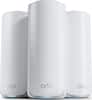
Linksys Velop WiFi 6 Whole Home Mesh System MX4200 is a router that delivers next-level streaming and gaming to more than 40 devices on your network. It offers a reliable connection for everyone to stream, game, and video chat without interruption. Intelligent Mesh™ Technology offers whole home coverage that’s easily expandable by adding additional nodes. With easy set up, advanced security and parental controls, MX4200 is an essential upgrade to any home.
A: Yes, all 3 nodes are identical but have their own SSID/Password/Recovery Code sticker on the bottom just in case you and 2 friends want to split these nodes up to run them separately in your respective homes. By connecting one node to your internet modem and using it to set up a new network within the Linksys App, you are designating it to be the primary node. Any other nodes you add to it will become secondary nodes. Please note that you cannot daisy-chain secondary nodes. Each secondary node must have a good connection to the primary node.
A: Yes I have noticed DNS issues and I have to reboot every week at least once, otherwise it is a good system.
A: It does work with existing AC Velop. I suggest you make the AX4200 the primary node. I was in a similar sitiuation and chose to rebuild the Wi-Fi network using the same name and password, and remove the AC nodes since these are faster and with better range
A: Actually, you can use one pack, two packs or three packs. It all depends on the size of the home and how much area you need Wifi. I would begin with a two pack. Any of the units can be used as the router, which would be the one you connect to your gateway. The other unit(s) will serve as extensions to that pack. You can buy a two pack system now and if needed, you can extend it by obtaining an additional pack. Decide now which Wifi network you wish to install. Linksys has their network wifi mesh systems in either Wifi 5 or the newer Wifi 6 standard. Hope this helps.
A: Hi. The Velop MX4000 Series Wi-Fi 6 System will only broadcast one Wi-Fi name for the entire network but, you can customize the 2.4 GHz and 5 GHz band settings.
A: Hi, Rawkfist1501. Our Linksys MX4200 now works with Apple HomeKit to add an extra layer of security to your smart home. You may use the Home app to control which services and devices your HomeKit accessories can communicate with within your network and on the internet.
A: First, it will depend where you have placed your device. I have one placed on an outside wall as close to my outbuilding as I can get ( I have the 3 device mesh system). My outbuilding is about 65 ft from the closest device. For about 50 ft or so between the buildings I get a good signal. At the outbuilding I had limited signal - sometimes it would connect and sometimes it would not or drop. I already had range extenders from my previous wifi system and when I added a range extender on the house's second floor and one in the outbuilding, I got a good signal in the outbuilding. So I would expect you should have a good signal if you are only 10 ft between the two structures. But once again it depends upon where your wifi device is located in relation to the outbuilding.
A: Yes you can, buy another pod and pick the right place for it, remember it's an indoor product.

Linksys Velop WiFi 6 Whole Home Mesh System MX4200 is a router that delivers next-level streaming and gaming to more than 40 devices on your network. It offers a reliable connection for everyone to stream, game, and video chat without interruption. Intelligent Mesh™ Technology offers whole home coverage that’s easily expandable by adding additional nodes. With easy set up, advanced security and parental controls, MX4200 is an essential upgrade to any home.

eero 6+ is our most affordable gigabit system ever. Access premium wifi performance and speeds up to a gigabit, without the premium price tag. eero 6+ gives you all the connectivity, with all the reliability. So you can work from home with confidence—and say goodbye to dropped video calls. Or keep your entire smart home running, even when you’re away.*

Experience uninterrupted streaming, video calls, gaming and more with Wi-Fi 6E whole home tri-band mesh system. Routers previously operated on 2.4 GHz and 5 GHz bands, with Wi-Fi 6E, connected devices can now operate on the 6 GHz band resulting in faster speeds, greater capacity and expanded coverage throughout your home. Take full advantage of internet plans up to 2.5 Gbps using one 2.5 Gbps WAN/LAN port. Three Deco units work together to provide speeds up to 5400 Mbps and coverage up to 7,200 sq. ft. reaching every corner of your home.

Leverage the power of Wi-Fi 7 for speeds up to 3.6 Gbps at 1.2x faster than Wi-Fi 6. The Nighthawk RS100 Wi-Fi 7 Dual-band Router provides up to 2,000 sq. ft. Wi-Fi coverage and capacity for up to 50 devices. Experience stunning streaming, video conferencing and reliably connect smart home devices. NETGEAR Armor protects your family’s Wi-Fi by creating an automatic shield for all connected devices.
| Pros for Linksys - Velop AX4200 WiFi 6 Mesh System | |||
|---|---|---|---|
| There were no pros for this product— | Ease of use, Overall Performance, Speed, Setup, Wi-Fi Coverage | Speed, Ease of use, Coverage, Setup, Range | Overall Performance, Speed, Coverage, Connectivity, Signal Strength |
| Cons for Linksys - Velop AX4200 WiFi 6 Mesh System | |||
| There were no cons for this product— | Lag, Buffering, Compatibility, Dead Spots, Price | Lag, Connection, Parental Controls | Setup Process |
The vast majority of our reviews come from verified purchases. Reviews from customers may include My Best Buy members, employees, and Tech Insider Network members (as tagged). Select reviewers may receive discounted products, promotional considerations or entries into drawings for honest, helpful reviews.
I have a long apartment in an old building with thick plaster walls. The wifi signal was quite inconsistent. I had upgraded the wiring, modem and router. The signal was still inconsistent, and fell off quickly with distance from the base. My wife and I are both working from home now due to the pandemic. Our video meetings were constantly freezing up and losing clarity and sound. We needed to improve this, as our work depended on it. After researching mesh systems, I settled on the Linksys Velop AX4200 Wifi 6 system- 3 pack. My cable is situated in the middle of my long apartment, with my wife working at one end, and my office at the other far end. I was skeptical that the signal would be improved enough for our purposes. I do not have ethernet available to hard wire the three nodes so I was setting up the system wirelessly. I found the set up of the system quick and easy. There are a good number of ethernet ports on the back of the three identical nodes, so things were quickly connected to the central base. I placed the two satellite nodes in the rooms where we are both working, both are at least 50 or more feet from the central node, with thick walls intervening. I downloaded the linksys app to my iPhone, and was able to quickly configure the system. It could not have taken more than 15 minutes to unpack and set up the three nodes. I went to each remote location, and did a speed test. The internet speed was excellent. My internet speed is said to be 400 mbps from my provider. I now consistently clock between more than 300 to 480 mbps in the two remote locations! More importantly, the video conferencing is now great in both locations. We have absolutely no complaints.
This review is from Linksys - Velop AX4200 Wifi 6 System - 3 pack
ThreeLittleNodes Posted
I have had 3 nodes in the house, the original Velop system worked overall fairly well with (about 35 devices) but speeds were less than desirable at about 50 Mbps download and 10 Mbps upload (my internet plan is gigabit speeds with 40 Mbps download). I decided to upgrade to this newer WiFi 6 velop system because I thought I should get more use out of my gigabit speed internet plan. Switching the nodes to this newer Velop system was easy, the screen grabbed all the settings from the original velop, manual dns servers, dyndns, port forwarding, all the individual wifi rules, all those little things that you might forget about and proceeded to switch everything over using the same network name (hoping that everything would just work). Started up and configured the main node (it is acting as the router) and the internet was only down for only about 10 minutes while everything was setup to provide the basic wifi. Worked like a charm. I then proceeded to setup the rest of the nodes and they all connected perfectly. I then decided to start testing the wifi speeds and found at my main node I was getting 500 Mbps download and 40 Mbps upload and the farthest away I went in my home I still was receiving 150 Mbps download and 40 Mbps upload, being the lowest speeds I recorded around my house. This Linksys Velop is really great and honestly easier to set up than the original Velop, as those were first gen tech. I am very pleased with how well they work and feel they will last a long time.
This review is from Linksys - Velop AX4200 WiFi 6 Mesh System
Arfrench Posted
Worth every pricey penny. I had been planning for months to buy the Velop AC2200 when I went on Best Buy to make the purchase I saw this new one with extended range. We have a 1.25 acre property with the main house and then two guest houses. One about 100 feet from the modem/router. The other about 150 feet from the modem/router. I like how it would tell you if the child (secondary/third) nodes were placed in a good spot to receive a signal. I thought I could daisy chain the Velops but each one connects to the parent (main) node, but this didn’t even matter because each child node placed 100 feet away and 150 feet away still said “placed correctly” and is working amazing. Easiest set up ever, the app walked through each step one by one. In the photos show my original mediacom issued modem/router speed 46 mbps and the second picture is the velop speed 630 mbps not sure what sort of magic is in three towers but if you need better internet this is 100% worth the money. So happy .
This review is from Linksys - Velop AX4200 Wifi 6 System - 3 pack
Nicola Posted