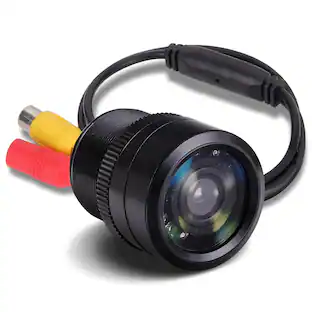
Metra - Install Bay Bullet Camera for Most Vehicles - Black
Customers are saying
Customers are positive about the Install Bay Bullet Camera's picture quality. Many comments praise the clear and sharp video, especially during daylight hours, considering its affordability. The camera's performance is repeatedly highlighted as excellent for its price point. No negative customer feedback was provided.
Compatible with most vehicles
For wide-ranging use.
Defeatable parking-assist lines
Help you accurately maneuver into parking spaces.
170° viewing angle
Allows you to easily see a broad area.
Water-resistant connections
Provide protection from the elements. ABS plastic material offers durability.
Not Compatible with Factory Radios
- Field of View170 degreesG-SensorNoCompatibilityUniversalCamera Mounting LocationBumperVehicle Camera TypeBack-up
Reviews
Rating 4.4 out of 5 stars with 8 reviews
- Picture Quality (5)
The vast majority of our reviews come from verified purchases. Reviews from customers may include My Best Buy members, employees, and Tech Insider Network members (as tagged). Select reviewers may receive discounted products, promotional considerations or entries into drawings for honest, helpful reviews.
Compare similar products

With a 170° viewing angle, this Metra Install Bay TE-SBC bullet camera provides an expanded view and features defeatable parking-assist lines to help simplify the parking process. Water-resistant connections withstand exposure to moisture.
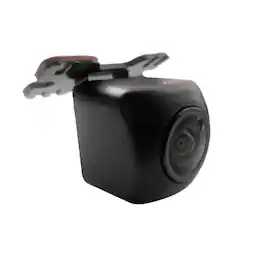
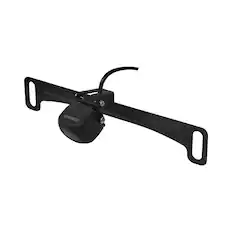
The ND-BC011 Universal Rearview/Backup Camera is compatible with Pioneer audio/video in-dash receivers that feature a rear-view camera input. It offers a wide-angle view of 155 degrees horizontally and 125 degrees vertically, with a resolution of over 470,000 pixels for detailed imagery. The ND-BC011 is equipped with a CMOS (Complementary Metal Oxide Semiconductor) sensor that provides improved resolution and glare reduction during daytime use, as well as enhanced low-light capability for nighttime use. Also included, is a license plate bracket for easy installation.

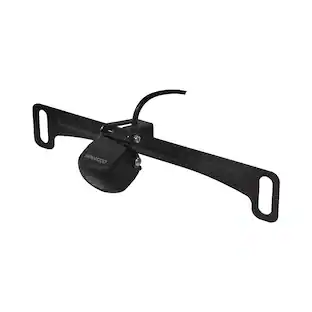
The KENWOOD CMOS-230LP Rear View Camera is designed to enhance your driving experience by providing clear and comprehensive rear visibility. This high-quality camera features a 1/3.6" Color CMOS Sensor with 330,000 effective pixels, delivering sharp and detailed images to help you navigate safely. The 1/3.6" Color CMOS Sensor boasts 330,000 effective pixels, ensuring crisp and clear visuals. Whether you're reversing in daylight or at night, the KENWOOD CMOS-230LP provides reliable performance. With a horizontal viewing angle of approximately 128° and a vertical angle of approximately 103°, this camera offers an extensive field of view. This wide-angle perspective helps you see more of what's behind your vehicle, reducing blind spots and enhancing safety. Built to withstand various weather conditions, the KENWOOD CMOS-230LP is waterproof, ensuring durability and reliability regardless of the environment. Whether it's raining or snowing, you can count on this camera to perform consistently. The camera's compact dimensions (0.92" x 0.92" x 0.94") and lightweight design (0.05 lbs) make it unobtrusive once mounted. Its small size ensures it won't detract from the aesthetics of your vehicle. The included license plate mounting attachment features a durable powder-coated finish and measures 7.05" x 1.38" x 1.14", weighing 0.1 lbs. This attachment allows you to position the camera for optimal visibility. Specifications: Sensor: 1/3.6" Color CMOS Sensor, Effective Pixels: 330,000 pixels, Angle of Field: Horizontal Approx: 128° / Vertical Approx: 103°, Waterproof: Yes, Camera Cord Length: 4.92 ft (1.5 m), Power Cable Length: 24.6 ft (7.5 m), Dimensions (WxHxD): 0.92" x 0.92" x 0.94" (23.4 x 23.4 x 23.9 mm), Weight: 0.05 lbs (21 g) (Camera Only), License Plate Mounting Attachment Dimensions: 7.05" x 1.38" x 1.14" (179 x 35 x 29 mm), License Plate Mounting Attachment Weight: 0.1 lbs (46.8 g). The KENWOOD CMOS-230LP Rear View Camera is an essential addition for any driver looking to improve their vehicle's safety features. By providing a clear and wide view of the area behind your car, it helps you avoid obstacles, park more easily, and enhance overall situational awareness. The camera’s waterproof design ensures it can handle the elements, making it a reliable choice for all weather conditions. Whether you're navigating crowded parking lots, reversing in tight spaces, or simply ensuring the safety of pedestrians and other vehicles behind you, the KENWOOD CMOS-230LP is a valuable tool. Its high-resolution sensor and wide-angle view combine to deliver outstanding performance, while its compact size and lightweight design make it a seamless addition to any vehicle.

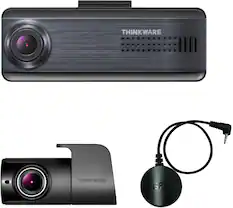
The Thinkware TWA-NEXTS is a low-profile exterior side view camera that fits neatly on either side of your vehicle to cover your blind spot and record events in Full HD video quality. Its IP68-rated body is strong enough to withstand harsh weather conditions so you can rest assured knowing that TWA-NEXTS will do its job rain or shine.
| Pros for Metra - Install Bay Bullet Camera for Most Vehicles - Black | |||
|---|---|---|---|
| Picture Quality | Camera Quality | Image Quality | There were no pros for this product— |
Specs
Customers often buy these together
Vehicle Audio Video Security Installation Parts
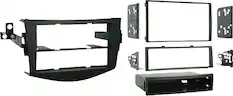
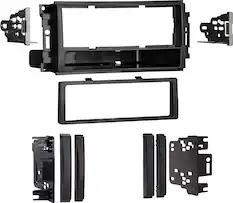
Metra - Dash Kit for Select 2006-2012 Toyota RAV4 DIN DDIN - Black
$34.99The price was $54.99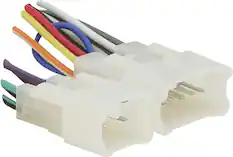
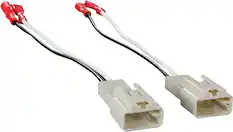
Metra - Radio Harness for Select 1986-2023 Toyota Subaru Lexus Scion Geo - Multi
$7.99The price was $11.99
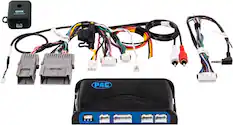
Vehicle Cameras
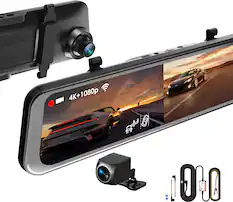
Rexing - M2 Max Pro 4K WiFi GPS Mirror Dash Cam - Black
Top Deal$159.99The price was $199.99


More recommended items
 Car Stereos
 Antennas and Adapters
Customers ultimately bought

Enjoy your ride Sponsored
 $799.99The price was $899.99
 $349.99The price was $399.99
 $254.99The price was $259.99
Discover related products
 $84.99The price was $99.99

Keep exploring
 $89.99The price was $124.99
 $99.99The price was $125.99
 $369.99The price was $419.99
 $79.99The price was $119.99