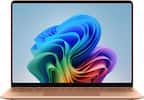
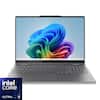
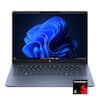
Copilot+ PCs. A new AI era begins.
Turn your ideas from text prompts into generated artwork. With Recall*, search across time to find the content you need. Understand new languages instantly with Live Captions. With Copilot+ PCs, you will be all set to transform the way you create, find and communicate. Some Copilot+ PC experiences require free updates continuing to roll out through early 2025. Timing varies by device and region. See aka.ms/copilotpluspcs
Get a fresh perspective with Windows 11
From a rejuvenated Start menu, to new ways to connect to your favorite people, news, games, and content—Windows 11 is the place to think, express, and create in a natural way.
The latest Intel processor driving this next gen AI PC
Experience a new level of transformative AI performance on Galaxy Book5 Pro with the super fast Intel Core Ultra processor (Series 2), upgraded graphics and an advanced NPU capable of up to 47 TOPS. Harness all that power to blaze through heavy workloads, render complex models and easily complete AI-intensive tasks with incredible speed.
Get search results in a snap
AI Select lets you search right on your PC screen.¹ No need to type — simply trace an image, a text message or even a QR code on the screen using the cursor or your finger and get search results on the fly.
Remaster your photos with AI
Retouch images and clean up blurry photos in Samsung Gallery with Photo Remaster. This helpful tool uses a smart algorithm that gives all new life to your pics and makes every detail shine just like magic.
From first draft to fine art
Need a custom image for a presentation? Use Cocreator in Paint to sketch your idea and watch as AI transforms it into artwork.² Edit, regenerate and apply finishing touches using simple prompts.
Go global with real time translations
Catch every word in conference calls with Live Captions.³ AI automatically detects speech in meetings and video streams and converts it into English captions in real time so you can easily follow along.
AI assistance is one press away
A single press is all it takes to launch Copilot the dedicated key on the keyboard of Galaxy Book5 360 puts personalized AI assistance at your fingertips for instant access when you need it.
Vivid visuals and dazzling views at your fingertips
Dive into the cinematic visuals of the 15.6" Full HD AMOLED display. Rich, vivid colors and the fast response time turn working, games and streams into an edge of your seat spectacle.
Bring your mobile world to your PC
Staying focused while you stay in touch just got a lot easier with Phone Link.⁴ Whether you’re studying or midbrainstorm, your phone’s most important notifications are mirrored to your Galaxy Book5 360 in real time. Check a text, answer a call or look at recent mobile photos — all without needing to switch screens. That means fewer distractions, faster replies and a smarter way to keep it moving.
Add your Tab as a second screen
Double your workspace by connecting Galaxy Tab as an additional display to your PC.⁵ Link the devices with just a click on your laptop, then take advantage of the extra space on Galaxy Tab with Extension, Duplicate and Rotation modes to rearrange your view.
Swift, safe transfers with Quick Share
Sharing image, videos, documents and large files between your Galaxy Book and other Galaxy devices is a breeze with Quick Share.⁶ Plus, the private sharing feature encrypts your data with blockchain technology for safekeeping.
Multiple devices, unified control
With Multi Control, use your Galaxy Book keyboard and trackpad to control your compatible Samsung tablet or smartphone simultaneously.⁷ Navigate through menus, access file and even drag and drop content between your Galaxy devices it's a seamless way to handle your workspace.
Be unstoppable with up to 31 hours of power
Whether you’re checking morning emails or streaming your favorite show at night, stay focused on your day with a long-lasting battery. Galaxy Book5 360 delivers up to 31 hours of power per charge, so you can spend more time doing what you need and less time searching for an outlet.⁸
Thin. Light. Ready to go.
Breeze through your active day with a laptop that won’t weigh you down. With its thin and lightweight design, Galaxy Book5 360 is the perfect laptop for on-the-go lifestyles. Whether you’re streaming a lecture at a café or sketching⁹ the sunset at a park, this laptop is made for movement. ⁹
Plug and play
Galaxy Book5 360 is equipped with a wide range of ports. Hook up essential devices to your workstation with ease using the two built in Thunderbolt 4 ports, HDMI, USB A, microSD card slot and Headphone/Mic.
Amp up your sound experience with enhanced speakers
Tuned with Dolby Atmos, the speakers on Galaxy Book5 360 fill your space with rich, immersive sound. Whether you're catching up with studies, video chatting or tuning into your favorite music, enjoy dynamic audio that keeps you engaged.
Go full speed ahead with Wi-Fi 7
Go online, stay online. Wi Fi 7 lets you connect reliably with lightning speed.¹⁰ Join online meetings, share updates and stay in touch easily with smooth real time interactions and ultra low latency.
Connected the second you need it
The second you open Galaxy Book5 360, you’re already online. Auto Hotspot* quickly tethers to your phone’s mobile data, letting you upload assignments, jump into live video lectures or edit your online docs, no matter where you are.