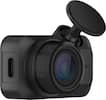
Pair the Radar Module with a compatible Thinkware dash cam to extend its parking surveillance duration while reducing power consumption when set to Energy Saving Mode. The Radar will detect motion and allow the dash cam to prepare to save an event clip. If an impact is detected, a 20 second video (10 seconds before and 10 seconds after the impact) is saved in a dedicated folder on the MicroSD card. When no impacts are detected, the dash cam does not save the footage and resumes Energy Saving Mode.
Adding the optional Radar Module enables the dash cam to detect movement and record events leading to an impact while remaining in Energy Saving mode, so you have video evidence of the whole incident with footage of before and after the impact.
Approximately 7m (23ft)
Thinkware Cloud Features are not available while the Dash Cam is in Energy Saving Mode
The Radar Module does not detect motion smaller than a vehicle. Not every object is assured to be detected.
Metal Objects may cause the radar to not detect properly. Install Radar Module as far away as possible from metal parts of the rear view mirror/ADAS sensors.
U1000, X1000, Q1000 Dash Cams

why does it say that it does not fit my vehicle? I have a Honda Passport 2019 and the U1000 front and rear camera kit says it fits my vehicle but the radar module which just plugs into the U1000 says it does not fit my vehicle?
Hello Bobby, To answer your question: To our knowledge, the Radar can fit in your vehicle with no issue as it was created to be a universal fit for all vehicle makes and models! Thank you!

I have a thinkware arc 700 with a radar module plug in. This module won't work with this model?
Hi there! Radar module is compatible to use on Thinkware ARC 700.

Is the Thinkware Radar Module compatible with all Thinkware dashcams?
It is compatible with U1000, X1000, and Q1000 dashcams.
How much does the radar module weigh?
This radar module weighs 0.131 pounds.
Does this radar module have a screen?
No, the radar module does not include a screen.
Learn more >