Black Friday is hereNew Doorbusters added. Ends 11/29.Shop now

Main Content

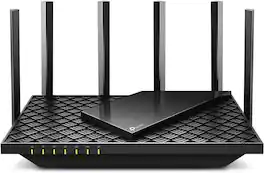
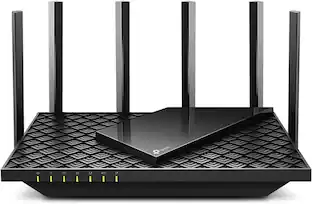
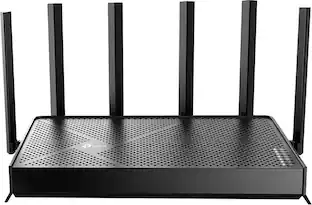
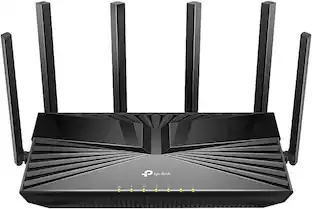
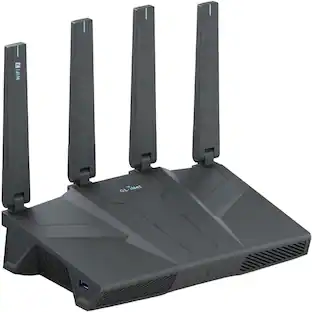
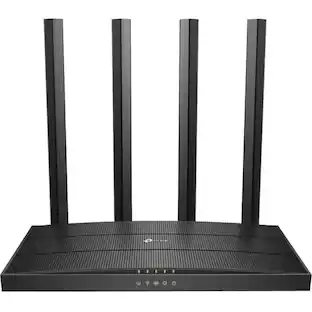
TP-Link - Archer AX5400 Pro Dual-Band Wi-Fi 6 Router - Black

Model: Archer AX5400 Pro
SKU: 6532370
$199.99
or
Finance OptionsView your offers
Standard Geek Squad Protection
Sold by Best Buy

Highlights

  • Key Specs
    • Wi-Fi Mesh System: false (A single wireless network consisting of a main router (connected directly to a modem) that connects to a series of satellite modules or nodes placed around the home. Routers with this capability promote stronger, faster wireless signals as well as increase Wi-Fi coverage by reducing interference and eliminating dead zones.)
    • Number Of LAN Ports: 4 (Number of devices able to be connected to the Local Area Network (LAN). LAN ports allow wired connections to other networking devices (wireless access points, range extenders, etc.) in order to share the internet connection received through a WAN port.)
    • Wi-Fi Speed: 5.4 gigabits per second (The maximum rate at which data is transferred between a network device and wireless router.)
    • Works With: Amazon Alexa, Google Home (Compatible with or able to be connected to other smart devices or applications.)
  • General
    • Brand: TP-Link
    • Model Number: Archer AX5400 Pro
    • Product Name: Archer AX5400 Pro Dual-Band Wi-Fi 6 Router
    • Color: Black
  • Security
    • Firewall Type: SPI (The method the firewall uses to filter and process data to increase network security, primarily by blocking malicious traffic requests while allowing legitimate traffic through.)
    • Parental Controls: true (Allows user to block unwanted content, signals, channels, networks, etc. from being received or accessed.)
  • Network
    • Quality Of Service (QoS) Traffic Prioritization: true (Allows a user to manage a device's network performance by configuring the types of traffic that receive top priority for transmission. High priority functions and applications receive maximum network performance, while low priority traffic receives minimum performance.)
    • Band Technology: Dual (Refers to the number of frequency bands used to wirelessly transmit an internet signal. For example, dual-band devices may use one 2.4 and one 5 GHz band, while tri-band devices may use one 2.4 and two 5 GHz bands. Multiple bands also provide more flexibility for designating connected devices to specific band use.)
    • Ethernet Standard: 10/100/1000/2500 (Each standard is a variation of the IEEE 802.3 set of computer networking technologies known as Ethernet. New versions evolved to include higher bandwidth, different physical media, and other new and improved features. Standards are often denoted by speeds (in Megabits per second). For example, a 10/100/1000 Ethernet port transmits at 10 Mbps, 100 Mbps, and 1000 Mbps (1 Gbps).)
    • Number of Antennas: 6
    • Frequency Band: 2.4 GHz, 5.0 GHz (Bands may be grouped into categories such as low- and high-band VHF (Very High Frequency), low- and high-band UHF (Ultra High Frequency), or certain frequency channels (measured in MHz or GHz). Generally, higher frequencies transmit information faster but have shorter range than lower frequencies.)
    • Wireless Networking Standard: Wi-Fi 6 (The wireless networking standard used by the device. Each iteration of the standard developed by the Wi-Fi Alliance corresponds to an existing IEEE 802.11 protocol; for example, standard 802.11ac (or AC) is termed Wi-Fi 5. Refers specifically to the standard the device is designed to use, but ultimately determines product interoperability and backward compatibility including previous versions.)
    • Wireless Standard: AX, AC, N (The wireless networking protocol used by the device. Each iteration of the protocol is based on the 802.11 standard developed by the Institute of Electrical and Electronics Engineers (IEEE) Standards Association. Denoted by letters following 802.11 (802.11a, 802.11ac, etc.), each version, published in alphabetical order, encompasses all previous versions.)
    • Number of 2.4Ghz Streams: 2 (A router's streams are like lanes on a highway. The more streams a router has, the less traffic congestion. Because the 2.4 GHz band is used to transmit wireless signals to a wide variety of devices, there is often high amounts of traffic on that stream. But with multiple streams, each can be designated to a specific device for optimal performance. For example, if one 2.4 GHz stream is assigned to one device, such as a desktop computer, it leaves the remaining streams open for guest users, devices that use more data, or devices with specific band compatibility.)
    • Number of 5.0Ghz Streams: 4 (A router's streams are like lanes on a highway. The more streams a router has, the less traffic congestion. The 5.0 GHz band provides high speed, short-range data transmission and typically has less traffic than the 2.4 GHz band. With multiple streams, each can be designated to a specific device for optimal performance. For example, if one 5.0 GHz stream is assigned to one device, such as a streaming media player, it leaves the remaining streams open for guest users, devices that need less data, or devices with specific band compatibility.)
    • Wi-Fi Mesh System: false (A single wireless network consisting of a main router (connected directly to a modem) that connects to a series of satellite modules or nodes placed around the home. Routers with this capability promote stronger, faster wireless signals as well as increase Wi-Fi coverage by reducing interference and eliminating dead zones.)
  • Certifications Listings & Approvals
    • ENERGY STAR Certified: false (Devices carrying the ENERGY STAR service mark, such as computer products and peripherals, kitchen appliances, and other products, generally use 20% to 30% less energy than required by federal standards.)
  • Features
    • App Compatible: true (The product can be connected to a program or software application on a mobile device, which then receives collected data from the product.)
    • App Name: Tether
    • Integrated Modem: false
    • Wireless: true
  • Ports
    • Number Of WAN Ports: 1 (Number of devices able to be connected to the Wide Area Network (WAN). This type of port may simply be labeled "Internet," and it allows the device to share its internet connection with all devices connected to it via LAN ports.)
    • Port Type(s): RJ-45, USB (USB 2.0 connects external drives, gaming controllers, smartphones, MP3 players and other accessories.USB 3.0 transfers data faster than USB 2.0, but only when used with USB 3.0 devices.USB Type-C provides fast speeds and versatile power, featuring connectors with identical ends that plug in upside down or right side up. Adapters allow for video as well as backward compatibility.Thunderbolt provides ultra-high bandwidth for fast data transfer between devices featuring a Thunderbolt or MiniDisplayPort connection.HDMI allows you to connect a projector or display HD media on your HDTV or monitor.Media card slots allow you to transfer photos from your digital camera or camcorder.)
    • Number Of LAN Ports: 4 (Number of devices able to be connected to the Local Area Network (LAN). LAN ports allow wired connections to other networking devices (wireless access points, range extenders, etc.) in order to share the internet connection received through a WAN port.)
  • Speed
    • Wi-Fi Speed: 5.4 gigabits per second (The maximum rate at which data is transferred between a network device and wireless router.)
    • Gigabit Ethernet Speed: true (Supports the gigabit Ethernet networking standard, which has a data rate of at least one gigabit per second, or 1,000 Mbps.)
  • Compatibility
    • Works With: Amazon Alexa, Google Home (Compatible with or able to be connected to other smart devices or applications.)
  • Dimensions
    • Product Height: 2 inches (The out of box height of the item. Height is measured as the vertical distance from the bottom of the item to the top as it would be primarily used or placed.)
    • Product Length: 10.3 inches (The out of box length of the item. Length is measured as the longest dimension of the item.)
    • Product Width: 5.7 inches (The out of box width of the item. Width is measured as the horizontal distance from one side of the item to the other as it would be primarily used or placed.)
    • Product Weight: 3 pounds (The out of box weight of the item.)
  • Warranty
    • Warranty - Parts: 2 year limited
    • Warranty - Labor: 2 Year Limited Warranty
  • Other
    • UPC: 840030706004

Embrace lightning-fast dual-band speeds up to 5.4 Gbps with Archer AX5400 Pro Wi-Fi 6 router. MU-MIMO/OFDMA technology and six Wi-Fi streams boost Wi-Fi speeds and network capacity while reducing congestion for smoother 4K/8K streaming and AR/VR-intensive gaming. Premium 2.5 Gbps and 1 Gbps WAN/LAN ports support flexibility for peak performance and support internet plans up to 2.5 Gbps to maximize your wireless and wired network performance. TP-Link HomeShield provides you full control and protection option for your home network***.

  • Powerful 6-Stream Wi-Fi 6: Experience ultra-fast dual-band speeds up to 5.4 Gbps combined, perfect for 4K/8K HD streaming, online gaming, large downloads, video calls, and more.
  • Multi-Gig connection: Premium 2.5 Gbps WAN/LAN ports support flexibility for peak performance, and support internet plans up to 2.5 Gbps to maximize your wireless and wired network performance.
  • Connect More Devices and Reduce Latency: Supports Wi-Fi 6 MU-MIMO and OFDMA to quadruple the average throughput and reduce congestion.
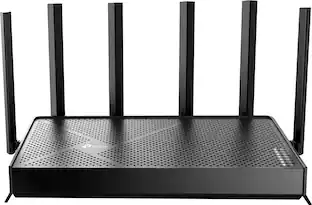
  • Boosted coverage: Six high-gain external antennas equipped with Beamforming technology extend and concentrate the Wi-Fi signal.*
  • Advanced security: TP-Link HomeShield provides tools to protect your sensitive data and all connected devices from cyber threats.
  • TP-Link OneMesh: Flexibly Create Whole Home Wi-Fi with a OneMesh-supported Range Extender.
  • Easily Setup and Management: Set up and manage your router in minutes with the free Tether App or using a web browser.
  • Voice Control: Control your router via voice commands such as turning on and off your guest Wi-Fi. Make your life smarter and easier with Amazon Alexa and Google Assistant compatibility.
  • Powerful 6-Stream Wi-Fi 6: Experience ultra-fast dual-band speeds up to 5.4 Gbps combined, perfect for 4K/8K HD streaming, online gaming, large downloads, video calls, and more.
  • Multi-Gig connection: Premium 2.5 Gbps WAN/LAN ports support flexibility for peak performance, and support internet plans up to 2.5 Gbps to maximize your wireless and wired network performance.
  • Connect More Devices and Reduce Latency: Supports Wi-Fi 6 MU-MIMO and OFDMA to quadruple the average throughput and reduce congestion.
  • Boosted coverage: Six high-gain external antennas equipped with Beamforming technology extend and concentrate the Wi-Fi signal.*
  • Advanced security: TP-Link HomeShield provides tools to protect your sensitive data and all connected devices from cyber threats.
  • TP-Link OneMesh: Flexibly Create Whole Home Wi-Fi with a OneMesh-supported Range Extender.
  • Easily Setup and Management: Set up and manage your router in minutes with the free Tether App or using a web browser.
  • Voice Control: Control your router via voice commands such as turning on and off your guest Wi-Fi. Make your life smarter and easier with Amazon Alexa and Google Assistant compatibility.
Whats Included
  • 1 x Archer AX5400 Pro Router
  • 1 x Power Adapter
  • 1 x RJ45 Ethernet Cable
  • 1 x Quick Installation Guide
  • 1 x Archer AX5400 Pro Router
  • 1 x Power Adapter
  • 1 x RJ45 Ethernet Cable
  • 1 x Quick Installation Guide

Q: Does this router offer parental control features?

A: Yes, the Archer AX5400 Pro router does offer parental control features.

Q: Can I manage this router using a mobile app?

A: Yes, you can easily set up and manage the router using the free Tether App.

Q: Does the Archer AX5400 Pro router support voice control?

A: Yes, you can control the router using voice commands with Amazon Alexa and Google Assistant compatibility.

Q: How many antennas does the Archer AX5400 Pro router have?

A: The Archer AX5400 Pro router comes equipped with six external antennas.

Q: What is the maximum wireless speed supported by this router?

A: This router supports a maximum wireless speed of up to 5.4 Gbps.

Q: Will this replace the Verizon one and I wont have to pay rent for their router anymore.?We have Verizon fios

A: Hi Harry, That depends on your service plan. If you only have FiOS Internet, you should be able to connect the router directly to your FiOS ONT device using an Ethernet cable. However, if your FiOS plan includes other services, such as TV, you might need to keep their gateway. We recommend that you contact your ISP directly to confirm whether your specific service plan allows replacing their router with your own.

Q: Is this router compatible with Spectrum internet?

A: Yes, in fact all routers should be. You will need a modem compatible with their service though. If you don't have one or do not want to rent one from Spectrum I would recommend Arris's Surfboards. I used them while I had cable service and they always were a solid product. Pair well with TP-Link Routers too.

Q: How tall are these antennas?

A: Hi, The antennas on the Archer AX5400 Pro are approximately 6 inches in length.

Sponsored

Compare similar products

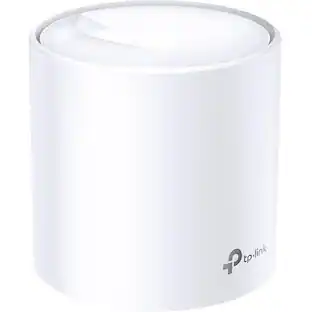
TP-Link - Archer AX5400 Pro Dual-Band Wi-Fi 6 Router - Black
4.6(54)

Embrace lightning-fast dual-band speeds up to 5.4 Gbps with Archer AX5400 Pro Wi-Fi 6 router. MU-MIMO/OFDMA technology and six Wi-Fi streams boost Wi-Fi speeds and network capacity while reducing congestion for smoother 4K/8K streaming and AR/VR-intensive gaming. Premium 2.5 Gbps and 1 Gbps WAN/LAN ports support flexibility for peak performance and support internet plans up to 2.5 Gbps to maximize your wireless and wired network performance. TP-Link HomeShield provides you full control and protection option for your home network***.

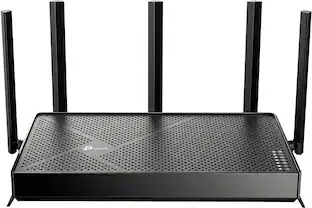
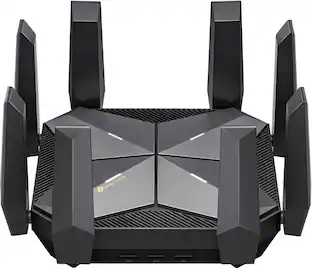
TP-Link - Archer AXE7800 Tri-Band Wi-Fi 6E Router - Black

Embrace lightning-fast 7.8 Gbps speeds and experience 6GHz band with Archer AXE7800 Tri-Band WiFi 6E router. With eight WiFi streams combined with three separate bands, the Archer AXE95 achieves unbeatable performance to boost capacity and reduces congestion for smoother 8K streaming and AR/VR intensive gaming. Premium 2.5 Gbps and 1 Gbps WAN/LAN ports support flexibility for the peak performance, transmitting maximum fiber internet speeds to fill every corner of your house. Protect your IoT devices with TP-Link HomeShield.

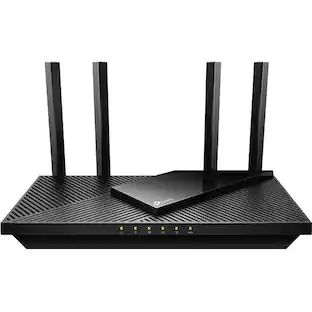
TP-Link - Archer BE5000 Dual-Band Wi-Fi 7 Router - Black
4.2(36)

Step into a new era of home Wi-Fi with the TP-Link BE5000 Dual-band Wi-Fi 7 Router. Powered by revolutionary Wi-Fi 7 technology, this dual-band router revolutionizes your home connectivity. It offers expansive wireless coverage and impressive Wi-Fi speeds of up to 5.0 Gbps using Multi-Link Operation across five simultaneous streams spanning the 5GHz, and 2.4GHz bands. Wi-Fi 7 delivers even smoother connections with less interference, lower latency, and enhanced reliability. Plus, enjoy increased capacity to accommodate more devices simultaneously, making it the perfect router for 4K/8K streaming, lag-free online gaming, and seamless smart home connectivity. Designed for ultra high speed, multi-gigabit internet, the Archer BE5000 boasts a 2.5 Gbps internet port, 2.5 Gbps LAN port, three Gigabit LAN ports, and a USB 3.0 port, catering to all your high-performance device needs. Experience the future of Wi-Fi today with the TP-Link Archer BE5000.†‡§

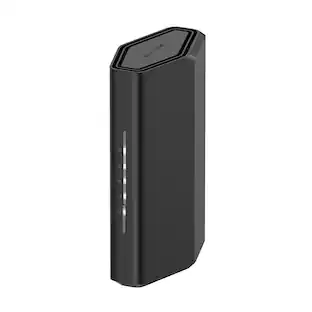
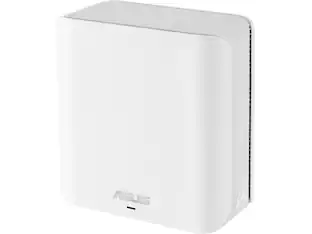
ASUS - RT-BE3600 Dual-Band Wi-Fi 7 Router - Black

Wi-Fi 7 (802.11be) dual-band extendable router boosts speeds up to 3600 Mbps, with 4096-QAM increasing a single frequency band’s transmission speed by 1.2 times

Pros for TP-Link - Archer AX5400 Pro Dual-Band Wi-Fi 6 Router - Black
Range, Speed, Easy setup, Strong signal, Usb portSpeed, Range, Performance, Ease of use, SetupOverall Performance, ConnectivitySetup Ease, WiFi Range, Signal Strength, Build Quality
Cons for TP-Link - Archer AX5400 Pro Dual-Band Wi-Fi 6 Router - Black
Bridge, Bulky power supply, Interface, Led status, Link aggregationWi-Fi 6E, Lag, Size, Parental ControlThere were no cons for this productThere were no cons for this product

Specs

Reviews

Customers are saying

Customers recognize the Archer AX5400 Pro Dual-Band Wi-Fi 6 Router for its easy setup process, describing it as "super easy" and "extremely easy." The router's extended Wi-Fi range is also well-received, allowing users to enjoy their internet service beyond their expectations. Additionally, customers appreciate the strong signal provided by the router, resolving previous issues with signal dropouts.

This summary was generated by AI based on customer reviews.

Customer Images

The vast majority of our reviews come from verified purchases. Reviews from customers may include My Best Buy members, employees, and Tech Insider Network members (as tagged). Select reviewers may receive discounted products, promotional considerations or entries into drawings for honest, helpful reviews.

  • Rated 5 out of 5 stars

    TP-Link router

    Best value for your investment - extremely easy to set up and coverage and is phenomenal for my apartment. I definitely recommend this router

    Posted by RubenR

  • Rated 5 out of 5 stars

    It Made a Measurable Difference

    I have had internet struggles for a long time but I have been hesitant to upgrade my router, reasoning that my internet provider is the issue. I tried a mesh system to improve it in the past with little success and gave up there. Naturally, when I learned about the TP-Link I was skeptical about its potential and not to sure I wanted a spider-looking thing in my living room. But now that I have tried it, I have been converted. There is just no going back. It was my internet provider’s router that was the issue and not the internet itself. This router works so well and amplifies my signal significantly. My download speed is now over 5-10 times faster and my upload speed has doubled. I tested my speeds at various times during the day with the old router and did the same with the TP-Link and the difference is considerable with each comparison. My household has many devices that connected wi-fi, one ethernet computer connection, and several streams going on simultaneously at times. It can definitely add up to a heavy load periodically. I have not had any issues with connectivity since I installed the TP-Link. Even in problem areas, like a corner surrounded by a brick wall, the connection remains stable and strong. The usual buffering problems I was having during streaming are now nonexistent. The congestion reducing capabilities are an asset as the ethernet connected computer used to cause the rest of the wifi connected devices to lag and that has not been an issue since replacing the router. As for the aesthetics, the antennas rotate all directions so they can be lowered to have low profile, depending on your needs of course. I particularly like this because I subscribe to the teachings of Feng Shui which explains that points bring “fire” element energy and that is not always desirable in certain areas of the home. So having the ability to circumvent this issue is a relief. Set-up was very simple and streamlined. All I had to do was turn off my modem and plug in the proper cables in the appropriate ports. After turning my modem back on, I turned on the router and ¡voila! It was up and running. It includes a link that allows you to complete the installation easily on your smartphone, as well as rename the router’s wifi name and put in a new password. Just be sure to note down each password because you will end up with a total of three and if they are different (which they should be for security reasons) it will get confusing once it is all set and done. This device includes added advanced security which is great and really brings peace of mind considering the increasing changes and threats that exist in the virtual world. Overall, I am glad I made the move to replace my router. I will continue my praises and appreciation for the TP-Link and its ability to improve an increasingly needed utility in my home.

    Posted by Akire

  • Rated 4 out of 5 stars

    Good router overall, perfect for almost everyone!

    My router had started to age, and so I was excited to see what kind of in-home Wi-Fi gains I’d see with this new TP-Linkk Archer AX5400 Pro router. Some basics: I have an Arris Surfboard DOCSIS 3.1 modem with speeds that support Cox’s Gigablast and then some, though my actual service plan includes speeds only up to 500Mp/s so I’m not maxing out any speeds by any means- though my equipment is plenty capable and has plenty of extra headroom. My previous router was a Netgear Nighthawk variation that was about 5 years old, and did not cover my entire 1,500 square foot house corner to corner. I knew Wi-Fi six came with some benefits, such as improved simultaneous downloads and streams, so I was eager to get this set up since I have a handful of Wi-Fi 6 compatible devices including my Apple TV’s, MacBook Pro, and of course my phone. Quick little Pro Tip too before we continue: during Setup, keep your network names and passwords the same as your previous router’s network names and passwords to avoid having to manually re-sign in to your Wi-Fi on all of your devices. Setup through the mobile TP-Link “Tether” app was somewhat simple, though I had to restart my modem more than once and verify that I was connected via the correct Ethernet-In port on the router (you can use either the 1Gbps Ethernet input or the 2.5Gpbs input, though make sure that selection is consistent in your setup settings in the app). Soon enough I was up and running, having set up my Wi-Fi Name, and dis-enabling Smart WiFi option (though most folks will want to keep that setting turned on for ease of use and not needing two separate logins). The Smart Wi-Fi option is a feature TP Link offers that is similar to features included by other manufacturers including Netgear. This feature essentially enables you to use the same network name and password for both your your 2.5Ghz and 5Ghz WiFi bands, and intelligently switches your device between the two bands based on various factors so that you always have the best speeds available on your devices. Personally, I like having the two separate bands and am used to manually switching between them depending on how strong my connection is, so I’ve turned this option off. One thing to note is that if you disable your Smart Wi-Fi option, anything on the 2.5Ghz band will be *significantly* slower than your 5Ghz band. I get upwards of 400Mps on the 5Ghz band while peaking around 60Mps on the 2.5Ghz band, but that is the nature of the beast: the 2.5Ghz band is better for distance and suffers in speed, and the 5Ghz band benefits from your device being closer to the router and gives you much better speeds. I will say though, this router’s 5Ghz band is SUPER strong and can reach every corner of my house, so I may end up turning the Smart Wi-Fi option back on since I’m almost convinced that all my devices will connect with the faster band. One thing I preferred about the Netgear Nighthawk’s router app is that is provided you much more utility for free than what I have been able to uncover in the TP Link “Tether” app. Some of the most useful feature of the Tether app seems perhaps paywalled: the app includes a bunch of advertising to subscribe to their “Premium Support”, which seems a little unnecessary unless you’re using this for a small business and/or have more needs than home Wi-Fi. A potential benefit of choosing this router is that it includes a feature called “One Mesh” which lets you add TP Link “One Mesh” range extenders for a Mesh in-home Wi-Fi network. I haven’t tested this, so I’m not sure if it’s a true mesh-network or a good use of the term “Mesh” for marketing in order to sell you a bunch of glorified basic Wi-Fi range extenders. Overall, my devices seemed to have a marked improvement in overall signal strength across my smaller 1,500 sf house. Given that my Apple TV’s utilize Wi-Fi 6, streaming on them (especially the one in the bedroom furthest away from the router) was much improved. I’d recommend this router for anyone looking to upgrade and doesn’t want to rent a unit from their Internet Service Provider.

    Posted by CactusMan

No content
Sponsored

Similar products from outside of Best Buy

sponsored

Finance Options

My Best Buy® Credit Card
10% back in rewardson your first day of purchases when approved for the My Best Buy® Credit Card.
Buy Now, Pay Later
4 payments starting at $50.00