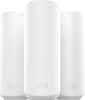
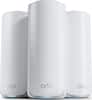
TP-Link - Deco XE75 Pro AXE5400 Tri-Band Mesh Wi-Fi 6E System (1-Pack) - White
Model: Deco XE75 Pro (1-Pack)
SKU: 6536653
Sold byBest Buy
Customers find value in the Deco XE75 Pro's ease of use, extensive coverage, and strong signal, with many praising the straightforward setup and excellent performance. The system's range is also frequently highlighted as a significant benefit. While some users experienced connection issues and found the parental controls limited, the positive feedback on performance and ease of use outweighs these concerns for most. The app is also appreciated for its user-friendly design.
Cover up to 2,900 Sq. Ft. with next-gen seamless Wi-Fi and make dead zones and buffering a thing of the past.
A 2.5 Gbps port and two Gigabit ports per unit allow you to take full advantage of your broadband speed (ideal for gigabit+ internet plans up to 2.5 Gbps). Plug your PCs, smart TVs, or game consoles into the ports for blazing-fast wired connections.
6 GHz Wi-Fi band provides open and clear signal, eliminating interference from older devices.
All three Wi-Fi bands work together to unleash your network’s total speeds up to 5,400 Mbps for 200 devices (6 GHz: 2402 Mbps (HE160); 5 GHz: 2402 Mbps (HE160); 2.4 GHz: 574 Mbps)
Deco intelligently customizes an ideal mesh Wi-Fi solution unique to your home by automatically learning the network environment and user behaviors.
The Deco app helps you set up your network in minutes with clear visual guidance and keeps you in control even when you are not home.
Communicate with up to 200 devices simultaneously without slowing down.
All Deco products work together, add another Deco to expand your network.
Create a single network name and password for all your Decos and receive the best possible connection as you walk from room to room.
Protect your network and data with TP-Link HomeShield featuring IoT protection, cyber threat prevention, robust parental controls, and comprehensive reports.
Control your network with your voice. Turn on or off Guest Wi-Fi by simple voice commands and automatically trigger actions between smart home devices and applications.
2-year warranty, 24/7 unlimited technical support by phone and email.
I'm going to buy the XE75 Pro, but I'm confused. Do I plug my modem into the 2.5g port or my desktop PC into it to take advantage of the faster speeds?
Hi! That depends on whether your Internet plan and modem support more than 1 Gbps. If your Internet speed is 1 Gbps or less, then you can use any of the 1 Gbps WAN/LAN ports for Internet input, and the 2.5 Gbps port for another device. However, if your Internet speed is greater than 1 Gbps, we recommend using the 2.5 Gbps port for Internet input to better utilize the bandwidth available from your ISP.

Is the one unit TPLINK XE75 Pro mesh enough for a small apartment? looking to strengthen wifi in living room. Currently got a AX3000 Dual band mesh system of a different brand with 2 units. Thanks in advance.
It should be, if placed optimally. However, other factors may also contribute to Wi-Fi connectivity woes in an apartment environment apart from signal strength or coverage. Generally, prime contributors would be how densely congested neighboring Wi-Fi signals are, with each apartment unit broadcasting at least one Wi-Fi signal (or more if using multiple Mesh nodes), causing interference for other networks nearby.
Does this device have guest network capabilities?
Yes, this device supports guest networks.
What is the maximum Wi-Fi speed offered by this system?
This system offers a maximum Wi-Fi speed of 5.4 gigabits per second.
Is this a Wi-Fi 6E tri-band mesh system?
Yes, this is a Wi-Fi 6E tri-band mesh system.

Learn more >