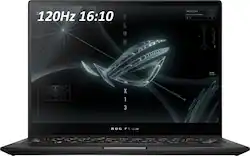
ASUS - ROG 13.4" Touchscreen Gaming Laptop - AMD Ryzen 9 - 16GB Memory - NVIDIA GeForce RTX 3050 Ti V4G Graphics - 1TB SSD
Model: GV301QE-211.ZG13
SKU: 6452915
This item is no longer available in new condition. See similar items below
Customers often highlight the excellent performance and impressive graphics capabilities of the ROG 13.4" touchscreen gaming laptop, along with its portability and convenient touchscreen functionality. Many appreciate its lightweight design and build quality, although some users mention issues with heat generation and limited port selection. The laptop's battery life is described as decent by some, while others note concerns about fan noise and speaker quality.
I have been looking for an ultraportable gaming machine for a while. I already have a super mega powerful desktop gaming PC. The idea behind this laptop was to be a very portable unit that would allow me to play my games anywhere. If you are looking for a machine that can play every game in 4K @ 200 FPS with ultra settings this is not the machine for you. If you are looking for an ultraportable machine with very good performance for it's weight class you will be very pleased. PROS: - Super light (less than 3 pounds) - Great build quality - Compatible with the Asus portable GPU (RTX 3080) sold separately - Looks like a gaming laptop but does not go overboard with gaming craziness - Amazing screen (1920 X 1200) and touch enabled - 120HZ!!! - Can be used as a tablet - Trackpad is small but very responsive - 1 TB SSD is plenty of storage - Lot's of ports on both sides - Great price, especially on sale - I got mine for $1199 - Does not come with bloatware - Fingerprint reader on the power button works well CONS: - Comes with Windows 10 - can be easily upgraded to Win11 - The webcam does not have Windows hello (facial recognition login) - this is not a big deal - Battery life is good but could be better SETUP - Download all the Windows Updates (includes some BIOS updates) and then Upgrade to Windows 11. The Windows 10 installer will ask you if you want to upgrade to Windows 11. NOTE: if you have any issues after the upgrade to windows 11 -> do a full: "reset this PC" from Windows 11. This will give you a full new clean install of Windows 11 including all the ASUS software and drivers. Once in Windows 11: - Download all the Asus Amour Crate Updates and NVIDIA Geforce driver updates. Also Download the updates on the app called MyAsus, PERFORMANCE: In order to play games while in battery mode, go to Geforce Experience and disable the battery saver function. This function limits the frame rates of all games to 30 FPS while in battery mode (leave on if you only game while on AC) Go to NVIDIA Control Panel -> Manage 3D settings -> * Shader Cache Size set to 1GB * Texture Filtering - Quality set to "Performance" Performance examples: - Halo Infinite: AC plugged in - Med settings - 1920 X 1200 , 80-90 FPS - Battery: 60 FPS - Horizon Zero Dawn: Med settings - 1920 X 1200 - 80 FPS - Battery 60 FPS - TimeSpy overall score: around: 4300 A couple of things to know: 1. The only AC adapter that will allow you to do Turbo mode in Armour Crate is the one that comes with the machine. Other adapters will charge the laptop but will not let you do turbo mode (you can do any other mode though). Which by the way Turbo is not a big jump in performance 2. There is another USB C port on the left side, just remove the little rubber piece that says ROG 3. The box comes with a cardboard stand for your laptop. You just have to fold it (don't throw it away) it can help with cooling. I would recommend getting a more robust metal stand for this. (see photo) 4. The 2022 model is the exact machines with a faster processor and RAM. The difference is minimal, especially in gaming. I hope this helps! Enjoy it!
Posted by Dano
Honestly I wish I chose the Zephyrus over this computer but I was pulled in by the low-quality webcam that the Zephyrus lacked. Overall it's a decent computer able to run everything and anything, but it's unable to last more than 3 hours without direct charge. It's been 2 years and today it mainly sits on it's cooling station with the charger plugged in. If you have another monitor you can have a dual-monitor set-up by treating your laptop screen as the secondary monitor so that's a plus! If you plan to be a student who needs to open larger programs in places where you can't be plugged in, I would suggest against this laptop. The CPU is pretty sweet though! Another thing I'd comment on is the lack of IO options... I've spent a lot of money switching through USB-A extension dongles these past 2 years. Lastly, the speakers inside broke maybe a year into usage. I never replaced them because I almost always use bluetooth headphones / speakers but you can find replacement parts online for ~$30.
Posted by pikapika
Portable powerhouse. I frequently travel so naturally have to carry my laptop around with me. This one is so light and powerful at the same time, i absolutely love it. I'm a software engineer by profession so I'm able to install computationally heavy softwares and they run well. I also play games on this and am able to play AAA on medium-high settings.
Posted by Shreayan
The vast majority of our reviews come from verified purchases. Reviews from customers may include My Best Buy members, employees, and Tech Insider Network members (as tagged). Select reviewers may receive discounted products, promotional considerations or entries into drawings for honest, helpful reviews.