Customer Ratings & Reviews
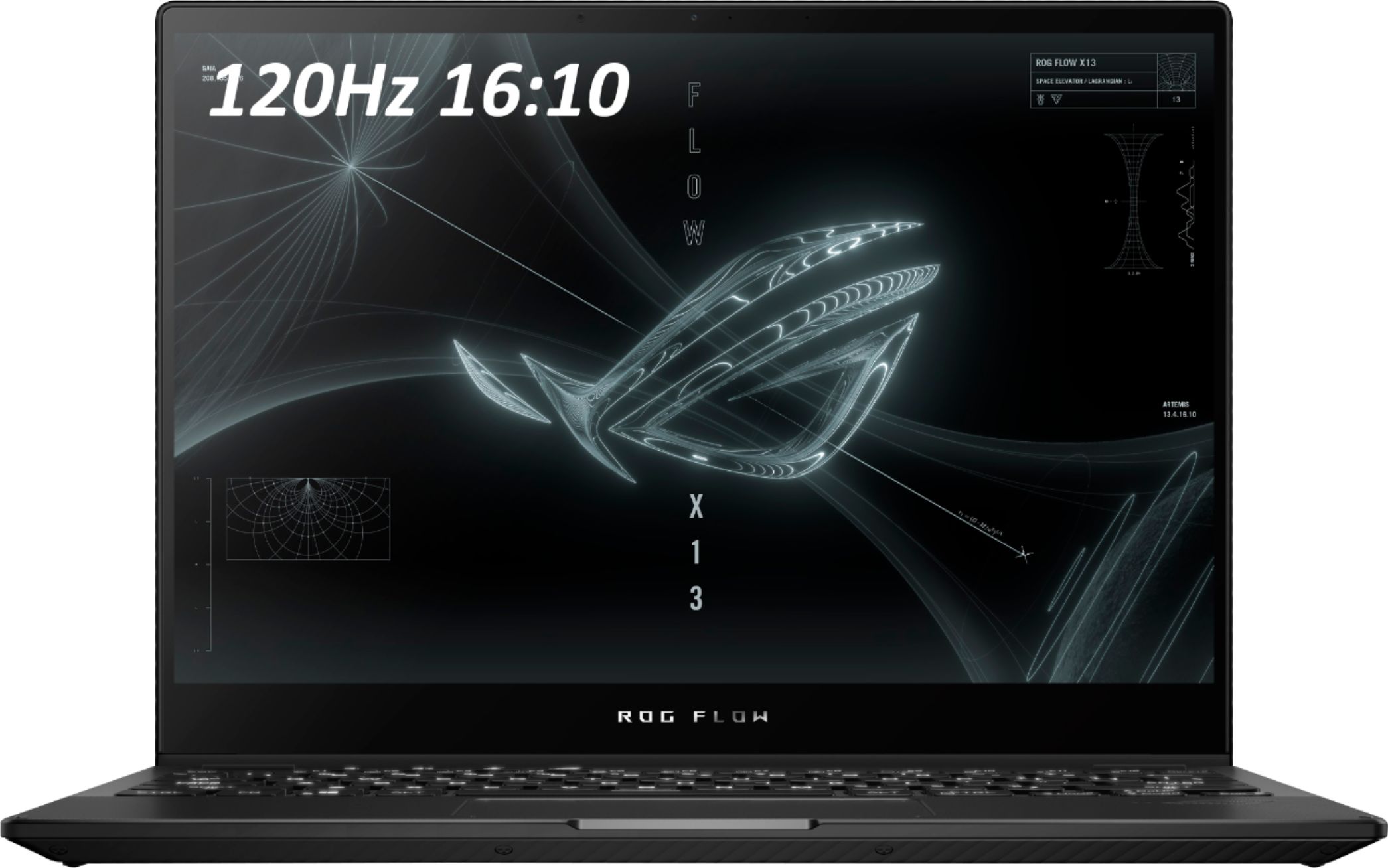
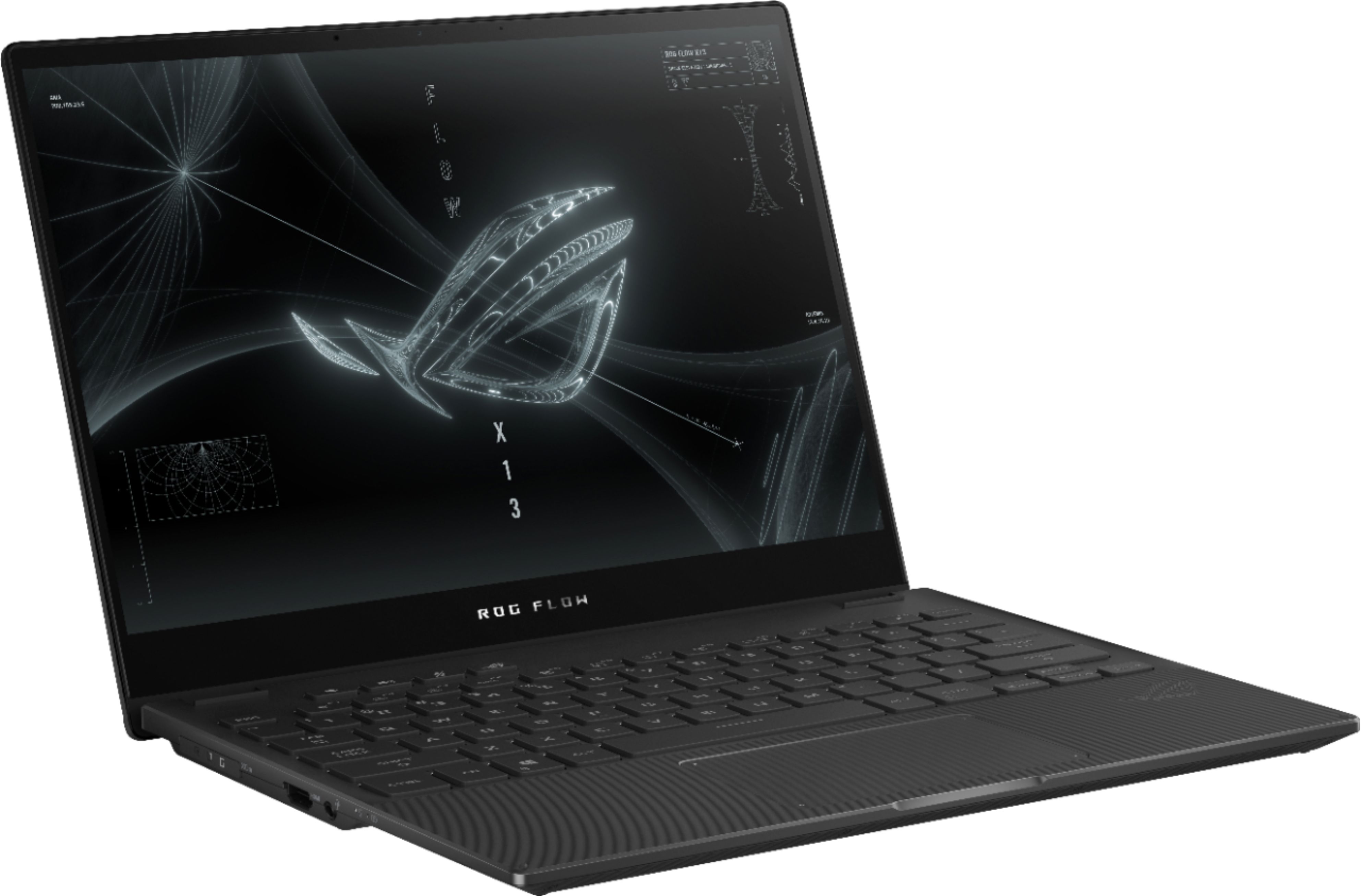
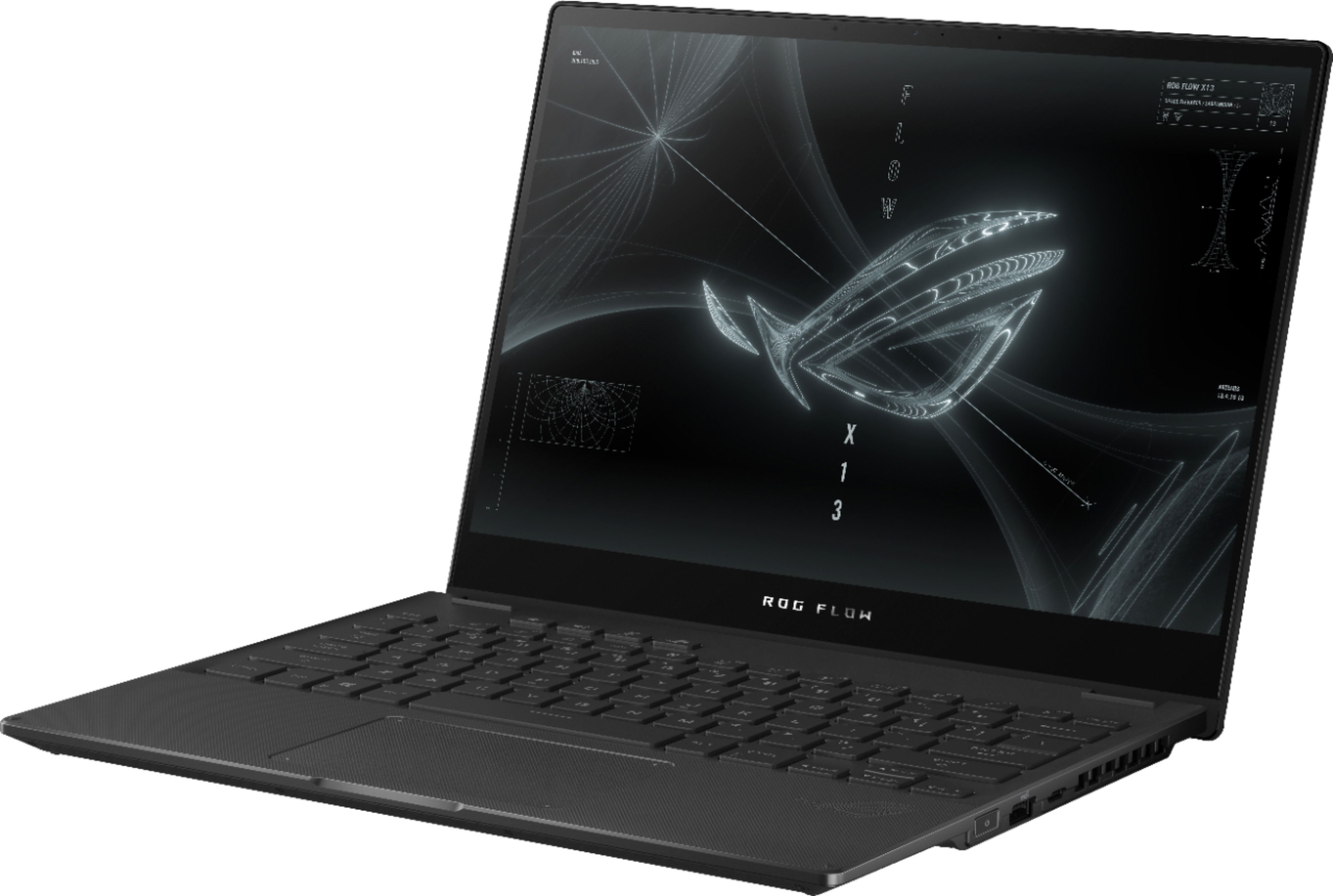

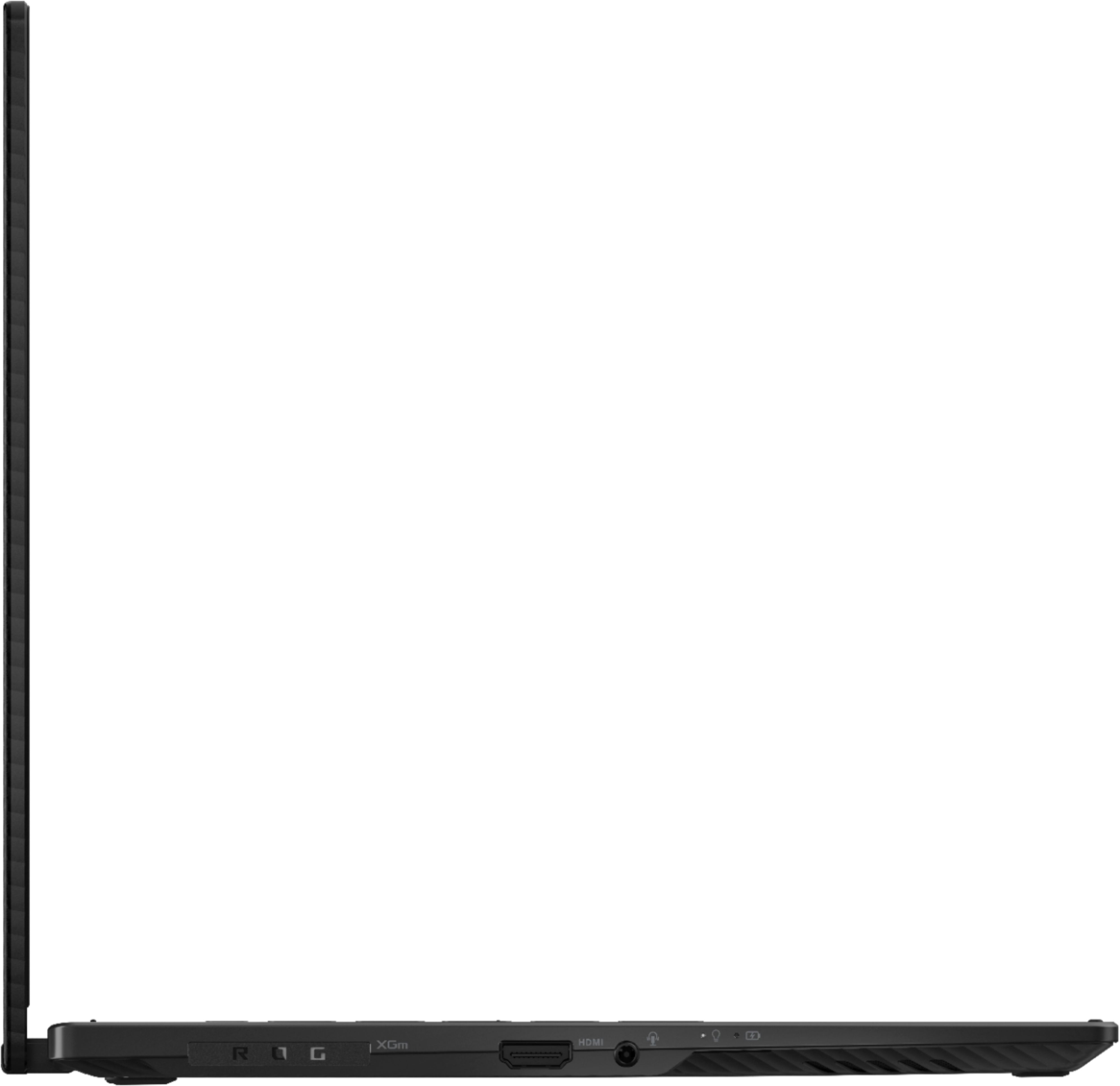

- Model:
- GV301QE-211.ZG13
- SKU:
- 6452915
Rating by feature
- Battery Life
Rating 3.9 out of 5 stars
- Speed
Rating 4.7 out of 5 stars
- Display
Rating 4.5 out of 5 stars
Customers are saying
Customers often highlight the excellent performance and impressive graphics capabilities of the ROG 13.4" touchscreen gaming laptop, along with its portability and convenient touchscreen functionality. Many appreciate its lightweight design and build quality, although some users mention issues with heat generation and limited port selection. The laptop's battery life is described as decent by some, while others note concerns about fan noise and speaker quality.
This summary was generated by AI based on customer reviews.
- Pros mentioned:Graphics, Performance, Touchscreen
The most powerful 13 inch gaming laptop!!!!
||Posted . Owned for 1 week when reviewed.This reviewer received promo considerations or sweepstakes entry for writing a review.I have been looking for an ultraportable gaming machine for a while. I already have a super mega powerful desktop gaming PC. The idea behind this laptop was to be a very portable unit that would allow me to play my games anywhere. If you are looking for a machine that can play every game in 4K @ 200 FPS with ultra settings this is not the machine for you. If you are looking for an ultraportable machine with very good performance for it's weight class you will be very pleased. PROS: - Super light (less than 3 pounds) - Great build quality - Compatible with the Asus portable GPU (RTX 3080) sold separately - Looks like a gaming laptop but does not go overboard with gaming craziness - Amazing screen (1920 X 1200) and touch enabled - 120HZ!!! - Can be used as a tablet - Trackpad is small but very responsive - 1 TB SSD is plenty of storage - Lot's of ports on both sides - Great price, especially on sale - I got mine for $1199 - Does not come with bloatware - Fingerprint reader on the power button works well CONS: - Comes with Windows 10 - can be easily upgraded to Win11 - The webcam does not have Windows hello (facial recognition login) - this is not a big deal - Battery life is good but could be better SETUP - Download all the Windows Updates (includes some BIOS updates) and then Upgrade to Windows 11. The Windows 10 installer will ask you if you want to upgrade to Windows 11. NOTE: if you have any issues after the upgrade to windows 11 -> do a full: "reset this PC" from Windows 11. This will give you a full new clean install of Windows 11 including all the ASUS software and drivers. Once in Windows 11: - Download all the Asus Amour Crate Updates and NVIDIA Geforce driver updates. Also Download the updates on the app called MyAsus, PERFORMANCE: In order to play games while in battery mode, go to Geforce Experience and disable the battery saver function. This function limits the frame rates of all games to 30 FPS while in battery mode (leave on if you only game while on AC) Go to NVIDIA Control Panel -> Manage 3D settings -> * Shader Cache Size set to 1GB * Texture Filtering - Quality set to "Performance" Performance examples: - Halo Infinite: AC plugged in - Med settings - 1920 X 1200 , 80-90 FPS - Battery: 60 FPS - Horizon Zero Dawn: Med settings - 1920 X 1200 - 80 FPS - Battery 60 FPS - TimeSpy overall score: around: 4300 A couple of things to know: 1. The only AC adapter that will allow you to do Turbo mode in Armour Crate is the one that comes with the machine. Other adapters will charge the laptop but will not let you do turbo mode (you can do any other mode though). Which by the way Turbo is not a big jump in performance 2. There is another USB C port on the left side, just remove the little rubber piece that says ROG 3. The box comes with a cardboard stand for your laptop. You just have to fold it (don't throw it away) it can help with cooling. I would recommend getting a more robust metal stand for this. (see photo) 4. The 2022 model is the exact machines with a faster processor and RAM. The difference is minimal, especially in gaming. I hope this helps! Enjoy it!
I would recommend this to a friend - Pros mentioned:Processor speedCons mentioned:Speakers
Good but not amazing
||Posted . Owned for more than 2 years when reviewed.This reviewer received promo considerations or sweepstakes entry for writing a review.Honestly I wish I chose the Zephyrus over this computer but I was pulled in by the low-quality webcam that the Zephyrus lacked. Overall it's a decent computer able to run everything and anything, but it's unable to last more than 3 hours without direct charge. It's been 2 years and today it mainly sits on it's cooling station with the charger plugged in. If you have another monitor you can have a dual-monitor set-up by treating your laptop screen as the secondary monitor so that's a plus! If you plan to be a student who needs to open larger programs in places where you can't be plugged in, I would suggest against this laptop. The CPU is pretty sweet though! Another thing I'd comment on is the lack of IO options... I've spent a lot of money switching through USB-A extension dongles these past 2 years. Lastly, the speakers inside broke maybe a year into usage. I never replaced them because I almost always use bluetooth headphones / speakers but you can find replacement parts online for ~$30.
I would recommend this to a friend - Pros mentioned:Graphics, Performance
Highly recommended for balancing portability with
||Posted . Owned for 1.5 years when reviewed.This reviewer received promo considerations or sweepstakes entry for writing a review.Portable powerhouse. I frequently travel so naturally have to carry my laptop around with me. This one is so light and powerful at the same time, i absolutely love it. I'm a software engineer by profession so I'm able to install computationally heavy softwares and they run well. I also play games on this and am able to play AAA on medium-high settings.
I would recommend this to a friend - Pros mentioned:Processor speed, Touchscreen
Almost perfect laptop with a few shortcomings.
||Posted . Owned for 3 weeks when reviewed.This reviewer received promo considerations or sweepstakes entry for writing a review.If you want a 13.3" ultra-lite 2-in-1 gaming computer, this is the only way to go. Literally. Speed: The attached photo shows it all. I ran Passmark 3D on my Ryzen-9 3900 desktop with an old GTX-970, my newer HP Omen (9th Gen I-7, GTX 1650ti) and this PC (Ryzen 9 5900HS, RTX 3050). The desktop is the hands down winner. Surprisingly, the HP Omen came in second place, largely because the RTX 3050 sucks air. The processor speed is good, particularly for a laptop and blows away the 9th gen I-7. On the other hand, I am unaware of a faster ultra-lite or 2-in-1 on the market. Battery Life: All the computing power results in a not great battery life. Real world battery life appears to be around 4-1/2 hours with the RTX-3050 turned off and somewhere under 2 hours with it on. I believe if you put the Ryzen on "low" and turn down the screen brightness, you can get around 7 hours of battery life. Screen: It is a 2-in 1 so it has a touch screen which I view as necessary for a laptop. It has a 120Hz refresh rate (twice most screens) which is really good for gaming. The colors are colors nice and it bright enough for most situations. The screen is 16:10 which is wider than the standard 16:9. Hard drive: Gaming requires substantial hard drive space as modern games are large. It is also nice for storing large data files such as movies. Connectivity: It has only 1 standard USB port, a USB C port and an unusual port for an ASUS specialty external video card. It should have more ports and a micro-sd card reader. The lack of a card reader is a major disappointment. Fit and finish: It feels solid. The keyboard is nice with adequate throw and good tactile feedback. Conclusion: I very much like this PC. Great processor, screen, portability I give it an 8 out of 10 because the video card is not adequate and its lack of sufficient USB ports or a micro-sd slot.
I would recommend this to a friend - Pros mentioned:PerformanceCons mentioned:Ssd
compact and powerful, but with horrible ghosting!
||Posted . Owned for 2 weeks when reviewed.This reviewer received promo considerations or sweepstakes entry for writing a review.the laptop is very compact and powerful, the RTX 3050ti with 35w gives good performance and its processor is very powerful, actually everything on the laptop is very good, things like the screen hinge is not very stable, you can't expand nothing, only the M.2 but being 30mm format there is practically no more than 1tb, they are understandable sacrifices due to the compactness of the device, but what is unforgivable is the bad response time of the screen, 32ms!!! this produces a horrible and unbearable ghosting, personally I could not continue using it as a personal laptop since it is a team for portable work and games, and it is precisely in games that it is most noticeable, not everyone notices this problem, so yes for you this is not a problem there is no other major problem, it is an excellent lapop, I really liked it but the ghosting detail ruined my experience, I don't know why asus puts those screens on compact devices, like the G14 2020 and 2021 that also have the same problem, and they are not cheap equipment - note: the tests were done with the fans at maximum and in FPS screen mode (supposedly decreased ghosting but there is no difference) and the results of the stress test with the cpu and gpu at maximum are after 30 minutes
No, I would not recommend this to a friendBrand response from ASUS Answers
Posted .Dear JohanDark,
We definitely understand the impression this may have created and we hope this will not be a long term lasting impression as you have chosen ASUS as a trusted brand for excellence. We do value our customers and take negative customer service experience very seriously. The panel response time in this model is approximately 30ms and is within specification. We definitely understand and we value your feedback and concerns as this will aid in any improvements that need to be made.
For more information send us an email at [email protected] and provide the link of this review for reference. We’ll do our best to provide a quick resolution to your case. Your feedback is important as it helps with improvements to ASUS Support channels. Please refer to this case number (N2108014604-0017) for us to better assist you.
Thank you for choosing ASUS.
Best Regards,
Ramon
ASUS Customer Loyalty US Support
- Cons mentioned:Fan noise
It’s a good laptop and is ok for gaming.
||Posted . Owned for more than 2 years when reviewed.This reviewer received promo considerations or sweepstakes entry for writing a review.I’ve had this laptop for over two years now and have had a little problems other than multiple Hot pixels on the screen kind of annoying and they happened it only about a year in and I was pretty unimpressed by the palm rejection on the touch screen. other than that as a thin and light laptop, it works perfectly for me. I mainly use it for graphic design work/ 3d modeling, and some light gaming. I would not use this as my main system, though as the screen is a little small and the fans can get pretty loud.
No, I would not recommend this to a friend - Pros mentioned:Graphics, Performance, Processor speedCons mentioned:Heat, Ssd

Truly portable 2in1 gaming laptop with RTX 3050Ti
|Posted .This reviewer received promo considerations or sweepstakes entry for writing a review.I absolutely love the 13” ASUS ROG Flow, but not in the way I expected. At just over ½” thick and weighing under 3lbs, it’s super compact and practical, which makes it a joy to carry around and use either as a laptop or tablet. This is significant, because I usually don’t like 2-in-1 laptops. They’re often heavy, too thick, and cumbersome, making them more of a novelty than something convenient. But here, the Flow is just slightly thicker than a tablet with a case, and the bottom screen bezel doubles as a finger grip edge, so you’re not blocking the screen as you’re holding it. It’s well thought out to be practical, which is a common theme with the ROG Flow. From its relatively large keyboard, to responsive touch screen, wide trackpad, backlit keys, and 120hz PANTONE calibrated Gorilla Glass screen, it’s a fantastic daily and media use laptop. As a gaming rig by itself, it does well for what it is, but likely needs the optional XG Mobile attachment for serious Ultra graphics gaming. BUILD / DESIGN Well built and compact, the Flow X13 is a pleasure to carry around (especially coming from a 15” laptop). I love the matte black finish and the 360° screen hinges enable it to convert into a tablet, or tent it open to stand up like a table top TV. There’s a lot of small details that I appreciate, like the subtle curve to the keyboard keys for better tactile feedback and an excellent trackpad that doesn’t seem to miss. At about 0.65” thick, it’s even practical as a tablet with a responsive touch screen that’s also stylus compatible. ASUS claims a 10 hour battery life playing video at 150 nits, but it’s maybe more like 6-7 hours in practical use. It drops to about 3-4 hours for something more intensive like gaming, but it really depends on your settings and how you’re using it. The fingerprint reader (power button) works well, but is tiny and a pain to set up. However, after it’s set I noticed all I had to do was slide my finger across the sensor and it matched me quickly. The ports are up to date with two USB-C 3.2 gen 2 ports and one USB-A 3.2 gen 2 port. Be sure to look behind the rubber PCIe cover to find the 2nd USB-C port. The body’s all plastic, but it’s rigid with a high quality feel. The Gorilla Glass screen should ensure it can take as much abuse as most smartphones. No word on how it holds up to drops, but I’m hoping to never test that either. If that happens in your first year though, ASUS is cool enough to include 1 year of accidental drop protection after registering. DAILY PERFORMANCE Powered by an 8 core AMD Ryzen 9 5900HS CPU with onboard Radeon graphics and a secondary NVIDIA RTX 3050 Ti graphics card, ASUS crams a lot of power into a thin body. They keep the infrastructure speedy too, with 16GB of RAM and a 1TB NVME HD that tested at up to 2.5 GB/s on CrystalDiskMark tests. It’s remarkable that it doesn’t have cooling issues, but the thermal management works great and the fans are just about whisper quiet in every mode except Turbo. The bottom can get extremely hot in laptop mode, so beware of actually using it on your lap. This seemed to be more of an issue when gaming in Performance and Turbo mode though, so in regular day to day use, it’s likely fine. With the fan exhaust ports in the rear and right side, the cooling system works even better when the laptop is tented or in tablet mode, because the heat rises straight out of the top and even stays cool after 6 hours of streaming HD video. A dedicated Armoury Crate button quickly launches the app to make adjustments to the performance modes and screen settings. You can even save presets for specific games, which is really neat. For everyday office, streaming, web surfing, photo editing, and 4K video editing, the Asus Flow is snappy in both laptop and tablet modes. It’s an absolute pleasure to use as a main day to day laptop, but as a gaming laptop, it’s a bit of a mixed bag. GAMING PERFORMANCE As a stand alone gaming rig... it’s ok. It has the new RTX 3050 Ti GPU, which is Ray Tracing and DLSS capable, but you’ll need to find less demanding games to take advantage of it. Playing Doom Eternal on Ultra Nightmare settings, it averaged about 70-75 fps, which isn’t half bad if you know how crazy the game can be. However, playing it over HDMI on an extended monitor, the frame rate dropped to about 45-55fps, which was disappointing. Granted, this was with all of the graphic settings on Ultra Nightmare, which is a stress test for many computers, let alone a laptop. Turn it down just a notch and Doom’s super smooth on the 120hz screen. Cyberpunk2077 on the other hand…no. With low graphic settings playing on the internal screen, it struggled to even run at 60fps. However, there’s an XG Mobile peripheral, which is basically an external GPU hub powered by an RTX 3080 that should instantly turn the Flow X13 into a serious gaming rig. It plugs into a nifty PCIe 3.0 x8 port that’s proprietary to ASUS, but I hope it gets widely adopted. Even without the XG Mobile, there’s a lot of possibilities with a PCIe port, which should offer the same speeds as adding a PCIe card directly to the motherboard. Outside of the graphics, the speakers sound great with immersive depth and spatial imaging by Dolby. It’s not “surround” surround, but it creates a nice phantom 3 channel front stage. ASUS managed to include the same size keyboard that’s in my 15” Macbook Pro, ensuring that my hands won’t get cramped and helping to prevent hitting the wrong key. For the best gaming experience, be sure to switch it to Turbo performance mode in Armoury Crate for the fastest processing, and switch the graphics to high performance mode in either NVIDIA 3D settings or in the Windows Graphics Settings. The NVIDIA GeForce Experience app might do it automatically when it optimizes games to run best on your system, but you’ll have to do it manually for Xbox GamePass games. For some reason, the Flow seems to prefer to use the internal Radeon GPU over the NVIDIA, even when it’s plugged in and in Turbo performance mode. This is significant, because by default, it wanted to play DOOM Eternal with the Radeon GPU and was averaging only 40-45fps with the internal screen on Ultra Nightmare graphics. A good 30fps less than when using the NVIDIA! I would think there would be some kind of automatic switchover for high end graphics use, but I can’t tell how or when it decides to automatically switch to the Radeon or the NVIDIA GPU. Not a big deal for me, but definitely something to know if you want the best gaming experience from this laptop. OVERALL Overall, the ASUS ROG Flow X13 is a top notch 2-in-1 media laptop that’s relatively good for gaming. It can’t handle Cyberpunk2077, but DOOM Eternal on Ultra was fine, and it should be much smoother with less intensive games. When I think of a gaming laptop, I usually picture a 15” behemoth that’s “portable”, but not in a daily sense and acts more like a 2nd computer. ASUS flips the picture here with an emphasis on portability and practicality, making it great for daily use and why I like it in a different way than I anticipated. I’m using it far more than I anticipated and it’s quickly becoming my main computer. If you’re in the market for a portable laptop to do just about everything AND be a serious gaming machine with a full size graphics card, the ASUS ROG Flow X13 has the potential to be that. Add the XG Mobile peripheral and you’ll have a high powered laptop running an RTX 3080, which should handle most anything. Even if you don’t game and just want a high quality PC laptop with a better graphics card, the Flow X13 by itself should make you very happy. Highly recommended! PROS - Portable and practical - Well built, attractive matte black finish - 120hz screen refresh rate - Responsive trackpad and touchscreen - Converts into a tablet - 15” keyboard - Excellent Dolby sound - Dual graphics cards (Radeon and NVIDIA 3050 TI) - Two USB-C 3.2 gen 2 ports, one USB-A 3.2 gen 2 port - Calibrated PANTONE color validated HD screen - 16GB RAM (expandable to 32GB) - 1TB NVME HD (2.5 GB/s on CrystalMark test) - Backlit keyboard - 8 core Ryzen 9 5900HS processor - ASUS PCIe x8 port - Ability to add ROG XG mobile external GPU for serious gaming - Averages about 70 FPS playing DOOM Eternal on Ultra Nightmare - Very quiet fans - Asus pen stylus compatible - Gorilla Glass screen - Adaptive-Sync display support - 16:10 screen ratio - Free 1 year accident coverage from ASUS after registering - Fingerprint reader - Curved keys on keyboard - Armoury Crate makes switching performance and color easy - Link MyASUS works well with LG v50 CONS - Screen is limited to 1080P (4K@60hz screen also available) - Struggles to handle Cyberpunk2077 on low - Bottom gets very hot in Turbo and Performance laptop mode - Struggles to play DOOM Eternal on Ultra Nightmare on an external screen (avg 40 FPS) - External screen output performance better for videos and media than gaming - Needs ROG XG Mobile Dock to handle demanding games on Ultra graphics settings - Forget about Crysis - No ethernet port - Fingerprint reader (power button) is small - Doesn’t always automatically use the NVIDIA GPU for games - Doesn’t have built-in game optimization program
I would recommend this to a friend - Pros mentioned:Performance
Great laptop with one weird fault
||Posted . Owned for 2 weeks when reviewed.This reviewer received promo considerations or sweepstakes entry for writing a review.Bought this recently on sale. It's a very compact laptop that's powerful for daily use and gaming. I enjoy using this laptop except for one fault: the lid will scratch the laptop near the vents whenever I open or close it. For a laptop that's only a few weeks old, this is disappointing and frustrating! Especially for someone like me who treasures the laptop. It almost made me return it, but I decided to keep it since I needed it for college.
No, I would not recommend this to a friendBrand response from ASUS Answers
Posted .Dear CrisV,
Absolutely, it is a great laptop with power and speed.
We certainly understand your concern about lid scratching the vents. All ASUS products undergo intensive quality control testing and inspections, the lid will not scratch the laptop, this is a random problem. We recommend that you send the laptop in for service in order to determine the root cause of this scratch. Normally, ASUS provides one year warranty coverage, if product was purchased brand-new, in order to fix or repair any hardware or part that stop working prematurely under normal usage.
If you need more information or further assistance with the warranty for the product, please email me at [email protected] and I would be more than happy to help. Or, you are always welcome to call Product Support Hotline at: 1(888) 678-3688. Also, you can chat with an ASUS live support agent at: http://bit.ly/AsusLiveChat.
Thank you for choosing an ASUS product.
Regards,
Rodel
ASUS Customer Loyalty
Grasping awesome
||Posted .This reviewer received promo considerations or sweepstakes entry for writing a review.Why I ended up here (laptop only--no eGPU): 1) Compact size+weight (<3 lbs, 13" screen class ) 2) Full size ports (USB A, HDMI, etc.) 3) Hardware (Ryzen 7 and RTX3050ti) simply unreal. 4) 120Hz 16:10 screen 5) Unassuming/elegant design; no freaking RGB gamer flair. (ie. instead we're greeted with clean, white, backlit keys) 6) Better value than the xps13 for the price (another strong candidate) 7) 2-in-1 touch screen was not a requirement, but is a bonus. As for the external 3070/3080 option, no. Maybe someday. Who knows, could be a better deal in the coming years the way consumer GPUs are selling. As for gripes: I would have liked a pen and sleeve included. They clearly wanted to cut accessory costs for this laptop-only option. But stil, for $1500 it would have been nice. If this seems compelling to you so far, my next choice may have been the Zephyrus 14" but that machine starts to deviate from a few of my stylistic preferences. But, you get a few extra gigs of vram and that's not nothing. I had some concern the battery life would be lacking for office use (low power, but on constantly) but am happy to report this was unfounded. Though it's worth getting acquainted with the various ASUS software controls. Power management was obviously a big goal with this laptop, as long as you use it efficiently. Final thought, if like me you have spent way too much time trying to find a suitable carry sleeve for this, try searching for the 'old' 13" macbook pro case options. They were nearly the same size, but a tiny bit longer.
I would recommend this to a friend- Pros mentioned:Performance
Excellent Performance
||Posted . Owned for less than 1 week when reviewed.This reviewer received promo considerations or sweepstakes entry for writing a review.This laptop is a beast. I was going to replace an old iPad but figured I'd get more use out of a laptop. It runs anything you throw at it. Sleek and compact. Speakers are impressive. It plays any game on Steam with ease. I have an ASUS ROG desktop with a 3080, this is almost half the price and is on par with the desktop.
I would recommend this to a friend - Pros mentioned:Battery life, Graphics, PerformanceCons mentioned:Ports
Nearly perfect ultra portable
|Posted .This reviewer received promo considerations or sweepstakes entry for writing a review.I’m a traveling professional who likes to play video games. I’m a little late to the PC gaming scene, but I’ve been enjoying it after investing in a several year old Alienware desktop and several year old Acer Nitro 5. It goes without saying that gaming laptops can’t replace desktop, but man, for me, someone who travels a lot with a laptop, this ASUS simply can’t be beat for the money. I can’t comment on all gaming laptops and compare one to another, but if you are in the market, ASUS demands your attention. I’ve owned an older Alienware desktop, and have an Acer Nitro 5 for travel. This new Asus is now my go to. The Nitro is nice, but the NVIDIA GTX card was outdated (relatively speaking). And, it was pretty thick (not unbearably though). I haven’t tried the Razer Blade 13 inch, but I’d have to imagine the ASUS is the functional equivalent. Plus, the ASUS gives you the 360 degree hinge (which I’ll admit, isn’t a huge deal to me). The only downside is the limited number of USB ports, but it at least has a full size HDMI 2.1 port. IN THE BOX Not much. The laptop and USB charger. Some models I’ve heard come with a stylus and a sleeve, not this one. I’m okay without the stylus, but I’d like a sleeve. But no big deal. SPECS I won’t go over the specs in detail, Best Buy’s website is better for that. But know that it has two GPUs, an iGPU (AMD Ryzen integrated) for low power consumption. Obviously the RTX 3050 kicks in when you’re gaming, the iGPU integrated graphics kicks in when doing basic computing tasks. The screen is also full HD with 120 hz. While I’m a guy who always wants the highest resolution, 1080p on a 13 inch screen is more than sufficient. And the high refresh rate on the screen makes everything silky smooth, not just games. GAMING As a casual PC gamer (meaning I don’t build my own PCs, and don’t do my own upgrades) who plays a broad range of games and generally lets the computer tell me what the best graphics settings are, I found the ASUS to handle everything I could throw at it. I played Cyberpunk 2077, Far Cry 5, and NBA 2K21, with a splash of Anno 1800. I let the computer pick the default graphics settings and I was pleasantly surprised. When gaming I used a Logitech gaming mouse and an Xbox controller (for NBA 2K). I thought the RTX looked great, as good, or almost as good as the new generation of consoles. Of course, you’re playing on a smaller screen, but in having such a small laptop, that’s a tradeoff I’m willing to take. Not to mention the HDMI 2.1 port. I plugged in my Dell 27 inch gaming PC and I was able to run most games at QHD resolution on higher settings (with the higher refresh rate) and was, again, pleasantly surprised at the quality. I thought there would be some sacrifices and I’m sure there are when compared to a dedicated desktop PC with desktop grade graphics card but for the most part, the RTX card in the ASUS is all you need in most cases. The higher refresh rate is something you don’t know you need until you see it. It truly makes a huge difference in all games, not just competitive FPS. I really enjoyed playing Cyberpunk on this laptop and thought the game looked better than my several year old Alienware. GENERAL LAPTOP USE I dabble in video editing, mostly home movies of my kids captured on drones and GoPros. I found the ASUS to handle that well. It didn’t slow down much, if at all, when editing 4K videos. Of course, it’s not as quick as a desktop and I much prefer editing on a larger screen, nonetheless it’s more than capable of handling those types of tasks. In terms of normal day-to-day computing, obviously this machine can handle it without problems. From web browsing, to video chat, to creating Excel spreadsheets and Word documents, it does great. And I can say the 16:10 ratio is particularly nice in having windows side-by-side. It’s not much more screen real estate, but at 13 inches, every little bit counts. I found the battery life to be superb. I went nearly a week of general computer use without having to charge it. Obviously, gaming will knock the battery life down considerably. KEYBOARD You can’t really discuss a laptop without mentioning the keyboard. I type on a computer for work everyday, so the typing experience is a big deal to me. I prefer my mechanical keyboard, but you obviously don’t have the luxury of having a separate keyboard when traveling. In any event, this keyboard is pleasant to type on. It’s got plenty of travel and has a nice “clicky” sound/feeling that is satisfying to use (and not too loud to bother others. It doesn’t replace my mechanical keyboard on my desktop but it’s great for a laptop. QUIRKS I would be remiss to not mention some of the little quirks of this machine, or drawbacks. But they’re not really drawbacks per se, some are just limitations of any 13 inch thin laptop. The first is the fingerprint reader. I found it abysmal. I set it up when I started my computer but it recognizes my fingerprint maybe 10 percent of the time. I don’t even use it anymore. It’s on the power button, which I don’t mind, but it’s so unresponsive I wonder why it’s even there. Ports. I know this is a small gaming laptop, but there are only 3 ports. HDMI, USB-C and your standard USB-A. There is a spot for ASUS’ proprietary docking cable, which is suited for the base model of this laptop (so you can plug in the RTX card to an external graphics unit). But for this particular model it ends up taking space that could have been used for an additional USB port. Obviously there’s little utility in plugging in another laptop RTX card in the external port when one is built in. But I digress. The biggest issue with the lack of ports is that you need the USB-C to charge it. So when you’re gaming, there goes one of the USB ports. I need to mention that this is a 360 laptop so the screen flips all the way around. Like I said, that’s cool and I guess it’s nice to have, but I rarely use that feature. I do very much appreciate the touch screen as I generally use it when scrolling through documents/web pages. And it’s extremely responsive. Had this come with a stylus, I might have found myself doodling on it, but without that, I find it’s use as a tablet extremely limited (mostly due to limitations in Windows itself.) CONCLUSION All-in-all, this is my new favorite computer and easily replaces my 15 inch Acer Nitro. Not only because of the better GPU, but the size, build quality, and frankly all around package, is much more useful to me. From gaming, to work, this computer can handle it all. Like I said, if you are in the market for a small laptop, that travels well AND can handle most PC games on higher settings, this is one to seriously consider. Thus far I’ve found very little to not like.
I would recommend this to a friend - Pros mentioned:Battery life, Processor speed, TouchscreenCons mentioned:Heat
Tiny Beast
|Posted .This reviewer received promo considerations or sweepstakes entry for writing a review.The ROG Flow x13 has the looks and feel of an ultraportable 2-in-1, but is hiding an 8-core Ryzen processor and RTX graphics. It doesn’t have the best battery life and it can get pretty dang hot under load, but I’ve found it to be a capable compact gaming machine that could handle most modern games I threw at it at 1080p 60+fps. In the box you get just the laptop and power adapter. One of the cardboard pieces can be folded up into a stand though, which is neat. The power adapter is a 100W USB-C PD supply. I definitely appreciate not having to deal with a proprietary power supply and bonus for me was I was already carrying a 100W PD supply anyway so I don’t even have to add the extra bulk to my bag. The build quality laptop is solid; the metal has a soft touch quality to it while I do think it skews a little TOO plain I do appreciate the understated design, especially in a gaming machine. The hinge feels strong and the screen doesn’t wobble much at all while I’m typing or gaming on it. The keyboard also feels good to type on and is decent for gaming; the keys are spaced well and I like the feedback I get from them. The keyboard is backlit, but there’s no RGB lighting, which again is fine for somebody like me who likes a more understated look anyway. The trackpad feels like it’s on the small side, but it’s very responsive and supports all the standard Windows gestures. The port selection is decent with 2 USB-C (one part of the proprietary eGPU connection), 1 USB-A, a headset jack, and an HDMI output. Getting setup was pretty straightforward. There were a lot of updates to deal with in regards to Windows, Nvidia drivers, and the bundled Asus software, but once that was out of the way everything settled in pretty well. There was a tiny amount of bloat in the start menu with some games, a Spotify icon, and a couple of other things, but nothing that took more than a second to get rid of. The Armoury Crate software I found to be more useful than I expected and it’s a good app to manage your power profiles, Asus-specific laptop functions, and see some performance stats. Gaming was about what I expected. I knew the 3050 Ti wasn’t going to measure up to the RTX 2080 that I use on my desktop, but it ended up performing well except in the ray tracing department. Control with graphics set to high, DLSS quality (720p rendering), and all ray tracing effects put in frame rates at around 20-27 fps. Turning ray tracing to medium didn’t help much, but turning it off completely got me around 55fps; not quite 60 but acceptable to me and that’s still with everything else set to high. Battlefield V was a similar story where performance was in the 20fps range with ray tracing turned on, but jumped up to around 60 with it turned off. Running less demanding games like Halo I was able to get 90-110fps at max settings and it all looked really good on the 1900x1200 120Hz display. Forza Horizon 4 I was also able to get running at high settings at 90-110fps. Asus advertises the Flow x13 with ‘Adaptive Sync’, but I do not think it is G-Sync compatible, or at least I was not able to get it to work. The ‘Adaptive Sync’ seems to only apply to using the integrated graphics, which is a shame. With the 3050 Ti I found with all but the most demanding games I had that I could run 60+ fps at high settings and the games that are on the edge you could get them there by making a few smart adjustments. I don’t think ray tracing is a reasonable proposition for this GPU though it just seems a bit too demanding. Asus does have a special external GPU accessory that contains an RTX 3080 for higher-end gaming, but at $1500 it’s an expensive add-on that is only compatible with this specific laptop. One thing I did notice was under high loads the laptop gets quite hot near where the screen meets the base - uncomfortably so if you have it on bare skin or try to pick it up. Other notes: - The power button on the side also serves as a fingerprint reader. It works well, but it’s hard to get to it by feel and I wish there was a fingerprint reader on the keyboard deck. - The webcam is 720p and is okay, but not great. - Battery life is sort of a mixed bag, but it seems like 3-6 hours is what I am getting depending on what I’m doing and the power setting. - I got the back taken off to look inside and it came off pretty easy after removing 9 screws, but besides replacing the SSD and maybe the battery if necessary there doesn’t appear to be much to upgrade inside. Overall I think the Flow x13 is a great compact gaming laptop that could also double as a work/productivity device without sticking out too badly. Even though the eGPU is expensive, I like the idea of getting that to have a powerhouse at your desk and a thin and light on the go.
I would recommend this to a friend Portable gaming delivered
||Posted . Owned for less than 1 week when reviewed.This reviewer received promo considerations or sweepstakes entry for writing a review.This is as close to a perfect ultraportable you can get. Very powerful for its size, screen is good (not great because it doesn’t get as bright as others and colors are not fully covered), battery life is great, the build quality is almost perfect (it slightly picks up smudges, the hinge is slightly loose for my preference, there is slight asymmetry of the hinges), the keyboard is very nice (great key travel, even crisp and bright backlighting, dedicated controls at the top), software is actually very nice for gaming machine (can control profiles, gpu utilization, phone connectivity and much more), ports are a mixed bag (while I like the inclusion of usb c with pd on both sides there is only one usb A, no hdmi and no micro sd/SD card slot. Price for this machine is reasonable (when on sale). I would not pay more than 1300. The XG mobile makes this machine extremely flexible but I’m not ready to pay another 1300+ for it. In my opinion the XG mobile should be no more than 1000 especially given the premium already charged for the flow.
I would recommend this to a friendDecent enough if it's discounted.
||Posted . Owned for 3 weeks when reviewed.This reviewer received promo considerations or sweepstakes entry for writing a review.I prefer ultrabooks as secondary computers and was intrigued by this 2 in 1 machine that was $1,199 when I got it on sale. The machine itself has moderate to poor thermals, moderate battery life and Asus bloatware, but it was $800 than the Razer Blade Stealth that I was looking to replace plus the RTX 3050 Ti is way better than the 1650 max q. I have an eGPU but I've rarely used it as I have a desktop with a RTX 3080. If you can't get it for $1,200 it's not worth it. Tablet mode is incredibly uncomfortable due to weight, and thermal vents expelling all the heat it generates. I like that it has 2 USB C ports (one is hidden in their ridiculous proprietary port for the eGPU that's either never in stock and more expensive than the laptop itself). I almost returned it when I thought there was only 1 USB C port. I use it with 2 external monitors on a little wheeled table so I can work in places that aren't just my desk. Gaming performance is decent but obviously it's an ultrabook and its weight is low so don't expect much. The screen quality is pretty good, but not as good as the razer blade stealth or Surface pro 8 (I bought all 3 and tried them, but $800 savings put the Asus in first). Tenting feature is kinda cool. If I want to watch a video while laying on the couch I'll use that. Overall? It's 3/5 Go up a size if you want to demand anything beyond "secondary computer" usage for this thing. 14-15" laptops have way better specs/thermals for the price.
No, I would not recommend this to a friendBrand response from ASUS Answers
Posted .Dear ExplodingEvo,
We appreciate you sharing your feedback on this model. It's unfortunate that this model does not meet your expectations, this is absolutely not the experience we want you to have. Rest assured we will make a note of this review and have it passed on to our team for a review. We do value our customers and take negative customer service experience very seriously. We definitely understand and we value your feedback and concerns as this will aid in any improvements that need to be made.
For more information send us an email at [email protected] and provide the link of this review for reference. We’ll do our best to provide a quick resolution to your case. Your feedback is important as it helps with improvements to ASUS Support channels. Please refer to this case number (N2108014604-0018) for us to better assist you.
Thank you for choosing ASUS.
Best Regards,
Ramon
ASUS Customer Loyalty US Support
- Pros mentioned:Battery life, Graphics, Performance
Smooth gaming laptop with 360 degree hinge
|Posted .This reviewer received promo considerations or sweepstakes entry for writing a review.I was excited to use this Asus ROG gaming laptop due to the compact design as well as the touch screen feature. Upon receiving, I was shocked at how small the computer was compared to my MSI 15”. The ASUS is small and thin, but was blown away by the performance. My son and I, not really into heavy gaming but do play on a daily basis, have been testing it out for the past week and here our thoughts. Design. Again, the ASUS ROG has a 13.4” touch screen. It is a very clean, sleek, thin with a very minimalistic look, and it doesn’t look like a gaming laptop. Looking from the top, you are greeted with a nice metal matte black finish design that carries over to the keyboard area. The backlit keyboard has a nice smooth with good key travel. To the top of the keyboard are the volume buttons, microphone, and the ASUS Armory Crate button. The trackpad is smooth and accurate, does not feel cheap at all. The touch screen is nice and sharp 16:10 ratio with a 3840x2400 pixels and gorilla glass for added durability. I had hoped that this would have come with a stylus. There is a built-in webcam that provides 720p resolution. Features. On the Right Side, you have the USB 3.2 Gen 2 Type-A port, USB 3.2 Gen 2 Type-C for the battery plug in, and the power button (which also enables Windows Touch). To the left, you are greeted with the HDMI 2.0 port, the 3.5mm Combo Audio Jack, and hidden was a Docking Station Port for XG Mobile interface along with another USB 3.2 Gen 2 Type-C. Specs. This comes AMD Ryzen 9-5900HS Processor (16M cache, up to 4.8GHz), 1TB storage, and 16GB RAM LPDDR4X. Battery is 4 cell 62Wh. Graphics you are met with Nvidia GN20-P1 MAX-Q 4GB. Also, the FHD screen is 120Hz refresh rate. Armory Crate. This is something new for me as I wondered what this fourth button does on the top of the keyboard. Pressing it, you enter into ASUS’ Armory Crate, a software that is necessary for the eGPU, but I also found it very handy when wanting to have the right settings for performance. It gives me the option to switch between power settings, I get to see my CPU usages, screen lighting differences depending on what I am using the computer for, and the temperature. I got lost trying to find out which light setting was best for me because I got preoccupied reading the different features. Performance. As stated earlier, we are not “heavy gamers” but do play games on a computer on a daily basis. My son is heavily into Roblox as a player and creates his own mods in class, will sometimes dabble into Minecraft. Myself, I play Star Trek Online, HALO Master Chief Collection, and Star Wars: Squadrons. Connecting my XBOX One controller via Bluetooth and my MSI gaming mouse was easy and I got very used to playing these games on a smaller screen. We both can testify that this device handled our games, with no glitches or freezes. It uploaded my games pretty fast and I was off playing in a short time. I enjoyed using the device in standard laptop mode and even switched it up in Tent Mode. The downward firing speakers, to my surprise, are really loud with the Dolby Atmos speakers. Temperature. With our gaming, although there are a lot cooling exhausts throughout the design, I noticed that the top of the keyboard area above the volume buttons got really hot to the touch. On daily computer office tasks or movies, the temperature was not that bad but was noticeable warm. Battery Life. On fully charged battery before doing anything, the device stated I had close to 8 hours and 31 minutes. On our daily usage between gaming and office work, I was averaging around 5 hours of mixed usage. That’s better than my MSI but wished it could last a little longer. Included also is a 100W USB-C power brick, Overall, I’m very impressed with this ASUS ROG 13.4. Again, I’m relatively new to computer gaming and felt that this meets all of my needs. I am very happy with the 360 degree screen to offer more usages where I can do more traditional media consumption and then playing games with a simple flip of the screen.
I would recommend this to a friend - Cons mentioned:Fan noise
Good Laptop, Bad Quality Control
||Posted . Owned for 2 months when reviewed.This reviewer received promo considerations or sweepstakes entry for writing a review.Good laptop overall but I would not give it a perfect score as my laptop is now getting super noisy when the fan is running at high speed. The diagnosis says that my laptop might have a fan problem. OK, a fan problem after 3 months of buying. Not to mention screen problems that happen about once per week.
No, I would not recommend this to a friendBrand response from ASUS Answers
Posted .Dear Xiaoyi,
We're sorry to hear about the unfortunate experience you're having with the fan and display on this model. Please allow us to make your experience with ASUS a better one. There's a possibility that there are background apps and Windows updates causing the unit to perform as it does. What we've observed with the Windows 10 operating system is that once the unit is not being used all background and installed apps including Windows updates will fire up. We would recommend that you check for and install updates. This will cause the unit to run a bit hotter than normal and in turn ramp up the fan speed. We would recommend that the user check for and install all updates for all installed applications. Multiple restarts are recommended to ensure all updates are installed.
For more information, you can reach out to us at our Official ASUS North America Support twitter at AsusHelpUS. We’ll do our best to provide a quick resolution to your case. Your feedback is important as it helps with improvements to ASUS Support channels. Please copy a link to this post as a reference.
Thank you for choosing ASUS.
Best Regards,
Joan
ASUS Customer Loyalty US Support
- Pros mentioned:GraphicsCons mentioned:Ports, Speakers
More than Just a Gaming Laptop
|Posted .This reviewer received promo considerations or sweepstakes entry for writing a review.So just to get this out of the way, I think this laptop is amazing and the review will go that way. I game but I am not obsessed with maxing FPS or anything to that effect. I want the game to look good and play good. This laptop was designed for me, they could not have gotten it more perfect than coming and asking me exactly what I wanted for personal use. Depending on how you look at this laptop it competes in different areas and can be found lacking. Or, if you are closer to my view, it has everything I want in one device while making the right sacrifices. I will just list the features that I think that makes it perfect for me: - Thin and light - Screen flips completely over - Pen support (surface pen works with it) - Dedicated graphics card - USB C charging - Dedicated volume and microphone mute button - Back lite keyboard - HDMI output - Really good graphics card - Decent battery life - Fingerprint log in Design: This is a thin and light design, it isn’t the thinnest nor the lightest, but it is the thinnest and lightest with the most capability that I have ever used. At less than three pounds and less than ¾” thick this is any easy laptop to just throw in the bag and go. The USB C charger makes it easy to charge on the go. I have a battery with a 30W output that will charge this with the caveat that if you are gaming it will not charge it faster than it is discharging so keeping the 100W USB C charger with you is a good idea. It is a 2-1 one design so if you are using it with a controller on the bed or on a couch throwing it in tent mode makes it so that the fans can more easily cool. The screen does wobble some if you are using the touch screen near the top, but not enough me to have any real concern or for it to be unusable and there is no wobble no matter how hard you type or game when it is sitting on a solid table. Speaking of the keyboard is quite comfortable to type on, the back light has three levels and can be set to be solid, to breath, or to strobe. The light is a solid light, no RGB. On the keyboard there is a dedicated volume, mute, and armory crate button. I love that I do not have to hit Fn to change the volume and the convenience of the mute button. It is all encased in a metal housing that has an awesome texture on the top. I will say when it is in performance mode the fans are quite audible from across the room, but annoying but if you are around non gamers, they will wonder why your laptop makes noise. There is a silent mode that solves this issue and I run it in silence mode when I’m not trying to do anything strenuous like writing a review. The ports include 1 custom PCI, 1 HDMI, 1 Aux, 1 USB A and 1* USB C port. I put an Asterix because the PCI port includes a USB C port that is usable as just a USB C port. I appreciate the HDMI as USB C is a little limited on video capabilities at this point. I wish there were more ports but thin and lights are always short on ports and that is a sacrifice I am willing to make for myself The bigger issue is the placement of the USB C and USB A ports on the right, if you are right handed and using a corded mouse, the cord can get a little annoying coming right out of the middle of laptop along with the power cord as well. This power charging port can be solved by using the USB C port on the other side that is part of the custom PCI port. Though I am a little worried I’ll lose the little rubber cover over that port as it isn’t attached. So now to the innards: 16GB RAM 1TB SSD AMD Ryzen 9 5900HS NVIDIA RTX 3050 Ti 120Hz, basically 1080p, 16:10 screen To put this another way, this is a good gaming laptop, not for a thin and light, this is just a good gaming laptop period. On top of that it is always a 2-1 thin and light that supports a pen. I played World of Warships, Battlefield V, flight simulator, and dirt 5 on this. FPS might have dipped below 30 a couple of times on Battlefield V and flight simulator but mostly it did great but if you really care about FPS and a thin and light you can always turn the graphics down from ultra, or whatever the highest setting is in said game. I mostly used my gaming headset which sounded awesome; however, I did try out the speakers to and they are impressive. They are not loud, you can hear them clearly, but they aren’t going to blast out the room. But they are full and almost immersive. Dirt 5 broke them though; not really broke, but they sounded terrible. All the other games, movies, and music they sounded full and are some of the best speakers I’ve heard on a laptop, but Dirt 5 had a ton of noise on it; I never could figure out the deal with that, but I have a tendency to blame the game since audio everywhere else worked amazing. Also, the games look and play awesome on the screen. I personally don’t care about 4k, I have used 4k and it can look awesome especially close up, but honestly a bright 1080p screen does the trick for me as long as the refresh rate is good, this one is at 120Hz. Besides gaming this laptop has other uses, I mentioned a pen at the start of this, my surface pen works flawlessly with this, note taking in one note is smooth, If you take any type of math class or just like writing notes versus trying to type everything this laptop will be awesome for you. I suppose if you draw or something you might appreciate the pen, but I can’t speak to using this as a canvas. I also enjoying working on the 16:10 ratio screen versus 16:9 which is just too short in my opinion. Though for myself everything comes blown up way too much. I immediately got in the settings and set the zoom to 125% from the recommended 150%. It’ll run photoshop, Premiere, autoCAD, MathCAD, MatLAB, solidworks, and whatever else you want to throw at it. Obviously Solidworks, MatLAB, Photoshop, and Premiere can destroy performance eventually if you do too much but for the average project, this will be more than sufficient. So, who is this laptop for? The first person I can think of this a student. This will work for every program that one could need in college from MatLAB to Visual Studio. The ability to jump between leisure and work/study is amazing on this device. I am no longer a student besides the continual classes I take online to learn new skills for work but for me it is perfect because I can use it watch a movie while rocking my kid to sleep (flipping the keyboard backward gives it a much more solid platform than a tablet on a my lap), gaming when we are visiting family, doing my side project of designing a solar system in CAD (The pen is really useful for sketching or whiteboarding thoughts for this), touching up a photo or two of the kids, or editing a video to share with others. So pretty much this is for people that like to game, but also need their laptop to be more than just a gaming laptop. Pros: -Pen input -Performance -Gaming ability -2-1 thin design -Fingerprint Log in -USB C Charging -HDMI out -120Hz display, 16:10 ratio -Speakers sound great -Ability to add on an eGPU Cons: -Fans are not super quiet if you need performance -Can be a little slow to turn on (10 seconds on the slow end) -Battery life can suffer when in performance and the screen brightness is up -lack of a multitude of ports -placements of ports could be better -Speakers could be louder
I would recommend this to a friend - Pros mentioned:Battery lifeCons mentioned:Heat
Best 2 in 1 Gaming laptop
|Posted .This reviewer received promo considerations or sweepstakes entry for writing a review.This laptop offers a blend of everything you could need in one device. Almost perfect. When shopping for a laptop I always felt you had to compromise. The Thin/light often lacked graphics power for heavy productivity and gaming. The bigger machines were often too big to travel with. The ROG 13 Flow blurs those lines. It offers a tablet, light weight, gaming machine that can operate decent frames while maintain battery life and expandability. I like that this has the option of adding a more robust 3080 graphics card for heavy gaming. Setup and unboxing: This were nice in that when you open the box the laptop lifts toward you as if it is being presented. Other than that, it just came with a quick setup guide and power brick. Performance: Fortnite on Ultra Settings with DLSS gets above 50fps, on high settings with DLSS gets consistent 60fps, on medium settings we can get the max framerate for the display 120fps Forza Horizon 4 on Ultra settings: 60fps NBA 2k21 on high settings runs smooth. I had to go into the Nvidia Control Panel > 3d Settings > Manage 3D Settings > Go to Program Settings tab > Add > Select NBA2K21.exe and add. Warframe on max settings gets consistent 120 fps G14 2021 Comparison with GTX 3060 and same processor to know what this can-do vs the next model up in the Asus portfolio. Fortnite on Ultra Settings with DLSS: 100FPS average Forza Horizon 4 on Ultra settings: 116fps Warframe on max settings gets consistent 200 fps Pros: 120hz Touch Display (Full SRGB Coverage) USB C charging Converts to Tablet and Tent/Stand mode Weight/performance bests larger models Cools quickly. Great software for managing profiles (Armoury Crate) Fingerprint scanner built in the power button! Cons: External 3080 mobile option is expensive and currently unavailable. Lack of Thunderbolt port for highspeed I/O Fans can get loud on peak performance. Laptop can get hot in Performance and Turbo mode when on lap. Concluding thoughts: Overall, I am extremely happy with this compact and powerfully laptop. The fingerprint scanner on the power button works well. The ability to flip the screen to tablet mode is convenient for many scenarios. When gaming you can flip it, so the keyboard is facing down, giving the laptop max cooling ability. It can be upgraded to better graphics if required.
I would recommend this to a friend Is this computer good for editing and gaming
||Posted . Owned for 3 weeks when reviewed.This reviewer received promo considerations or sweepstakes entry for writing a review.It’s the best computer for gaming and editing i if you are looking for something more flexible this is batter choice but.
I would recommend this to a friendGood Performance but has Quality issues
||Posted . Owned for 2 weeks when reviewed.This reviewer received promo considerations or sweepstakes entry for writing a review.The laptop is powerful and good but there are some quality issues that are not expected from a laptop in this price range! The laptop sometimes says that the included power adapter is not compatible. The power adapter's USB male port is loose. In one week, one of the little rubber feet for tablet mode came off. Seems like ASUS has used weak glue for the rubber feet that won't even last a month.
No, I would not recommend this to a friendBrand response from ASUS Answers
Posted .Dear AshP, We're sorry to hear about the unfortunate experience you're having with the notebook. This is absolutely not the kind of experience we want any of our customers to have. Based on the issue described we would advise that you have the unit sent in to us for inspection and repair, however, the warranty does not cover cosmetic issues with the unit. If you have any more questions regarding this feel free to reach out to me at [email protected] and provide this link for reference. I'll do my best to provide a quick resolution to your case. Your feedback is important as it helps with improvements to ASUS Support channels. Thank you for choosing ASUS! Best Regards, Jonelle, ASUS Customer Loyalty US Support