Customer Ratings & Reviews
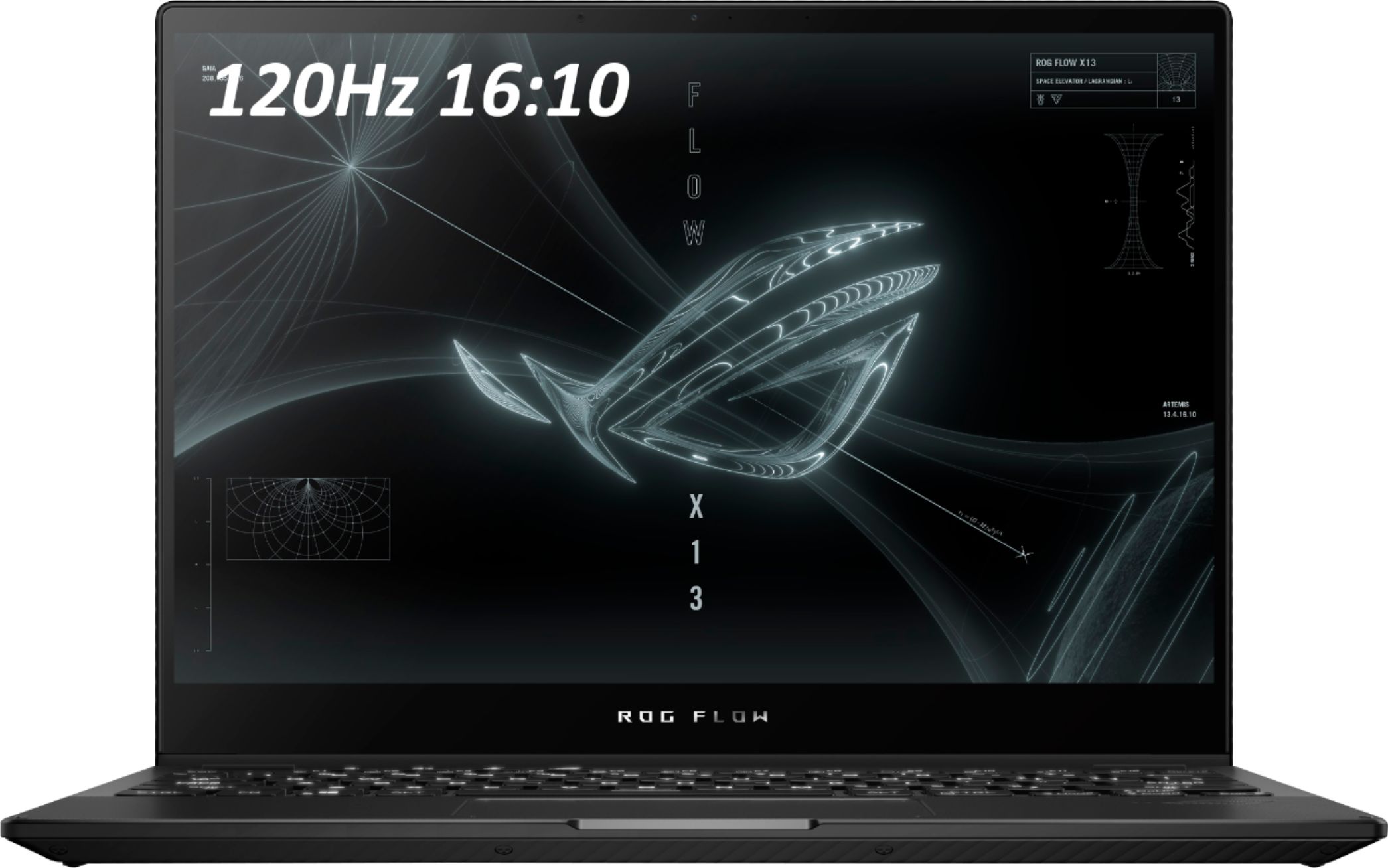
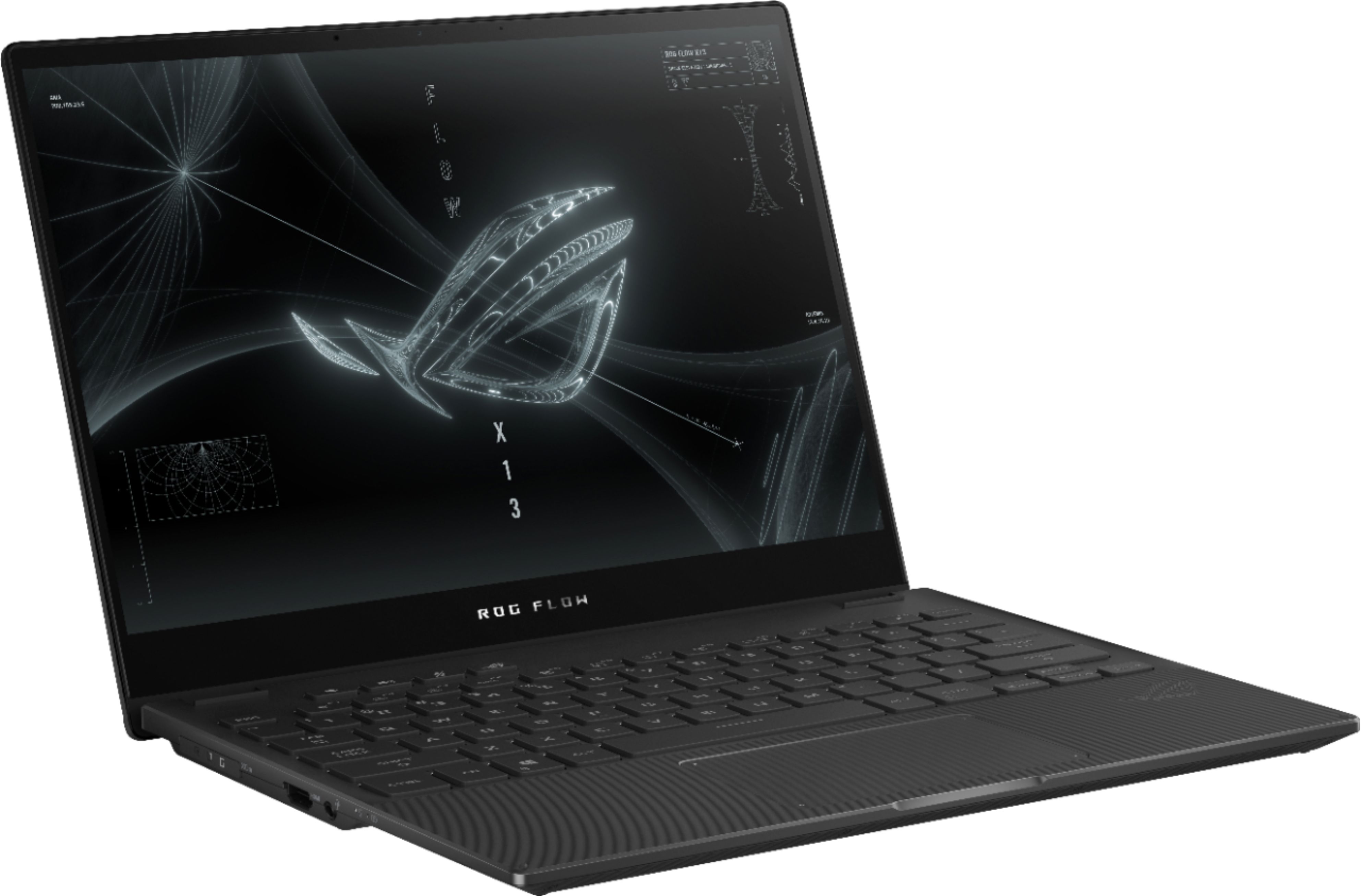
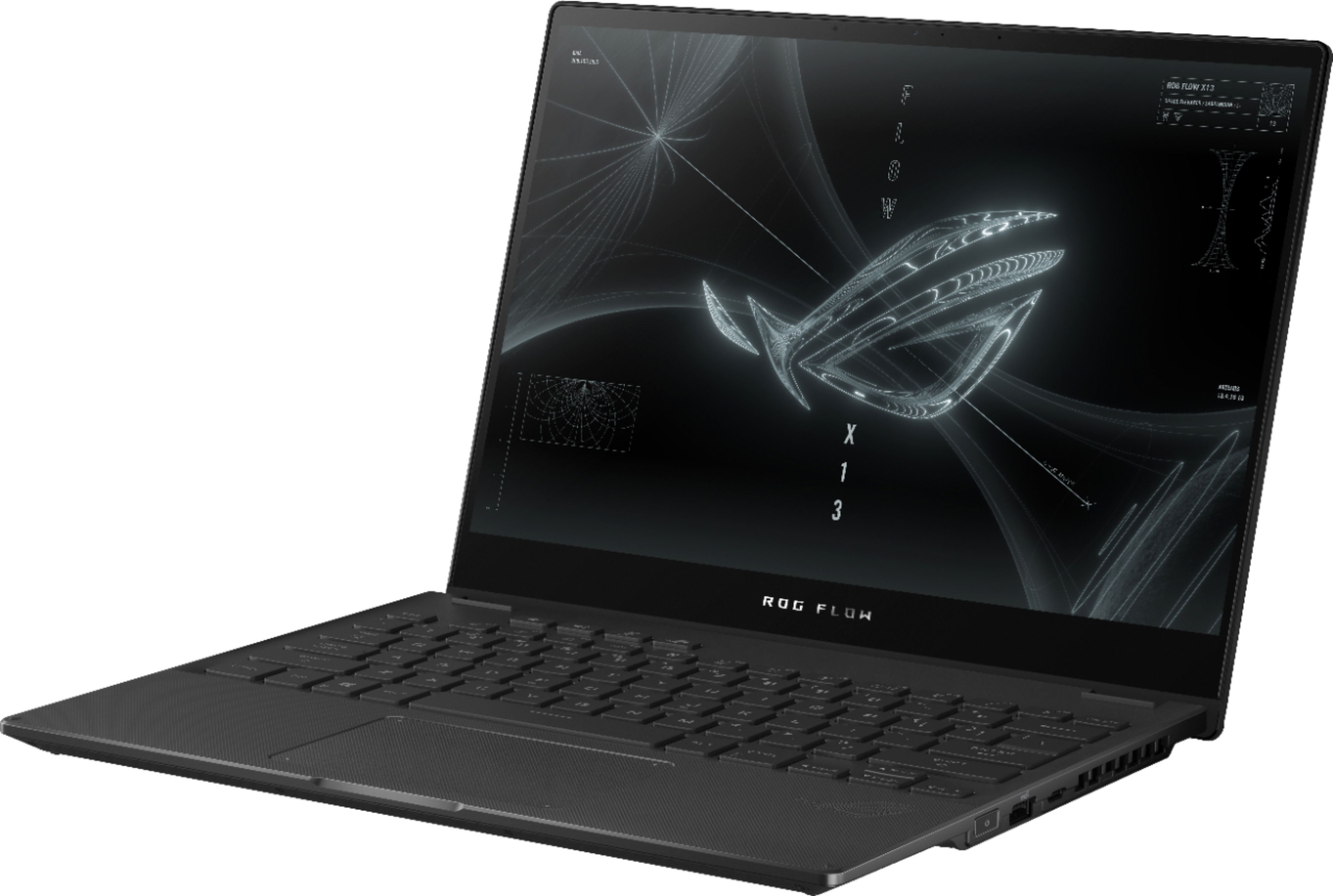
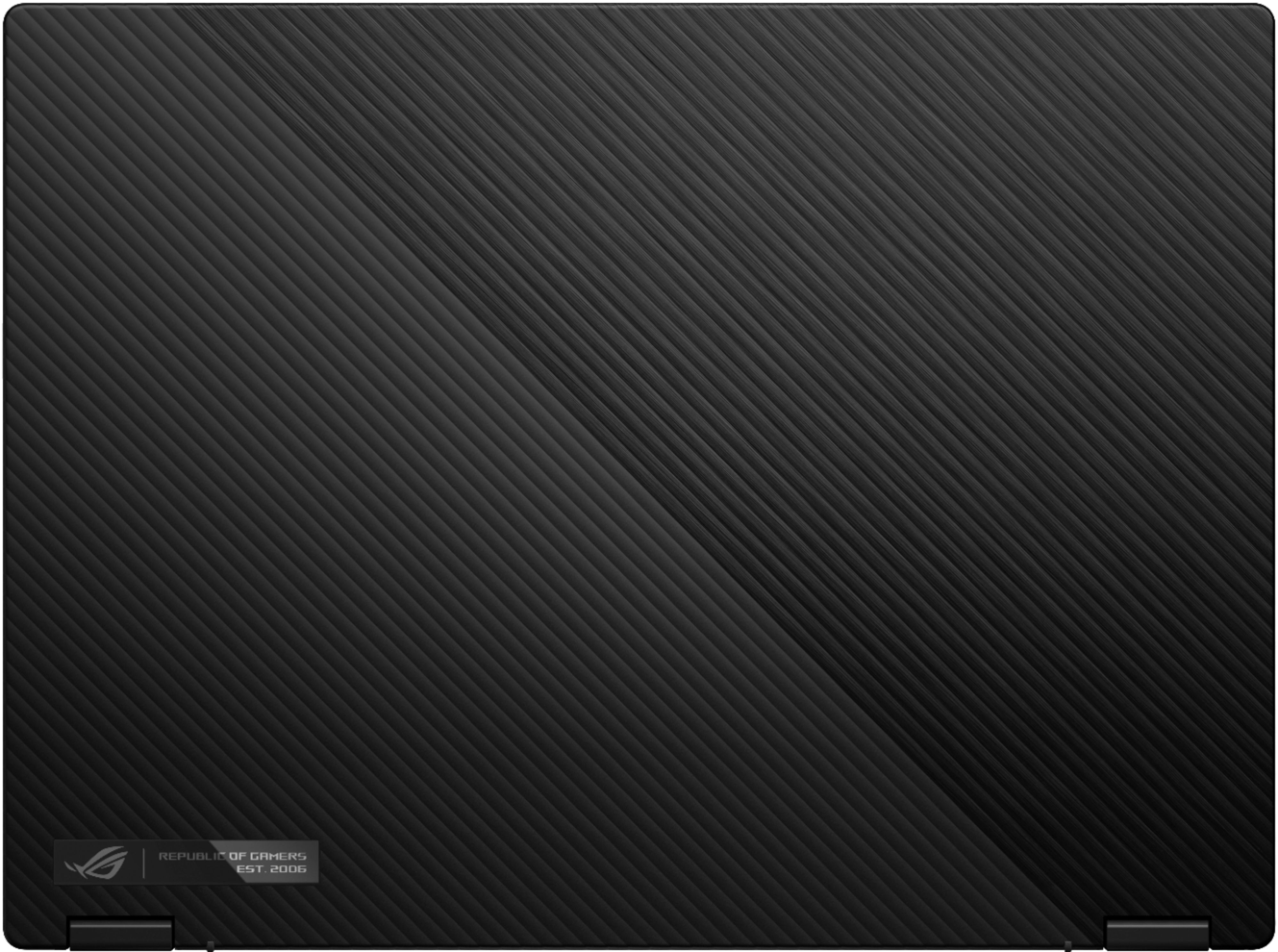

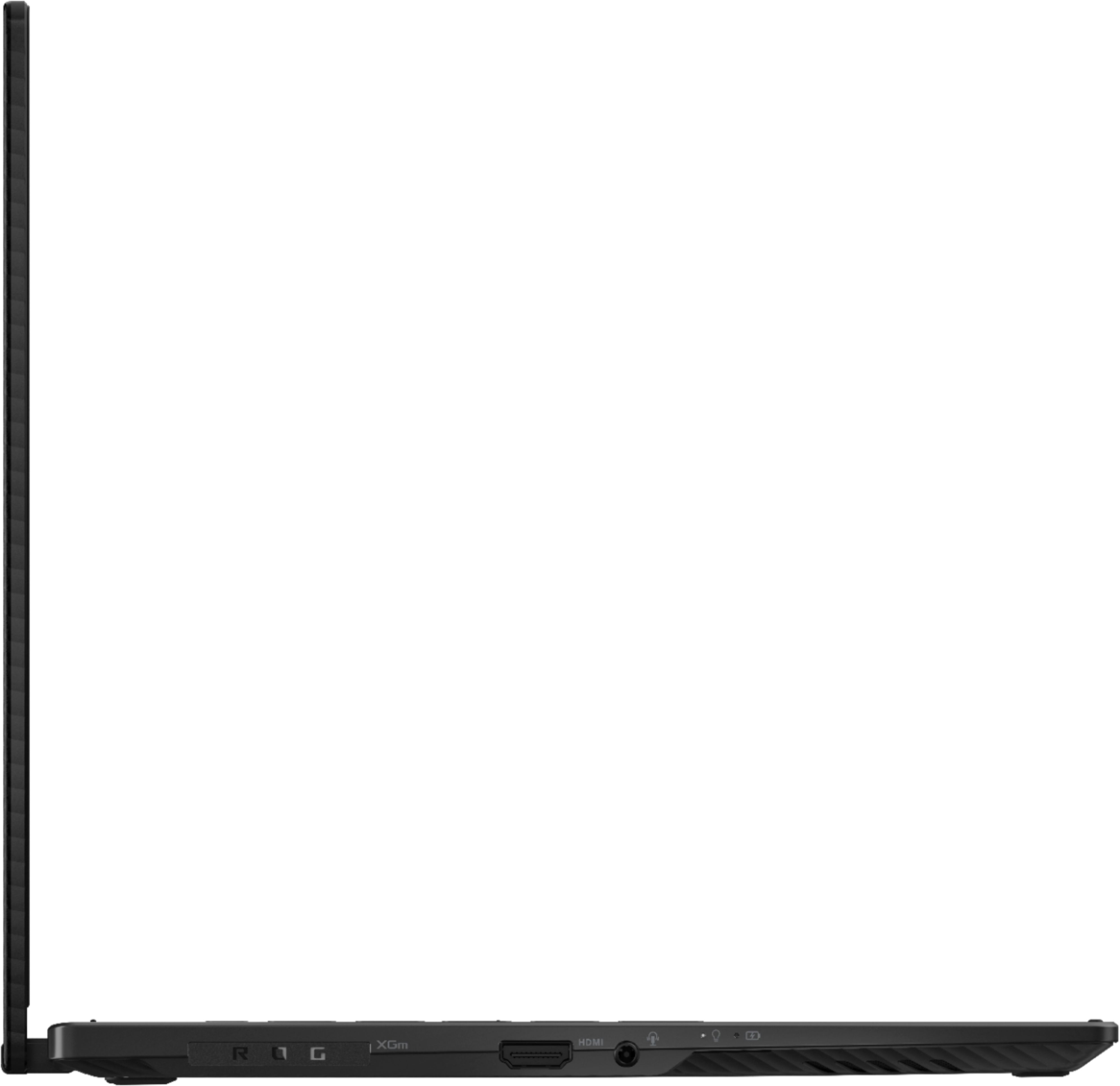

- Model:
- GV301QE-211.ZG13
- SKU:
- 6452915
Rating by feature
- Battery Life
Rating 3.9 out of 5 stars
- Speed
Rating 4.7 out of 5 stars
- Display
Rating 4.5 out of 5 stars
Customers are saying
Customers often highlight the excellent performance and impressive graphics capabilities of the ROG 13.4" touchscreen gaming laptop, along with its portability and convenient touchscreen functionality. Many appreciate its lightweight design and build quality, although some users mention issues with heat generation and limited port selection. The laptop's battery life is described as decent by some, while others note concerns about fan noise and speaker quality.
This summary was generated by AI based on customer reviews.
Tons of Power in a Thin and Light Package
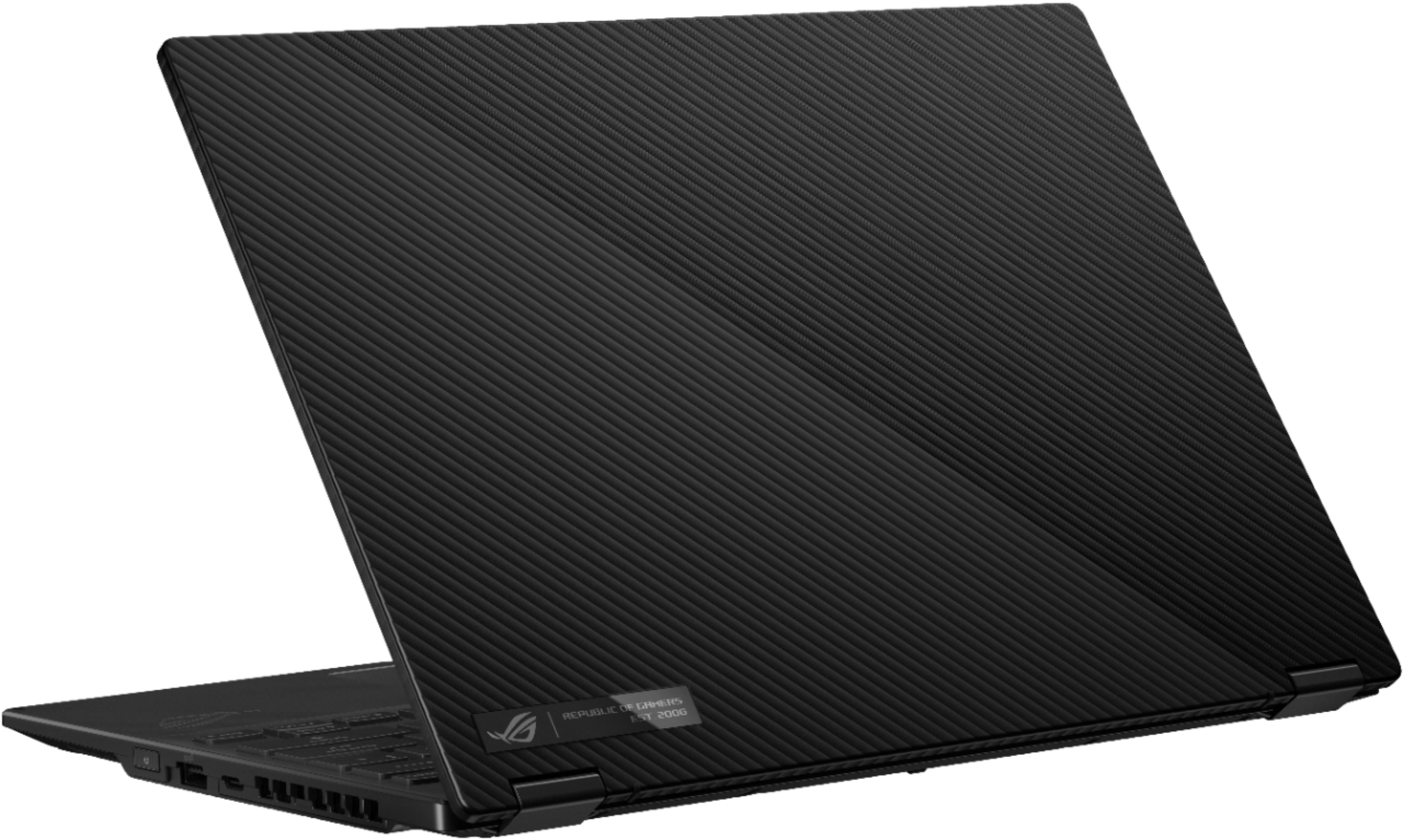
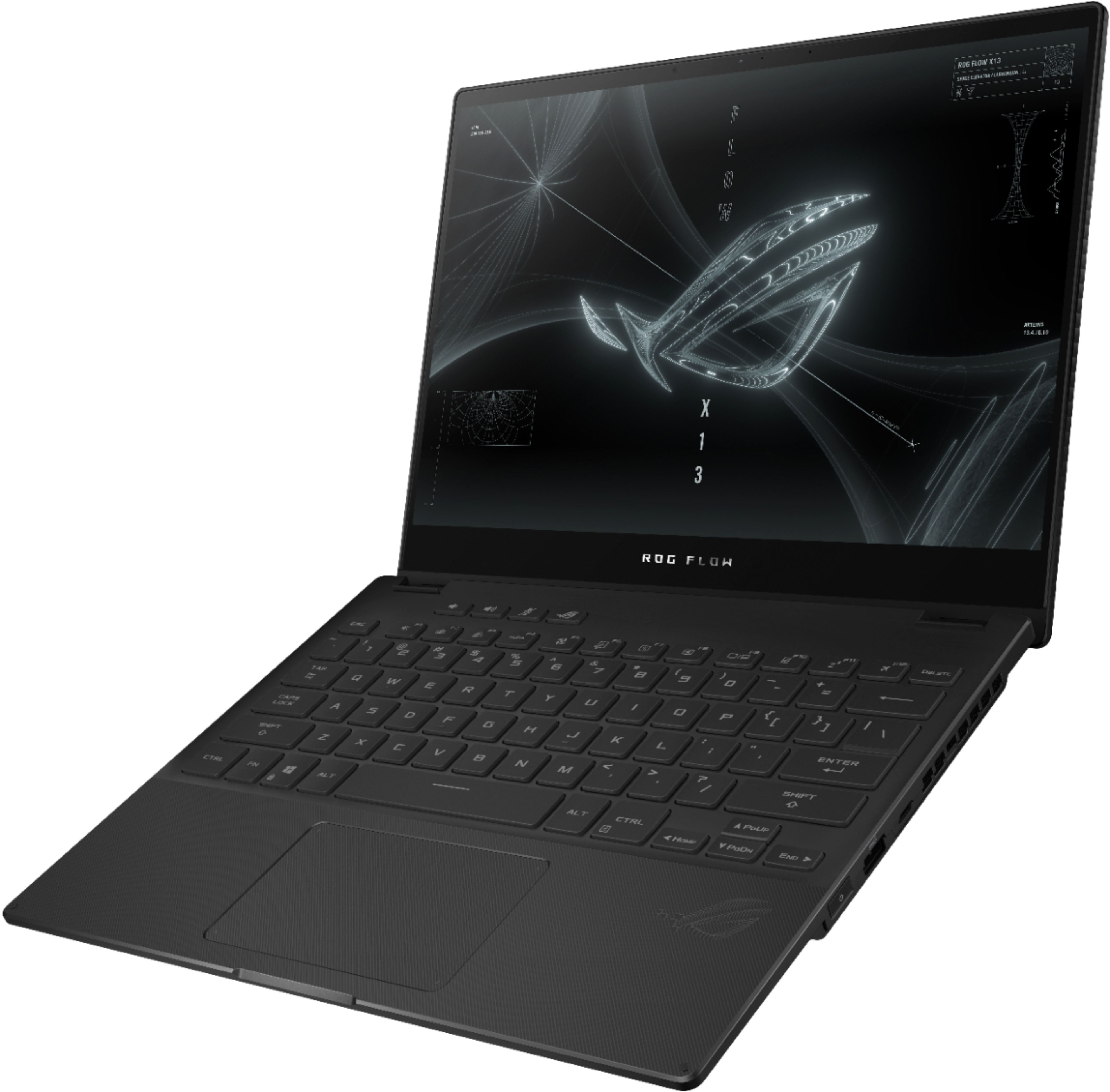
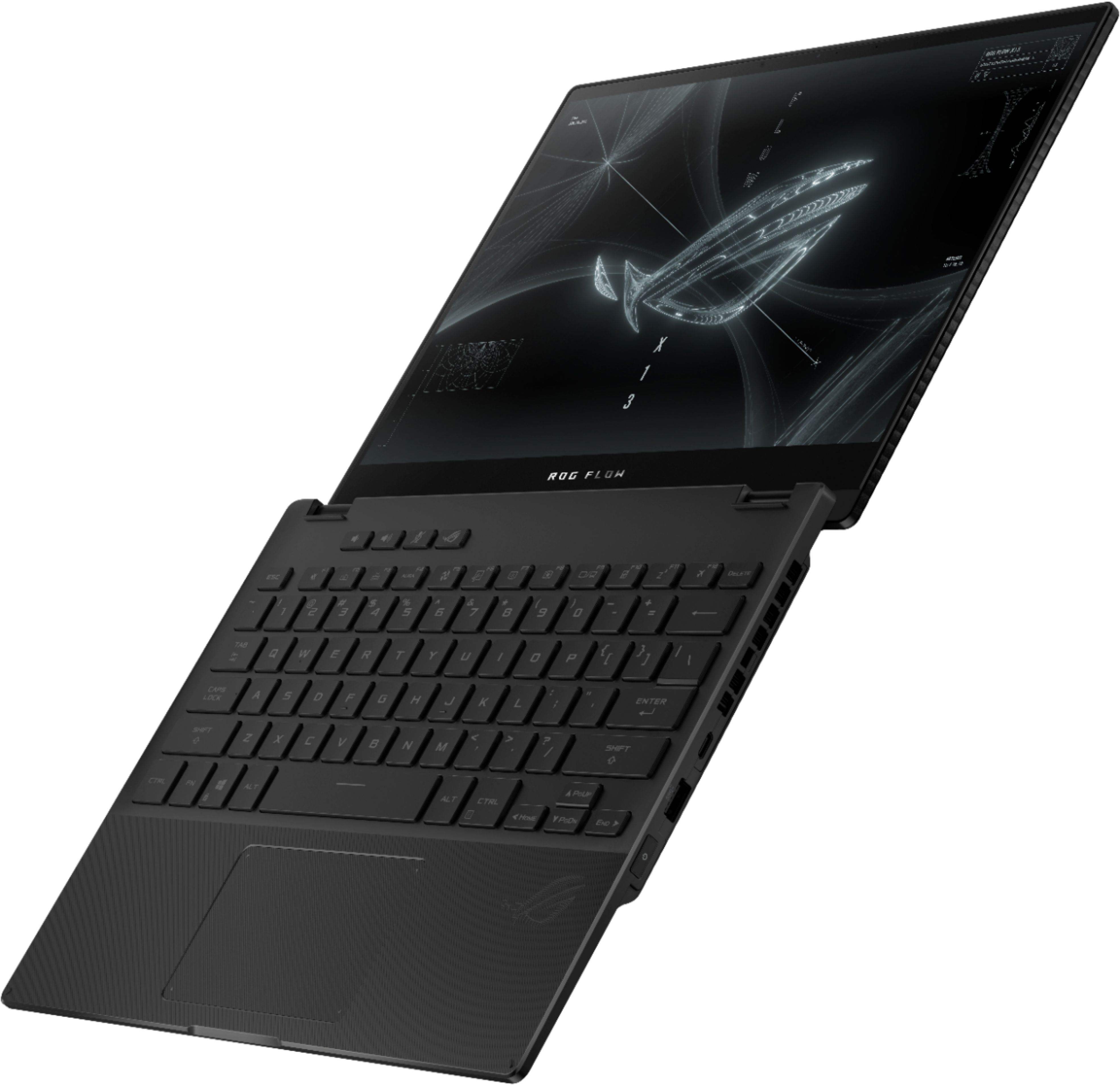
||Posted . Owned for 1 week when reviewed.This reviewer received promo considerations or sweepstakes entry for writing a review.I purchased this to replace an old Dell XPS 15 9560. When purchasing the ASUS X13 I needed a good all-rounder that could occasionally game but primarily be used for photoshopping, rendering, 3D modeling, and general everyday tasks like browsing and writing. As I travel often, I also needed a laptop that had a good balance between portability and computing power and the ASUS X13 fit the bill to a tee. Innovation: They've incorporated a lot of great pragmatic design innovations such as rapid USB C charging, a smaller and lighter power brick than standard laptops and other design details on the chassis. I really appreciated how ASUS tried to push the envelope in small but core ways throughout the laptop design. Design/Build: Really sturdy build quality with good attention to ergonomics and details such as building in a slight angle to the keyboard when tilting the display to increase airflow to the fans, and have a recess to open the lid from closed. While not as premium feeling as the aluminum CNC'd chassis becoming more common on premium laptops, the ASUS X13 is by no means a cheap feeling piece of hardware. It feels solid and rigid with a thick magnesium alloy chassis throughout. Although I don't consider myself the heaviest handed typer, I didn't experience any bit of flex anywhere on the laptop during use. I tried to press down on it in a couple of standard "problem" spots such as the top of the keyboard area but didn't feel any bending at all. The screen hinges are also very solid and have minimal spring back when adjusting given it's a 2-in-1. In Tent mode, the hinges hold firm. Attention to detail is evident with various rubber feet placed in strategic places on the chassis to cushion surfaces. There are no sharp edges and overall fit and finish are very close to my Dell XPS 15. Design-wise, the ASUS X13 is an improvement as it's more thoughtfully designed. While the chassis does feel a little plasticky when you tap on it, it doesn't look it at all and looks subtly premium with a matte and generally fingerprint resistance finish. I was previously looking at the white ASUS Zephyrus G14 and the Lenovo Legion 7 Slim prior to purchasing the ASUS X13 and build-wise it falls right in between, coming much closer to the premium look and feel of the Lenovo. It looks professional, sleek, and with just enough tastefully discrete design nods to its ROG moniker. I would have no hesitation pulling this out at meetings, on the plane, or at a cafe. It simply looks cool, low key, and can turn into a convertible if I need to mark up PDF's/drawings in front of clients which is a really nice plus. While plenty of other reviewers have remarked on its size and weight, it really needs to be seen and held to appreciate just how much ASUS has managed to pack into such a thin and light machine. With similar performance to much heavier and thicker laptops, this thing amazes me every time I pick it up, especially when it powers through heavy file conversions and exports instantly that previously would've taken me several minutes to process. Screen: Vivid and bright. I particularly like the glossy screen (coming from a matte Dell XPS screen) and it looks like the Gorilla Glass will hold up well when using it in Tablet mode. As it is glossy, it is moderately reflective but is readable on a bright sunny day with indirect lighting. Armoury Crate software has a variety of different color profiles which I haven't yet tested but am sure will have a color profile that would suit most users. Keyboard/Touchpad: I really enjoy the typing experience on this keyboard. I primarily use clicky mechanical keyboards so I really appreciated the longer travel and solid feedback of the keys. It's not mushy at all and is definitely the best typing experience I've had on a laptop. I also really appreciate all of the shortcut keys they've added for various functions (especially the Armory Crate as I find myself accessing this software to change fan profiles regularly). For those complaining that they could've maximized keyboard/touchpad space by utilizing the empty space next to the primary shortcut keys, it's nice to have that open area to better hold the computer in tablet mode. The touchpad feels as solidly constructed as the rest of the laptop. Clicking takes a bit more force than I'm used to so I prefer to tap-click rather than press-click. Given the size of the laptop, I find the size to be adequate. Battery Life: I average a total of about 7 hours of general use which includes browsing, writing emails, and streaming music over a period of 2-3 days (shutting down when not using). It's not the longest nor is it the shortest laptop battery life but it's just enough for what I expect from a laptop. On a plane with wifi off, I'm getting reads of about 10-11 hours on battery. Noise: Initially I was a little wary of the fan noise that was coming out of the laptop. Because of the various software profiles it has, some of the profiles run the fans at highly variable speeds depending on what's running. The first day I tried out Silent mode while plugged in and the fans were switching between completely off, to low, to medium and ramping up and down all over the place just by opening up a browser or starting some other low resource task. The fans seemed to be pretty sensitive to any changes in CPU and GPU temperature. This was a bit annoying but I figured I'd give it a day or two to chill out and "normalize" after updating the BIOS/Armory Crate software. After the updates, the fan speeds are much more stable and aren't as reactive as Day 1. The fans also had a high pitched whine that you could hear even at low fan speeds, quieter on low but definitely audible and increasing in volume at faster fan speeds. To try to remediate this, I ran the fan diagnostic with the MyASUS software where it pushes the fans through various speed/load tests. This seemed to resolve the issue and I'm no longer hearing the high pitched fan whine. After a few days, the fans are basically silent, no high pitched fan whine and only ramps up (as expected) when I'm running more intensive tasks. Sound: Surprisingly decent, even good, especially compared to my Dell XPS 15. Even without setting it on a table/hard surface that could reflect the sound back up towards you, the sound is clear and has surprising depth for laptop speakers. They can get plenty loud as well and have an overall warm and detailed sound signature for laptop speakers. The speakers aren't tinny or flat sounding at all which is a nice and unexpected surprise. Software: Relatively speaking, there is very little ASUS bloatware installed. Aside from the Window's app bloatware, ASUS only has three custom software installed, MyASUS, Armoury Crate, and an ASUS tuned Dolby Access app. While not having the most user intuitive GUI's, I appreciate the amount of customization/control it gives me, particularly with the fan/noise profiles and battery charging profiles. While it's not particularly a set-it-and-forget-it user operation, I appreciate being able to do things such as use the discrete graphics only (iGPU), control the CPU/GPU for my varied uses such as heavy photo editing and 3D modeling, and limit battery charging so I can extend overall battery life. It takes a little bit of time to understand what these features do but I think it's worth it to have and worth the time it takes to become familiar with. Nitpicks: Fan noise: Gets pretty loud on "Performance" mode and while playing a game, the fans occasionally emit a regular soft "chk-chk" noise. Not sure if this is also part of the "break in" period but it's not enough of an annoyance that I would consider returning the laptop/getting it looked at. The fans also still like to jump around a bit but it's much better after updating the BIOS and is almost undetectable at lower fan speeds. It's only really obvious when you're performing more demanding tasks. Fingerprint reader: The built in fingerprint reader on the power button is a really nice idea but in reality only works well when used to power on the computer. For that it's been flawless. It's pretty hit or miss though when using it to wake up the computer from sleep. I've heard some users recommend registering the same finger twice so this might help improve things. Touchpad: The touchpad click is louder and a bit clunkier to use than other laptops at first use but if you use it constantly, it "breaks in" and becomes more softer/easier to click. Also, just tapping it lightly results in feedback, as you can hear it spring back a little bit on you when you tap. Software: They could've simplified the major software-specific customization for fan profiles etc. There's a little bit too much overly designed graphics/interface to sift through for non-gamers/people who just can't bother with diving too deep into settings. Warranty: They do not offer the Accidental Damage Protection promotion for new ASUS owner registrations as Best Buy offers it's own warranty service. I assume it's a non-compete thing. Just a small note for those who are counting on this when purchasing. Overall: What ASUS has done with the X13 is nothing short of impressive and I'm more than happy with my purchase. Compared to its competitors in the same price range, it can't be beat. Because it's so lightweight it should be in a class of it's own and as of now, it's competitors come in at at least .5-1 lb more which does make a difference when I'm on the move. While it may not be as powerful as it's heavier competitors, the performance difference is negated by it's portability for the purposes I need it for. It's an amazing thin-and-light creator's laptop and looks good doing it!
I would recommend this to a friend- Pros mentioned:Performance
Good for an architect
||Posted . Owned for more than 2 years when reviewed.This reviewer received promo considerations or sweepstakes entry for writing a review.Best purchase for an architect on 2022. Still useful on 2024
I would recommend this to a friend World beating performance in an ultrabook chassis
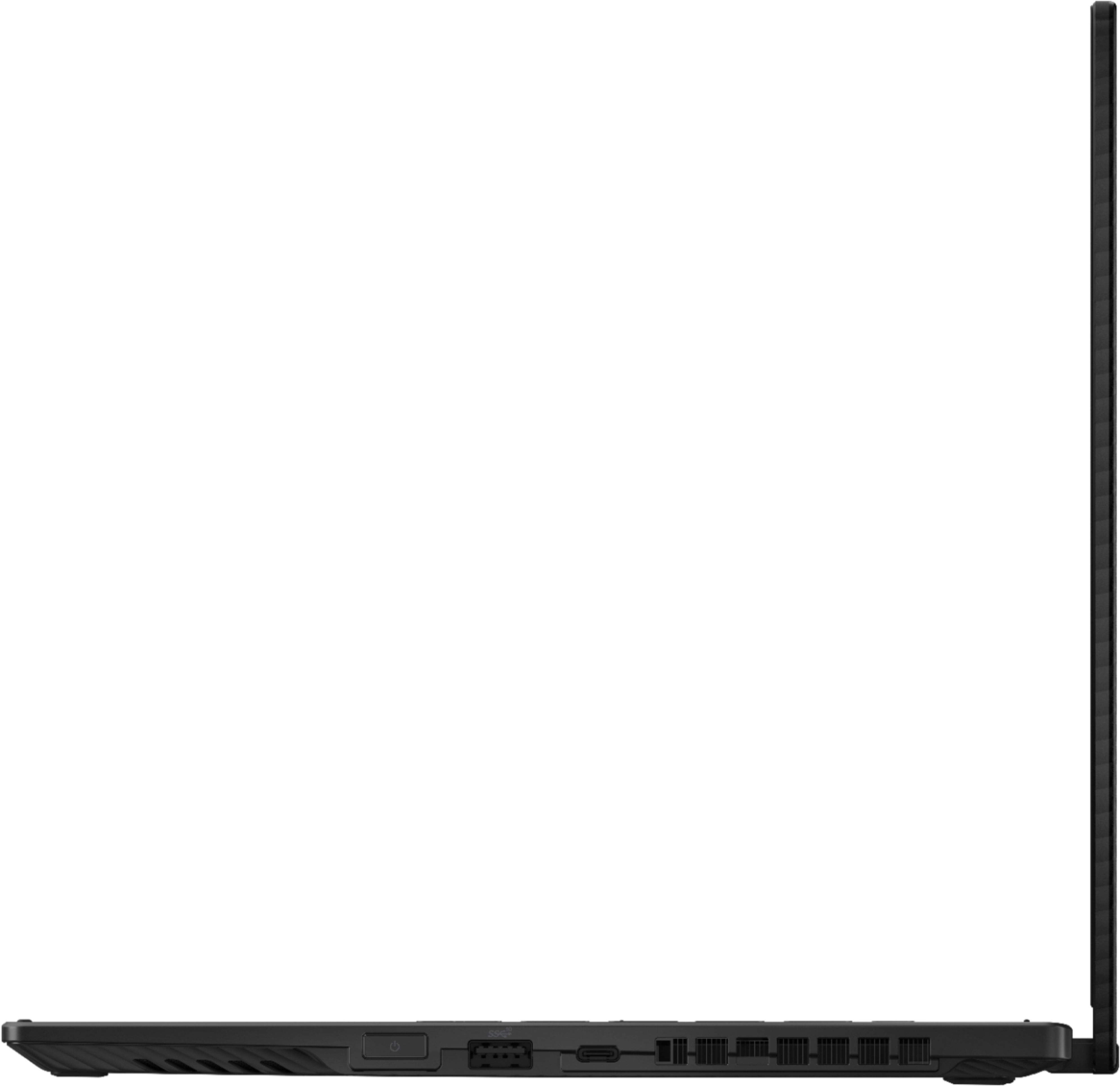
||Posted . Owned for 1 week when reviewed.This reviewer received promo considerations or sweepstakes entry for writing a review.A truly amazing device for its size. CHASSIS: Form factor-wise, the device is similar to the retina MacBook Pro 13, thin and compact. The weight, again similar to the MacBook Pro 13, does not stand out against its 13-inch class peers (ultrabooks), but is certainly steps above 15-inch class "gaming" laptops. The chassis does not feel as "solid" as the MacBook Pro 13, the keyboard deck seem to be plastic and flexes very slightly when pressed with a good amount of force. The screen seems to flex more than the MacBook Pro 13 when twisted. But anyone who has used a MacBook knows that it's an incredibly solid piece of machinery, and while the Flow X13 seems to fall behind, it is still incredibly well built. The keyboard deck gets oily very easily, which is unfortunate. Get used to cleaning it. Looks subtle enough, the grooves feel amazing to the touch. There's a small shiny plate on the lid, I put a sticker over it because the similar plate on the Zephyrus G14 I got last year scratched badly. INPUT DEVICE: The keyboard seem to be similar/identical to Asus' 15.6/16-inch offerings of the Zephyrus series, good travel distance and very comfortable. Backlighting is white. The trackpad unfortunately falls short. It's a bit smaller than some offerings of similar size (XPS 13 for example), and it is plastic, which certainly feels less satisfying than the glass panel you get on most premium ultrabooks. Screen is touch compatible and supports the use of a digital stylus. You can flip the screen over and use it as a makeshift tablet. The power button is on the right edge of the chassis, and has a fingerprint sensor. According to reviews it's pretty fast but I haven't used it yet. SCREEN: As a capacitive touch screen, it features a glossy glass panel. People who often use their devices in direct sunlight might need to consider a matte screen protector. Bezels are thin, particularly to the left and right. The resolution is 1920x1200, a 16:10 aspect ratio. Considering the size of the device, the resolution should be sufficient for most users. Colors look good, but as I mostly use an external screen, I can't offer much comment. A webcam is present on top of the panel. PROCESSOR PERFORMANCE: I suppose this is why you are looking into this device. Despite being an ultrabook sized device, it features a 8C/16T "Cezanne-H" processor from AMD. While this isn't the first octa-core ultrabook, it is the first one with a high power budget processor. The 5900HS runs at 45W PL2, 35W PL1 by default (Performance mode), but it can be increased to 80W PL2, 45W PL1 (see power management section). I am able to get a Cinebench R23 multi-core score of 10500 with the default power budget. A very impressive showing, on par with or even higher many 15/17-inch "gaming" laptops with Intel's last generation "Comet Lake-H" octa-core processors. Also, the result is more than 30% higher than the Apple M1, and is in all likelihood the best multi-thread performance from any 13-inch class laptop. GRAPHICS PERFORMANCE: At 35W, the RTX 3050Ti in the Flow X13 has the lowest power budget possible. By default (performance mode), the device yields somewhere around 3850 Time Spy graphics score, flipping it over to "tent mode", it goes up to around 4000. In Turbo mode it goes up to around 4400. I'm not a avid player of 3A games, and the performance is comfortably sufficient for my use case. According to UL benchmark, the performance is similar to a desktop RX 580 or GTX 1060 (6GB VRAM), very impressive, taking into account the compact size of the device. Additionally you can (?) get the Asus XG Mobile eGPU/dock, but I don't have it so I cannot offer any opinions. POWER MANAGEMENT: I haven't had the chance to extensively use the device on battery power, so I can't comment on the battery life. What is worth mentioning is that the laptop only accepts around 65W from 3rd-party adapters. In this configuration, the Turbo and Manual power plans are disabled in the Asus Armory Crate software. Additionally, the device can consume more than 65W when loaded, which means that the battery level drops if you game while connected to a 3rd-party power adapters. The drop is not substantial, and you should be able to get non-stop gaming sessions in excess of 5 hours in this configuration. While the charge drop is what I would describe as a minor issue, the restricted power plans means that you lose some performance if you choose to go for a single-cable solution. Hopefully Asus can update the software to unlock this restriction. PORTS: The device offers two USB Type-C ports and a single USB Type-A port, all three are 10Gbps compatible, and you can charge the laptop with either Type-C port. The device also includes an HDMI port, it and both Type-C ports are connected to Cezanne HG (Vega 8), so there's no way to circumvent the HG output. A 3.5mm analog audio port is also present. The Type-C port on the left is part of a dock port, and has a removeable silicone cover. Hopefully Asus provides replacement port covers. The dock port is PCIe 3.0 x8, and currently Asus has two eGPU docks for the port (RTX 3070 Mobile 8GB VRAM / RTX 3080 Mobile 16GB VRAM). (See accessories section) UPGRADEABILITY: The RAM and NIC are onboard. The RAM is LPDDR4X-4266 with a 128-bit bus, so faster than what you can get with dual channel DDR4L-3200. If 16GB is enough for your use case then there's nothing to worry about. Unlike Asus' 14/15/16/17-inch offerings this year (most, if not all of which include a NGFF 22x30 MediaTek MT 7921), the Flow X13's onboard NIC is the familiar Intel AX200. According to notebookcheck, the AX200 does not perform particularly well compared to some of the other AX200/AX201 laptops. It is substantially faster than the MTK solution - if you are into LAN applications, e.g. NAS, however it also means that you cannot upgrade to the faster AX210, if you have use for the 6GHz standard. If you do not have any demand for LAN performance, then the NIC discussion shouldn't concern you. The device only has an NGFF 22x30 slot for storage drives, the sample in my unit is a WDC SN 530 1TB. As of the date of writing, there aren't any 22x30 drive with a capacity larger than 1TB that I am aware of, so there isn't a clear upgrade path. Look into USB HDD/SSDs if your game library is large. ACCESSORIES: The included power adapter is significantly smaller than the power bricks you get with larger "gaming" laptops, but is not as compact as many of the 65W Type-C adapters on the market. (as mentioned above, the laptop only takes 65W from 3rd-party adapters). My 3rd-party 100W Type-C charger is also more compact. There's also a cardboard with instructions on how to fold it into a triangular tube and use it to jack up the laptop for improved cooling. There's no included digital stylus. OTHER OPTIONS: Best Buy offers a different option with Ryzen 9 5980HS, 32GB of RAM, 3840*2400 panel and GTX 1650 Max-Q. The package includes an RTX 3080 Mobile eGPU dock. As of the date of writing, no major online retailer in the US offers the dock standalone (Asus store lists it, but is out of stock). So if you have need for a higher resolution screen (why?), a larger VRAM capacity or the eGPU dock, that is your only option. However the GTX 1650 Max-Q is a downgrade.
I would recommend this to a friend- Pros mentioned:Performance
Amazing
||Posted . Owned for more than 2 years when reviewed.This reviewer received promo considerations or sweepstakes entry for writing a review.Best from the best. Lil bit old but master in performance
I would recommend this to a friend - Pros mentioned:PerformanceCons mentioned:Heat
love my new Asus!
||Posted . Owned for 1 week when reviewed.This reviewer received promo considerations or sweepstakes entry for writing a review.Great laptop, very fast, great quality build. Can get a little hot, but that can be adjusted. Games run beautifully!
I would recommend this to a friend - Pros mentioned:GraphicsCons mentioned:Heat
Great little laptops for art students.
||Posted .This reviewer received promo considerations or sweepstakes entry for writing a review.Its a very nice 2 in 1 laptop that has a great screen for drawing, and a graphics card for anyone trying to use it for some rendering. The only problem I have with it is it can get a little hot, but you could always prop it up so that nothing is blocked by the table.
I would recommend this to a friend - Cons mentioned:Ssd
Burnt out after one year.
||Posted . Owned for 1 year when reviewed.This reviewer received promo considerations or sweepstakes entry for writing a review.The machine did what it was supposed to, but after 1 year and 2 months, the right side usb charger port and regular USB port burned out. It has no other regular USB ports so I can't use a controller anymore. Pretty unacceptable product failure. I'll also say that the microphone and general sound card for this laptop is hilariously bad. No other device I've ever used has given so much sound feedback from my own programs. It picks up game noise and transmits it over discord. The WiFi card is also extremely unreliable.
No, I would not recommend this to a friend Very unique, great looking choice with one flaw
||Posted . Owned for 3 weeks when reviewed.This reviewer received promo considerations or sweepstakes entry for writing a review.This is a great laptop, especially at a reduced price. There really isn't anything else out there that hits all the points for a small laptop. the jump from 13.3" to 15.6" is pretty significant. For many, including myself, the sweet spot is somewhere between 13.3" and 15.6". Unfortunately, there simply aren't that many good choices out there. The 120Hz 16:10 13.4" touch and stylus capable display isn't found anywhere else. Throw in an AMD 5900HS (this competes quite well with the 11th gen Intel i7-11800H gaming processors) and an Nvidia RTX 3050 Ti in a slim 2 in 1 form factor and it's in a league of it's own, before we even get to the XG external GPU capability. Asus didn't stop with the amazing guts and display. The keyboard is fantastic with an amazing amount of travel and spacing you'd find in much larger laptops. The outside texture is gorgeous and this extends to the interior. If I'm gushing so much about this laptop, why am I giving it only 4 stars? I bought a new one the moment it became available. I really, really enjoyed it. I did more research on it and saw that Asus recommends using it/gaming in tent mode to get better thermals. So I tried this and uncovered a very strange rattle coming from the left fan. There was no regularity/pattern to it and it sounded like the blades of the fan were sometimes bottoming out when in this vertical/tent position. I did some research and there appeared to be at least two different fan problems people were seeing on this device on Reddit and Discord. One was a flap that was moving around and sounded like you when you put a piece of paper into a desk fan. There was a simple fix for this - tape down the flap. The other fan rattle sounds like water dripping. That's the one I had. No one has been able to figure this one out. I like this laptop so much I bought another one to try to get a good one. The second one had the same fan rattle and also had what sounded like coil whine (high pitched sound) even when spinning at low RPMs. This second one immediately went back, and I hung onto the first one for a little while longer to see if I could deal with the rattle. Turns out I can't and I ended up sending it back as well. My hunt for the perfect laptop continues...
I would recommend this to a friend- Pros mentioned:Battery life
This is THE portable laptop to buy
||Posted . Owned for 1 month when reviewed.This reviewer received promo considerations or sweepstakes entry for writing a review.Excellent performance in a tiny package. The laptop has surprised me with battery life, portability, and power. If you use Amoury crate you can disable discreet graphics for even more battery on the go. The trackpad has a little wobble and the only charger that allows turbo mode is the one included which I have struggled to buy separate. Even with these two issues this laptop far exceeds my expectations and has made an XPS look like a bad buy.
I would recommend this to a friend - Pros mentioned:Graphics
Yup. This is the ROG Flow x13.
||Posted . Owned for less than 1 week when reviewed.This reviewer received promo considerations or sweepstakes entry for writing a review.I'll save you some research: This is the most powerful ultrabook that you'll find anywhere. You won't find anything this small, and light with as powerful of a graphics card or a processor. Not to mention, it's cheaper than some of the alternatives provided by competitors (HP, Dell, Razer, etc.) Not to mention, it's crazy that ASUS crammed a 3050ti in a 2-in-1 I've been looking for this computer ever since it was announced in January, and am extremely happy that when I was able to finally get it, it wasn't just the model with the 1650 graphics card, but actually a 3050ti graphics card. Sure, it's not going to be able to play the most modern games at the highest graphics settings, but it will more than fulfill my needs and expectations. Woohoo!
I would recommend this to a friend - Pros mentioned:Processor speed
Mini powerhouse
||Posted . Owned for 2 months when reviewed.This reviewer received promo considerations or sweepstakes entry for writing a review.I wanted an I9 laptop and the speed is comparable or better than the average desktop. Does not take up a lot of space and has ran every software I’ve thrown at it. One downside is the lack of USB ports but purchasing a hub with power distribution will solve that
I would recommend this to a friend - Pros mentioned:Graphics
You could do much worse
||Posted .This reviewer received promo considerations or sweepstakes entry for writing a review.Great portable gaming laptop with a few issues that hold it back. Not sure if others have experienced this but I've had constant track pad issues where it sometimes shuts itself off from flipping into tablet or tent mode then doesn't come back on when you flip back to laptop mode. You have to navigate into settings to re-enable it, that took awhile to figure out the first time. The track pad has also given me drift issues in games where it takes over from my controller or mouse that forces me to restart the computer to fix. Everything else is great. I would have preferred a slightly better dedicated graphics card but for the size and power constraints of the laptop it gets the job done. Also would love it if Asus made an an external GPU housing for desktop cards with their proprietary pcie cable as an option so you're not limited to the very pricey xg mobile GPUs but I doubt that'll ever happen.
I would recommend this to a friend 
Great machine
|Posted . Owned for 1 year when reviewed.This reviewer received promo considerations or sweepstakes entry for writing a review.Great machine, runs well on all gaming and is the perfect size to carry around for work
I would recommend this to a friend- Pros mentioned:Performance, Processor speed
Excellent for editing on the go and 1080p gaming
||Posted . Owned for 3 months when reviewed.This reviewer received promo considerations or sweepstakes entry for writing a review.I had purchased this laptop to upgrade from my dual-core laptop so I could achieve better performance in programs such as Adobe Premiere and Adobe After Effects. The specs on this laptop are amazing for its size. It's lightweight and very powerful with its 8 cores and 16 threads. It's a very fast laptop and does excellent 1080p gaming. The 120 Hz display is excellent as well.
I would recommend this to a friend - Pros mentioned:Graphics, Touchscreen
POWERHOUSE
||Posted .This reviewer received promo considerations or sweepstakes entry for writing a review.This laptop is a powerhouse! Cooling is really good for a little heavy hitter like this. Graphics are awesome and the ability to do work AND play is awesome. Keyboard feels nice and well built. The backlight is good. All the updates are smooth. Overall...I would highly recommend this future proof laptop.
I would recommend this to a friend - Pros mentioned:Battery life, Performance
Blazing fast at a great price
||Posted . Owned for 1 week when reviewed.This reviewer received promo considerations or sweepstakes entry for writing a review.I bought this to game on battery and to be able to use for working at home. For $1,250, you can’t beat the value, performance and flexibility of using this as a solid laptop or a windows tablet. I can game for at least an hour while playing demanding AAA games, and at least two hours with a power bank connected. When not gaming, this thing lasts all day.
I would recommend this to a friend - Pros mentioned:Graphics, Processor speed
Ultra Powerful 2 in 1
||Posted . Owned for 1 month when reviewed.This reviewer received promo considerations or sweepstakes entry for writing a review.Fast, powerful and light. Converts to tablet. Seems sturdy. I like Asus because not much bloatware and easy to get by without MS Onedrive and other drags and drains on the system. I am not a gamer but do numerical analysis, AI and machine learning. The 1TB hard drive and NVDA card are ideal platform for me.
I would recommend this to a friend - Pros mentioned:Battery life, Touchscreen
All in one!
||Posted . Owned for 1 week when reviewed.This reviewer received promo considerations or sweepstakes entry for writing a review.Love this little guy! It is small, fast, light and has a great battery life. If the 3050 Ti isn't enough power for you, then you can upgrade to an external 3080 purchased separately from ASUS. The 2-in-1 capability is really nice too. It'll accept an active stylus as well. Draw, take notes, render some frames then do some gaming. It does it all.
I would recommend this to a friend - Pros mentioned:Performance
Very capable performance, poor battery life
||Posted . Owned for 1 week when reviewed.This reviewer received promo considerations or sweepstakes entry for writing a review.If you plan to keep this PC plugged in most of the time, Flow x13 could be a great option. This PC is easily one of the most capable small laptops on the market right now. If you are a college student taking notes in class, the poor battery life and so-so stylus performance could be a dealbreaker. If my experience is any indication, you'll be casing for wall outlets wherever you go. The productivity performance is fantastic due to Ryzen 9 CPU. The reported performance problems associated with ryzen and windows 11 haven't been apparent to me. This ultrabook easily blows through most any task I can throw at it, with one caveat. Using any charger except the provided OEM charger will throttle every component of the PC and cause the PC to operate very poorly. Plan on bringing the somewhat bulky OEM charger with you everywhere, so you won't get the perk of easy USB C charging. Gaming performance is passable due to 3050 ti dGPU but limited by 35-watt power limits. You can play most games at medium to high settings if you run the "turbo" mode and tent the laptop. otherwise, the chassis will get extremely hot. UX is okay, but could be better. The tablet UX is mediocre because of excess heat. It's very uncomfortable to try to hold this PC in tablet mode, even though the armoury crate software automatically throttles performance to attempt to prevent overheating. The laptop UX is good except for ASUS Armoury crate which is glitchy. Some of the function keys won't work. Some of the automated battery saving features are unreliable (eg GPU power saving modes). The screen is fairly good, but could be brighter. Brightness peaks at 350 nits, which is rather low for an ultrabook at this price point. You won't be able to sit in direct sunlight and see this screen easily. Indoors, however, the maximum brightness is more than adequate. The overall clarity of the screen is adequate for most productivity-related tasks. Battery life is extremely poor. Even with aggressive power saving settings such as dark mode, windows battery saver mode, , the battery life doesn't last more than 4-5 hours.
No, I would not recommend this to a friendBrand response from ASUS Answers
Posted .Dear Valued Customer,
We're sorry to hear about the unfortunate experience you're having with the performance and the battery life on this model. Rest assured that we will passed this information on tour development team doe a review. For more information send a tweet or direct message to our Official ASUS North America Support twitter at AsusHelpUS. We’ll do our best to provide a quick resolution to your case. Your feedback is important as it helps with improvements to ASUS Support channels. Please copy a link to this post as a reference.
Thank you for choosing ASUS.
Best Regards,
Joan
ASUS Customer Loyalty US Support
- Pros mentioned:Processor speedCons mentioned:Ssd
ASUS ROG X13
||Posted . Owned for 2 months when reviewed.This reviewer received promo considerations or sweepstakes entry for writing a review.Love this little notebook. Fast processor for music DAW interface and recording system. Would have preferred one more USB port but am finding work around. I would probably buy the next screen size up next time since I have older eyes in my retirement .
I would recommend this to a friend