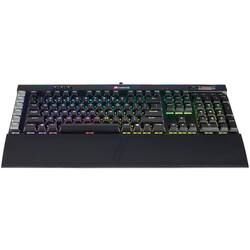
CORSAIR - K95 RGB PLATINUM Mechanical Gaming Keyboard Cherry MX Speed RGB LED Backlit
Model: CH-9127014-NA
SKU: 5713210
This item is no longer available in new condition. See similar items below
Customers consistently note the high quality of the keyboard, praising its build, RGB lighting, and ease of use. Many appreciate the included wrist rest and extensive customization options offered by the software. However, some users experienced issues with key repeat, software stability, and the price point.
The vast majority of our reviews come from verified purchases. Reviews from customers may include My Best Buy members, employees, and Tech Insider Network members (as tagged). Select reviewers may receive discounted products, promotional considerations or entries into drawings for honest, helpful reviews.
This is my first gaming keyboard, but I'm not sure if I could have picked a better one! It's got some nice weight to it so it doesn't move. The keys feel great! Really love the RGB... It gives me the ability to set the color to match my whole setup. 10/10 would recommend!
Posted by Brian
I got this keyboard on sale for $129 and on top of that had $40 dollars in gift certificates with my bestbuy points. But even if I couldn't get this for $89 dollars like I did I would buy it again for the full price! This is by far one of the best keyboard I have ever used. For gaming, typing, editing, anything you can possibly think of.... The lights are amazing and the best of the best in customizable options. I currently have it set for my league of legends layout but you can light up each individual key a different color if you wanted too it's insane! Extremely responsive sometimes a little to much... but once you get used to it WOW! Don't think twice when it comes to buying this keyboard!
Posted by ReviewPro
Nice keyboard, everything I expected from a Corsair keyboard. I've had the K65 and K55 crossfire, and things I enjoy on the new one are the volume scroll bar and the overall size. The biggest difference and thing to know for this is that, if you are not used to having a row of macro keys to the left (I was NOT) it is a huge adjustment. I use this for both work and gaming, and am using it all day, all week, and it was difficult to get used to it. My brain just knows that the ESC key is in the top left and the CTRL key is in the bottom left, and I still press the G keys accidently to this day. I actually mapped ESC to G1 because it happens so frequently. I can't ding it a star for this, but worth thinking about before pulling the trigger.
This review is from CORSAIR - K95 RGB PLATINUM Full-size Wired Mechanical Cherry MX Speed Linear Switch Gaming Keyboard with 6 Programmable G-Keys
Posted by blindsniper